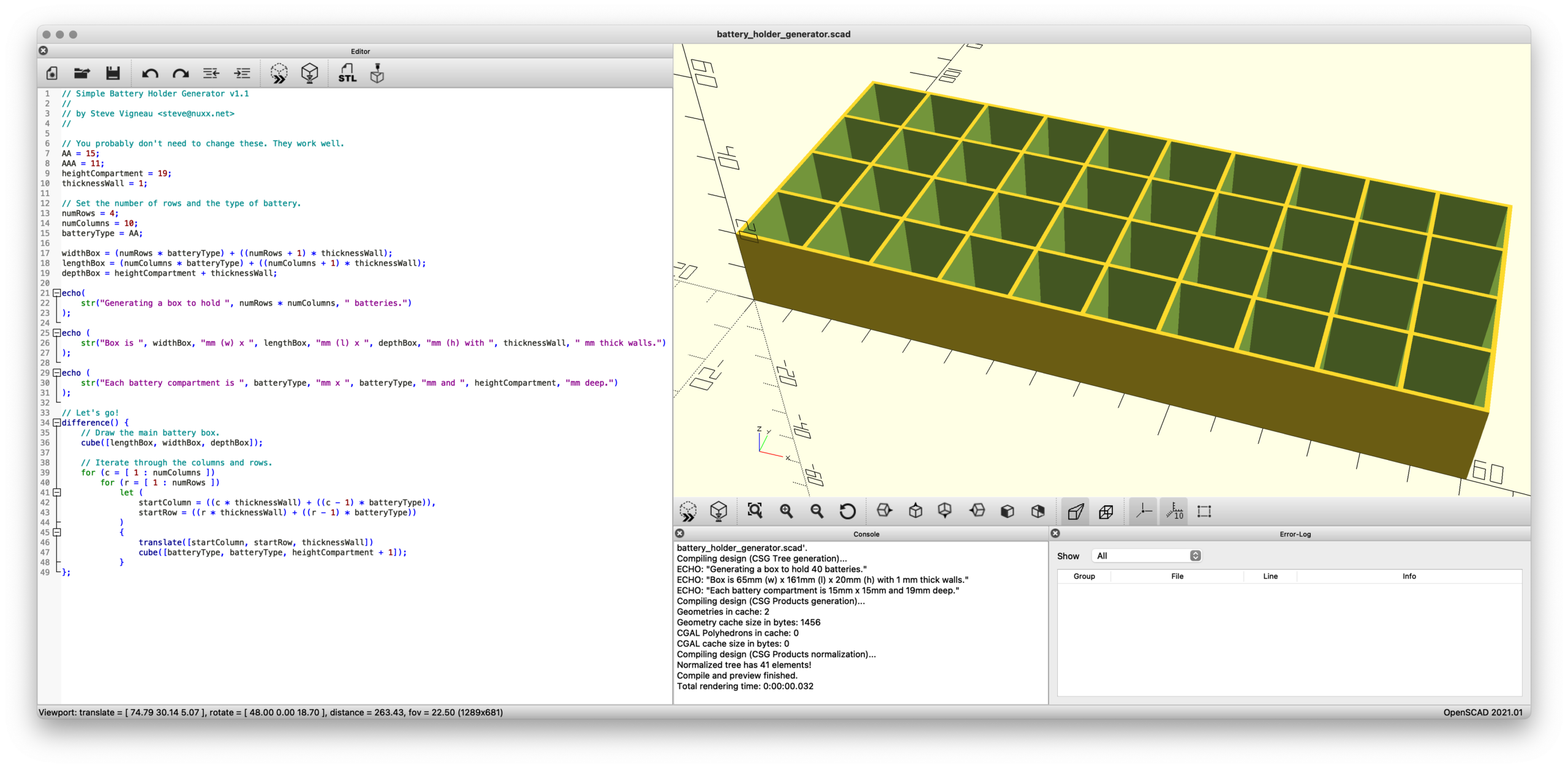
Earlier this year I designed a very basic box/organizer for AA and AAA batteries in Autodesk Fusion, making it parameterized so that by changing a few variables one could adjust the battery type/size, rows/columns, etc. This worked well, and after uploading it to Printables earlier today I realized that reimplementing it would probably be a good way to learn the basics of OpenSCAD.
OpenSCAD is a rather different type of CAD tool, one in which you write code to generate objects. Because my battery holder is very simple (just a box with a pattern of cutouts) and uses input parameters, I figured it’d be a good intro to a new language / tool. And in the future might even be better than firing up Fusion for such simple designs.
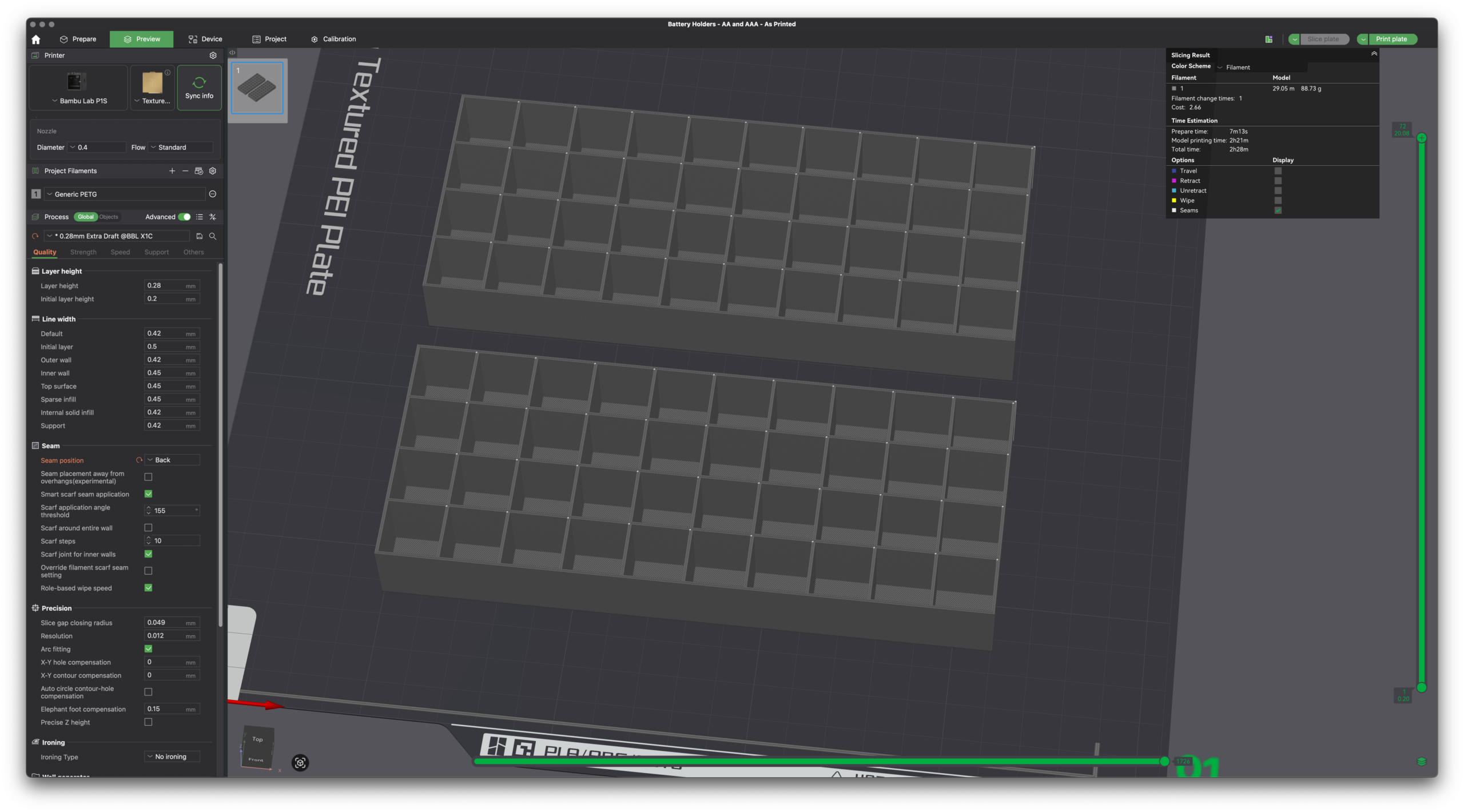
Slicer showing the Fusion model on top and OpenSCAD on bottom.
By changing just a few variables — numRows and numColumns and batteryType — one can render a customized battery holder which can then be plopped into a slicer and printed. No heavy/expensive CAD software needed and the output is effectively the same.
Without comments or informative output, this is the meat of the code:
Simply, it draws a box and cuts out the holes. (The first cube() draws the main box, then difference() subtracts the battery holes via the second cube() as their quantity and location (via translate()) is iterated.
That’s it. Pretty neat, eh?
(One part that confused me is how I needed to use let() to define startColumn and startRow inside the loop. I don’t understand this…)
While this probably won’t be very helpful for more complicated designs, I can see this being super useful for bearing drifts, spacers, and other similar simple (yet incredibly useful in real life) geometric shapes.
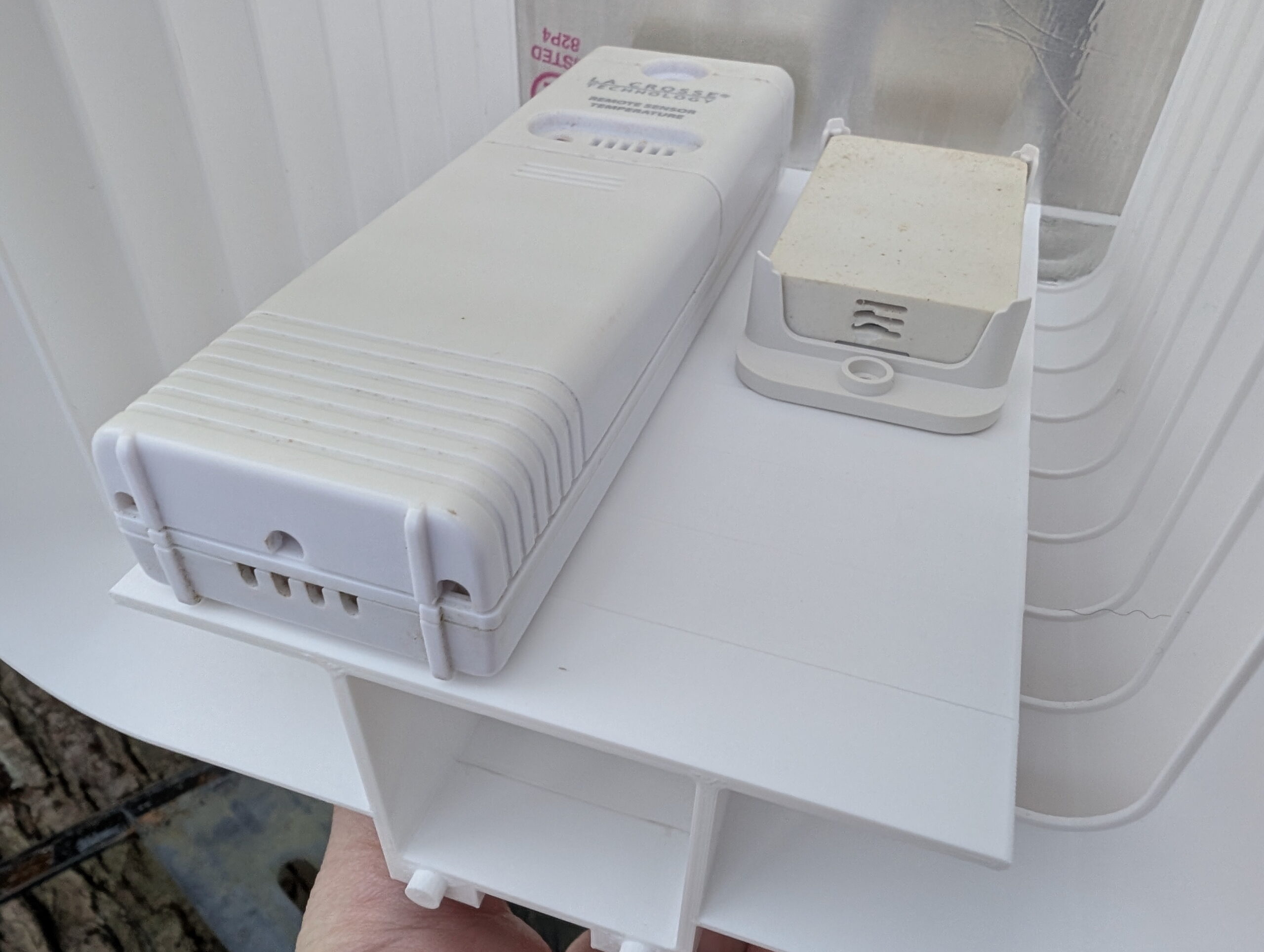
Solar radiation (sun) shield mounted to the chain link fence.
I have temperature/humidity sensors in the back yard, both for Home Assistant and a La Crosse “atomic clock” on the wall of my office. These had been mounted nicely in the shade on a north-facing post on our old wooden fence, but after the fence was replaced I needed to find somewhere else to put them. The first place I tried, the back side of a utility pole, was too close to the fence and they’d read overly-warm in the evenings as the sun was hitting it. (And had the legal issues around mounting things on a utility pole.)
There are myriad different “solar radiation shields” available either for purchase or 3D printing, but they are generally designed to hold one sensor and be mounted on a pole, get held together with bolts, or just aren’t a great design.
I’m really happy with how it came out. In the end it’s a simple two-piece (plus mount) design, with one being the roof and the other a body piece. Each body piece is 15mm tall so I printed off the requisite number to hold my sensors (nine), one roof, and stuck it all together with J-B Weld PlasticBonder epoxy. Pegs and holes align the pieces and make it easy to glue together.
The vents offer shade all the way to horizontal while still having massive openings, so I think it’ll work well. The roof is a bit more translucent than I cared for, but by lining it with some foil tape it’s now nicely opaque. I’m not concerned about the transparency of the vent slots, but may add tape later or re-print with a different filament if it seems to be a problem.
Currently I have La Crosse TX141-BV4 and ZOOZ ZSE44 sensors installed, but may add others as I want to replace the ZSE44 with something that reads negative values. The sensors are held in place using 3M VHB 4910, which is easy to remove (by sawing through with dental floss then rolling off with a finger) but otherwise holds very firmly, especially against shear loads. It’s also thick enough to fit between the ribs on the back of the ZSE44 mount. And I had it on hand.
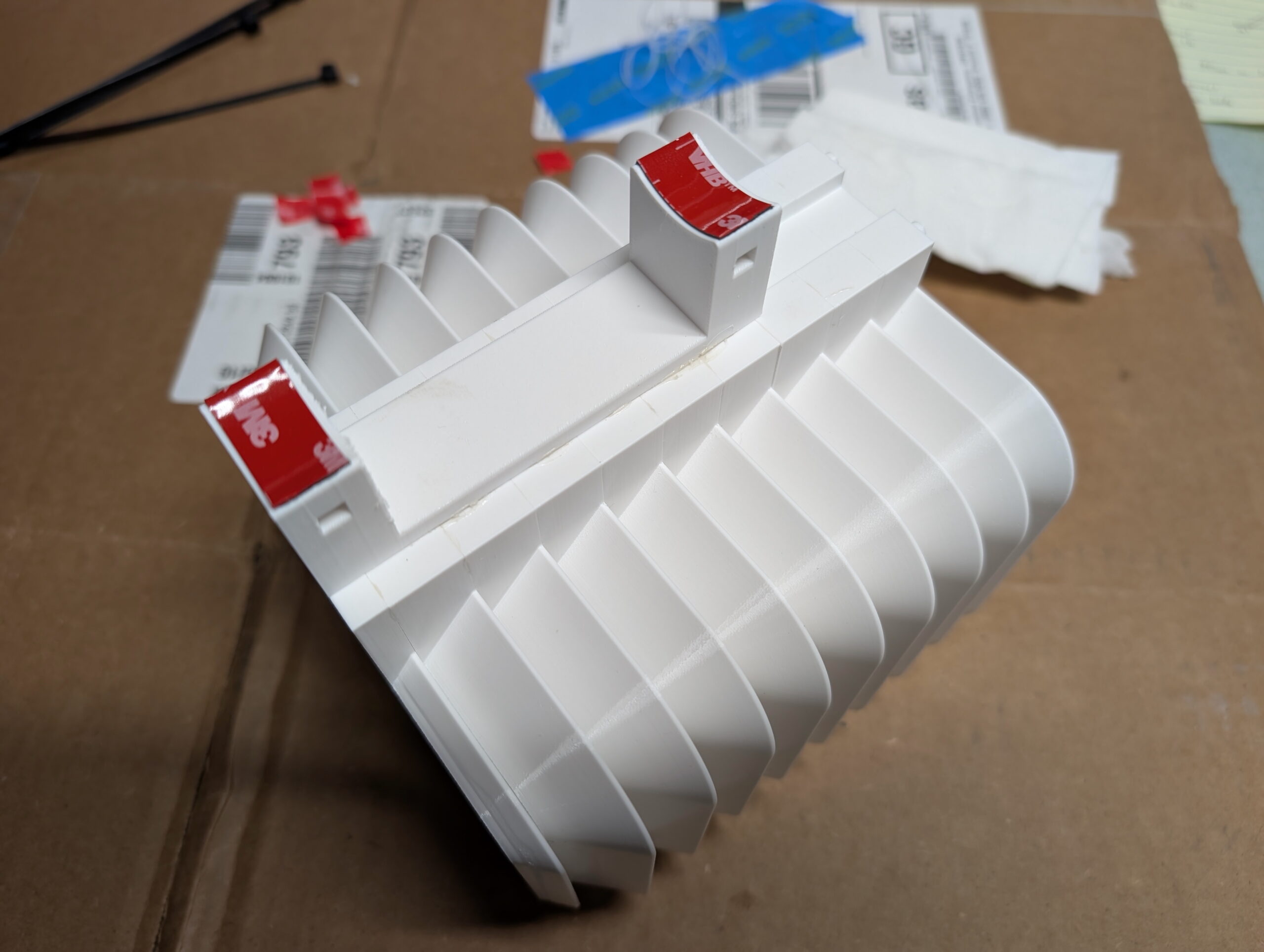
Chain link fence post mount, with VHB 5925 for additional support.
I initially designed this to use QUEEN SIZE BrickClip fasteners and hang it off the north-facing side of the chimney. Due to the weight of the assembled unit with sensors (~350g) and wanting to keep it away from the house’s thermal mass, I designed a chain link fence post mount. This allowed me to place it quite close to where the sensors previously had been, a nicely shaded yet breezy location. The designed-in slot (originally for BrickClips) just happened to allow easy addition of other mounts.
The entire unit was attached to a chain link fence post using black UV-resistant cable ties and with 3M VHB 5925 tape for a bit of additional stability. This tape works well but also was chosen because I had it on hand and it’s nice and thin. While this is a strong adhesive it’s really only needed for a bit of friction to keep the mount from twisting on the pole if bumped.
So how does this one differ from the other designs I came across? Or, differently stated, why did I bother making my own?
Sensor-Agnostic: Flat platform allows any sensor to be stuck in place. Most designs are for a single sensor type.
Larger: Most other designs only hold one sensor. I wanted to hold two or three.
No hardware: Many other designs are held together with bolts. I’m fine with gluing it together as this makes everything else simpler.
Flexible Mounting: A simple 15mm x 5mm notch in the back both allows BrickClip fasteners to be used while also a simple platform for integrating other mounts (such as the chain link fence mount).
Full Body Support / No Arm: Many other mounts replicate the shield-on-an-arm design of commercial pole mounts. I am concerned about FDM printed thermoplastic sagging, so either this needed to be metal, or the support done differently. I also had no need for a pole mount.
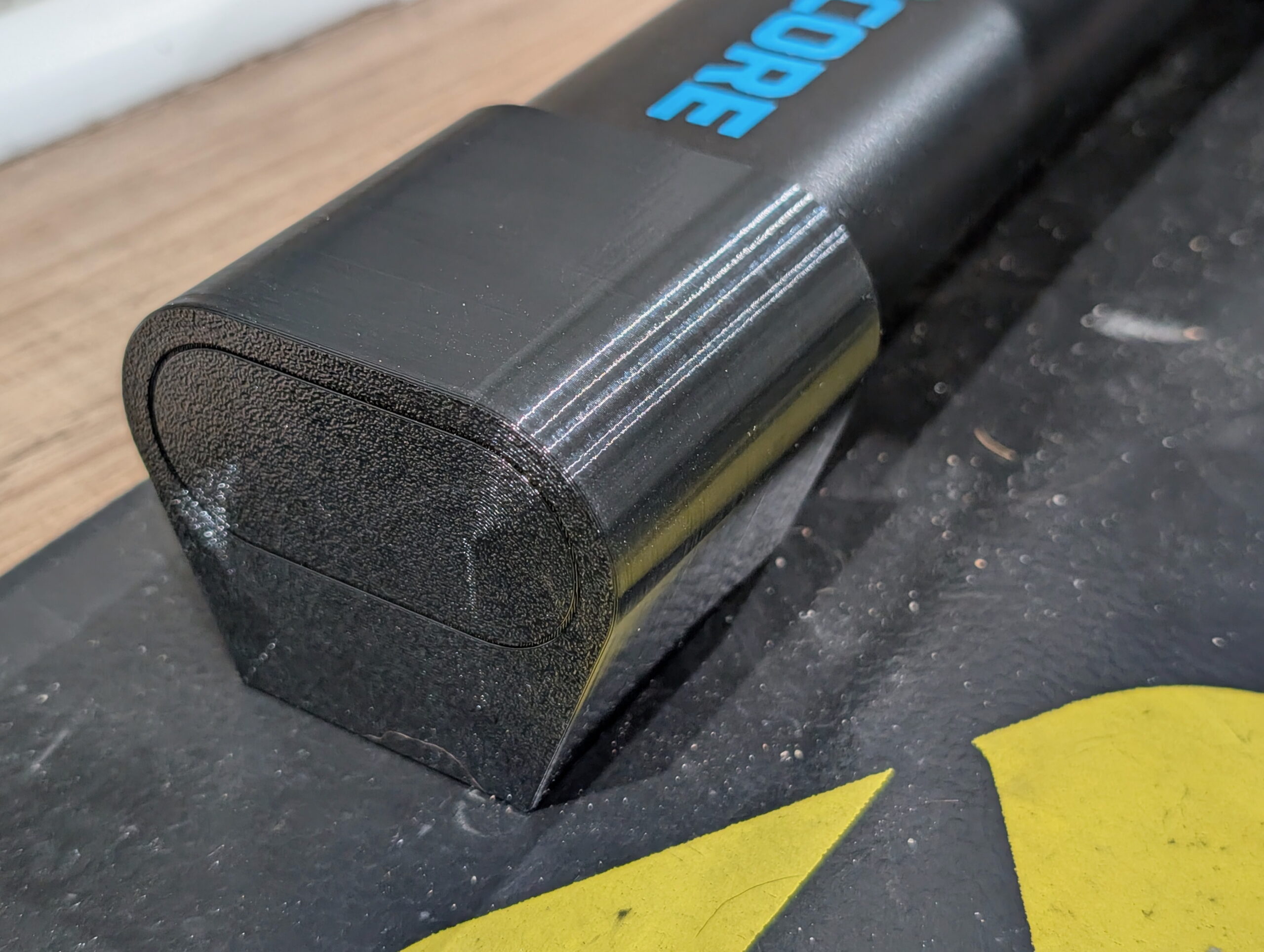
+14mm custom-made riser foot on my Wahoo KICKR CORE 2.
The Problem and Solution
My new trainer, a Wahoo KICKR CORE 2, has the rear axle that’s ~322mm above the floor. With anything larger than a 700c x 25mm front tire this puts the front wheel higher off the ground, which screws with the bike’s geometry including the all-important saddle position. After a bit of measuring I found that raising the trainer ~14mm would make things level on our floor, and having a 3D printer and a wee bit of design skill, I decided to make replacement feet that’d put it at the height I wanted.
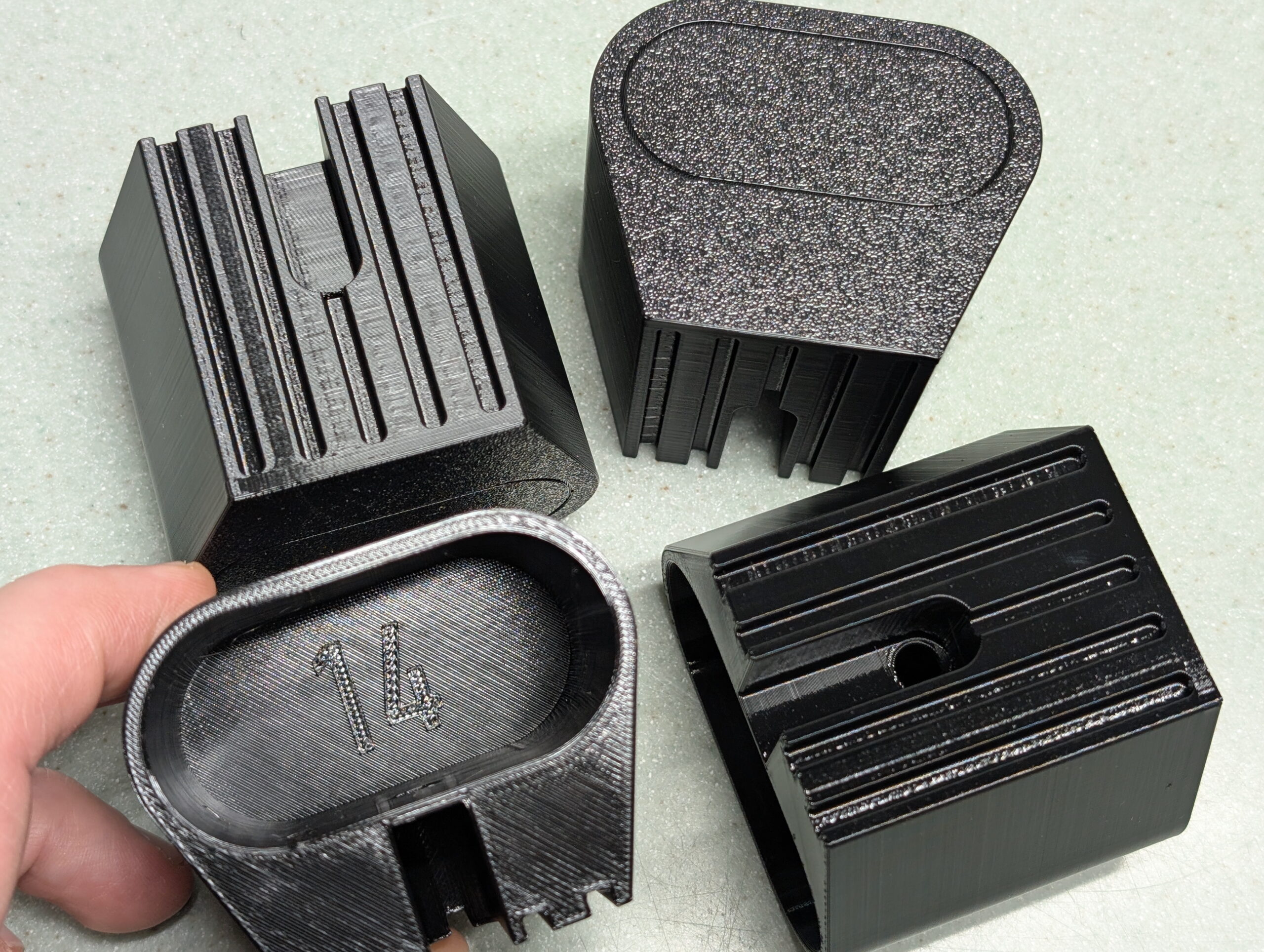
This is the result, 3D printable feet which replace the stock rubber ones, securing in place with the same set screws, and can be printed in whichever height is needed.
Final prints of the four riser feet for my trainer.
You can find the .STL files for +5mm to +50mm in 5mm steps, a Bambu Studio project containing all the sizes, and a parametric Autodesk Fusion project allowing you to generate your own custom height riser feet. (Just change liftAdditional.)
This is all licensed CC BY-NC so one can make them, change the design, whichever… You just can’t sell them:
(If you really do want to sell them, email me and we’ll work something out.)
These printed wonderfully using Overture PETG at slow print speeds (50mm/sec) in a Bambu Lab P1S with all fans off and temperatures on the high end of the specified ranges. (I am curious how TPU would work out for printing these as it should be more rubber-like…)
Design Lessons
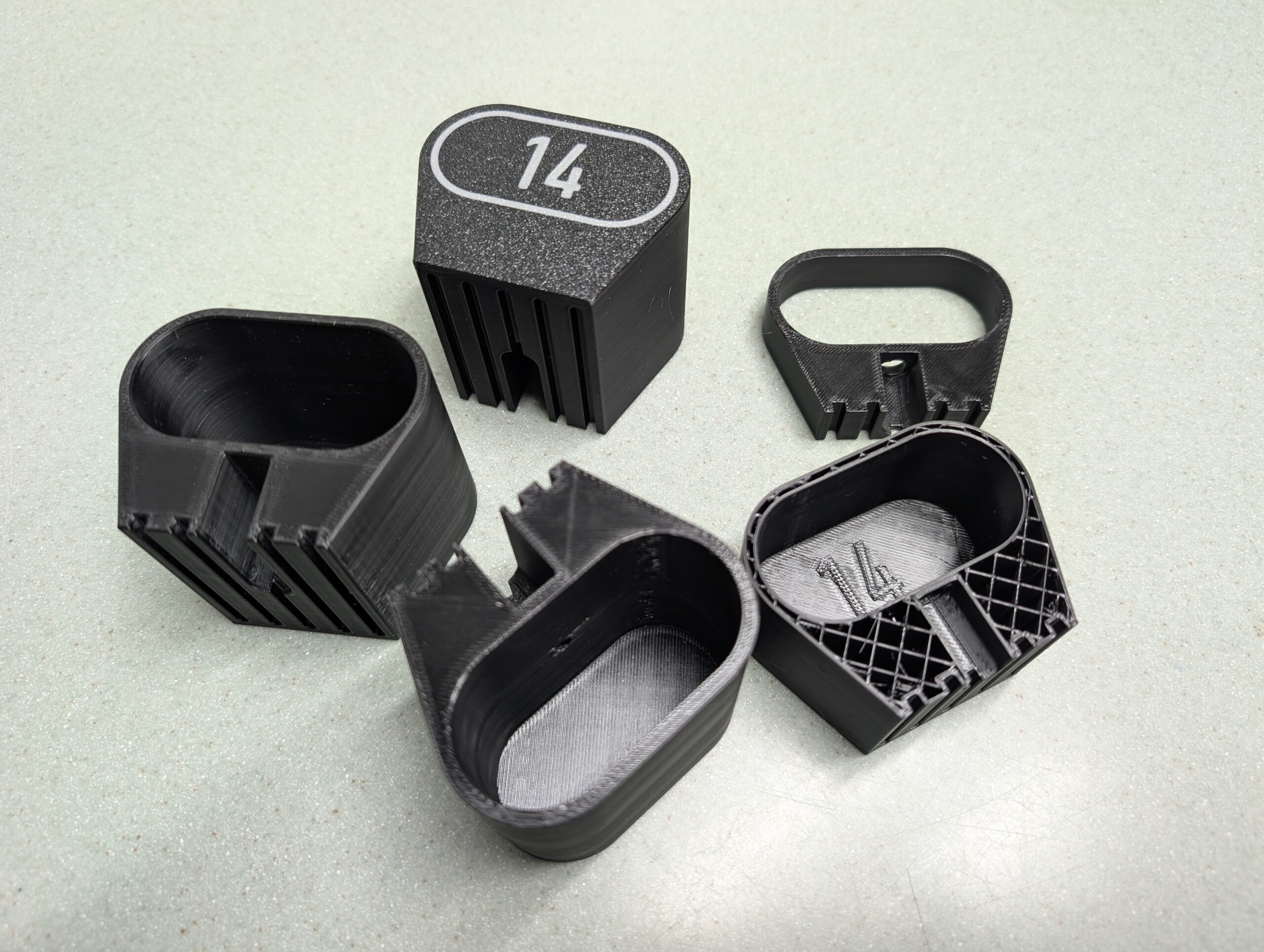
Development prints, including tests of screw hole size and size indicator types.
The main point of this post is to document a few things I learned while designing this. Big, big thanks to my friend Jake Drews — who sells a number of similar products on Etsy as Cycl3dCo — for talking through some design ideas with me.
So what did I learn?
I wanted to have parametric text on the bottom of the printed surface to show the lift. After experimenting with a second color for style and indication — which was not a great way to go — I settled on using a groove for design, and wanted a single line font as a similar groove. (These print well, akin to a 45° chamfer.) It turns out that single line fonts in Fusion need to be exploded before they can be swept to make a groove. Exploding a font makes it no-longer parametrically controlled.
The simpler solution ended up being putting the height inside the leg as 0.5mm raised text, sized to sit inside the tube of the leg, and leaving the groove on the outside as a decorative feature. After all, one doesn’t need to see the height all the time, but it is good to have the parts marked. This works out better all around. Leaving the end just blank looked boring.
If you can avoid multi-color printing, it’s probably better, as it’s less wasteful, many people don’t have multi-color printing setups, etc.
Adding an inset of 0.01mm will make it easy to color in the slicer (OrcaSlicer or Bambu Studio), but if not colored, is small enough that it’ll be ignored by the slicer. This is a good way to make optionally-multi-colored designs. (Note that my final design didn’t use this, but it’s a good-to-remember technique.)
New trainers?
A few months back there was a great sale on the Wahoo KICKR CORE 2 trainers, and while Kristen and I had some problems with Wahoo in the past, the price was low and the new features would solve some problems, so we both decided to buy them. Specifically:
Wi-Fi Connection / Kickr BRIDGE: Kristen and I both use an Apple TV (ATV) for Zwift, and the number of Bluetooth (BT) connections on the ATV is limited to two. This meant we could use Trainer + Cadence, or Trainer + Heart Rate Sensor (HR), or Trainer + AirPods. All very limiting. With the CORE 2 it can communicate via Wi-Fi and also bundle the HR data in, freeing up the ATV’s BT channels for other things, such as the Zwift Click controllers and AirPods. It also feels more reliable, and has been very nice.
Virtual Shifting / Zwift Cog and Click: Via smart use of the smart trainer features, the CORE 2 supports virtual shifting with a single cassette cog. This eliminates wear on more expensive drivetrain parts (cassette), makes it easier to take the bike on and off, and results in a near-perfect chainline so things are simply quiet. While it took me a few rides to get accustomed to virtual shifting, it’s pretty nice and feels similar to actual shifting steps, but without the noise or wear.
Noise: Simply put, the CORE 2 with the Zwift Cog is quiet. Unlike her older CyclOps Hammer, I can’t hear her riding. This might not sound like much, but the Hammer had a steady whine that I could hear throughout the house. It’s pretty much only the rattle of the chain passing over the cogs and noise from the blower fans.
Weight/Balance: Kristen uses her trainer on a KOM Cycling Indoor Rocker Plate RPV1. With the older Hammer it’s heavy, asymmetric design made the whole assembly list to one side unless she put a 15 pound weight on the rocker plate opposite the trainer. The CORE 2 is more symmetric and lighter and simply doesn’t have this problem.
All around, they worked out to be nice upgrades, and we were able to easily sell our older trainers for fair prices. For a bunch of details on these trainers give this DC Rainmaker review a read.
Bored on a rainy June day, and having just figured out a thread size that I can 3D print (FDM) for external threads on Presta valves† I decided to draw up a replacement nut that’ll (hopefully) be another way to solve the problem of leaky valves on single wall rims. These could also be used as normal tubeless Presta nuts that are easier to tighten and remove.
To recap, leaks are caused when the base of the tubeless valve protrudes through a single wall rim, the Presta locknut bottoms out on the base of the valve, resulting in a loose valve with minimal (or no) seal between the valve and the rim. This typically manifests as random/slow leakage on a tubeless fatbike setup. The solution is to use a spacer between the rim wall and locknut, either a nylon washer or something like the Problem Solvers Super P-Nuts, or… perhaps these Peanuts.
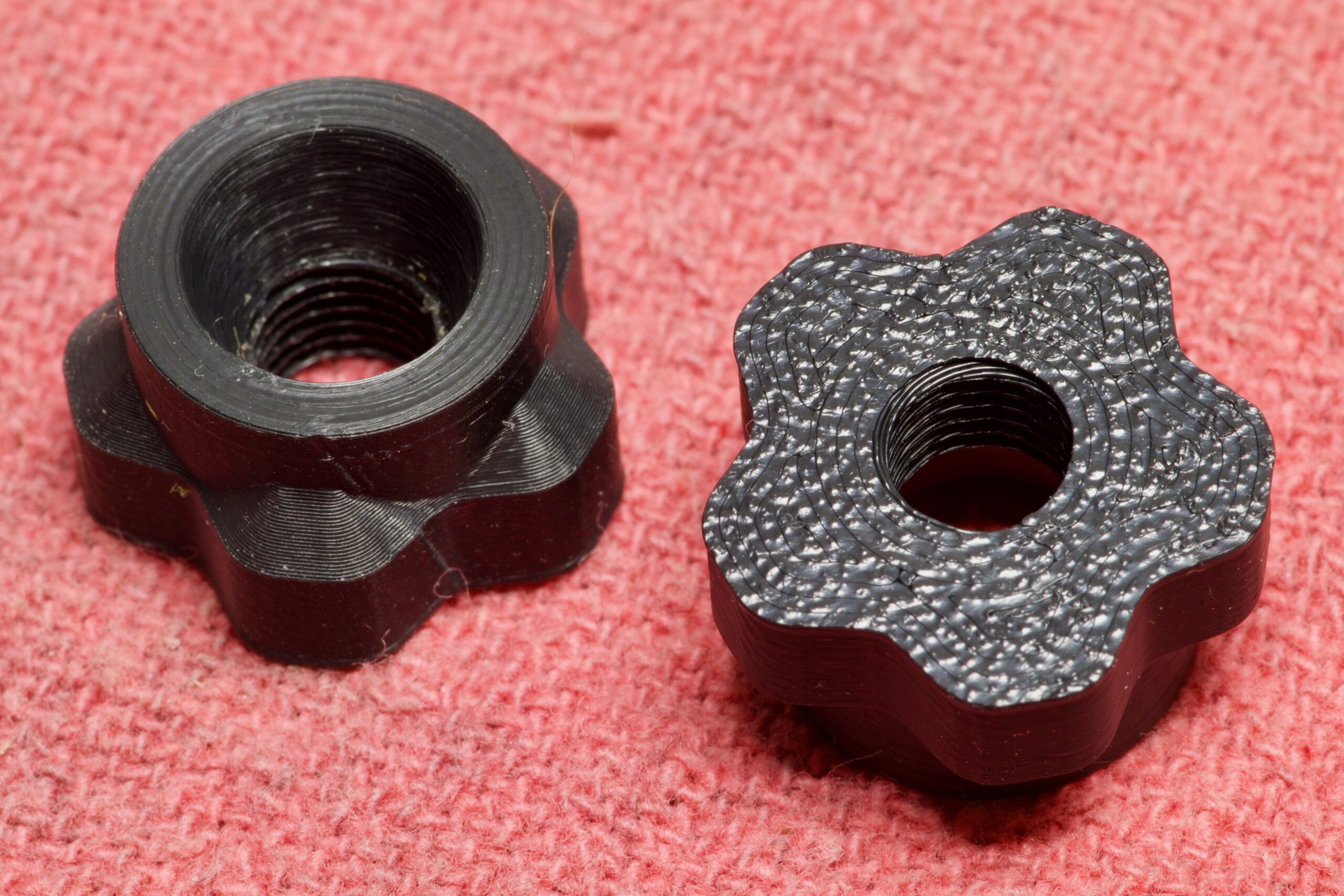
Now that I have a 3D printer, some filament appropriate for outdoor use (ASA), and a little bit of modeling experience, I made my own nut which I’m calling the Peanut. This has 5mm of threaded area, a 5mm (tall) x 9mm (wide) conical space for the valve, and 5mm grippy area to allow easy tightening and removal without tools. And yes, a name that’s an homage to Problem Solvers‘ product.
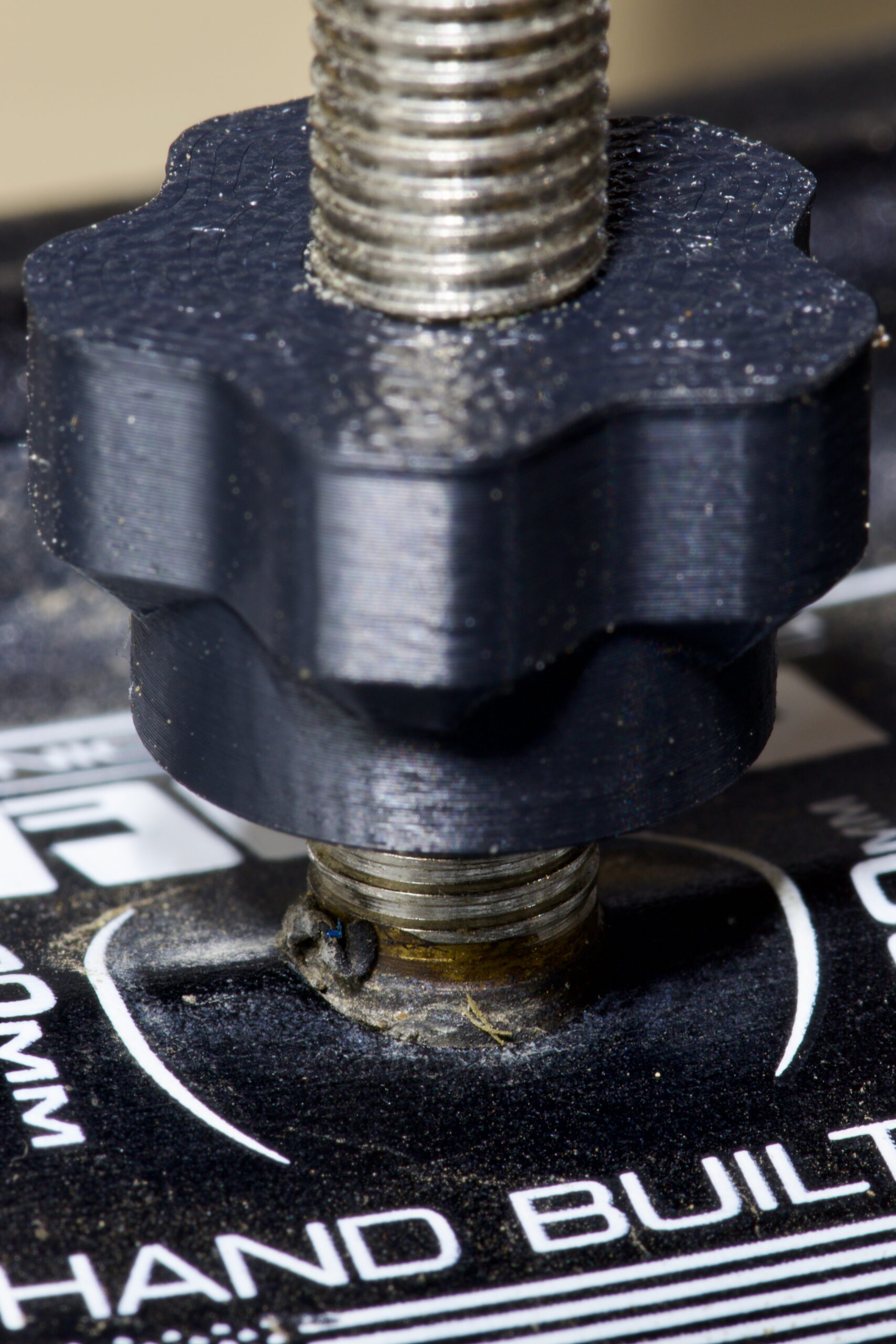
Pair of Peanuts, ready to use.
This is mostly an experiment, as unless one already has a printer and appropriate filament it’s far more cost effective to use nylon spacers + metal nuts or the off-the-shelf Super P-Nuts. It’s also a toss-up weight-wise, with these being 0.2g lighter than my previous spacer + nut setup (1.48g vs. 1.28g). But, I like playing around with making things so I made this and figured I’d share the result.
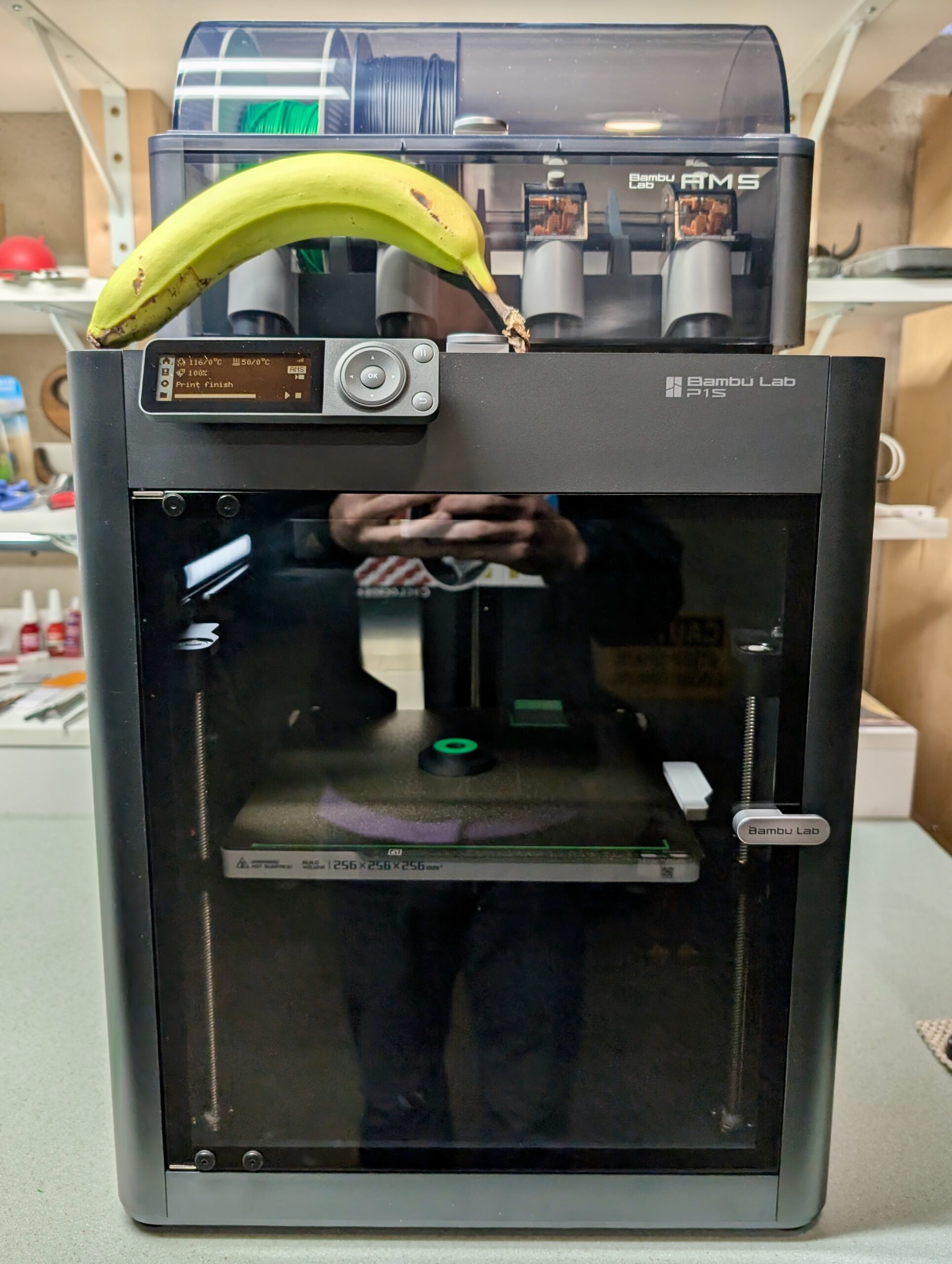
Printed on a Bambu Lab P1S, in Bambu Lab ASA, using the 0.08 High Quality @BBL X1C profile in OrcaSlicer with 100% concentric infill, 4 wall loops, and concentric top and bottom surface patterns, I’m pretty happy with how they came out. Because of problems I’ve had with ASA and print bed adhesion in the past, I had to do some extra filament purging and then applied glue stick to the print bed to help keep the print in place, and it all came out well.
Time will tell if these last, but they snugged up against the rim on my fatbike and feel solid, so I’m hopeful they are good for long-term use.
† Per… lots of things I found online… External threading on a Presta valve is 6V1 or M6x0.8, but whenever I’d print this it wouldn’t thread on to the valve. This seems likely due to material creep / over-extruding or whatnot.
Peanut being designed in Autodesk Fusion.
Creating a custom thread size in Autodesk Fusion, with a Major ∅ of 6.5mm, Pitch ∅ of 6.0mm, and Minor ∅ of 5.5mm resulted in a threaded hole that printed nicely and fits well on to all the tubeless Presta valves that I have around home. This is arbitrarily a bit larger than spec, but the resulting prints have similar play/slop to the metal nuts that come with valves and it snugs up well. I’m not sure how ideal this is, and could likely be refined, but it’s working for me so I’m going to stick with it.
Adding the following to the M6x0.8 portion of ISOMetricprofile.xml (or creating a similar custom profile as described here) makes this available in Fusion’s Thread tool:
I recently picked up a Bambu Lab P1S 3D Printer for around the house. After staying away from 3D printing for years, the combination of a friend’s experience with this printer (thanks, @make_with_jake!), holiday sales, looking for a hobby, wanting some one-off tools, and a handful of projects where it’d be useful finally got me to buy one. Having done half a dozen prints, thus far I’m pretty satisfied with the output and think it’ll be a nice addition to the house.
This printer, like many other modern devices, is an Internet of Things (IoT) device; something smart which uses a network to communicate. Unfortunately, these can come with a bunch of security risks, and is best isolated to a less-trusted place on a home network. In my case, a separate network,or VLAN, called IoT.
Beyond the typical good-practice of isolating IoT devices to a separate network, I’m also wary of cloud-connected devices because of the possibility of remote exploit or bugs. For example, back in 2023 Bambu Lab themselves had an issue which resulted in old print jobs being started on cloud-connected printers. Since these printers get hot and move without detecting if they are in a completely safe and ready-to-go state, this was bad. I’d rather avoid the chance of this. And really, when am I going to want to submit a print job from my phone or anywhere other than my home network?
Bambu Lab has a LAN Mode available for their printers which ostensibly disconnects it from the cloud, but unfortunately it still expects everything to be on the same network.
I was unable to find clear info on working around this in a simple fashion without extra utilities, but digging into and solving this kind of stuff is something I like to do. So this post documents how I put a Bambu Lab P1S on a separate VLAN from the house’s main network, getting it to work otherwise normally.
The network here uses OPNsense, a pretty typical open source firewall, so all the configuration mentioned revolves around it. pfSense is similar enough that everything likely applies there as well, and the basic technical info can also be used to make this work on numerous other firewalls.
As of this writing (2024-Dec-19), this works with Bambu Studio v1.10.1.50 and firmware v01.07.00.00 on the P1S printer. This also works with OrcaSlicerv2.2.0 and whatever version of the Bambu Network Plug-in it installs. I suspect this works for other Bambu Lab printers, as the P1S has all the same features as the higher end ones (eg: camera) but I can’t test to say for sure. Also, everything here covers the P1S running in LAN Mode. It’s possible that things would work differently with cloud connectivity, but I did not explore this. So, insert the standard disclaimer here about past performance and future results…
Why can’t I just point the software at the printer?
Subnet binding support: Users can now bind printers across different subnets by directly entering the printer’s IP address and Access Code
This sounds like it’d solve the problem, and is a typical way for printers to work, but no… it just doesn’t work.
Despite having the required Studio and printer firmware versions I just couldn’t make it work. When trying this feature I’d see Bambu Studio trying to connect to the printer on 3002/tcp, but the printer would only respond with a RST as if that port wasn’t listening. Something’s broken with this feature, probably in the printer firmware. Maybe this’ll work in the future, but for now we needed another way…
Atypical SSDP?
On a single network the printer sends out Simple Service Discovery Protocol (SSDP)-ish messages detailing its specs, Studio receives these and lists the printer. But, SSDP is based on UDP broadcasts, so these don’t cross over to the other VLAN (subnet).
When Bambu Studio receives this packet it gets the address (Location:) of the printer from the Location section, connects, and all works. But in a multi-VLAN environment we have different networks and different broadcast domains and a firewall in between, so we need two things to work around this: getting the SSDP broadcasts shared across networks, and firewall rules to allow the requisite communication.
These also don’t seem to be normal SSDP packets, as they are sent to destination port 1910/udp or 2021/udp. It’s all just kinda weird… And this thread on the Bambu Lab Community Forum makes it seem even stranger and like it might vary between printer models?
Regardless, here’s how I made this work with the P1S.
Static IP
The P1S (and I presume other Bambu Lab printers) have very little on-device network configuration, receiving network addressing from DHCP. I suggest that you set a DHCP reservation for your printer so that it always receives the same (static) IP address. This will make firewall rules much easier to manage.
SSDP Broadcast Relay
To get the SSDP broadcasts passed between VLANs a bridge or relay is needed, and marjohn56/udpbroadcastrelay works great. This is available as a plugin in OPNsense under System → Firmware → Plugins → os-udpbroadcastrelay, is also available in pfSense, or could be run standalone if you use something else.
After installing, on OPNsense go to Services → UDP Broadcast Relay and create a new entry with the following settings:
enabled: ✓
Relay Port: 2021
Relay Interfaces: IoT, LAN (Choose each network you wish to bridge the printer between.)
Broadcast Address: 239.255.255.250
Source Address: 1.1.1.2 (This uses a special handler to ensure the packet reaches Studio in the expected form.)
Instance ID: 1 (or higher, if you have more rules)
Description: Bambu Lab Printer Discovery
On my OPNsense firewall, where igb1_vlan2 is my IoT network and igb1 is my LAN network, the running process looks like: /usr/local/sbin/udpbroadcastrelay --id 1 --dev igb1_vlan2 --dev igb1 --port 2021 --multicast 239.255.255.250 -s 1.1.1.2 -f
(Of course, in the event you have any firewall rules preventing packets from getting from the printer or IoT VLAN to the firewall itself — say if you completely isolate your IoT VLAN — you’ll need to allow those.)
Now when going into Bambu Studio under Devices then expanding Printers, the printer will show up. It may take a few moments as the printer to appear as the SSDP are only periodically sent, so be patient if it doesn’t appear immediately.
(Note that if other models of printers aren’t working, it may be useful to also relay port 1910. The P1S works fine with just 2021, so for now that’s all I’ve done.)
Firewall Rules
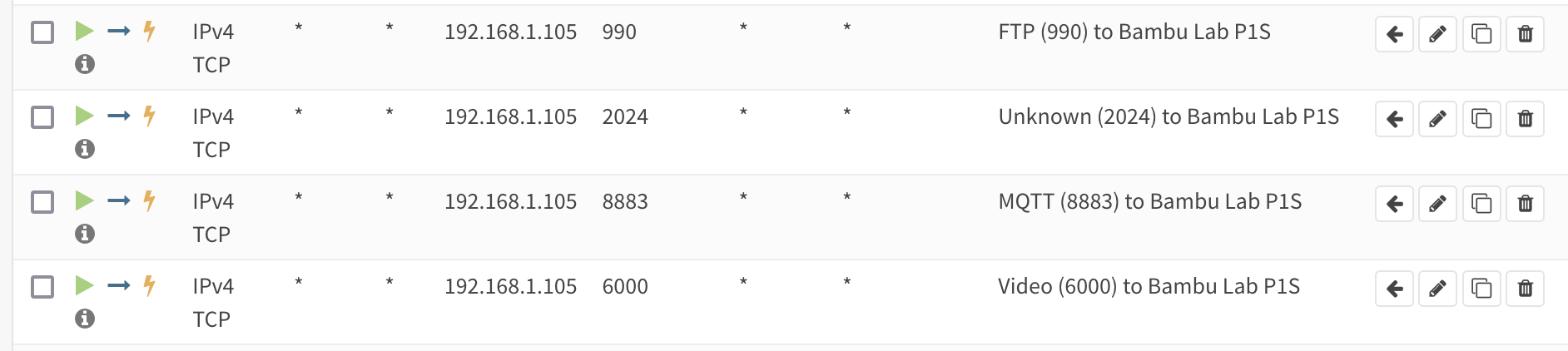
With Studio seeing the printer, and presuming that your regular and IoT VLANs are firewalled off from each other, rules need to be added to allow the printer to work. While Bambu Studio has a Printer Network Ports article, it seems wrong. I am able to print successfully without opening all the ports listed for LAN Mode, but I also needed to add one more that wasn’t listed: 2024/tcp.
Here’s everything I needed to allow from the regular VLAN to IoT VLAN to have Bambu Studio print to the P1S, along with what I believe each port to handle:
990/tcp (FTP)
2024/tcp to 2025/tcp (Unknown, but seems to be FTP?)
6000/tcp (LAN Mode Video)
8883/tcp (MQTT)
Nothing needs to be opened from the IoT VLAN, everything seems to be TCP and the stateful firewall seems to handle the return path. (Even though the Printer Network Ports article with it’s 50000~50100 range for LAN mode FTP implies active mode FTP…)
And with that, it just works. I can now have my Bambu Lab P1S on the isolated IoT VLAN from a client on the normal/regular/LAN VLAN, printer found via autodiscovery, with only the requisite ports opened up.
Missing Functionality? Leaky Data?
Note that there are a few functions — like browsing the contents of the SD card for timelapse videos or looking at the job history — which only work when connected to the cloud service. This really surprises me, as I can think of no rational reason why this data should need to be brokered by Bambu Lab.
Unless they want to snarf up the data about what you print and video of it happening and when and… and…?
Digging into that sounds worthy, but is a project for another time. It’s a pretty good reminder of why isolating IoT devices is good practice, though. For now I’ll just manually remove the SD card if I want access to these things. And consider if maybe I should completely isolate the printer from sending data out to the internet…
Citations
Big, big thanks to Rdiger-36/StudioBridge and very specifically the contents of UDPPackage.java. This utility which helps find Bambu Lab printers cross-VLAN by generating an SSDP packet, and sending it to loopback, saved me a bunch of time in figuring out how Bambu Lab’s non-standard SSDP works.
All the discussion around issue #702, Add printer in LAN mode by IP address was incredibly helpful in understanding what was going on and why this printer didn’t seem to Just Work in a multi-VLAN environment. This thread, and watching what StudioBridge did, made understanding the discovery process pretty simple.
And as much as I dislike the AGPL in general, it worked out really well here. I wouldn’t expect a company like Bambu Lab to release their software so openly, but with the AGPL they had to. Slic3r begat PrusaSlicer which begat Bambu Studio which begat OrcaSlicer giving us a rich library of slicers…
Updates
2024-Dec-22: After this worked fine for a few days I ran into problems printing from OrcaSlicer where jobs wouldn’t send. Digging I found that 2025/tcp was needed as well, so I updated the article above. It seems this is another FTP port? It’d sure be nice if this was documented.
2025-Jan-10: I have further isolated the P1S by disallowing it access to the internet at all. Now, beyond having its SSDP requests forwarded to other VLANs, it’s wholly isolated to the IoT VLAN. This works great, and is basically a true LAN-only mode.
2025-Mar-08: After not printing anything for a while I ran into a problem with uploads would fail with a 500 error or so. I’m suspecting the printer lost it’s time and thus TLS was failing, as when I allowed the printer to talk DNS and NTP to the public internet everything got better. On every boot the printer resolves time.cloudflare.com and then queries it to set its time. (Unfortunately I didn’t save a screenshot of the error.)
Turning the clock back to 2012, when volunteering with CRAMBA I worked with my friend Kristi and developed the Ride Dirt Trails, Not Mud Trails signage. Originally hosted on the CRAMBA page (Internet Archive) this has fallen prey to link rot, so I’m re-posting / re-hosting it here.
Back when this was released we very intentionally made it available it under the CC BY-SA 3.0 license along with an Adobe In Design template so anyone else could reuse the work and help spread the message to avoid trails when they are wet enough to be damaged via use.
Since then I’ve seen some variant of this used all across the country, from SE Michigan’s more mult-user friendly Muddy Day? Don’t Play! take to just-logo-swapped signage in Arkansas and Missouri Ohio to the text reused on signs at Knoxville’s flagship Baker Creek Preserve.
I love seeing this reuse because the whole point of the open licensing was to make it so others could build on our work. And here we are, twelve years later, and it’s still going strong.
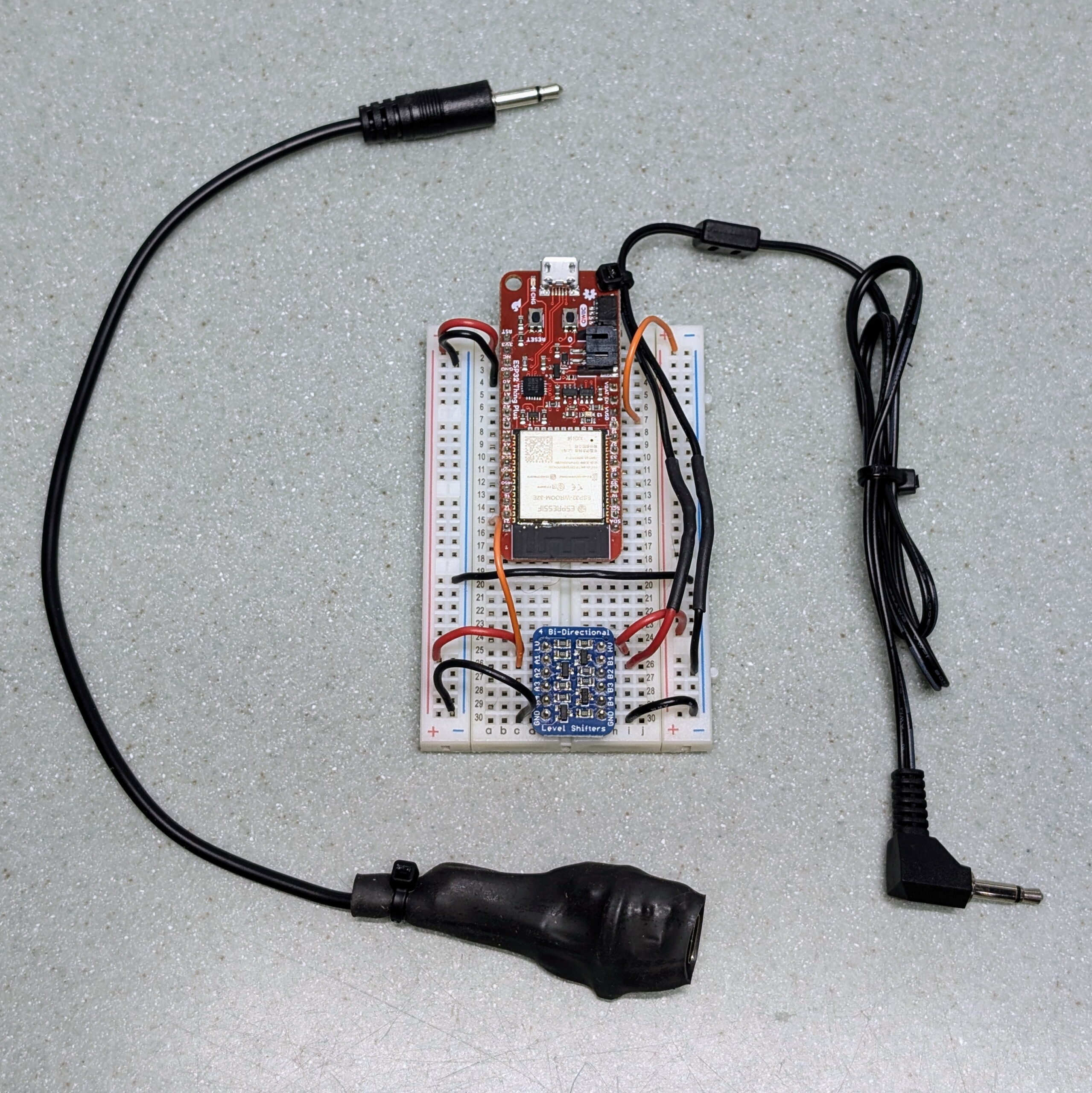
ESPHome device, a Seeed Studio XIAO ESP32S3 and level shifter with 3.5mm TS and HDMI connectors.
After getting the Onkyo RI support for ESPHome and Home Assistant in place, it was neat that I could turn my Onkyo A-9050 amplifier on and off remotely, but it wasn’t actually very useful; it didn’t save me any time/hassle. This iteration, adding HDMI-CEC support, brings it all together.
Back when I started this project, my main goal was to find a nice way to deal with toggling the power on the amplifier. Because I only use a single input on the amplifier and volume is already handled by the Apple TV remote, I don’t use the remote and it’s stored away in the basement. Normal practice was to manually press the power button on the front before using it, but this was irritating so I went looking for a better way, and the result was this project.
Initially I was looking at a way to use Home Assistant to coordinate powering the Apple TV and amplifier on, but it turns out there’s no good way to power up an Apple TV remotely; or at least not from anything that’s not an Apple device. I thought about going down the path of figuring out how the iOS / iPadOS does it, but the results of that would need to be incorporated into pyatv and chasing Apple’s changes was not a path I wanted to go down.
I then began thinking about it inversely: What if I could tell when the Apple TV woke and slept, and then take action based on that? After all, it’s already using the well-established Consumer Electronics Control (HDMI-CEC) to wake the TV… What if I could listen for that? And we’re always using the Apple TV remote when watching content and there’s no need to wake it while out of the room, so pressing a button on the remote to get things started is just fine.
Well, it turns out that was easier than I thought. Using Palakis/esphome-native-hdmi-cec, a HDMI-CEC component for ESPHome, and then doing a little protocol analysis I now have a device that:
Listens for the Apple TV to wake up and sends and sends a Power On to the receiver.
Listens for the Apple TV to go into standby and sends a Power Off to the receiver.
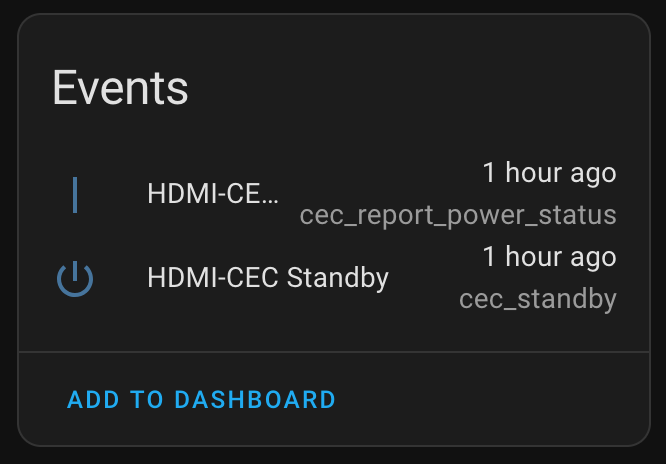
Sends events to Home Assistant whenever a broadcasted HDMI-CEC Standby (0x36) or Report Power Status (0x90) are received.
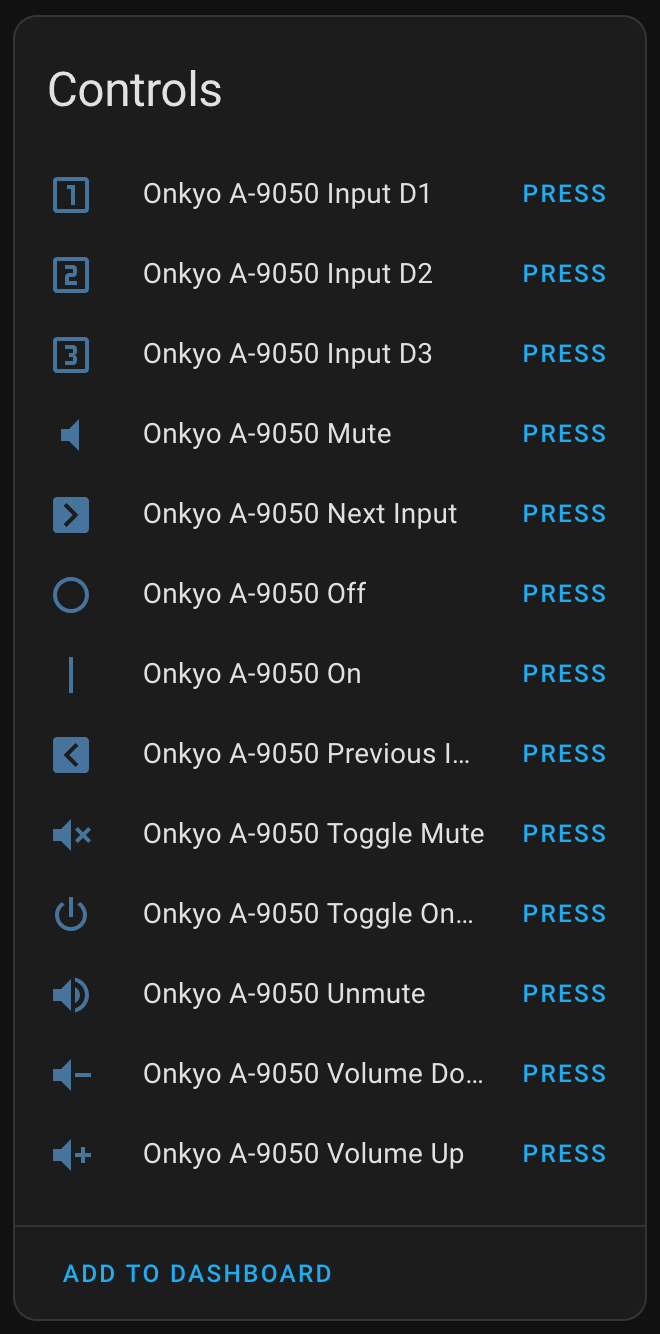
Exposes controls in Home Assistant for a variety of Onkyo remote control commands and broadcasting an HDMI-CEC Standby (0x36). The latter puts my TV and the Apple TV to sleep, and also gets heard by ESPHome (loopback) and results in the amplifier being powered off.
Exposes a service in Home Assistant allowing arbitrary HDMI-CEC commands to be sent.
The result is that when I press a button on the Apple TV remote to wake it up the amplifier powers on, the TV wakes up (as before), and all is ready to go with one button press. This satisfies my original goal, and also allows some lights to be turned on automatically.
I’ve still got some lingering architectural questions and may be digging further into the HDMI-CEC stuff to see if I can make it work better, but for now I’m happy. If/when I take this further, the big questions to answer are:
Currently ESPHome powers on the amplifier without Home Assistant. This feels rational for a device bridging the two protocols and makes the amplifier work more like a modern HDMI soundbar, but is it the best way to go? Running it all through HA would be a lot more complicated and network (and HA) dependent, but I could instead use the notification in HA trigger a Power On at the receiver. Are there ever situations where I’d want this device to not power on the amplifier?
The HDMI-CEC implementation is very simple, solely listening for two messages I saw the Apple TV send and taking action on them. One of these, Report Power Status, is per-spec used to send more than notifications of power being on. Should this be changed or further built out? (Note: Because the library doesn’t implement DDC for device discovery and addressing and such, it can’t be a full-fledged implementation. But that much is likely not needed; there’s more I can do.)
Is it possible to wake the Apple TV via HDMI-CEC? It’s not immediately obvious how, but perhaps with a bit of probing…?
Hardware-wise, this was simple to do. All it required was getting an HDMI connector (I used this one), connecting pin 13 (CEC) to a GPIO, pin 17 to ground, and pin 18 to 5v (VUSB) as per the readme at Palakis/esphome-native-hdmi-cec. Since CEC uses 3.3v there was no need for a level shifter as with Onkyo RI. I was able to add this on to the previous adapter without a problem and everything just worked.
With this ESPHome configuration I changed things around a bit, both to simplify and secure the device and make things better overall. As I learned more about ESPHome and started thinking about securing IoT devices, I wanted to minimize the ability to do OTA updates, including via the web UI, and access the API. I also wanted to pull credentials out of my .yaml file so I could more easily share it. Changes to support this, and some other nifty things, are:
Setting up a secrets.yaml to hold wifi_ssid, wifi_password, ota_password, and api_encryption_key.
Tip: All this involves is creating a secrets.yaml file in the same directory as the configuration .yaml and putting lines such as wifi_ssid: "IoT" or api_encryption_key: "YWwyaUNpc29vdGg3ZG9oazdvaGo2YWhtZWlOZ2llNGk=" in it. Then in the main .yaml reference this with ssid: !secret wifi_ssid or key: !secret api_encryption_key or so.
Generating an API key can easily be done with something like: echo -n `pwgen -n 32 1` | openssl base64
Note: Once this password is set, changing it can be a bit complicated (see ESPHome OTA Updates for more information). I suggest picking one password from the get-go and sticking with that.
Set name_add_mac_suffix: true to add the MAC address suffix to the device name. This makes it easier to use one config on multiple devices on the same network, such as when doing development work with multiple boards. (See Adding the MAC address as a suffix to the device name.)
external_components:
  # Add the HDMI-CEC stuff for ESPHome
  - source: github://Palakis/esphome-hdmi-cec
  # Add PR7117, which is my changes to add Onkyo RI. Had not been merged as of 2024-Sep-01.
  - source: github://pr#7117
    components:
      - remote_base
Despite stripping the configuration back a bit to secure it better, which in turn removes on-device overhead, I still have problems with the OTA update on the Seeed Studio XIAO ESP32S3. This is irritating because it means any changes require connecting a cable to flash it via USB, but I can also keep using the breadboarded SparkFun ESP32 Thing Plus for any future development.
Note that this includes some development HDMI-CEC buttons, such as sending EF:90:00 and EF:90:01. This is part of some experimenting in attempts to wake up the Apple TV via CEC, but thus far doesn’t do anything. However, they serve as good examples of how to send multiple bytes to the bus. It also includes commented sections for the different ESP32 boards I’ve used and will likely need to be changed for your purposes.
Update on November 2, 2024
After using this for a while I ran into a couple quirks, so I’ve some updates to both the device config and ensuring it builds under the current dev version (ESPHome 2024.11.0-dev, as of about 10am EDT on 2024-Nov-02). Unfortunately this hasn’t solved the problem of uploading a new version via OTA on the Seeed Studio XIAO ESP32S3.
The main changes here are the ESPHome device no longer takes action based on the received HDMI-CEC commands (via Onkyo RI), and I cleaned up and clarified the events. There are three distinct events that can be acted upon:
HDMI-CEC: Report Power Status: On: Something reported its power status as On.
HDMI-CEC: Report Power Status: Standby: Something reported it’s power status as Standby.
HDMI-CEC: Standby Command: Something sent a Standby command.
I now use Home Assist to trigger on HDMI-CEC: Report Power Status: On and turn on some lights and press Onkyo RI: On button, turning the amplifier on. For shutting things down I trigger on HDMI-CEC: Report Power Status: Standby and turn the amplifier and lights off. This is more dependent on HA, but it also gives me more flexibility.
(I’ve not (yet) started looking into waking the Apple TV via HDMI-CEC.)
ESPHome Devices for Onkyo RI output; final and prototype.
Our living room has a very simple setup: a non-networked TV, an Apple TV, and an older Onkyo A-9050 amplifier that drives two small speakers and a subwoofer. It’s a great sounding yet simple setup for two channel audio, perfect for the basic streaming video watching we do.
Being older the amplifier doesn’t have any of the modern (eg: HDMI CEC) mechanisms for controlling it, but it does have a 3.5mm tip sleeve input on the back for Onkyo RI. This old, proprietary system uses a wired connection creating a bus that allows different Onkyo components to be controlled from one central component and thus one IR remote control.
This protocol is well documented, both via the LIRC project and some other sites (ref: LIRC documentation, Onkyo RI Protocol, docbender/Onkyo-RI) so this got me thinking it’d be pretty easy to implement in ESPHome and thus make the receiver controllable from Home Assistant. While this is only one-way control (since it’s basically a wired version of an IR remote), it would still allow for remote power on/off, input changing, etc.
After a few false starts, it turns out it was easy. Thanks to some pointers from folks in the ESPHome Discord I realized the best way was adding support for the protocol to the existing Remote Transmitter integration. Since this integration already had other protocols which used similarly timed protocols it was pretty easy for me to add Onkyo RI by copying the structure from another and modifying it for this protocol. (For reference, it’s not standard serial and requires specific timings, so it wasn’t as simple as just using a UART.)
I’ve since submitted PR #7117 to the ESPHome project to contribute this back, but despite passing all tests I’m still waiting for it to be accepted. (I looked into creating a custom component that could be included from another GitHub repo, but since this was best implemented by modifying an existing component, that didn’t make sense to me.) Until this gets accepted, I’ll just have to build esphome locally or if others want to do it, patching things based on the files in the PR.
Getting it all wired up was pretty simple with the only thing needed was getting electrical levels right, as the ESP32 microcontrollers use 3.3V logic and RI uses 5V. Thankfully a simple level shifter based around a FET can handle this. I first prototyped it with a SparkFun ESP32 Thing Plus and an Adafruit BSS138 on a breadboard and this worked great.
I really don’t like the idea of having a fragile and ugly breadboard sitting in the living room so I made plans to replace it with something smaller. After ordering parts and letting them sit for a few weeks, I finally got around to it one rainy Sunday afternoon.
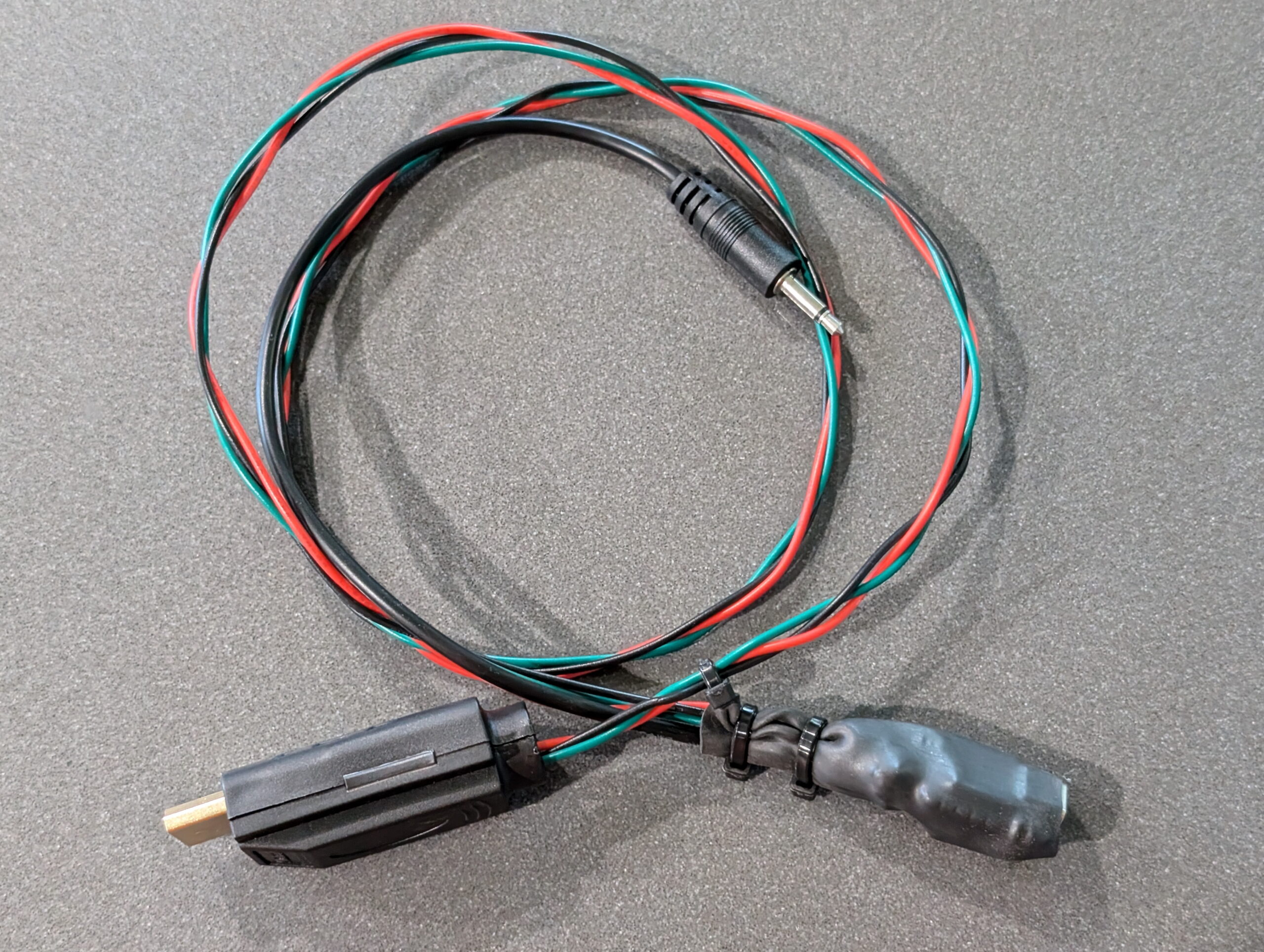
This smaller, final implementation uses a Seeed Studio XIAO ESP32S3, a cheap level shifter board from Amazon (electrically identical to the Adafruit BSS138), and a 3.5mm TS cable. This was all wired up then bundled, along with the ESP32’s external 2.4 GHz antenna, into the a single blob inside of some heatshrink tubing making for a simple, streamlined final package. This works great, and now I have a single thumb-sized module with a USB-C connector (for power input and reprogramming) on one end and a 3.5mm plug on the other for the receiver. And it shows up wonderfully in HA and works as a remote control.
While the initial prototyping went great, I did run into two problems worth mentioning:
First, the one of the super-cheap level shifters I got from Amazon seemed to be bad. After hooking it up levels seemed all wrong, and I was seeing 3.3V at the ESP32 end and a solid 5V at the plug. Turned out to be a bad level shifter (or perhaps bad PCB) but by moving to the second shifter on the same board things were fine.
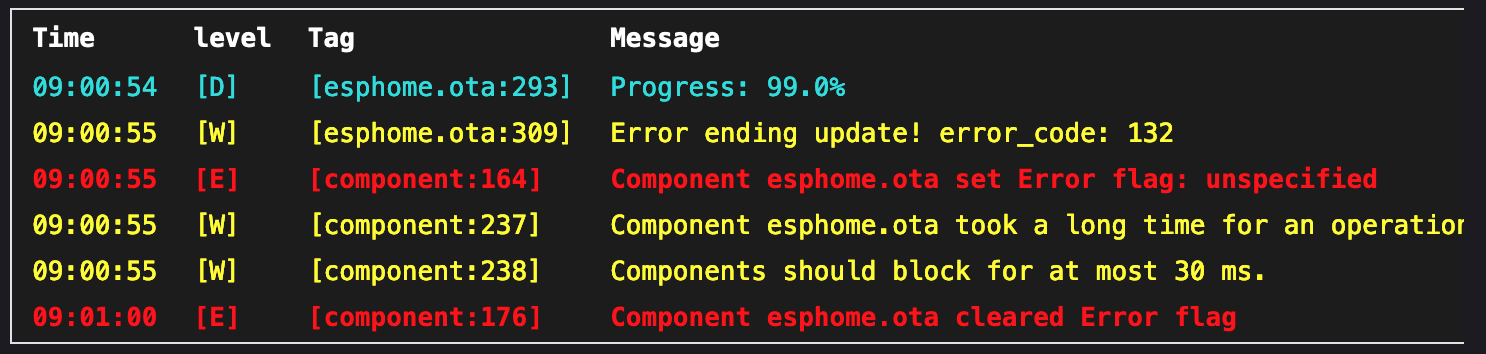
Second, when attempting to do an OTA update after the Onkyo RI firmware on the ESP32 S3 is running, it fails, indicating that Component esphome.ota took a long time for an operation (7339 ms)..
If I flash it back via USB with a default ESPHome config (via ESPHome web), it then OTA updates fine. This only happens on the ESP32 S3 and didn’t happen on the ESP32 WROOM, and seems related to how long the OTA takes on this module or maybe something caused by wireless transmission speeds? I didn’t try a serial upload nor troubleshoot any further as I both have a good workaround and see no need to reprogram the device any time soon.
The ESPHome configuration used for the final version can be found here: onkyo-a-9050_seeed_xiao_esp32c3.yaml. This uses a handful of commands that I tested to work on the A-9050. For other Onyko RI receivers there may be different commands needed; I suggest consulting the protocol docs mentioned above to discover others. I made a point of adding rational icons to each so that once added to Home Assistant things look good.
Using these is then nice and straightforward in HA, such as a basic button here on my dashboard which sends the Toggle On/Off (power) command:
I’m not sure where I’ll go next with this. Toggling power on the receiver from a dashboard is neat, but not that important. Ideally I’d like to have a single automation that will change a couple of lights, turn on the receiver, and result in the Apple TV and television itself being turned on, but there’s still pieces missing to allow this.
It seems an Apple TV can’t be woken over the network when sleeping, the TV is not network accessible, and the receiver does not transmit status. So, I can’t do this with my current setup. I believe that it may be possible to build an ESPHome HDMI CEC device and connect it to another input on the TV to wake things up using something like Palakis/esphome-native-hdmi-cec, but that’ll be another project… At least now I’ve got a spare breadboarded ESP32 to start down that path. Time to order some HDMI breakout connectors, I guess.
Recently I purchased a Honda Odyssey (2024 EX-L) to replace my aging Subaru Outback and get something a bit better for longer trips. Specifically, I wanted to be able to easily put two (or more) bikes inside, along with dogs and luggage. During winter we’d often drive to trails separately because that was the easiest way to keep both of our bikes clean on trips and this was irritating.
To securely hold the bikes inside I put together an adjustable, expandable rail system that holds bikes by their front through axles and is easy to adjust based on bike type, carrying needs, etc. The rail system is strapped to the rear seats as they sit folded into the floor, which provides solid mounting and easy access through the rear door. Combined with the adjustable, and outright removable, second row seats this works nicely for every bike in the house.
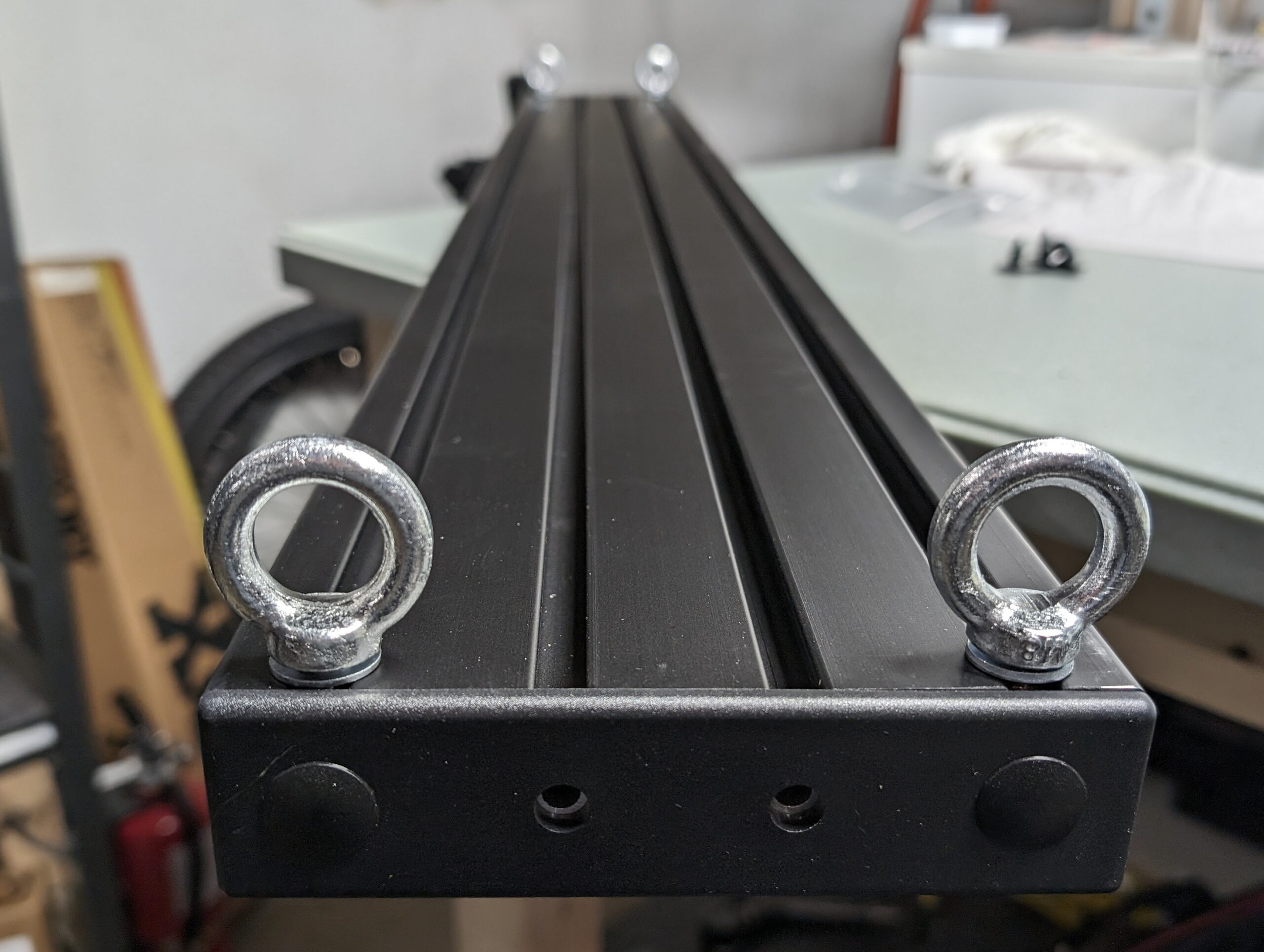
The main, base part of the rack is a 1.5″ x 6″ aluminum extrusion which has four slots on the larger faces. These slots are fitted with drop-in T-nuts to which the fork mounts can be fastened. To support easily repositioning the fork mounts I keep T-nuts in the unused slots, and chose ones with spring ball retention, which keeps them from rattling or sliding around while driving. While this style can be inserted or removed without removing the end caps, I keep spare ones in place because depending on the type of bike being fitted it is sometimes necessary to adjust the mount rotation or move them between slots.
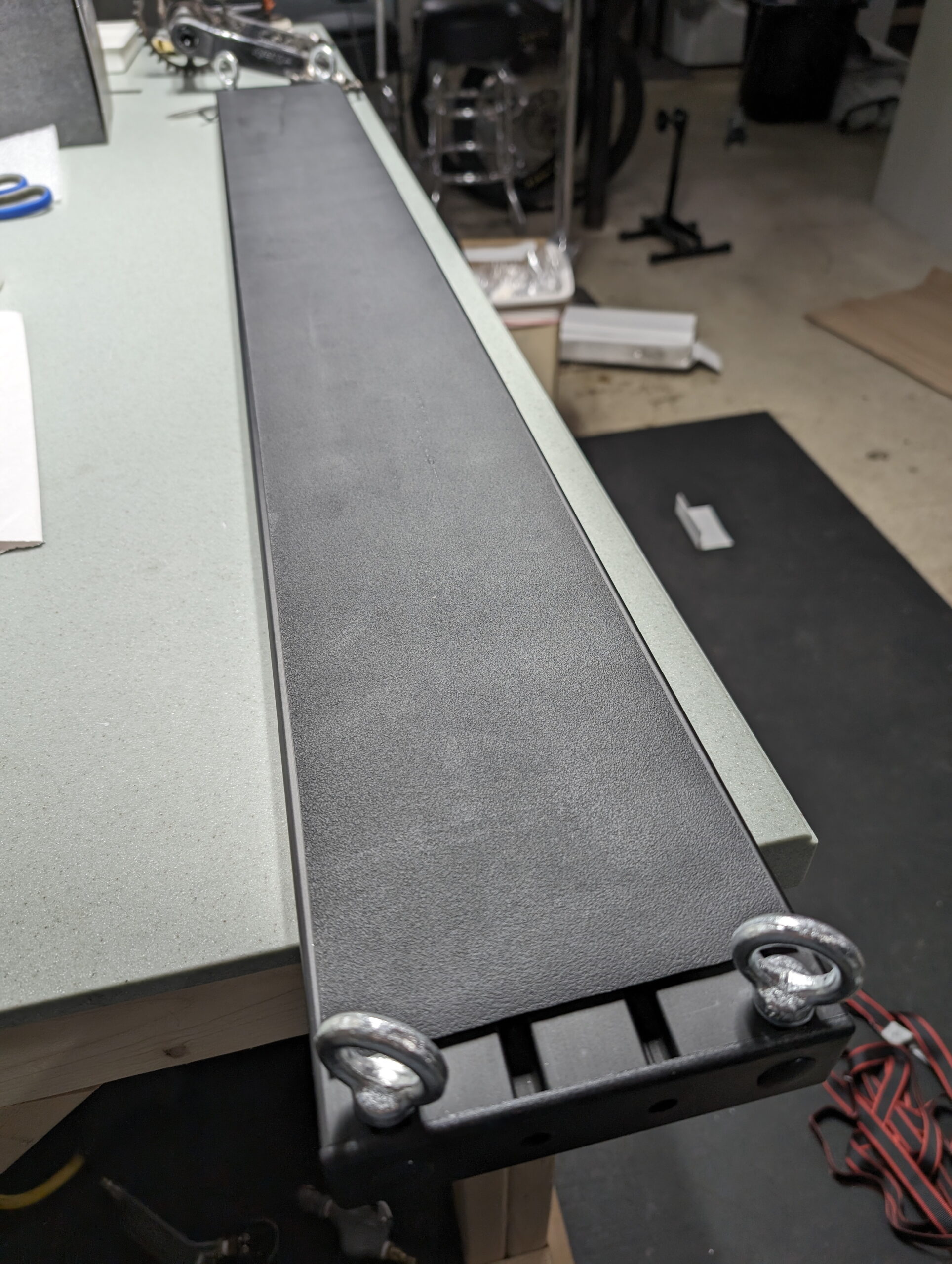
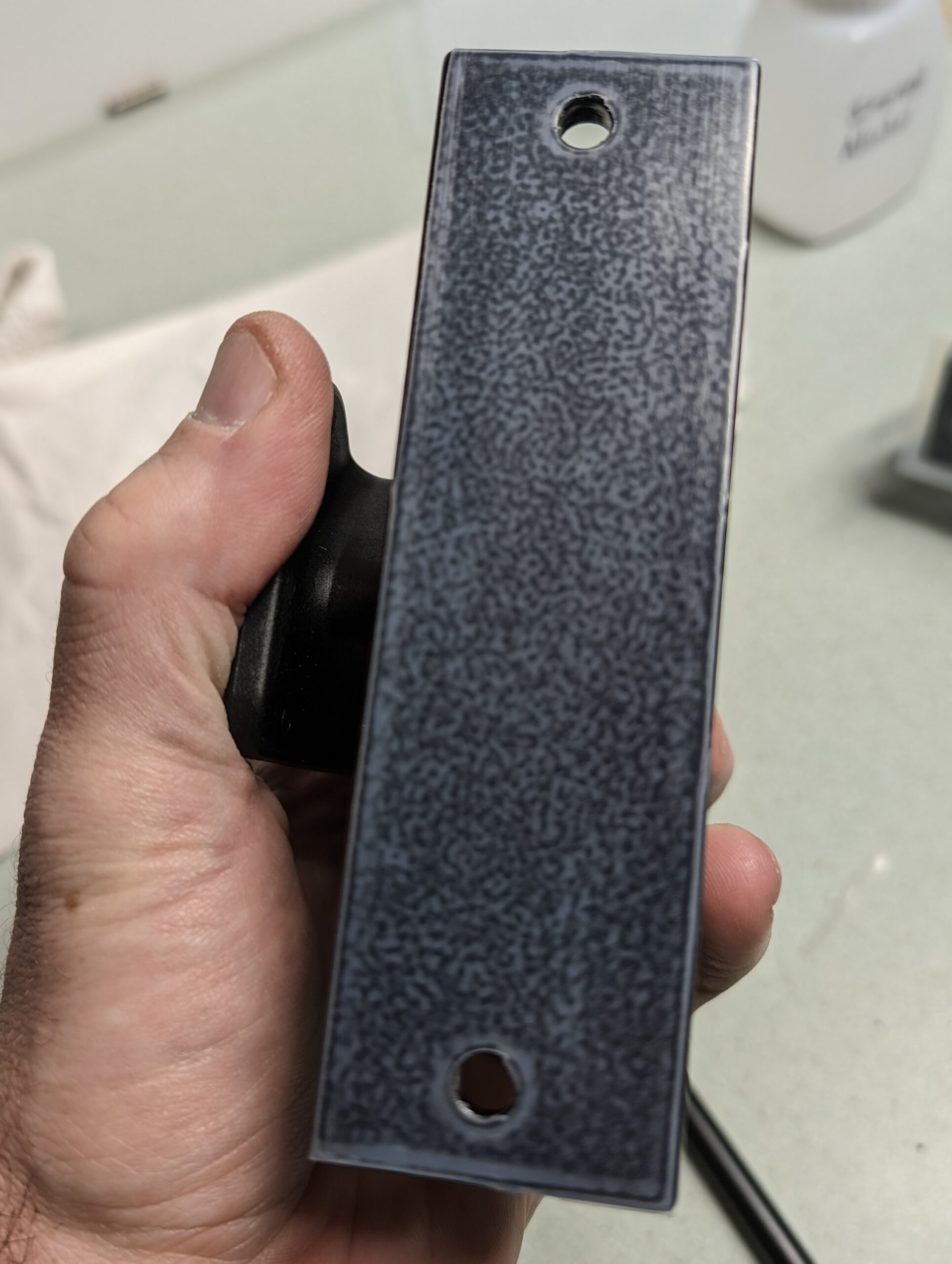
Each end of the extrusion is capped with plastic face plates, and eyelets in slots on the underside are used with ratchet straps to hold the rail to the folded rear seats. A scrap of neoprene was stuck to the underside of the rail with small pieces of 3M VHB tape to help keep it from siding, and plastic corner protectors are used to keep the straps from digging into the seats.
Rocky Mounts DropTop mounts hold the bikes themselves to the rail, and the underside of each mount was covered with UHMW polyethylene tape to make side-to-side adjustment of the mounts smooth and avoid scratching the aluminum. The M6 bolts which came with the mounts were used to attach them to the T-nuts, but they are a bit long and bottomed out on the inside of the rail, so some nylon spacers are used beneath the heads of the nuts. I may eventually get some shorter bolts and avoid the spacers, but I really like the Torx head bolts that came from Rocky Mounts and I’m in no hurry to replace them. By varying the slot used the mounts can be angled at 0°, ~20°, or ~44° and can move forward or backward up to 4.5″. Coupled with easy side-to-side adjustment this makes staggering handlebars and fitting long mountain bike bars easy.
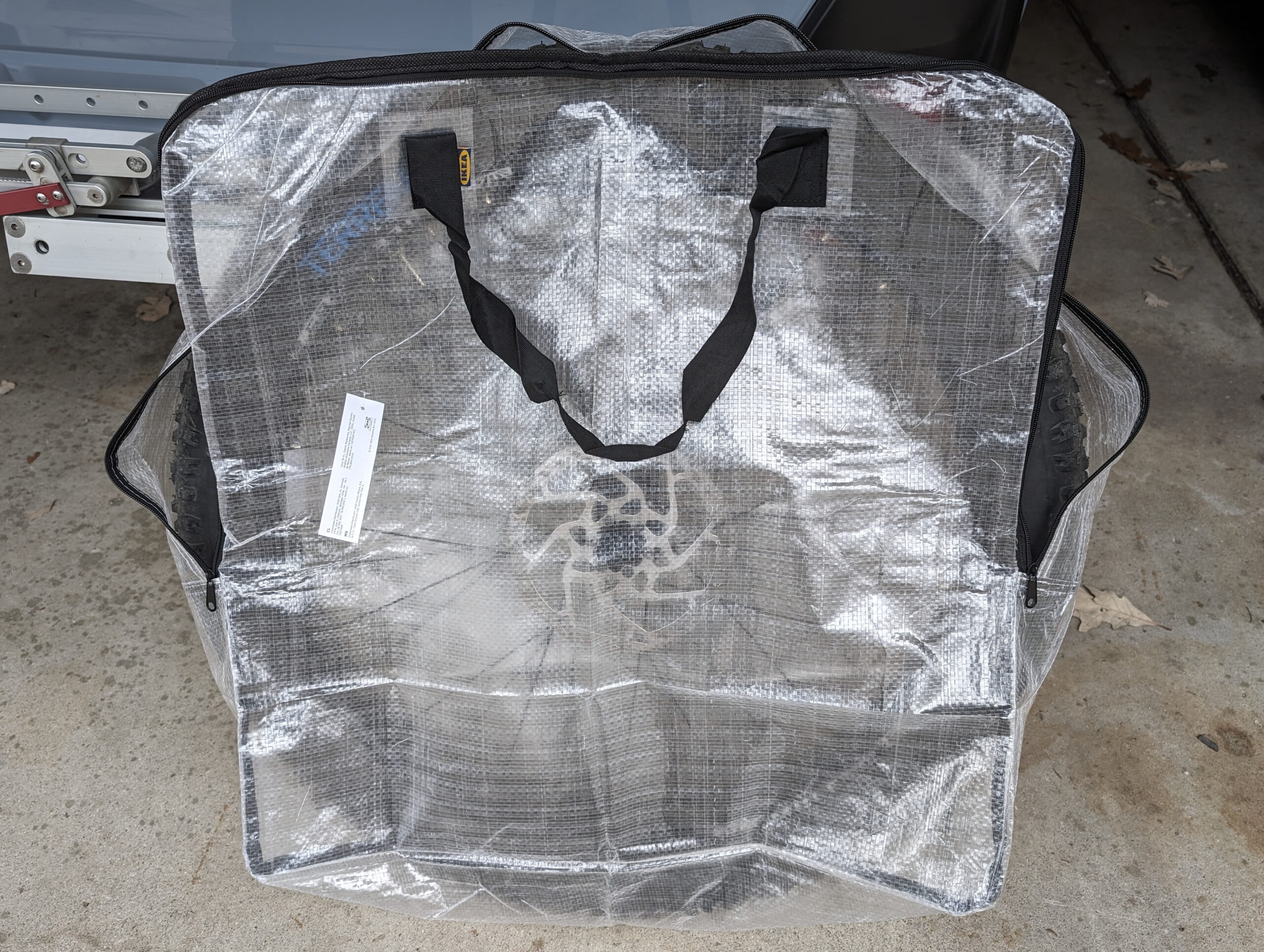
Finally, to hold the front wheels while they are off the bikes, IKEA DIMPA bags are working well. These aren’t always necessary, but with studded or potentially dirty tires and potentially setting them on other luggage, I like being able to drop the wheels into a bag before putting them in the car.
Plastic guards to protect the seats from the nylon ratchet straps.Pivot LES and Mach 4 SLUnderside of extrusion showing eyelets.IKEA DIMPA as Wheel BagNeoprene on the bottom of the rail.UHMW PE tape on the DropTopRocky Mounts DropTop attached to rail.
Quite a few years ago I came across Lighten Up!, which was a dawn-simulating alarm clock module that got connected between an incandescent lamp and used gently increasing light instead of noise. Coupled with a halogen bulb (that’d start out very yellow at lowest brightness) I had a wonderful sunrise-like alarm clock and it was much, much nicer than a beeping alarm.
The LCD displays in the Lighten Up! units began failing so I couldn’t change the programming, which was a hassle as the clocks in them drifted by a couple minutes per month. With a combination of COVID-19 remote work eliminating the need for an alarm clock and the devices dying, in the trash they went. (They also didn’t work right with LED bulbs, and now the person making them has closed down the business.)
I’ve been trying to use an alarm to stay on a more regular sleep schedule and while a bunch of other wake-up lights are available, they are dedicated units that are basically alarm clocks with built in lights. I really liked the elegance of the Lighten Up! and how it’d use an existing lamp, and outside of dedicated smart bulbs + an app I couldn’t find anything else like it. For a while I thought about developing my own hardware version that’d also work with LED bulbs, but never got around to it.
Lighten Up! (Image from Pintrest)
This winter I’ve been experimenting with Home Assistant (HA), and it turns out that with a couple cheap Zigbee parts (bulb and pushbutton from IKEA) it allows for a wonderful replacement/upgrade sunrise alarm idea. A next-generation Lighten Up!, if you will.
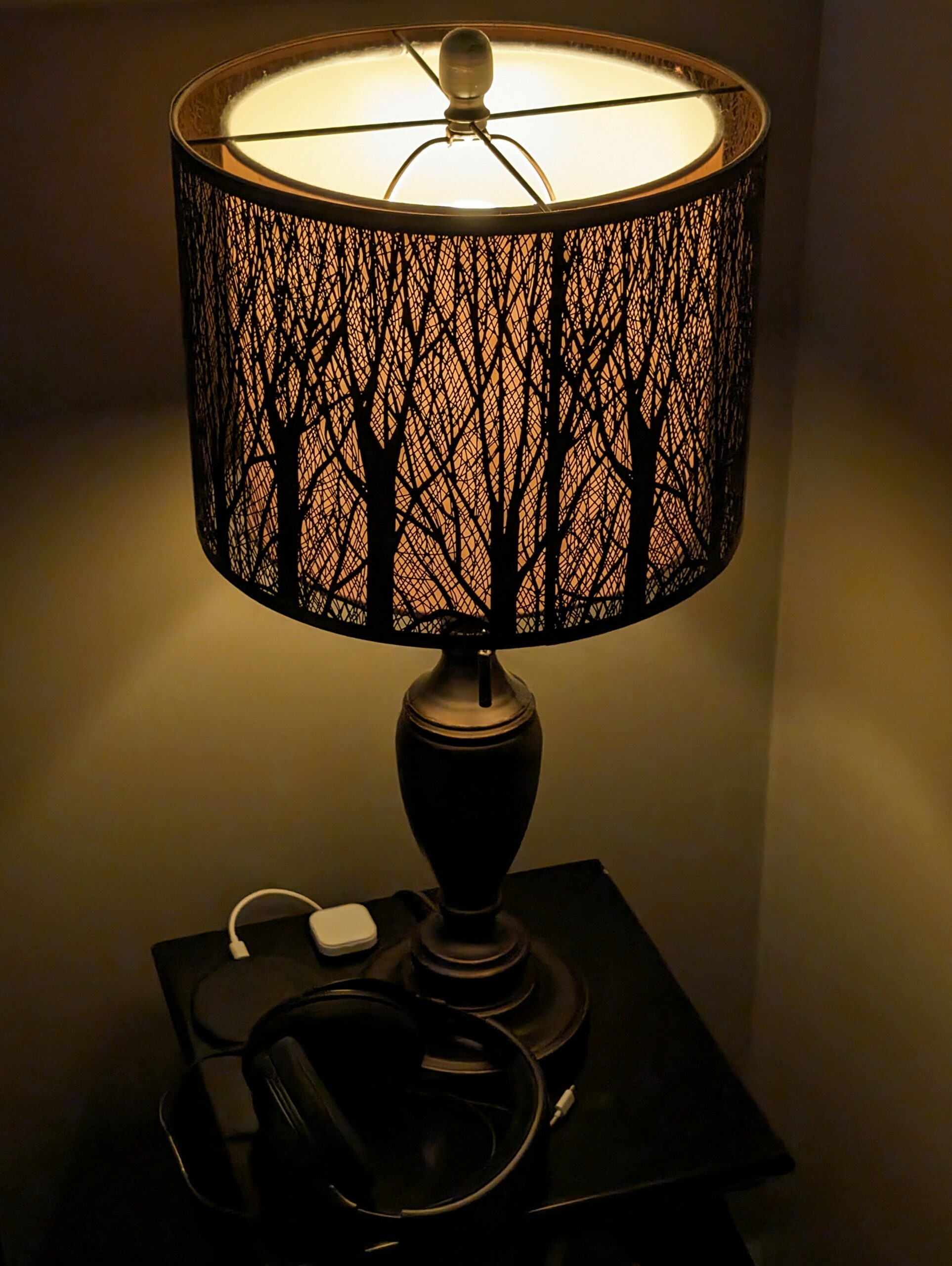
With everything put together the lamp next to my bed will now slowly come up to brightness 15 minutes before the wake-up alarm on my phone, reaching final as the normal alarm triggers. If I change the alarm time on my phone, or shut it off, the light-up alarm in HA will follow suit. Additionally, a physical button on the nightstand turns off the light off while replicating a sunrise alarm, or otherwise toggles the light on and off.
Even better, if I’m not home or if the alarm is set for other than between 3:00 AM and 9:00 AM (times during which I’d likely be in bed and wanting to wake up) the light won’t activate. This allows me to use alarms during the normal day for other things without activating with the light, or while traveling without waking Kristen.
Between this and the gently-increasing volume (and vibration) alarm built into the Android clock which triggers at the end of the sunrise cycle it’s a very nice, gradual wake-up system. And, all of this happens without any cloud services or ongoing subscriptions. My HA instance is local; the phone app communicates directly with it across either my home or the public networks. Communication between the physical controls and lights is a local, private network.
In this post I’ll document the major building blocks of how I did this so that someone else with basic Home Assistant experience (and a functioning HA setup, which is beyond the scope of this writeup) can do the same.
For reference, my Home Assistant hardware setup for this piece is:
With the Home Assistant Companion App for Android running on an Android phone, Home Assistant can get the date and time of the next alarm. After installing the app, go into Settings → Companion app → Manage sensors and enable the Next alarm sensor. My phone is named Pixel 8, so the alarm is now available as entity sensor.pixel_8_next_alarm. Note that this is not available if an iPhone (or other iOS device) is used. (ref: Next Alarm Sensor)
Part of setting up HA configures a Zone (location) called Home. This, combined with the default location information collected by the companion app, allows HA to know if my phone is at Home (or elsewhere), via the the state of entity device_tracker.pixel_8 (eg: home).
Note: While I give YAML of the automations for configuration reference, most of these automations were built using the GUI and involve the (automatically generated) entity and device IDs. If you are setting this up you’ll want to use the GUI and build these out yourself using the code for reference.
To make this all work, three community components are used and must be installed:
Ashley’s Light Fader 2.0: This script takes a light and, over a configured amount of time, fades from the light’s current setting to the defined setting (both brightness and color temperature) using natural feeling curves (easing). It will also cancel the fade if some conditions are met. I use this to have the light fade, over 15 minutes, using a sine function, to 70% brightness and 4000K temperature, and cancel the fade if the light is turned off or brightness changes significantly, the latter of which allows the button next to the bed to cancel the alarm.
To make this happen I turn on the bulb at 1% brightness and 2202K (it’s warmest temperature), then use the script to fade to 70% and 4000K over the course of 15 minutes. This does a decent job of replicating a sunrise or the results of the Lighten Up! with a halogen bulb.
This is configured as an automation I call Bedroom Steve Nightstand: Lighten Up! (Sunrise). Note that it has no trigger because it’ll be called from the next automation:
Adjustable Wake-up to Android alarm v2: This blueprint for an Automation takes the time from the next alarm sensor (alarm_source) to trigger an action before the alarm happens. I use this to initiate Ashley’s Light Fader 2.0 at 15 minutes before my alarm, only when my phone is at Home, and and the alarm is between 3:00 AM and 9:00 AM.
Part of configuring this is setting up a Helper or basically a system-wide variable, called Pixel 8 Next Alarm (entity id: input_datetime.pixel_8_next_alarm, type: Date and/or time).
This is configured as an automation called Bedroom Steve Nightstand: Lighten Up at 15 Before Alarm, set to only run if my phone is at Home and it’s between 3:00 AM and 9:00 AM:
I don’t want to get out a phone and dig into an app to manage the light, so next to the bed I have a TRÅDFRI Shortcut Button for controlling the light. If the button is pressed while the light is simulating sunrise, it turns off. If the light is off it turns it on, or visa versa.
Because turning the light off mid-dimming leaves it set at the current color and brightness, I use this instead of the normal Toggle action. In here I check the state of the bulb and either turn it off (if on), or turn it on to 100% brightness and 4000K if it is off:
alias: "Bedroom Steve Nightstand: Light Toggle"
description: >-
  Doesn't use the normal toggle because it needs to set the light color and
  brightness just in case it was left at something else when turned off
  mid-alarm.
trigger:
  - device_id: 12994a6c215ae1d4cfb86e261a2b2f3b
    domain: zha
    platform: device
    type: remote_button_short_press
    subtype: turn_on
condition: []
action:
  - if:
      - condition: device
        type: is_on
        device_id: e3421c7d54269752a371fe8443daf95f
        entity_id: 78599118c4ab8043cf03ce6532546b94
        domain: light
    then:
      - service: light.turn_off
        metadata: {}
        data:
          transition: 0
        target:
          entity_id: light.bedroom_test_bulb_light
      - stop: ""
    alias: On to Off
  - if:
      - condition: device
        type: is_off
        device_id: e3421c7d54269752a371fe8443daf95f
        entity_id: 78599118c4ab8043cf03ce6532546b94
        domain: light
    then:
      - service: light.turn_on
        metadata: {}
        data:
          color_temp: 153
          transition: 0
          brightness_pct: 100
        target:
          entity_id: light.bedroom_test_bulb_light
      - stop: ""
    alias: "Off to On: Full Brightness and 4000K"
mode: single
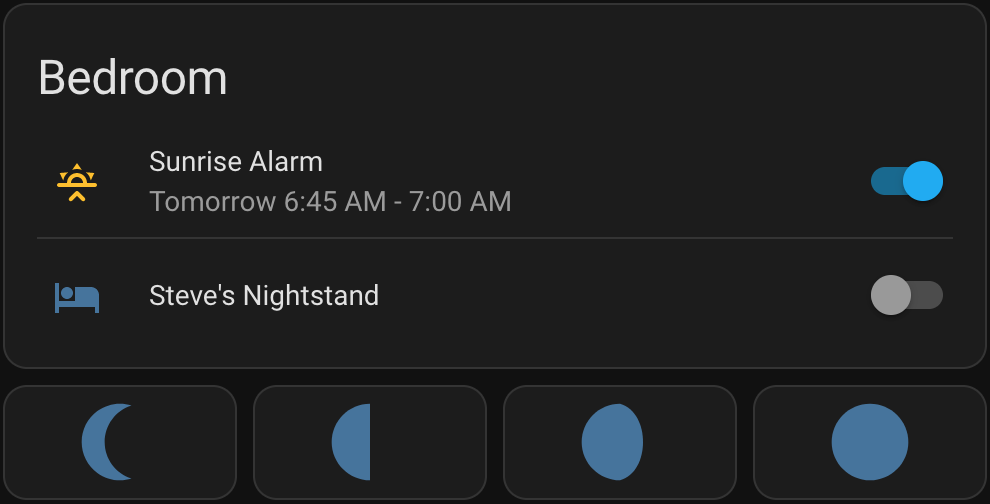
Finally, I also have this all displaying, and controllable, via a card stack in a dashboard. For the next alarm info I started with the template in this post but modified it to simplify one section by using now(), fix a bug in it that occurs with newer versions of HA, and then build it into something that better illustrates the start and end of the simulated sunrise. Because normal entity cards can’t do templating (to dynamically show data) I used TheHolyRoger/lovelace-template-entity-row and some Jinja templating to make it look nice.
This gives me a row which shows the next alarm time (or “No alarm” if none set), nicely formatted, and has a toggle that can enable/disable the Bedroom Steve Nightstand: Lighten Up at 15 Before Alarm automation. Finally, I added a row of buttons to allow easy toggling between 1% / 454 mireds, 33% / 357 mireds, 66% / 294 mireds, and 100% / 250 mireds so I can manually set the light to some nice presets across dawn to full brightness.
The result of all of this is that, if my phone is at home and I have an alarm set between 3:00 AM and 9:00 AM, the light next to the bed will simulate a 15-minute sunrise before the alarm goes off. If the light is simulating a sunrise, pressing the button will turn it off. Otherwise, the button toggles the light on and off at full brightness, for normal lamp-type use. Finally, via the Home Assistant UI I can easily check the status of, or turn off, the sunset alarm if I don’t want to use it.
So far, this is working great. There’s two things I’m looking into changing:
First, the bulb I’m using, 405.187.36, is an 1100 lumen maximum brightness. This is a bit too bright for the final stage of the alarm, and it’s minimum brightness is a bit higher than I’d like and seems a little abrupt. (Ideally the initial turn-on won’t be noticable.)
Since IKEA bulbs are cheap and generally work well, I’ll likely try a few other lower brightness ones and see how they work out. Both 605.187.35 (globe) and 905.187.34 (chandelier) are color temperature adjustable, 450 lumen maximum, cost $8.99, and look like good candidates as I expect their minimum brightness to be lower.
There is also 104.392.55 ($12.99), but it is fixed at 2200K and has a maximum brightness of 250 lumens. I suspect this will be nicely dim for the start, but wouldn’t allow a color transition and might not have enough final brightness to make me feel ready for the day.
I may also try something like 204.391.94 ($17.99), which is adjustable color, as this could allow me to use something like the sunrise color pallete, but this would require moving to a different script for fading. The current script doesn’t support fading between colors (see here for discussion around this), so this would take a lot of work on my part. Probably more than would be beneficial, since varying color temp on white-range bulbs is pretty darn good already.
Second, the TRÅDFRI Shortcut Button (203.563.82) that I’m using has been discontinued. It’s a nice, simple button, and I can trigger on it using short or long press. It’s replacement, SOMRIG Shortcut Button (305.603.54), isn’t in stock at my local IKEA so I don’t have one, but I expect it to be two buttons that can each have short or long presses, and perhaps even double-click on each. If so, I may add something more like dimming the nightstand light to use as a reading light, or perhaps something to leave on for the dogs when we’re gone.
Thinking a bit bigger picture I could even do things like use an in-wall dimmer to have the adjacent closet lights serve as wake-up lights. But as all the quality ones of these are Z-Wave I’d have to get another radio for the Pi and… and…
The possibilities for this stuff are nearly endless, which is neat, because it becomes an engineering problem of what to do that provides sufficient benefit without complexity for complexity’s sake. This, at least, a Home Assistant-based replacement for the old, beloved Lighten Up!, is great.
Note: This post has been updated a few times since original posting to fix grammar, a bug in the Jinga2 template for displaying the next alarm, and to add buttons for setting lamp brightness.
Update on 2025-May-23
With the release of Adjustable Wake-up to Android alarm v4 in January 2025, the helper input_datetime.pixel_8_next_alarm is no longer needed and can be deleted. Accordingly, the line in the card defining sunrise_start needs to be changed to something like this. The -900 is the offset / number of seconds before the alarm that the automation is scheduled to trigger:
{% set sunrise_start = ((state_attr('sensor.pixel_8_next_alarm', 'Time in Milliseconds') /1000) - 900) | int %}