nuxx.net
Making, baking, and (un-)breaking things in Southeast Michigan.

Category cycling

A Bicycle Troubleshooting Process Example
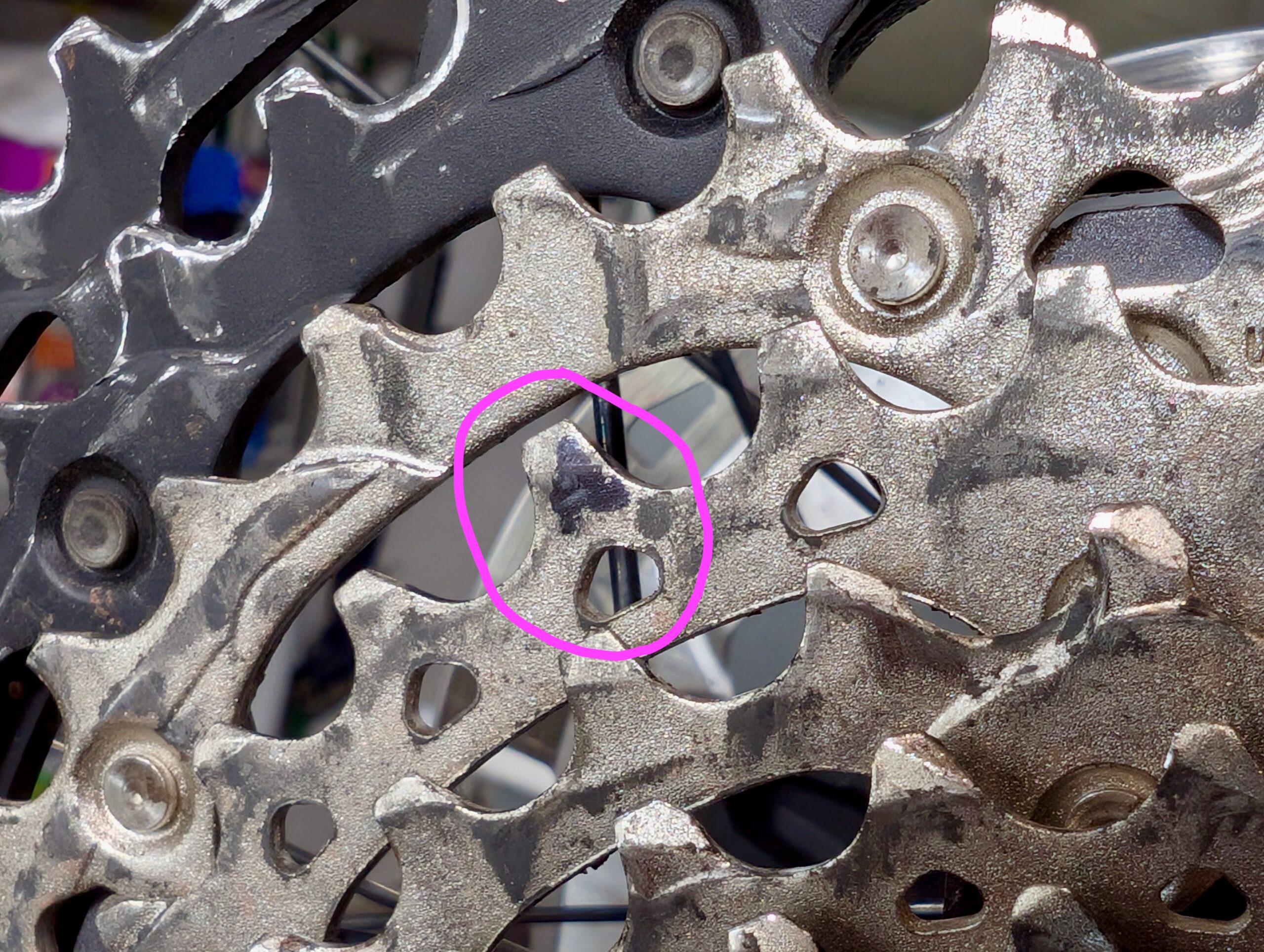
Slightly bent tooth on my Pivot Trail 429.

I like troubleshooting things. It’s basically what I do at my day job, and I’m kinda good at it. Sometimes I’m asked for illustrations of how I troubleshoot stuff, so I’m sharing this example of figuring out a noise on my Pivot Trail 429‘s cassette that cropped up yesterday when riding at Poto with some friends.

I visualize this sort of troubleshooting as being shaped like a funnel. At first everything’s really broad and big and open, but with each step I (hope to) narrow things further and further until the potential is super narrow and pointing at the actual problem.

When riding last night the noise started out sounding like a shifting problem. I didn’t feel it in the pedals (so it wasn’t ghost shifting), but it was an irritating click noise that seemed to only happen in my most frequently used gear. So, I kept riding, gathering a bit of data, so I could solve it later. Here’s the whole process broken down by question and finding.

Q: What gear does this happen in?
A: Only the fourth from the largest cog.
Clues: Something might be wrong with this cog. Since it doesn’t affect other gears, it’s probably not cable tension (this affects shifting across all cogs). It could be a bent derailleur hanger, but this is a plastic UDH, and the problem didn’t happen when I last rode the bike in June, so it’s probably not that.

The next day I put the bike in the work stand in the basement and got to looking at the problem.

Q: Where is the noise coming from?
A: Cassette/chain.
Clue: This means it’s probably not a jockey wheel / derailleur issue.

Q: Does the problem cog have an even or odd number of teeth?
A: Even.
Note: With an even-toothed cog, teeth always align with inner/outer plates on each revolution. With odd-toothed cogs, they alternate. Therefore on an even-toothed cog you may need to shift around the cassette and back before the issue will reproduce.

Q: Pedaling gently — forward and backward — and looking at the chain, does it jump or skip?
A: No.
Clue: This means it’s probably not a chain / stuck link problem. (Note that this chain is waxed, and it is a mountain bike, so after damp rides stuck links and corrosion can set in quickly.)

Q: When slowly pedaling backwards, does the noise happen?
A: No.
Clue: Must be pedaled forward to repro. This points further to a tooth issue.

Q: Slowly pedal forward, watching the chain links as they mesh with the cassette. Did this happen at a particular tooth?
A: Yes. Mark it with a sharpie.
Clue: Great! Now we know exactly which tooth. This could be the problem…

Q: Does it happen only when that tooth is meshing with an inner or outer plate?
A: Yes, inner.
Clue: This tells me the tooth might be catching on the narrower plate.

Q: Shift a few rings down the cassette to get the chain out of the way, then inspect and feel tooth for barbs/damage.
A: None found.
Clue: Could be a bent/misaligned tooth. If barb/burr/damage was found, that could cause the catching/noise.

Q: Using a straight-edge and your eyes, see if the overall cog is bent at this point.
A: Doesn’t seem to be. But tip of tooth does look a little bit out of line with the others.
Clue: Tooth could have become slightly bent… This can happen with mis-shifts, debris, etc.

Action: Use a flat blade screwdriver braced against the inner part of the smaller cog to gently nudge the tip of this tooth inboard. (Not even enough to be visible.)

Q: Shifting back to this cog, then shifting around a bunch, can the issue be reproduced anymore?
A: Nope! Seems like this sorted it out.

And… that’s it. Of course the issue shouldn’t be considered completely solved until after a test ride, but a simple change eliminating a noise is promising.
cyclingmaking things

Healing a Hefty Scrape

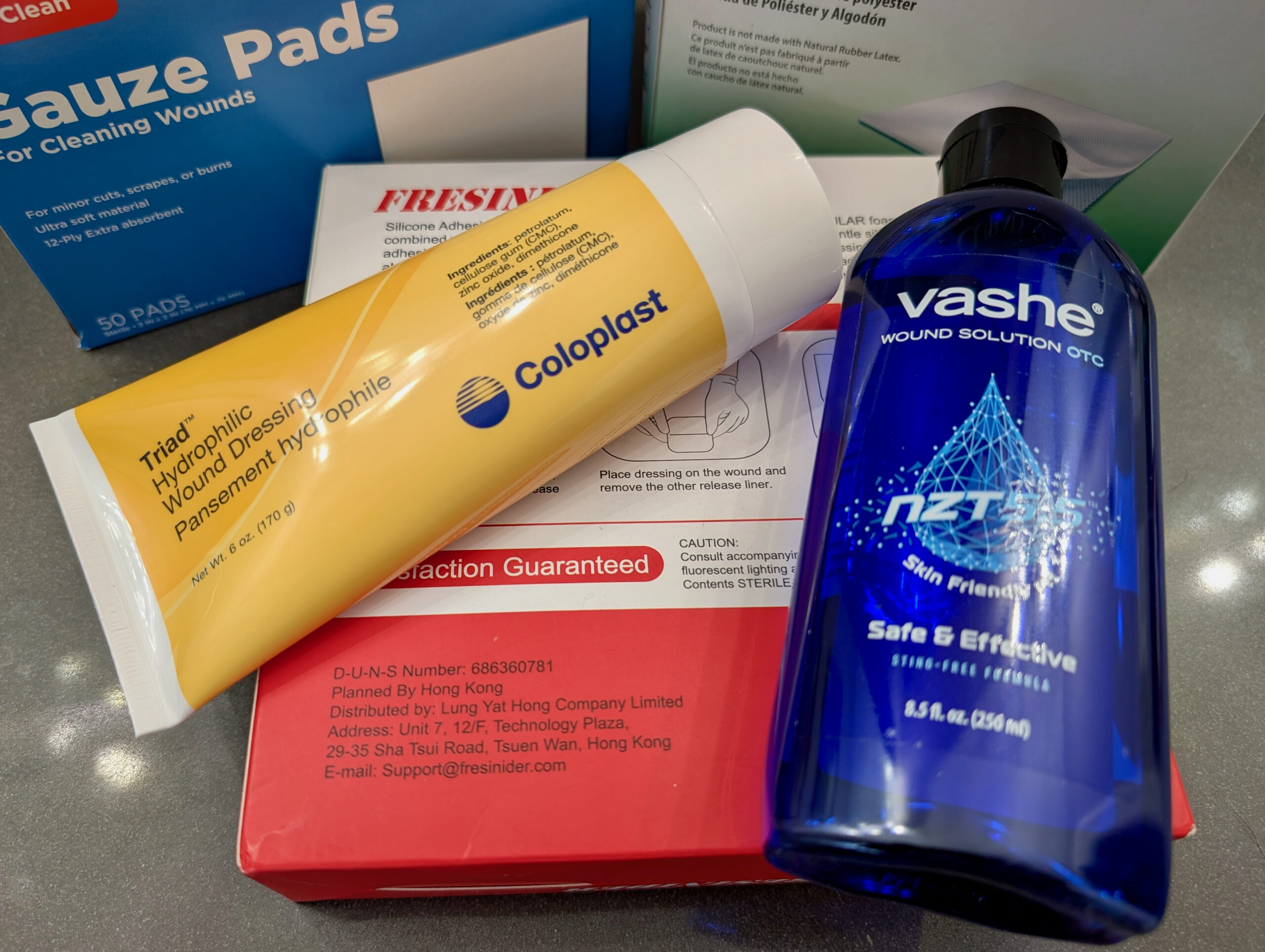
Triad Hydrophilic Wound Dressing, Vashe Wound Solution OTC, and bandages.

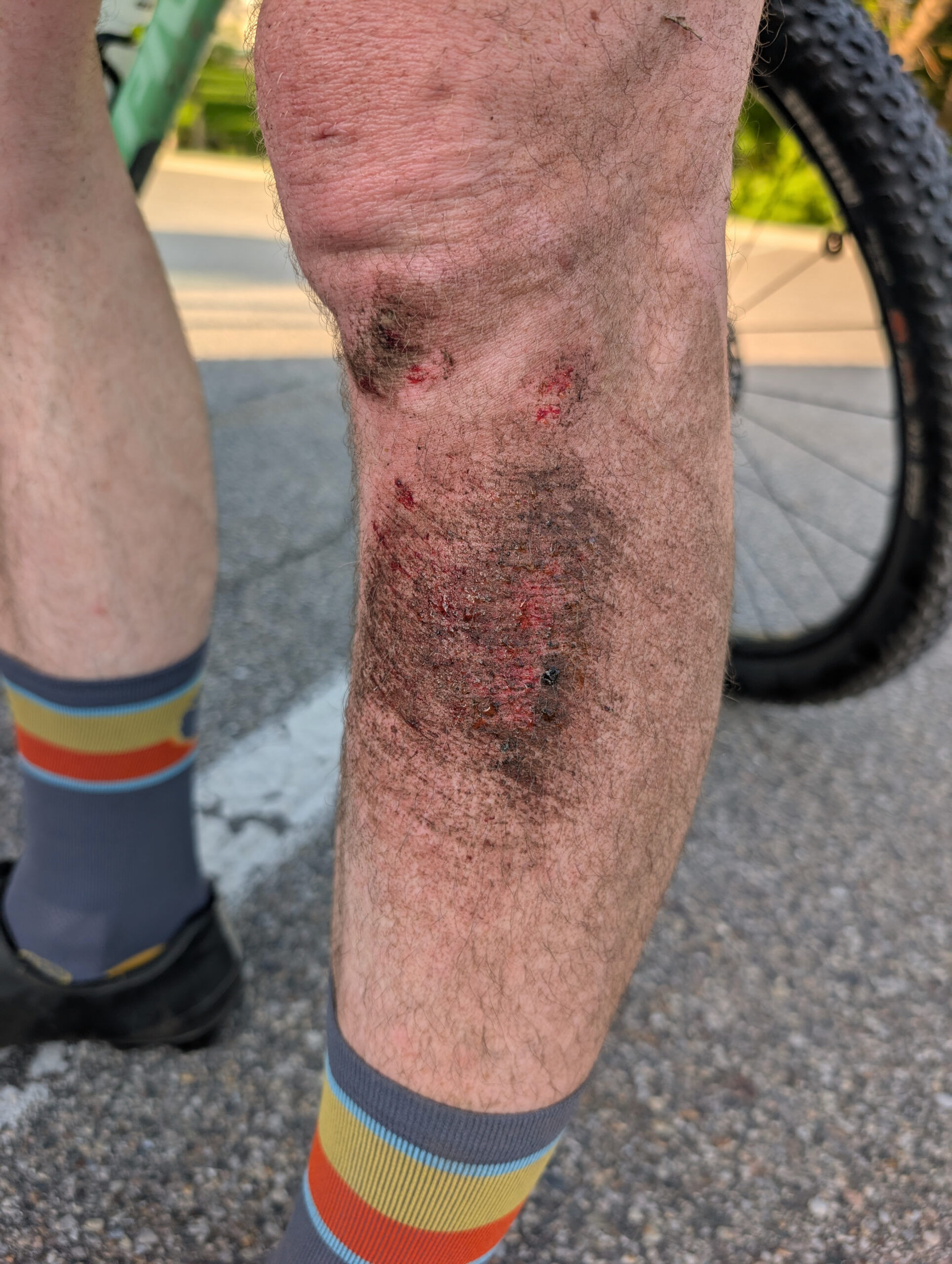
As much as I try to avoid them, I’m unfortunately familiar with the bumps and scrapes that come with mountain biking; typically minor injuries from brushing a tree of or falling over in the dirt. A few weeks back when riding at River Bends on a far-too-worn-out tire and working on faster, flat cornering, I ended up sliding out, falling over, and scraping the front / outer-side of my left shin / calf on some hard-packed sand.

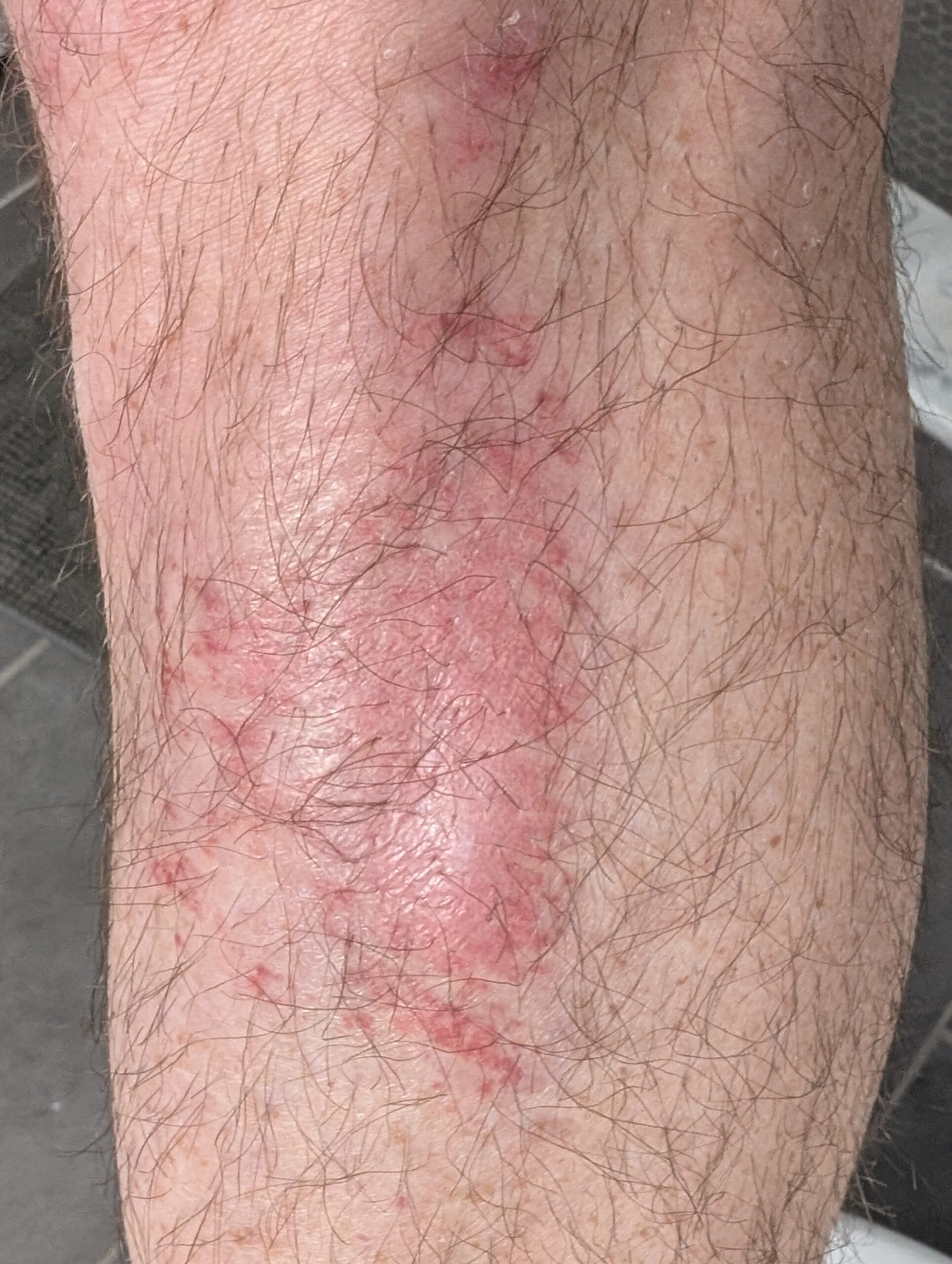
This wouldn’t have been notable at all, except it was a bit deeper than normal and thus had difficulty figuring out how to treat it. I subsequently got a (likely staph) infection that made it much more painful, and took a lot longer to heal, than a normal abrasion / road rash. Thus this post, wherein I document what went wrong, what went (very) right in healing it up, and what I intend to do next time.

What Went Right

My shin, nicely healing and on the mend.

After a week of getting worse, and a few days of constant stinging pain that even interfered with sleep, I went to urgent care because I was concerned it was getting infected. The nurse practitioner agreed that it seemed infected and prescribed cephalexin (oral) and mupirocin (topical) antibiotics. Beginning to take these cleared up the infection and allowed healing to begin.

A riding friend who noticed the bandage, and whose spouse works in wound care in an ER, had dealt with a much-worse leg injury in the past, took an interest, and the two of them recommended a course of action that worked wonderfully:

This worked amazingly well and in about a week of Triad + breathable bandages everything was healed well enough that I no longer needed to bandage it. Three weeks after I scraped my leg — two of which were un- to counter-productive — it’s still a little pink and tender, but otherwise just looks like skin. And I’m very relieved.

What Went Wrong

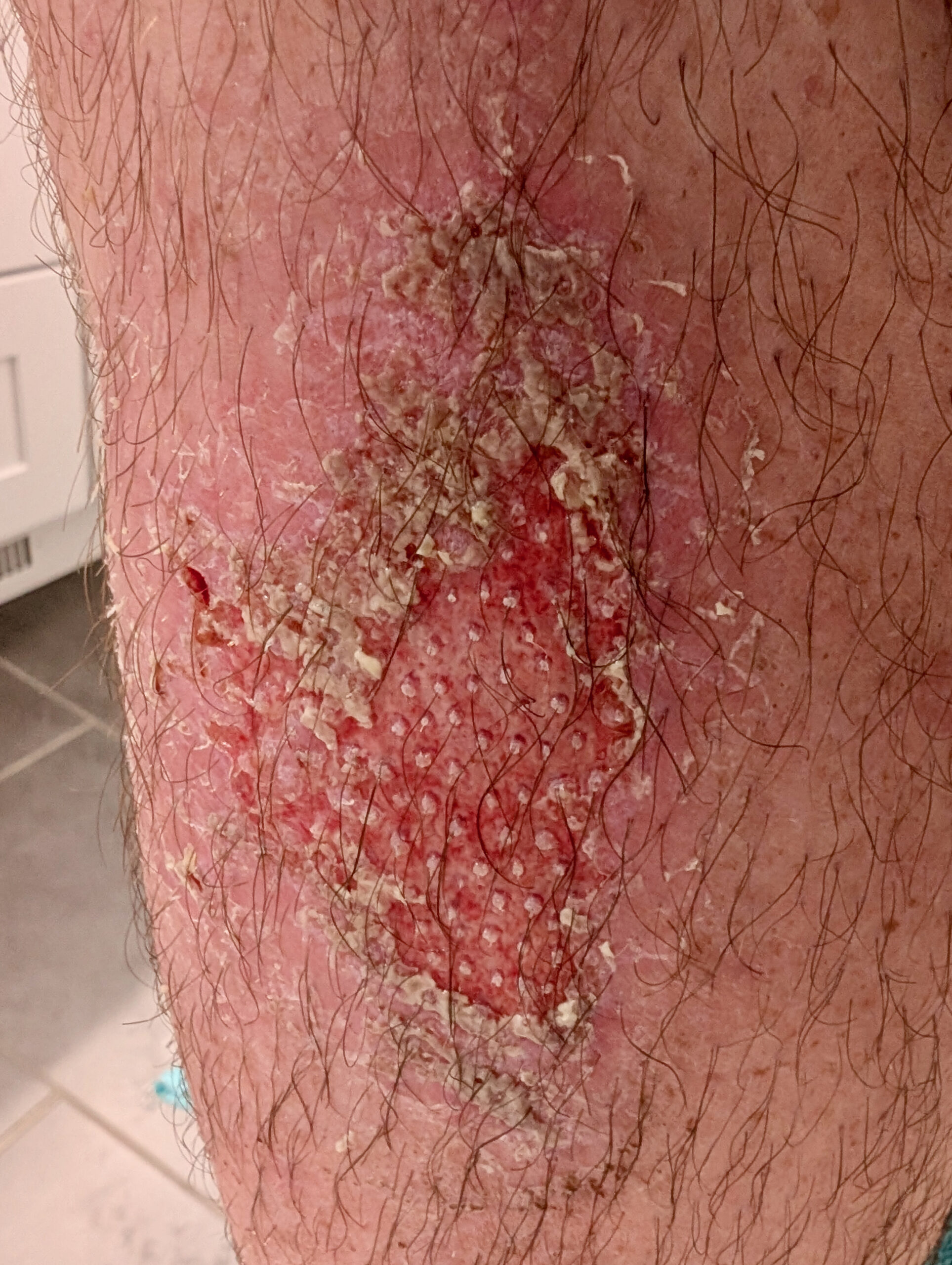
Infected left shin.

Before things went right, they went very wrong, to the point where for a three-day period it hurt constantly, akin to the washing-a-scrape-in-the-shower feeling. Ibuprofen kinda helped, but I still had difficulty sleeping and as my leg muscles would flex while standing the skin would burn and ache. While I didn’t have a fever, the infection looked scary, felt warm, and I didn’t want it to get worse.

So what shouldn’t I have done?

  • Incomplete Cleaning: The first night I thought I washed the wound well enough, but the next evening I found there was still dirt mixed in with the forming scab. I’m not sure if this would have been enough, but it wouldn’t have made things worse. This is where Vashe would have come in handy.
  • NEOSPORIN + Lidocaine: I’m not sure why this happened, but I figured NEOSPORIN + Lidocaine would help with the stinging. Instead it did the opposite; this made it burn worse and it took a few hours for the burning to go away.
  • Hydrocolloidal Dressing: The typical cycling recommendation for abrasions seems to be Tegaderm. Hydrocollodial dressings came recommended by some friends as working for them, so I tried applying a thicker hydrocollodial dressing + NEOSPORIN for a couple days beginning three days after the injury. I don’t believe this caused the infection, but I also don’t think it helped; this time was when the infection really set in. It clearly works for some people, but I’ll avoid it next time.

Next Time

Scraped leg after falling over in the CK Canal Loop at River Bends.

Given all this, what will I do next time?

  • Wash thoroughly with soap+water, then flood/wash/soak with Vashe and re-wash similarly between dressing changes.
  • Initially coat with a topical anti-microbial silver wound gel and cover with a non-stick pad held in place with tape.
  • After bleeding/significant weeping stops, switch to Triad and breathable foam bandages.
cyclinghealth

KICKR CORE 2 Tennis Ball Feet

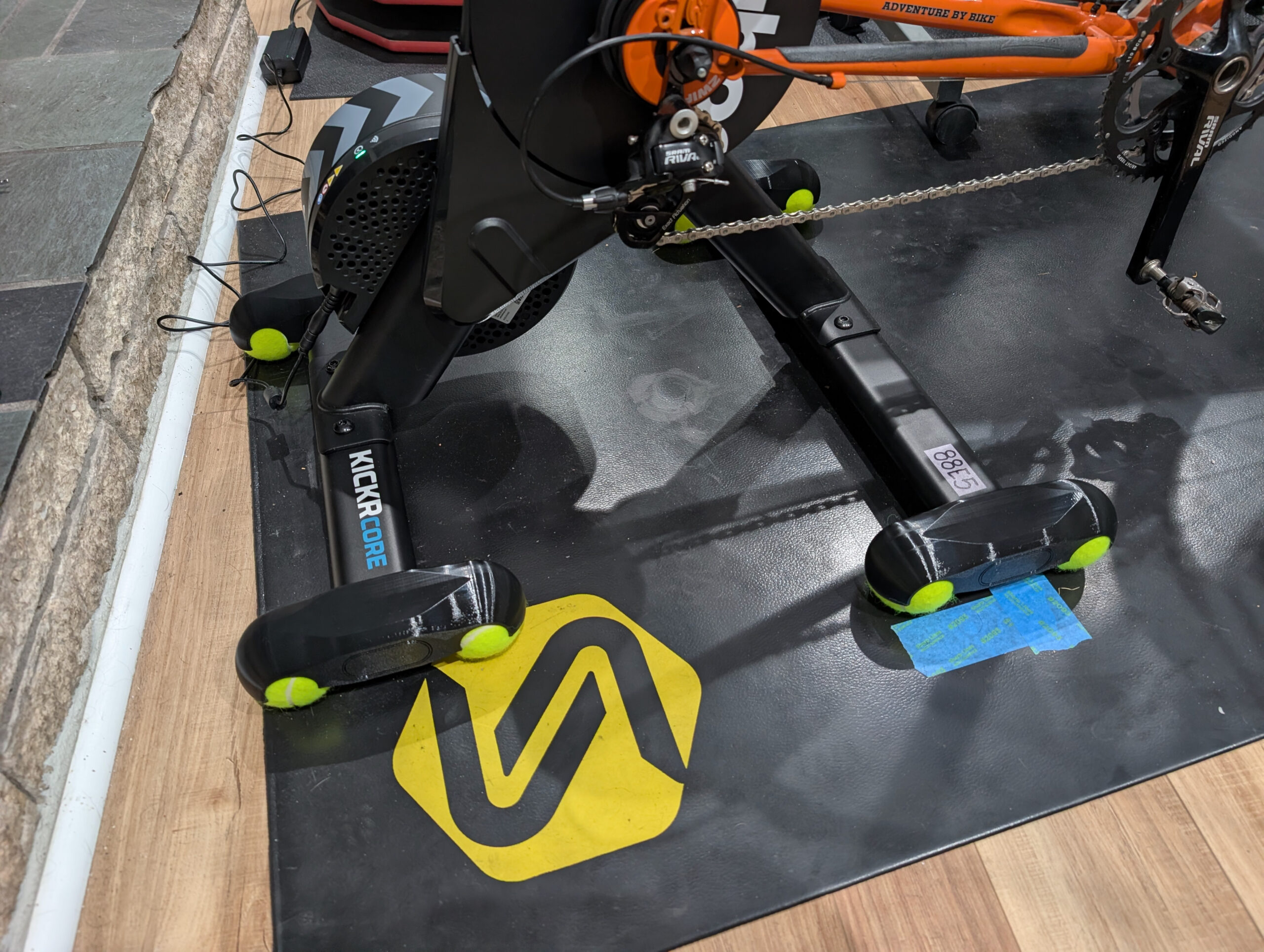
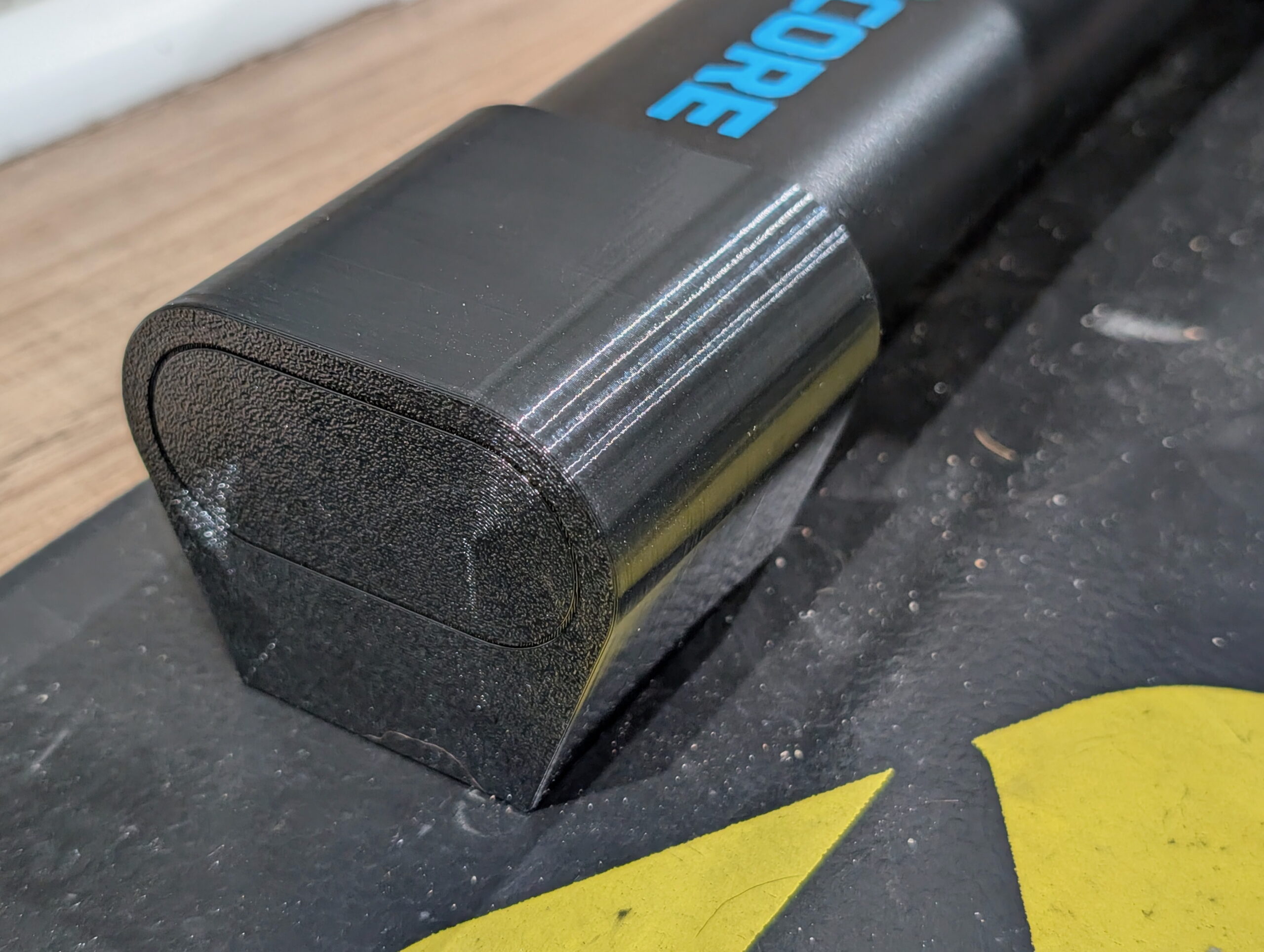
Tennis ball rocker feet on my KICKR CORE 2.

Last winter, after getting a Wahoo KICKR CORE 2 trainer and designing some variable height feet to level the bike I kept thinking about tennis ball feet. These provide a bit of give, allowing the trainer to rock and pitch a bit, reportedly making it more comfortable to ride. (And yes, for some reason I sat on this post for half a year before finishing it up.)

I’ve never really noticed an issue with the static positioning of any of my trainers, but Kristen purchased a KOM Cycling Indoor Rocker Plate RPV1 while getting ready for AIDS/LifeCycle in 2021/2022 and now finds she can’t really ride indoors without it. Her experience, and hearing nice things about tennis ball feet from others, has made me wonder how something similar might be for me.

There’s a whole bunch of tennis ball feet available for trainers. From the well-engineered ones that my friend Jake / Cycl3dCo makes and sells to a bunch of free designs on Printables and MakerWorld, there’s… a lot of options. Mostly because I couldn’t find one that was low enough profile to not require a riser block for the front tire (the inverse of the problem which prompted my trainer foot design), a bit of late-December poor weather boredom, wanting to get better at drawing stuff, and perhaps a bit of NIH, I decided to try designing my own.

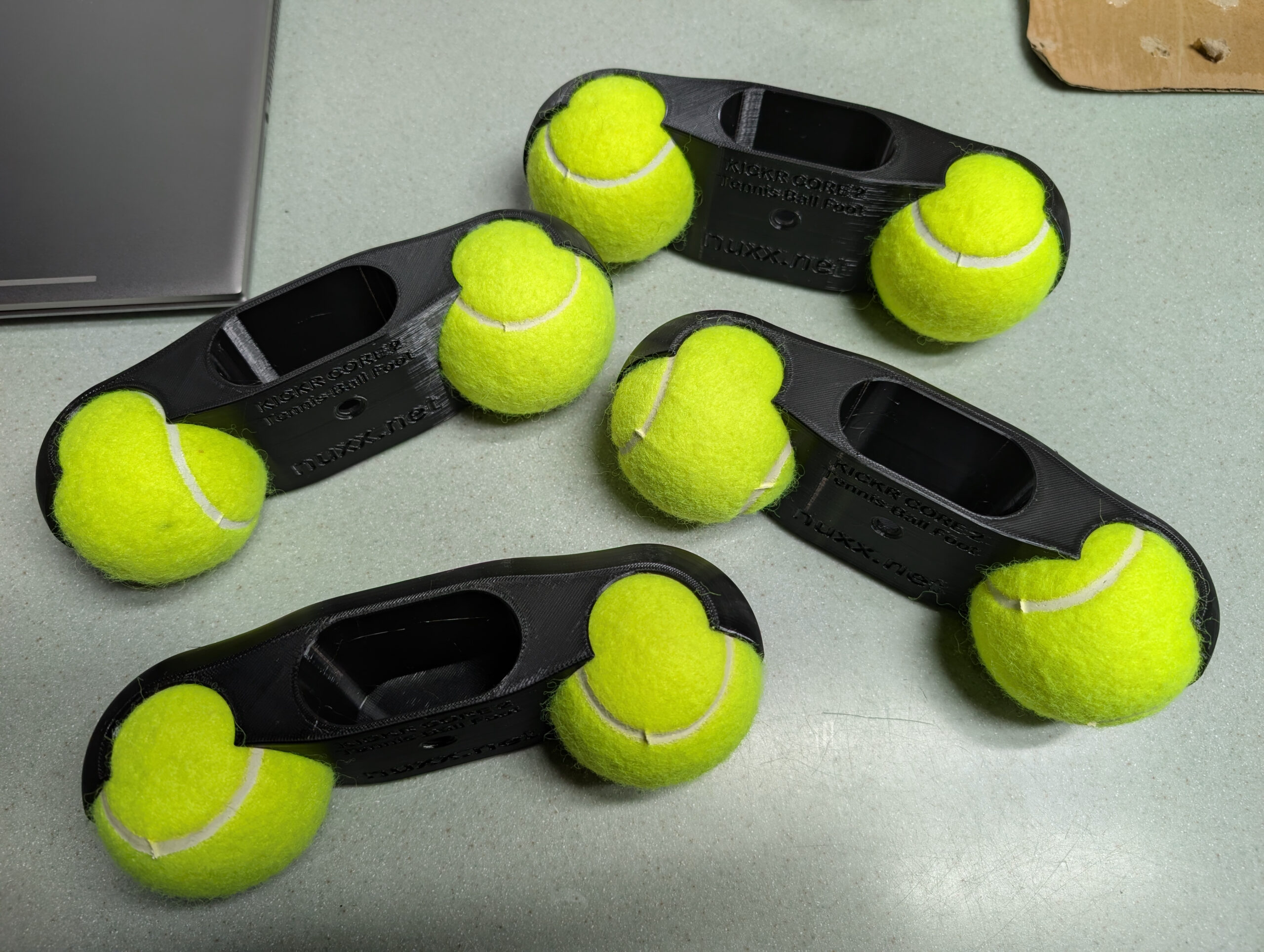
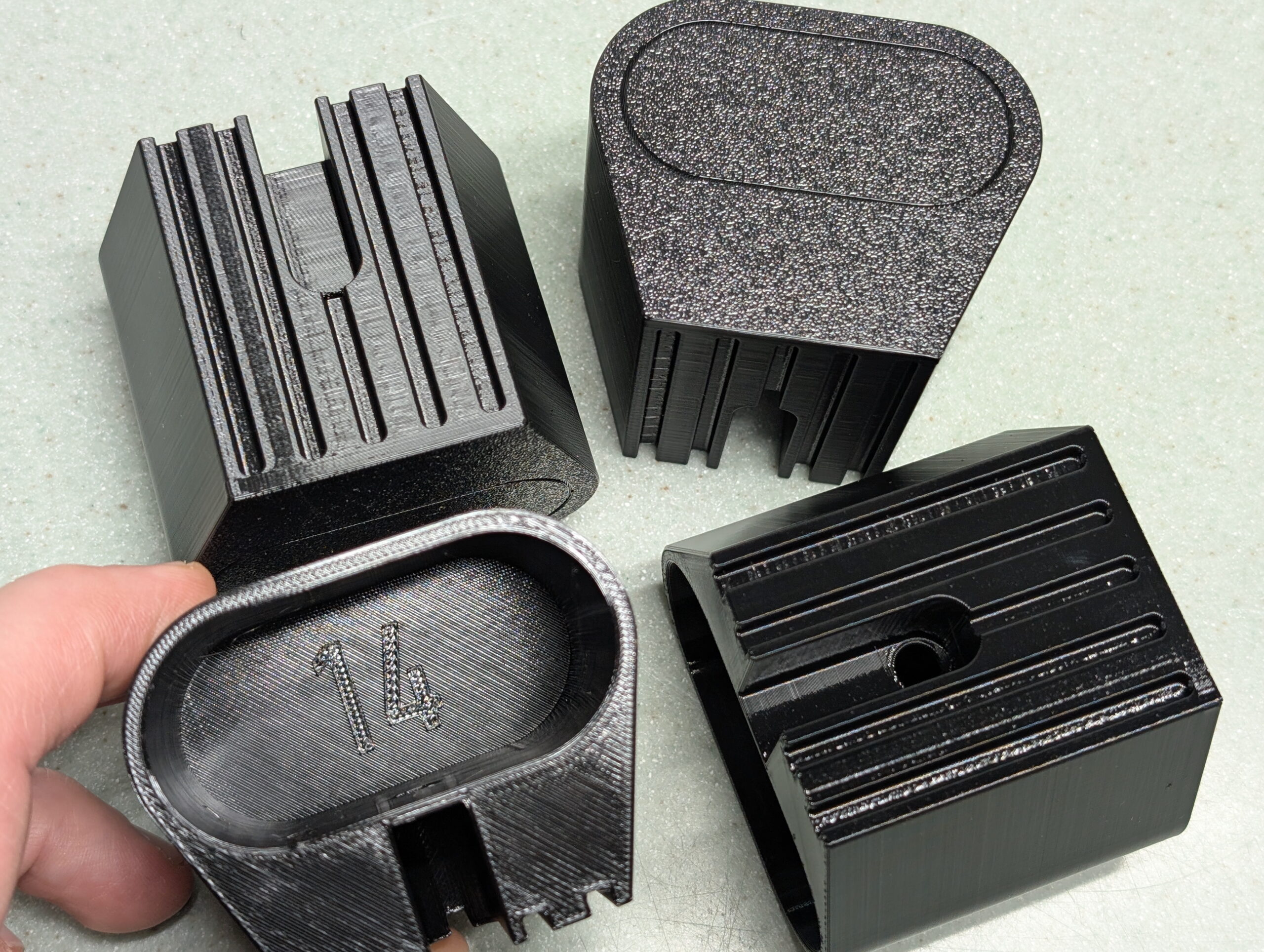
Detail of four of my KICKR CORE 2 low profile tennis ball rocker feet.

Here’s what I came up with. These are yet-another-set-of tennis ball feet, but they are designed so that with a 700c x 32mm front tire on the bike the axles are level during riding, and they replace the stock rubber feet and are held in place with the original retention screws.

I restarted this design numerous times over a few days and learned a lot about constraints and what not to do. I was originally going to make this a parametric design like the variable height feet, but realized it’s not as useful and stuck to a single height. This also allowed me to take some shortcuts in constraining drawings… Not the best practice, but not horrible for what I was doing.

The final items were printed using the same filament and profile as the Riser Feet (Overture PETG in black, 6 walls, 25% gyroid infill, printed hot and very slow), and they came out nicely. Because of the quantity of filament needed (estimated ~529g) I started on one spool and used the AMS to auto-swap to the second when the first ran out. I was a bit nervous about how this would go, but it ended up working out wonderfully. While the second spool, purchased about two month after the first, had a more matte look to it, but it looked good once melted and deposited. My concerns about print imperfections during the swap ended up being for naught.

A very slow print job. This took ~34 hours.

I’m fairly certain I both designed and printed these more robustly (and slowly) than is needed, but as a beginner I’d rather err on the side of overbuilt (and spending a bit more on plastic) than have something which breaks and interrupts a ride.

I’ve made this design available under the CC BY-SA-NC 4.0 license and posted it here at Printables.

Included are .f3d, .step, .stl, and Bambu Studio .3mf files. The .3mf is as I printed it, including the print profile and imported .step files. (The .stl from Fusion, even exported at the High setting, end up lower resolution than I prefer, but was included for completeness.)

So how do they it feel to ride? Well, to be honest, they did what I thought they would and added some flex and give. But I’m not completely sure I like it. Just before spring I went back to my previous self-designed riser feet. Next winter I’ll give these another go, though.

A big, big thanks to Jake for providing a bunch of help and suggestions. He has a ton of experience designing parts professionally and printing them for both prototype work and production and he shared a bunch of tips, tricks, and information that got me pointed in the right direction for this and many other designs.

If you are looking to buy some tennis ball feet or other Michigan-made accessories for your trainer, give Jake your business over at Cycle3dCo.

(As I was finishing up my design and waiting on a test print, I came across Kickr Core 2 Rocker Feet for tennisballs by punkti over at MakerWorld. A quick measure showed they have basically the same vertical as my feet, are physically narrower, but thicker. These likely would have sufficed and use roughly the same amount of filament, but I was nearly ready to do a final print when I found these, wanted to give my own design a try, didn’t really care for the appearance. These do look like a nice option, though.)

cyclingmaking things

Worn Mountain Bike Tires: Hooked Side Knobs

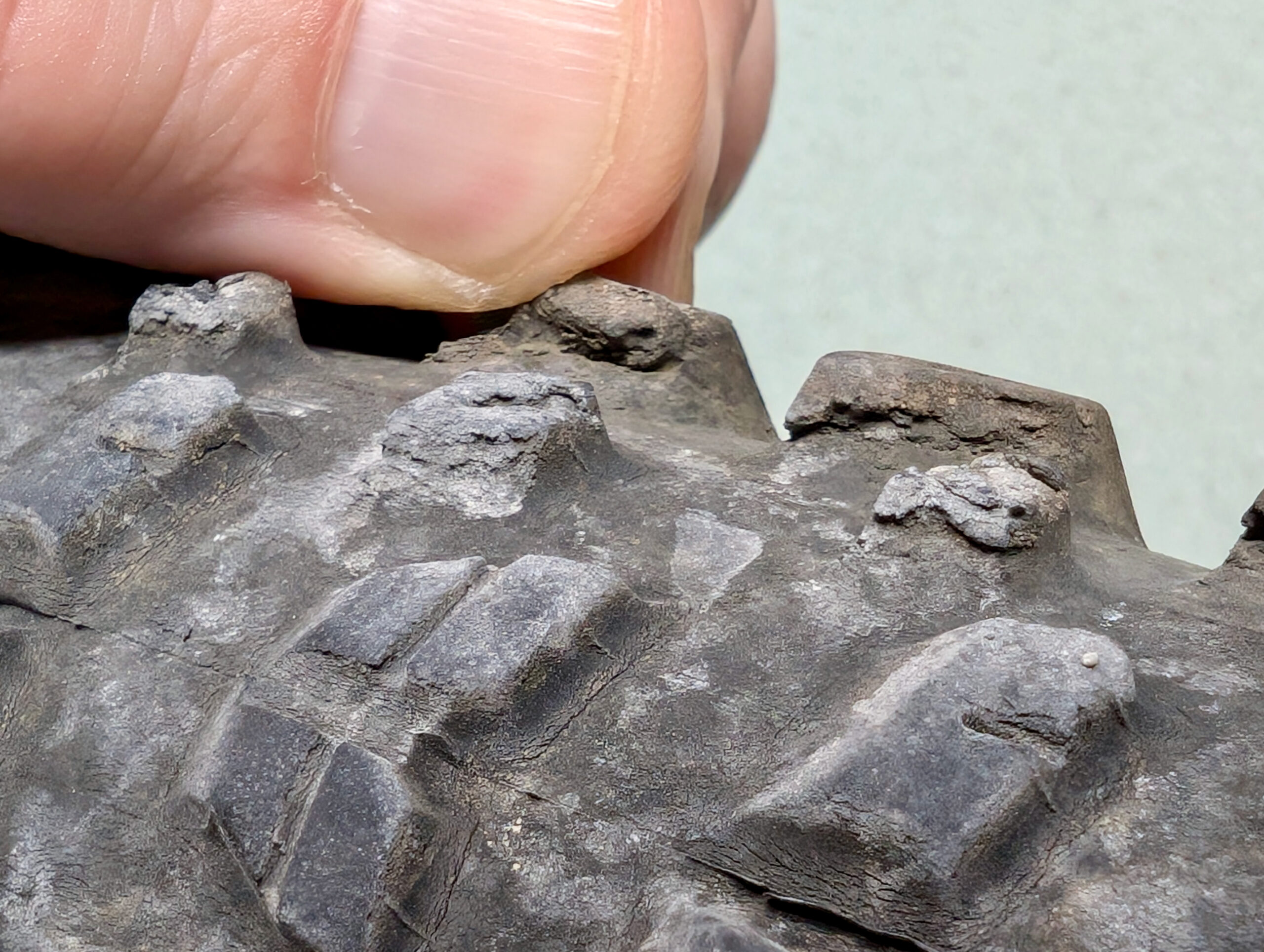
Worn side knobs on a Maxxis Rekon tire from my Mach 4 SL.

This past Tuesday, at the CRAMBA River Bends With Friends ride, I had a both-tires-slide-out fall on a tight, flat, sandy-over-hard trail that resulted in a pretty-decent scrape to my left calf. Why did it happen? Two reasons. One — the primary reason — is because I exceed my ability to handle the bike. Two, the bike’s ability to corner was reduced because I let the front tire get too worn out. So what was fine before, this time… wasn’t. And I didn’t adapt.

While one thinks of a tire wearing out, it’s typically the knobs getting smoothed out, especially along the center. On knobby mountain bike tires, it’s the side knobs which bite into dirt to maintain traction when cornering. And those same cornering forces eat away at the inner edge of the side knobs.

Many high quality tires, such as the Maxxis Rekon 29×2.4 3C/EXO/TR shown above, have harder rubber in the center than on the sides, meaning the center continues to look (and work) fine (in a straight line), even as the sides have failed. (Note the visible siping on the center knobs, still-vertical trailing edges, and even some of the flashing left over from the molding process.)

Eventually the side knobs become undercut, almost like hooked flaps as seen above, and no longer offer much support. Without close inspection, feeling with fingers and such, they often still look sharp or at least sufficient. This loss of support means radically-reduced cornering ability on soft surfaces, and the now-super-flexible knobs make for unpredictability on hard surfaces; almost like riding on loose bits of rubber.

I should have replaced this tire long ago, but I kept putting it off; “I’ll do it after this next ride” because it wasn’t too bad. Until it was.

Whenever I replace a tire I’m starkly reminded of how much better new tires with sharp, crisp knobs feel. It’s a bit annoying that this wear can be hard to see and more needs to be felt for (with fingers), and it also just sort-of sneaks up on you. A long ride with a bunch of paved sections or a trip somewhere a bit rocky can push tires over the edge, even while the other knobs might still look fine.

cycling

trailmaps.app + Map Generator

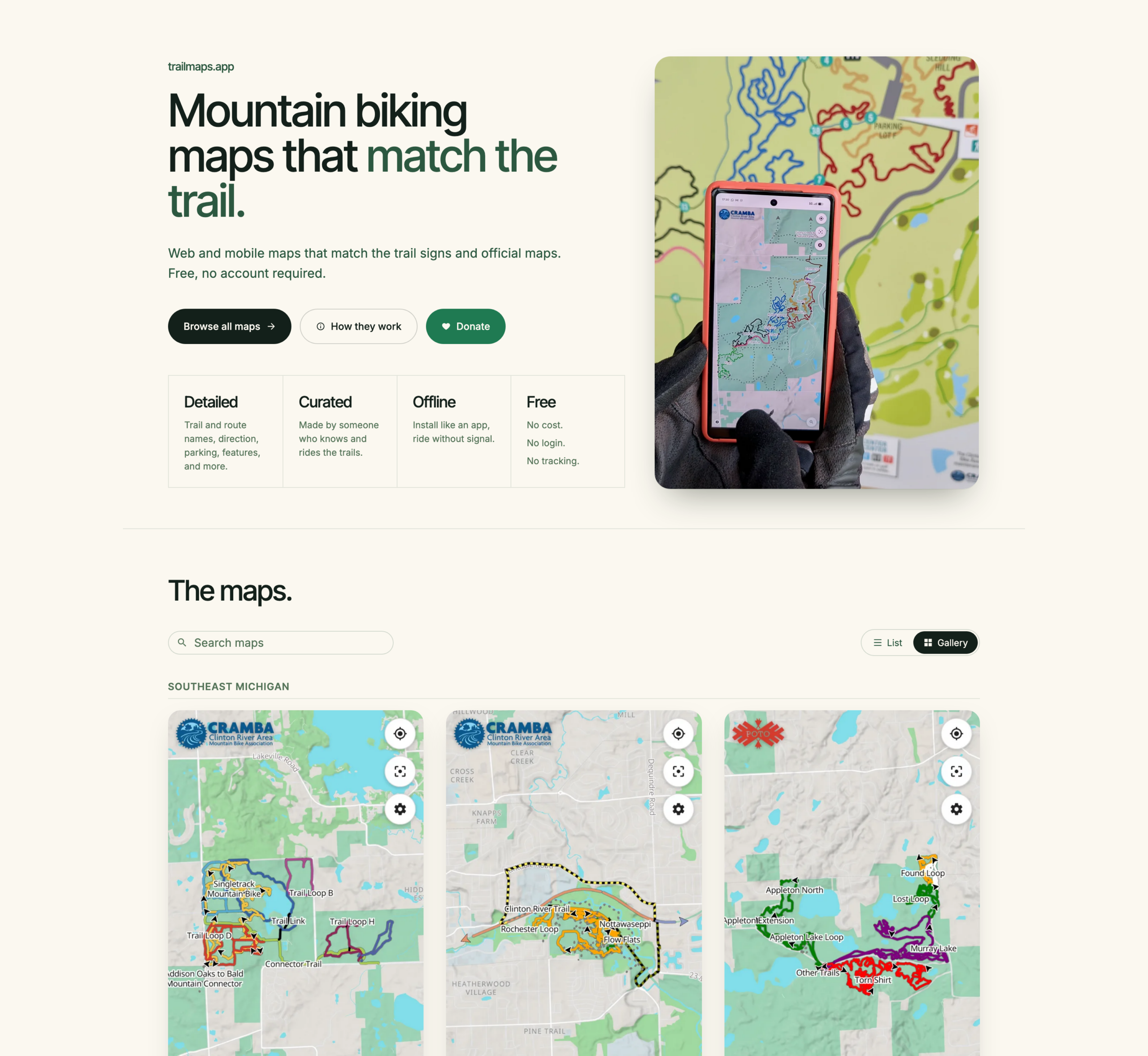
trailmaps.app Website on 2026-Jun-25

I’ve been using it for a while now, so I guess it’s a good time to announce the revamp / relaunch / whatever of trailmaps.app. This is a personal project website which started one frosty January morning as I sat in an Ishpeming rental waiting for temps to rise before heading out on a fatbike ride and is now a hub for hosting maps I’ve generated of various trail systems.

The site started out as a hand-written HTML landing page, hand-made Leaflet maps, and directory indexes of my trail map PDFs where I learned a bunch about showing OpenStreetMap (OSM) data via the web, generating tiles, etc (for example, see Making an Online RAMBA Trails Map from 2021). Now it’s now hosting feature-rich web-based maps that help people find their way around mountain bike trails.

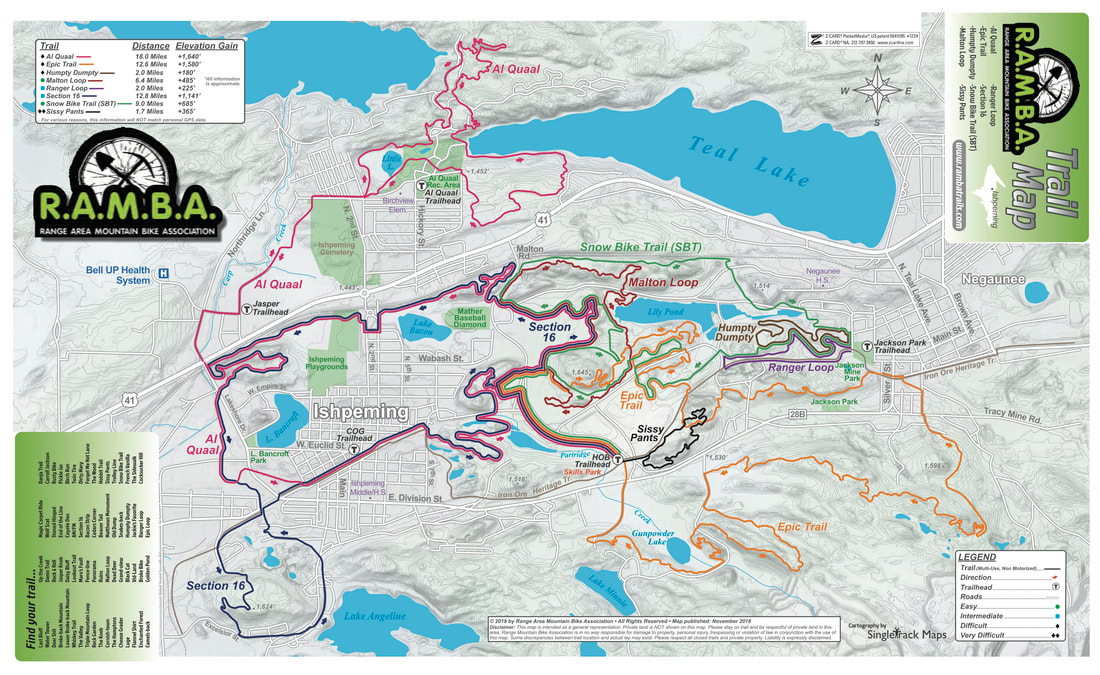
The root of the idea was cooked up on a long drive; I wanted something akin to the subway-map-style’d official RAMBA print map (parallel lines over a single trail to illustrate the trail’s membership in multiple routes), but web based. And maybe usable on a phone. And after the early learning then quite a bit of work this spring… Here it is.

Instead of just doing a single map (one-map-at-a-time coding / tile generation / etc) as I had in the past, I now have a full-on map generator that takes data from OSM and other online/open/free sources, combines it all, and generates static content that’s easy to host and cachable so it works if a device loses cell service. It’s basically as close to an app as one can get while still staying web-based.

By being hand-curated (that is, not just auto-generated off of all OSM data) these maps also fill a long-standing gap with other online maps (eg: Trailforks, MTB Project, Strava, RideWithGPS) in that they don’t style (color) the routes the way official park maps and signage do, making what a rider sees on their phone challenging to align with what they see on a signpost next to a trail.

For example, compare these maps of the Shelden Trails at Stony Creek Metropark to the PDF of the official park map which is at the trailhead, and whose color-matched signs are along all loops.

  • Trailforks: Only difficulty colored.
  • MTB Project: Only difficulty colored.
  • Strava: Only dashed lines or a heatmap, unless someone’s created a route.
  • RideWithGPS: Just dashed green lines, unless someone’s created a route.

Then look at the trailmaps.app map of the Shelden Trails at Stony Creek Metropark, for example, the Beach trail.

There’s a bunch more features that this brought about, which I won’t dive into as much depth, but which I’m still quite proud / happy with. The end results are what I want in maps, and it’s nicely reusable:

  • Reusable map generation engine; I write a YAML description of the map (title, OSM references, info that can’t be found in OSM) and it makes the map. If the engine or data gets updated, re-run the map and/or website generation tools.
  • PWA (Progressive Web Apps), so they are installable app-ish, but without the app store overhead.
  • OSM data is not fetched live — it’s a snapshot taken map-generation time — meaning errant edits don’t break the map.
  • Zero user/usage tracking, including having all assets loaded from trailmaps.app. (I’m trying to support less and less online tracking while still providing a good tool.)
  • Ability to generate maps custom from non-OSM data, such as race or group ride routes.
  • Thorough, proper (read: non-shady) SEO such as OpenGraph previews and metadata, making link embedding, sharing, and site discovery by search engines work well.
  • Hostable for cheap since the only server requirements are TLS and RANGE requests. A $5/mo Nanode from Akamai (formerly Linode) easily does it all.
  • Stand-alone maps (each map is a self-contained site) makes it possible for them to be hosted elsewhere, such as if one was made for a trail club/org, etc.

And yes, I heavily used AI-assisted development for this. It was quite educational as since I knew the inputs and outputs, use the maps myself, and was able to do quite a bit of QA, the result is great. At my day job in IT there is (as typical) a huge emphasis in using AI tooling to assist us with our work. This served as a nights-and-weekends project that was quite educational and will benefit me in day-job stuff while achieving a personal goal of making something I wanted and useful for others. It also illustrated the interesting balance between what AI-generation is good at (code, bug finding) and what it’s not (wording, stylistic choices that aren’t simple clones, avoiding feature bloat).

I’m subsequently making the map generator itself available under the MIT license so others can use it. I do have an extensive toolchain for generating the website (takes a definition file and generates the maps, creates preview images, updates the index, rsync’s it to the server) but that part is staying closed / non-released because it’s very my-setup-specific.

cyclingmaking thingsmapping

Shimano Y0GX01500 (Adhesive Ring) Replacement

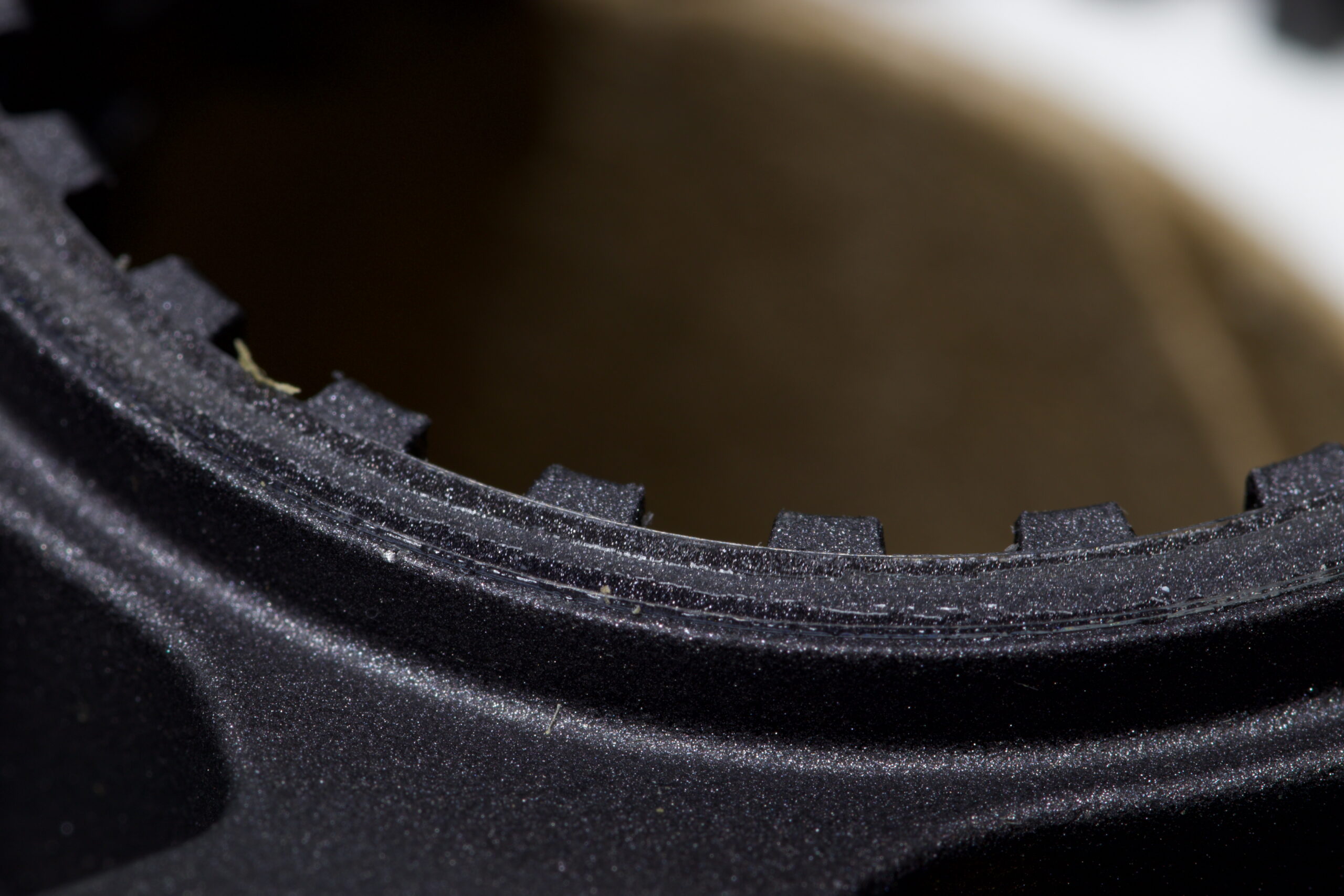
UHMW PE replacement ring applied to a CS-M8100-12 cassette.
Stock Y0GX01500 on a CS-M8100-12 cassette.

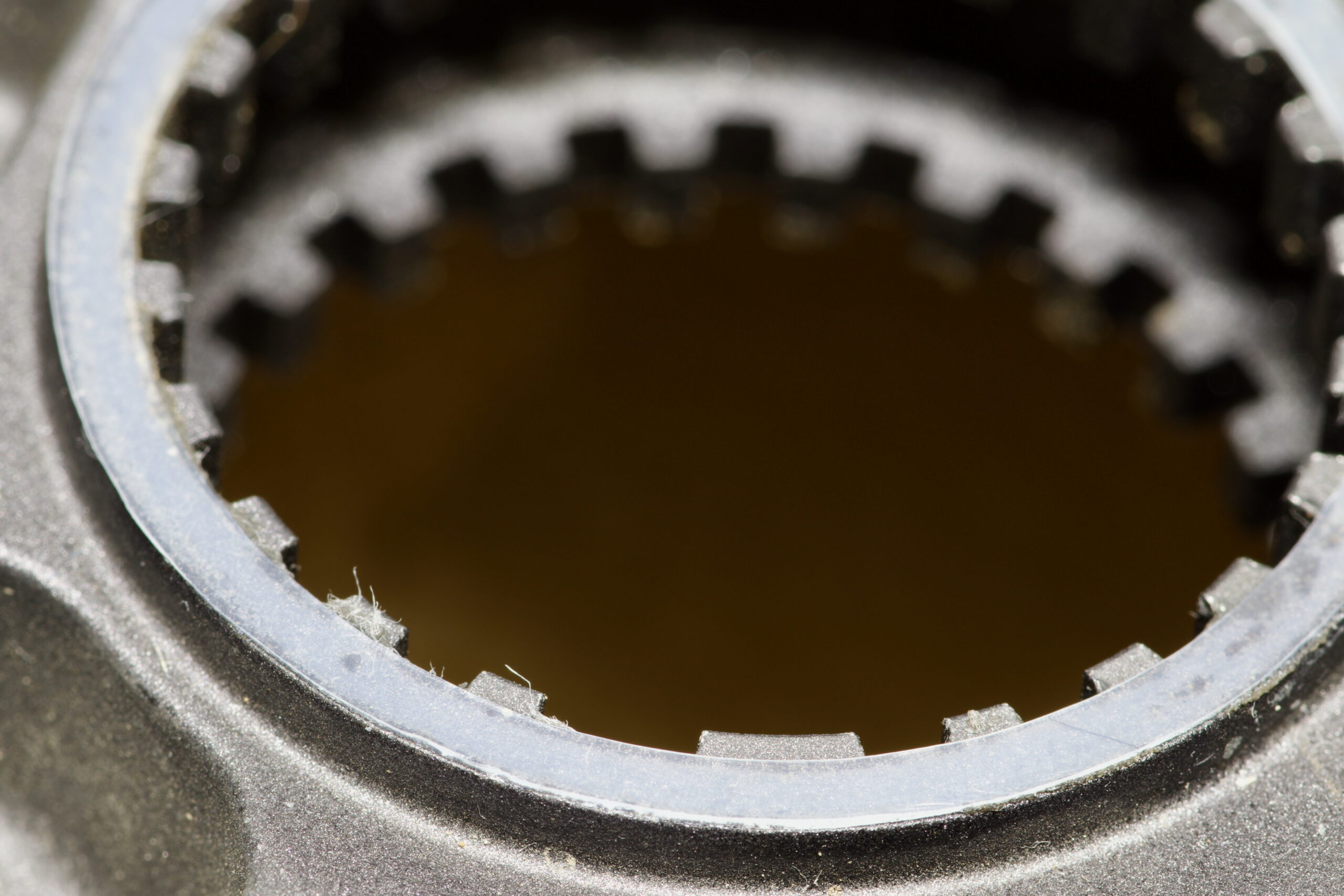
Many Shimano cassettes, such as the CS-M8100 (XT, 12 speed) have a thin adhesive ring (part number Y0GX01500) on the back side, where it sits against the Microspline freehub body.

Unfortunately, these can easily be lost as they tend to stay on the freehub body when removing the cassette. Which is exactly what happened when I sent the NOBL wheels from my Mach 4 SL‘s in for a warranty rim replacement. Some folks advocate for removing them, believing them to cause cassette wobble, but the main purpose seems to be eliminating noise and fretting between the cassette and freehub bodies.

Since I don’t like bike noises, I wanted another. They can be bought online for something like $9/ea before shipping, but that seems like a lot… So a better solution? Make one!

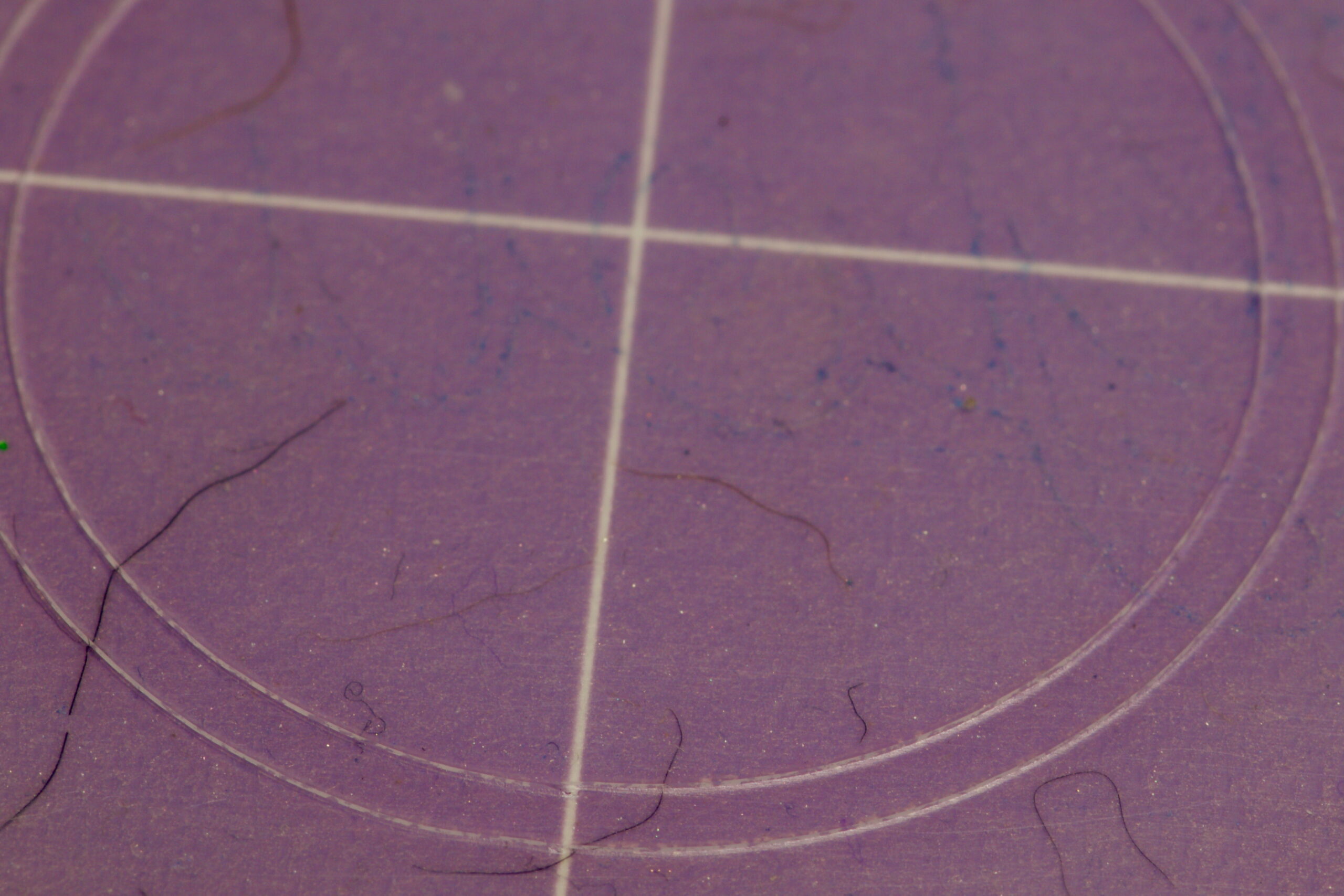
37mm x 33mm ring cut from UHMW PE on a Cricut.

Measuring a new ring on a spare cassette showed it to be 37mm OD x 33m ID, roughly 0.2mm thick. I have some 0.0115″ / ~0.29mm (Ultra High Molecular Weight Polyethylene (UHMW PE) tape from McMaster-Carr (part 76445A764) that I use for rub on bike frames, so that seems perfect. Kristen cut a ring out with her Cricut (with a Deep Point Blade, set to “thin cardboard”), I stuck it to the cassette, and that was that. Much better than spending $9 and waiting for it to arrive.

I had originally tried to print one with PETG filament, but when the first of two broke coming off the build plate I figured it probably wasn’t the right material and would come apart under load, leading to a loose cassette, noise, etc. UHMW PE tape is very malleable and often used to stop noise between rubbing parts, so it seemed like the better choice.

cyclingmaking things

Riser Feet for Wahoo KICKR CORE 2

+14mm custom-made riser foot on my Wahoo KICKR CORE 2.

The Problem and Solution

My new trainer, a Wahoo KICKR CORE 2, has the rear axle that’s ~322mm above the floor. With anything larger than a 700c x 25mm front tire this puts the front wheel higher off the ground, which screws with the bike’s geometry including the all-important saddle position. After a bit of measuring I found that raising the trainer ~14mm would make things level on our floor, and having a 3D printer and a wee bit of design skill, I decided to make replacement feet that’d put it at the height I wanted.

This is the result, 3D printable feet which replace the stock rubber ones, securing in place with the same set screws, and can be printed in whichever height is needed.

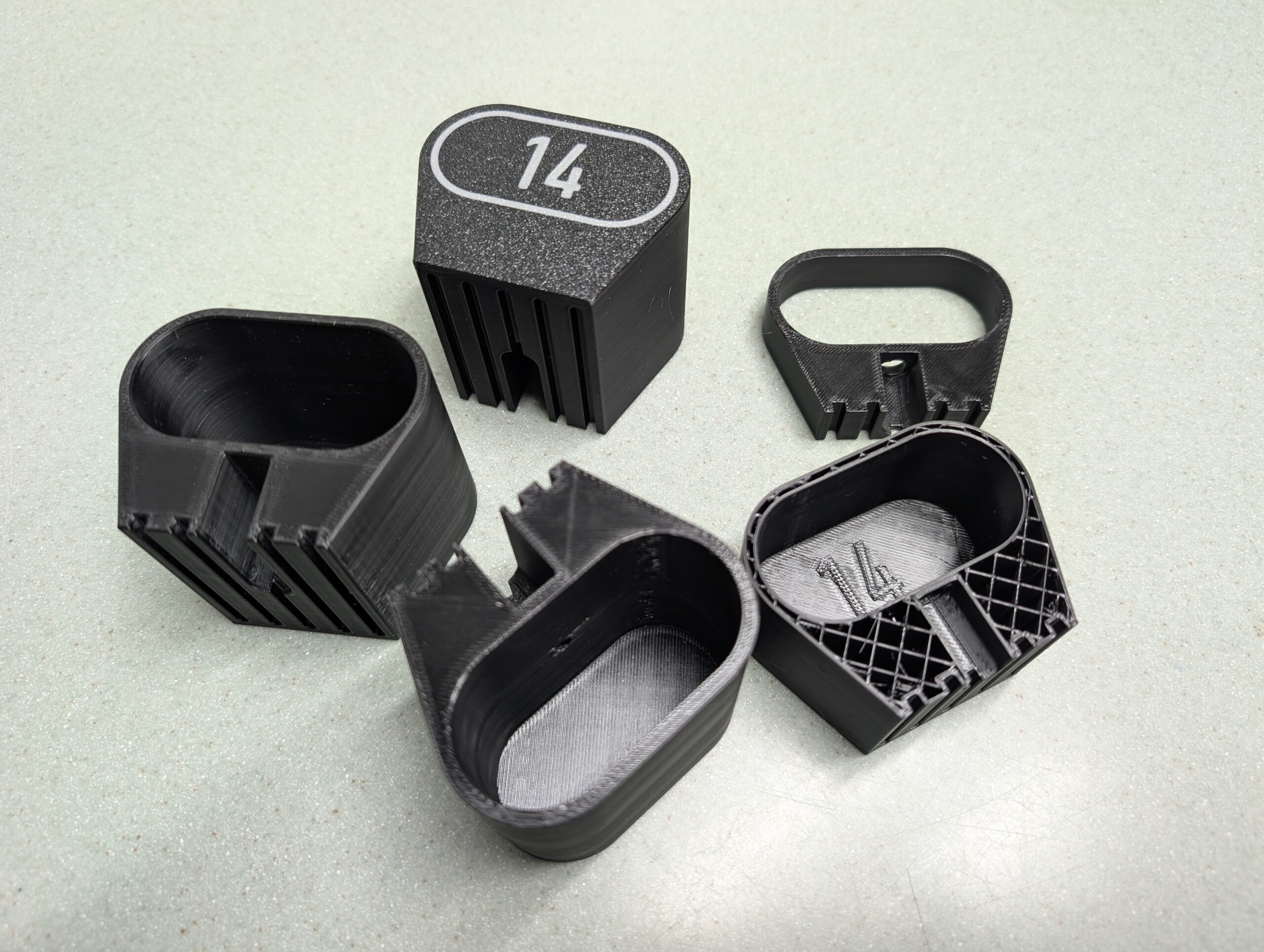
Final prints of the four riser feet for my trainer.

You can find the .STL files for +5mm to +50mm in 5mm steps, a Bambu Studio project containing all the sizes, and a parametric Autodesk Fusion project allowing you to generate your own custom height riser feet. (Just change liftAdditional.)

This is all licensed CC BY-NC so one can make them, change the design, whichever… You just can’t sell them:

Wahoo Fitness KICKR CORE 2 Riser Feet at Printables

(If you really do want to sell them, email me and we’ll work something out.)

These printed wonderfully using Overture PETG at slow print speeds (50mm/sec) in a Bambu Lab P1S with all fans off and temperatures on the high end of the specified ranges. (I am curious how TPU would work out for printing these as it should be more rubber-like…)

Design Lessons

Development prints, including tests of screw hole size and size indicator types.

The main point of this post is to document a few things I learned while designing this. Big, big thanks to my friend Jake Drews — who sells a number of similar products on Etsy as Cycl3dCo — for talking through some design ideas with me.

So what did I learn?

  • I wanted to have parametric text on the bottom of the printed surface to show the lift. After experimenting with a second color for style and indication — which was not a great way to go — I settled on using a groove for design, and wanted a single line font as a similar groove. (These print well, akin to a 45° chamfer.) It turns out that single line fonts in Fusion need to be exploded before they can be swept to make a groove. Exploding a font makes it no-longer parametrically controlled.
  • The simpler solution ended up being putting the height inside the leg as 0.5mm raised text, sized to sit inside the tube of the leg, and leaving the groove on the outside as a decorative feature. After all, one doesn’t need to see the height all the time, but it is good to have the parts marked. This works out better all around. Leaving the end just blank looked boring.
  • If you can avoid multi-color printing, it’s probably better, as it’s less wasteful, many people don’t have multi-color printing setups, etc.
  • Adding an inset of 0.01mm will make it easy to color in the slicer (OrcaSlicer or Bambu Studio), but if not colored, is small enough that it’ll be ignored by the slicer. This is a good way to make optionally-multi-colored designs. (Note that my final design didn’t use this, but it’s a good-to-remember technique.)

New trainers?

A few months back there was a great sale on the Wahoo KICKR CORE 2 trainers, and while Kristen and I had some problems with Wahoo in the past, the price was low and the new features would solve some problems, so we both decided to buy them. Specifically:

  • Wi-Fi Connection / Kickr BRIDGE: Kristen and I both use an Apple TV (ATV) for Zwift, and the number of Bluetooth (BT) connections on the ATV is limited to two. This meant we could use Trainer + Cadence, or Trainer + Heart Rate Sensor (HR), or Trainer + AirPods. All very limiting. With the CORE 2 it can communicate via Wi-Fi and also bundle the HR data in, freeing up the ATV’s BT channels for other things, such as the Zwift Click controllers and AirPods. It also feels more reliable, and has been very nice.
  • Virtual Shifting / Zwift Cog and Click: Via smart use of the smart trainer features, the CORE 2 supports virtual shifting with a single cassette cog. This eliminates wear on more expensive drivetrain parts (cassette), makes it easier to take the bike on and off, and results in a near-perfect chainline so things are simply quiet. While it took me a few rides to get accustomed to virtual shifting, it’s pretty nice and feels similar to actual shifting steps, but without the noise or wear.
  • Noise: Simply put, the CORE 2 with the Zwift Cog is quiet. Unlike her older CyclOps Hammer, I can’t hear her riding. This might not sound like much, but the Hammer had a steady whine that I could hear throughout the house. It’s pretty much only the rattle of the chain passing over the cogs and noise from the blower fans.
  • Weight/Balance: Kristen uses her trainer on a KOM Cycling Indoor Rocker Plate RPV1. With the older Hammer it’s heavy, asymmetric design made the whole assembly list to one side unless she put a 15 pound weight on the rocker plate opposite the trainer. The CORE 2 is more symmetric and lighter and simply doesn’t have this problem.

All around, they worked out to be nice upgrades, and we were able to easily sell our older trainers for fair prices. For a bunch of details on these trainers give this DC Rainmaker review a read.

cyclingmaking things

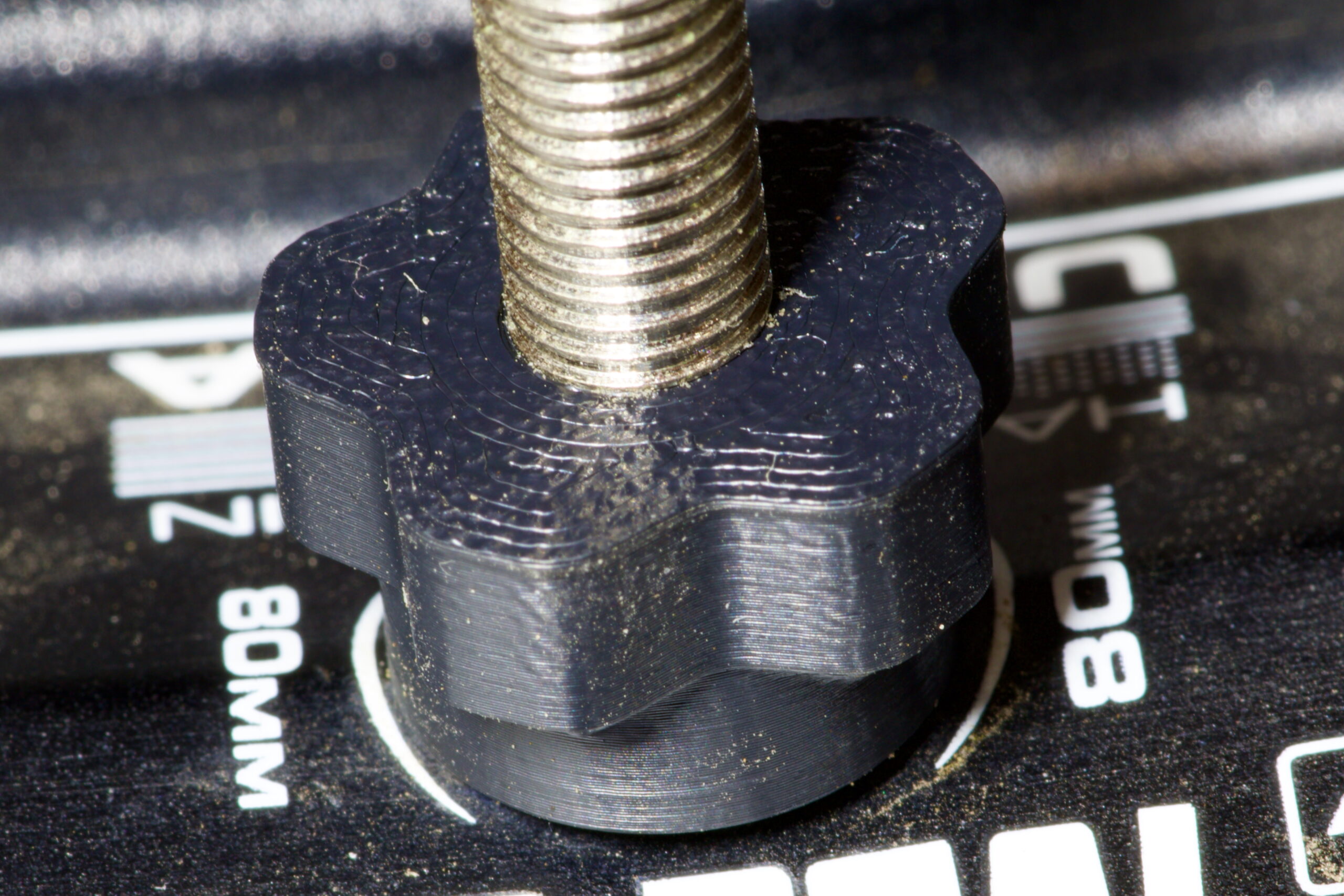
Fat Bike Peanuts (Presta Nuts for Single Wall Fatbike Rims)

Peanut on HED BAD rim with Stan’s valve.
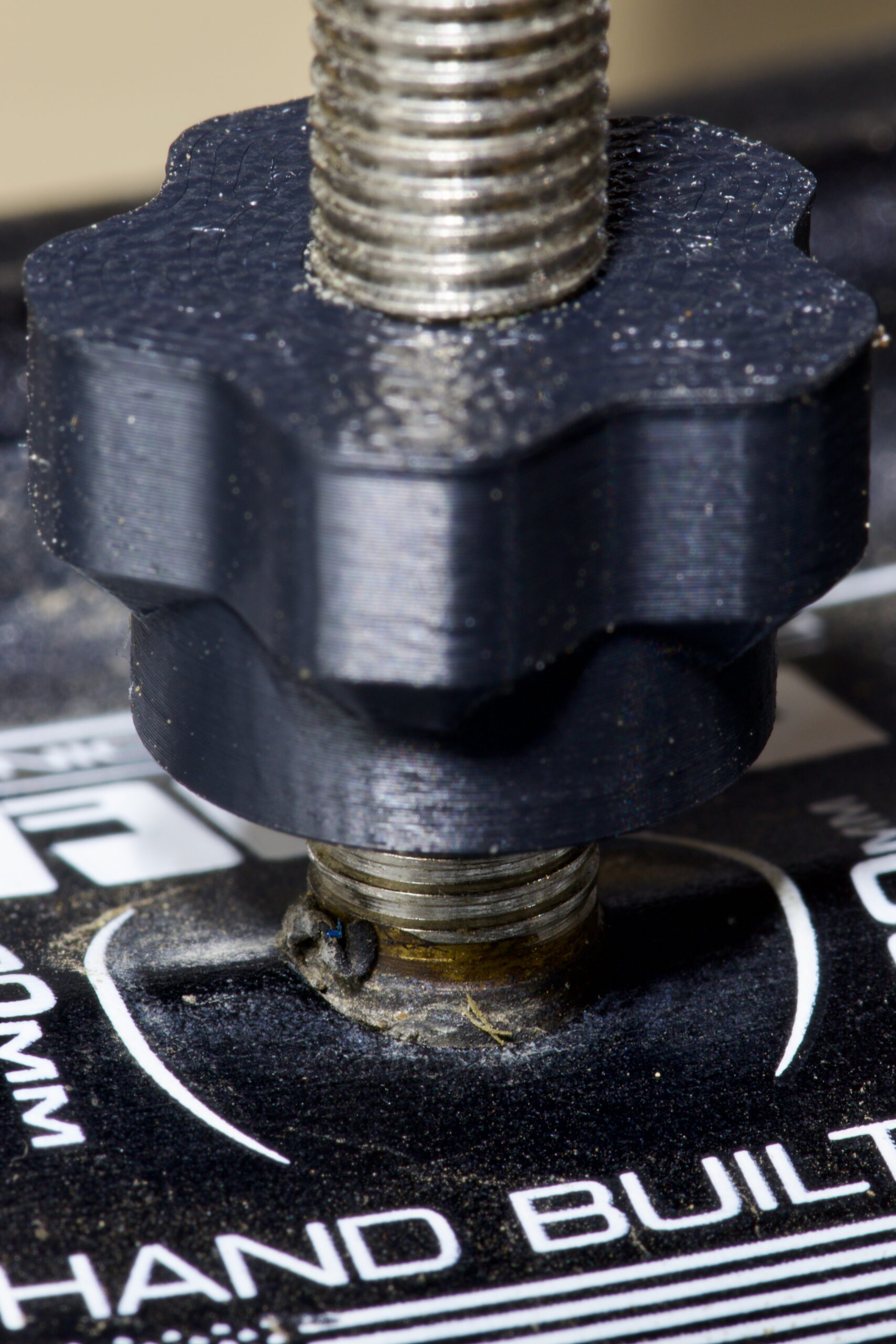
Valve base protruding through rim.

Bored on a rainy June day, and having just figured out a thread size that I can 3D print (FDM) for external threads on Presta valves I decided to draw up a replacement nut that’ll (hopefully) be another way to solve the problem of leaky valves on single wall rims. These could also be used as normal tubeless Presta nuts that are easier to tighten and remove.

To recap, leaks are caused when the base of the tubeless valve protrudes through a single wall rim, the Presta locknut bottoms out on the base of the valve, resulting in a loose valve with minimal (or no) seal between the valve and the rim. This typically manifests as random/slow leakage on a tubeless fatbike setup. The solution is to use a spacer between the rim wall and locknut, either a nylon washer or something like the Problem Solvers Super P-Nuts, or… perhaps these Peanuts.

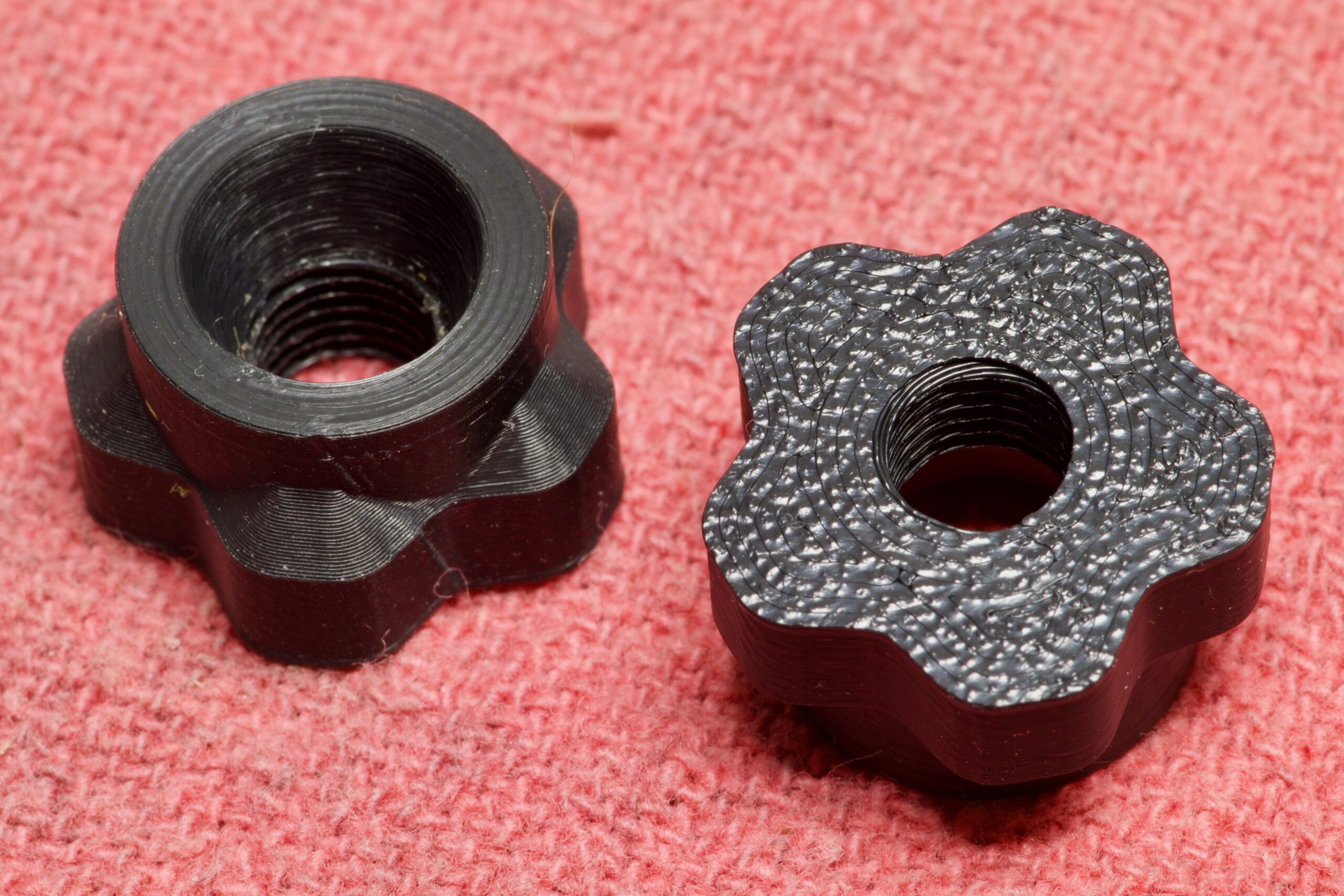
Now that I have a 3D printer, some filament appropriate for outdoor use (ASA), and a little bit of modeling experience, I made my own nut which I’m calling the Peanut. This has 5mm of threaded area, a 5mm (tall) x 9mm (wide) conical space for the valve, and 5mm grippy area to allow easy tightening and removal without tools. And yes, a name that’s an homage to Problem Solvers‘ product.

Pair of Peanuts, ready to use.

This is mostly an experiment, as unless one already has a printer and appropriate filament it’s far more cost effective to use nylon spacers + metal nuts or the off-the-shelf Super P-Nuts. It’s also a toss-up weight-wise, with these being 0.2g lighter than my previous spacer + nut setup (1.48g vs. 1.28g). But, I like playing around with making things so I made this and figured I’d share the result.

Printed on a Bambu Lab P1S, in Bambu Lab ASA, using the 0.08 High Quality @BBL X1C profile in OrcaSlicer with 100% concentric infill, 4 wall loops, and concentric top and bottom surface patterns, I’m pretty happy with how they came out. Because of problems I’ve had with ASA and print bed adhesion in the past, I had to do some extra filament purging and then applied glue stick to the print bed to help keep the print in place, and it all came out well.

Time will tell if these last, but they snugged up against the rim on my fatbike and feel solid, so I’m hopeful they are good for long-term use.

Files for this project — the .stl, .3mf from OrcaSlicer, and Autodesk Fusion .f3d — can be found here: fat_bike_peanuts.zip or here at Printables. These are made available under the Creative Commons Attribution-NonCommercial 4.0 International license.


Per… lots of things I found online… External threading on a Presta valve is 6V1 or M6x0.8, but whenever I’d print this it wouldn’t thread on to the valve. This seems likely due to material creep / over-extruding or whatnot.

Peanut being designed in Autodesk Fusion.

Creating a custom thread size in Autodesk Fusion, with a Major ∅ of 6.5mm, Pitch ∅ of 6.0mm, and Minor ∅ of 5.5mm resulted in a threaded hole that printed nicely and fits well on to all the tubeless Presta valves that I have around home. This is arbitrarily a bit larger than spec, but the resulting prints have similar play/slop to the metal nuts that come with valves and it snugs up well. I’m not sure how ideal this is, and could likely be refined, but it’s working for me so I’m going to stick with it.

Adding the following to the M6x0.8 portion of ISOMetricprofile.xml (or creating a similar custom profile as described here) makes this available in Fusion’s Thread tool:

<Thread>
  <Gender>internal</Gender>
  <Class>Presta</Class>
  <MajorDia>6.5</MajorDia>
  <PitchDia>6.0</PitchDia>
  <MinorDia>5.5</MinorDia>
  <TapDrill>4.2</TapDrill>
</Thread>
cyclingmaking things

The History of Fibber Mountain

Over at Stony Creek Metropark, during the redevelopment of Shelden Trails (the “mountain bike trails”), the new route for the Roller Coaster took it up over a high point that came to be known as Fibber Mountain. While I originally intended this post to be an in-depth analysis of the knock-on effects of defining this name, that’s… just too much. So I’m going to leave this as a simple history of how the name came to be.

During the redevelopment of the single track, Loop C was to rebuild the Roller Coaster, as can be seen on the official plan (mirror) on pages 11-14 and 21. Part of this involved building trail up to a high point so some rock rolls/drops and a step-up could have a nice, gravity-assisted approach. This high point had some old trails leading to it — desire paths from hikers and some 90s-era fall line MTB routes — but was not in the official single track route and was more an old curiosity.

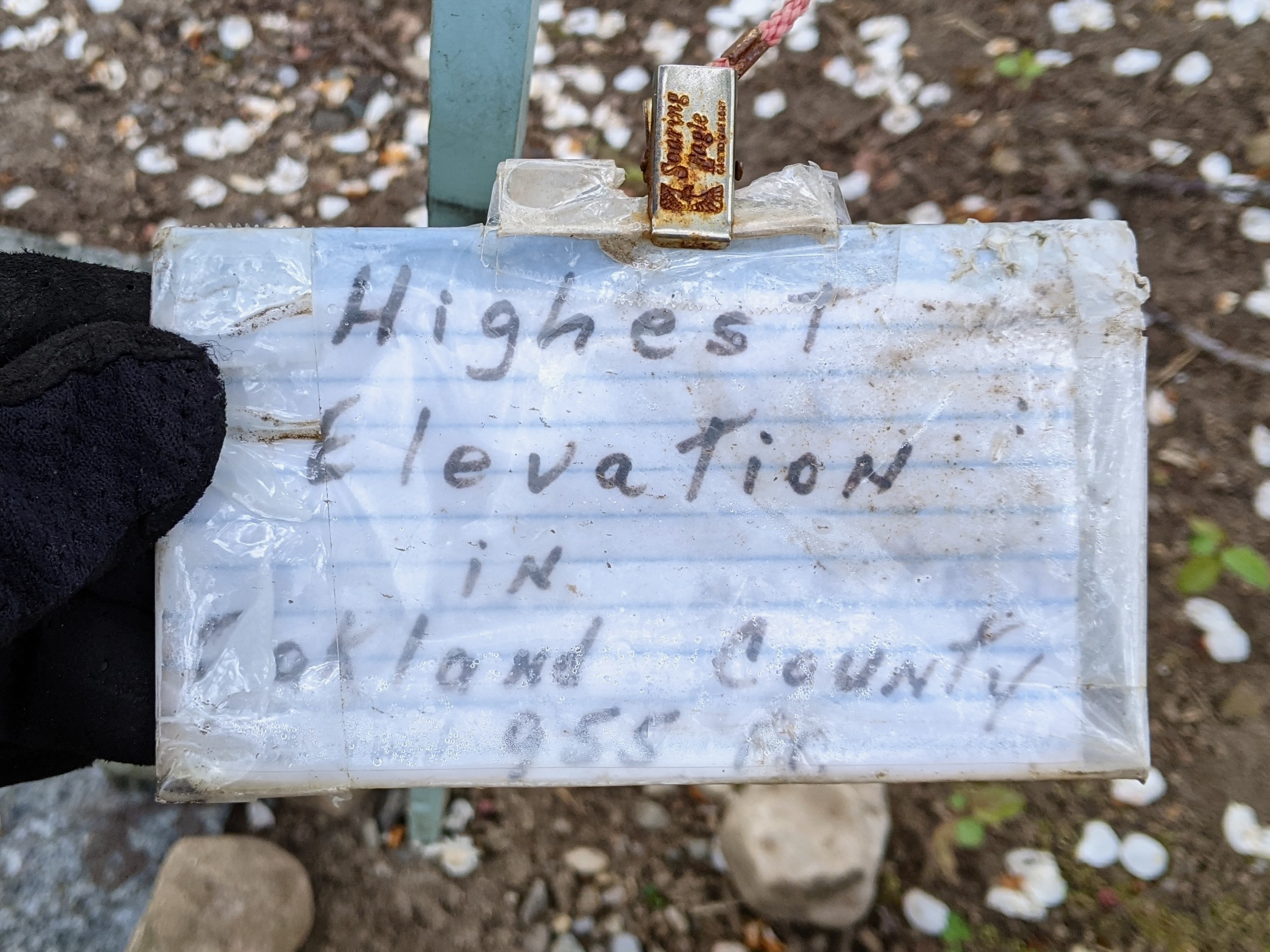
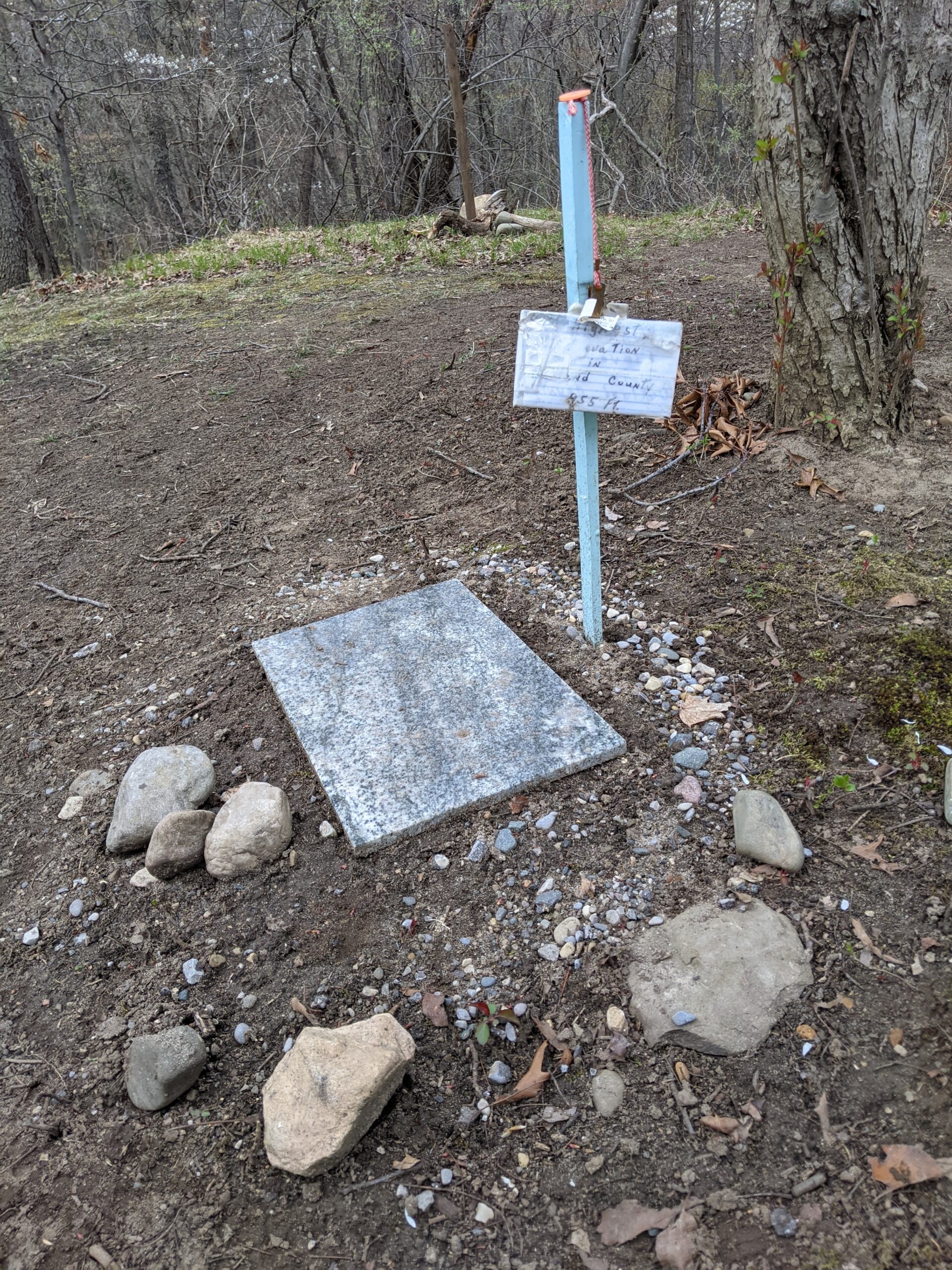
A unique feature it did have, besides the usual invasive growth, bonfire remnants, and empty beer cans, was a hand-made sign claiming that at 955 feet it is the highest point in Oakland County.

It was clear this wasn’t true as areas I regularly ride by, like the intersection of Drahner and Hosner (St. Benedict Monastery) logs at ~1150 feet on my bike computer, are higher and there’s a litany of information online about other high points in Oakland County (eg: 1, 2). But, like lots of little signs and hand-made monuments placed in the woods, it’s a neat bit of kitsch; something that’s best left in place as a trailside curiosity. And anyway, someone put time and care to making this spot special for them. It wasn’t harming anyone nor in the way of the trail, so we let it be.

Being directly adjacent to the single track, already cleared and a bit open, at the top of one of the tougher climbs, and just before some technical features, this location was inevitably going to become another hangout spot, similar to the Rest Area. So, it needed a name, but I didn’t really want anyone thinking this was the actual county high point.

When documenting the system updates in OSM I added this high point (natural=peak) and it became enshrined as node 8988989404. I initially gave it the name Liar’s Peak, but after talking with Kristen and her (very rightful) feeling that name seemed too negative, a couple weeks later I changed it to Fibber Mountain. This name was inspired by the They Might Be Giants song Fibber Island (video), with the goal of illustrating that the claims on the sign at the top were a bit exaggerated, while also being a bit silly.

The name trickled out and it’s now a great reference point. Trail users talk about the bypass for, or the rocks and jump and features after, Fibber Mountain. Widely used reference points like this are useful, and here we are with a new one.

The spread of this name outside the trail user community is what I didn’t expect.

For years there’s a been no end to the websites which scrape OSM and Wikipedia and whatnot to build content farms, but I really didn’t expect those farms to spread Fibber Mountain as far as they did. Now a simple web search for “fibber mountain” will turn up sites like AllTrails, Komoot, and PeakVisor competing to have the best info on “mountains” in Oakland County, the best trails near by, prompting to install their app for more info, etc.

It feels absurd that documenting and naming a local high point results in so much online cruft, but here we are. When originally thinking about this post I was planning to delve into the various Fibber Mountain websites, but the further I looked the more of a rabbit hole that became. And no one needs an analysis of the moving target which is auto-generated content. So I’ll leave it at that and, semi-jokingly, nod towards the Dead Internet Theory.

cyclingoutdoors

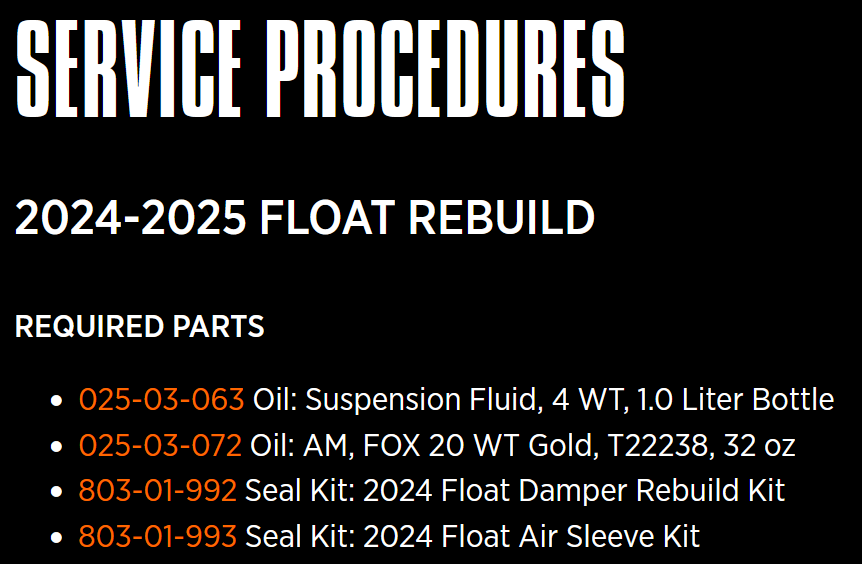
Fox 803-01-727 Replaces 803-01-993

When looking up the serial number for the rear shock on my Pivot Mach 4 SL v3 (Part 972-05-949: 2025_24, FLOAT, F-S, K, 2pos-Adj, Evol LV, Pivot, Mach 4 SL MD-XL, 190, 45, 0.5 Spacer, CM, RM, CMM, No Logo, OE), the specs indicate that part number 803-01-993 is needed for rebuilding the air sleeve. I was having a hard time locating these, and after some digging it turns out that there’s a replacement part number for this, 803-01-727.

Per Fox:

That is the permanent part number moving forward, as both part numbers contained the exact same seals so we consolidated to one PN which was the one I referenced, 803-01-727.

(It seems that some of the entries on Fox’s site still show the old and hard to find model number, so I’m making this post to help others who might be having a hard time finding a seller carrying the originally-spec’d part.)

cycling