quicken-to-html
Back in early 2000, when I moved out of my parents’ house and into my first apartment, I was a bit over-aggressive in paying bills early, wrote and mailed a check for one, and realized I was going to overdraft if I didn’t get something like $90 or so in my checking account within the next day or so.
My paycheck wouldn’t be direct deposited for three-ish days, so I asked my parents if they would help me. They did — transferring in a couple hundred dollars that I repaid days later — but it bothered me so much I wanted it to never happened again.
To counter this I began using the Windows version of Quicken to track my finances. Checking, savings, credit cards, mortgage, retirement, it’s all been in there… It’s not been without warts and wrinkles and broken parts (for example, automatic import of transactions from Vanguard has been broken for weeks), but overall it worked. Most days, or at least once a week or so, I launch Quicken, import transactions, add receipts for pending things, categorize transactions, add notes, and enter future transactions.
I can even look back years and see, for example, where I purchased a furnace igniter from and how much it cost.
While a lot of work, this has been incredibly helpful at times, and the combination of tracking + history has kept me using Quicken. But it has the big downside of being not-that-great for a non-technical people, or even someone who doesn’t really want to maintain a personal set of books. I also have found myself wondering if maybe I’m just tracking a bit too much; doing too much work on this with all the subcategories (eg: separate tracking of dining out for breakfast, lunch, and dinner, sales tax, tips, etc).
All this has led me to looking at some other tools that are better for Kristen and I to jointly keep tabs on our finances, and they’ll mostly solve the where-do-things-stand answer. But what none of them handled is what I’d lose by moving away from Quicken: historical data.
But hey, we’re now in a world of vibe coding! As is clear from my other posts I’ve got access to some powerful models that can more than handle this problem, so… here we go:
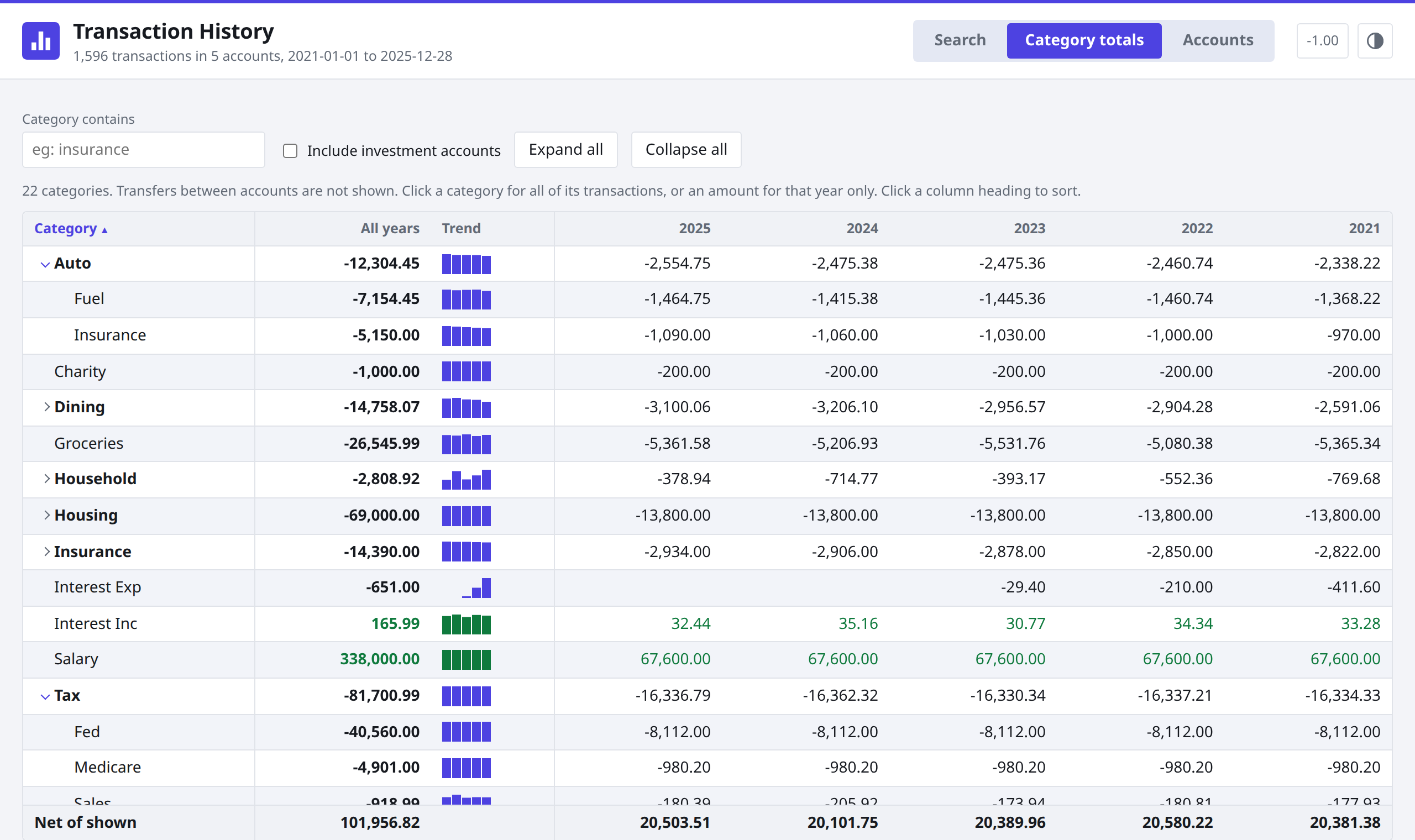
I realized that all I really needed was a way to view the data from before moving to a new tool, so with a few hours in Claude Code I ended up with this. Most of the time was spent tweaking the UI, but now I can export the Quicken data and get it viewable in a single HTML file.
So I guess that solves that. And I’ve got another little helps-me-out-a-lot tool to show off. Hopefully it’ll help others as well.
Now on to deciding on a new tool… Cloud-based is the way to go for a lot of reasons, and also to avoid for a lot of other reasons. Currently we’re testing out Monarch, but we’ll see where it lands… It doesn’t really allow for forward-looking planning with post-dated transactions as Quicken does, but that might be just fine…