Rediscovering WebKit Bug 322883
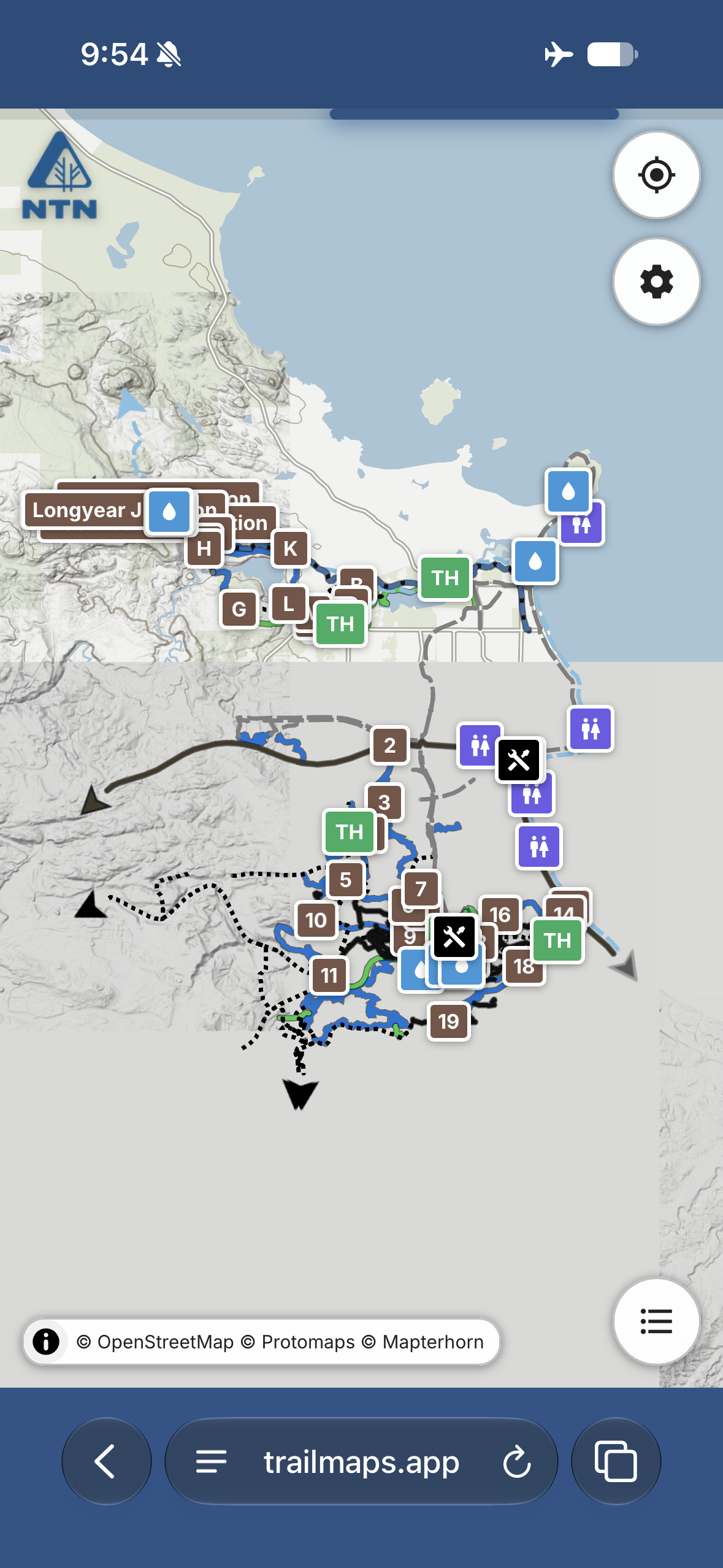
Last night, while going through some testing of trailmaps.app-map-generator I ran into a reproducible bug when trying to load a test maps offline (in Airplane mode): some of the map tiles wouldn’t load (see the gray lower half in the image to the right).
I first expected this to be another offline-mode app bug that needed handling, but it didn’t happen on Chrome (Android) which made it really curious. Either way, I got to digging (with Claude generating a series of test scripts).
After a bunch of test cases and scripts and analysis it turns out there’s a bug in WebKit! This got me excited. A real, live, reproducible bug in one of the most widely used web browser engines in the world that affects how content loads in current versions of Safari (on both iOS and macOS)?!? That felt like a pretty neat find and something great to report and get fixed.
Well, it turns out this is a duplicate of bug 322883 which was reported back in August and I just had parallel discovery. A bit disappointing, but confirmation is also good. Since it’s still not fixed I added supporting information and a live-hosted reproduction (link). Hopefully that’ll nudge it along.
So what is the bug?
The engine for trailmaps.app maps uses a service worker to handle the local cache of map data, including serving it back to the local device when there’s no data service (airplane mode, poor mobile data signal, etc). The map library used, MapLibre GL JS, starts several web workers so map tiles (in this case the terrain, background map, OSM data, etc) load efficiently and quickly in parallel.
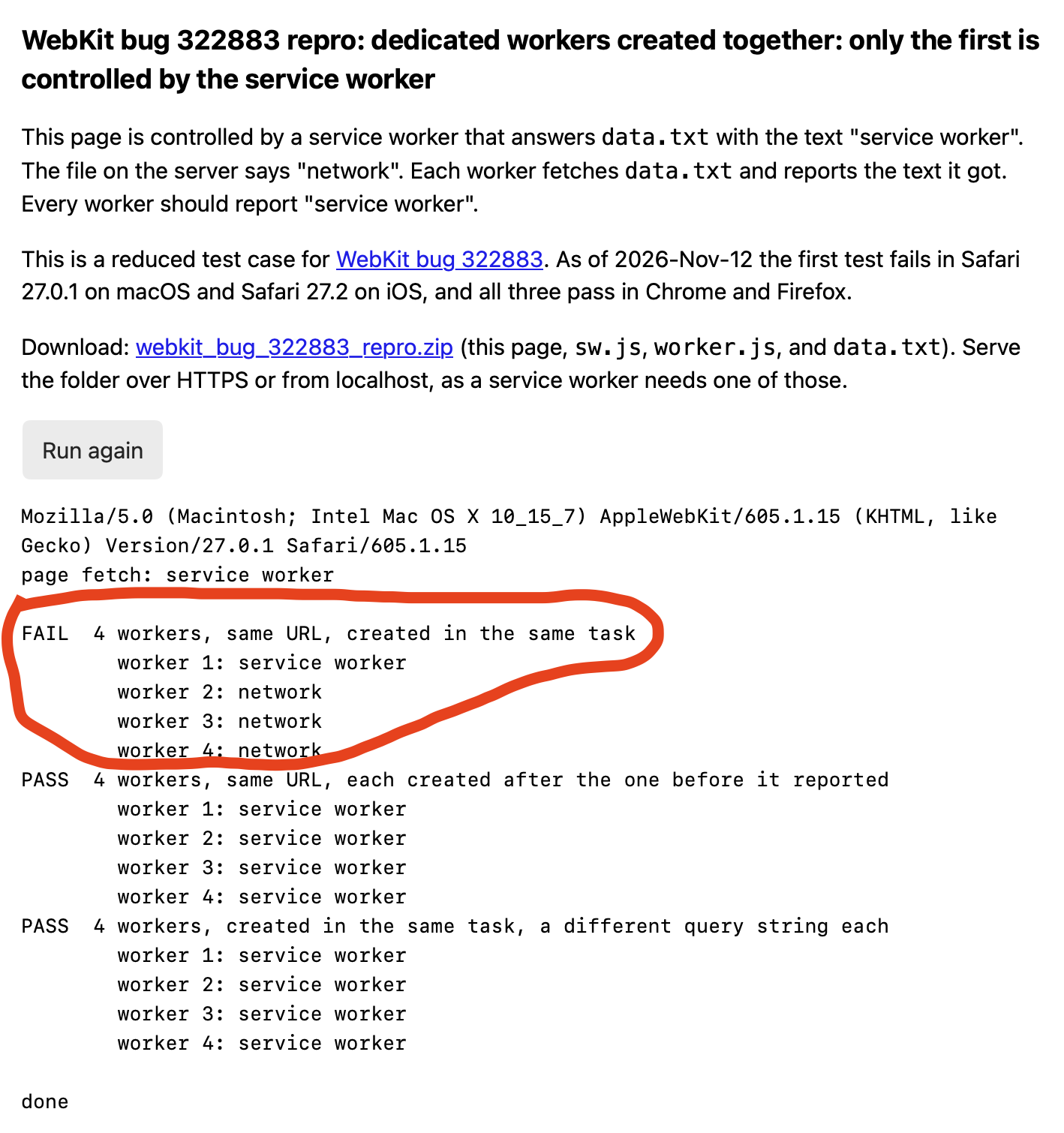
It turns out that when launching multiple web workers from the same script in the same task, the current production version of WebKit only connects the first one to the service worker. The subsequent ones go directly to the network. So if there’s no network available, the content doesn’t load. This is the bug and it causes missing portion of the map.
I only stumbled across this now because I was testing a map from a /test/ subdirectory which has all caching disabled so these requests didn’t fall back use the browser’s regular cache. Normal hosted maps — the ones I tend to use when out and about — are fairly aggressively cached by the client. So it seems the only way this would be seen on a current map is to load it, let it sit until the cache expires (one day), lose data service, then try to load the map again. And only on WebKit browsers, such as Safari, which I rarely use. But exactly the sort of thing a normal user could stumble across when using maps in a remote area.
So, for now (until this is fixed), my maps detect if it is being run via WebKit and if so, only uses one web worker (commit d6afb18).
A coworker wasn’t able to reproduce this on Safari 27.3 on an iOS beta, so I’m hopeful this gets fixed soon. At least I now understand what’s happening, why, and have a workaround.