nuxx.net
Making, baking, and (un-)breaking things in Southeast Michigan.

Category computers

Gallery 2…


Click for NEW moblog…

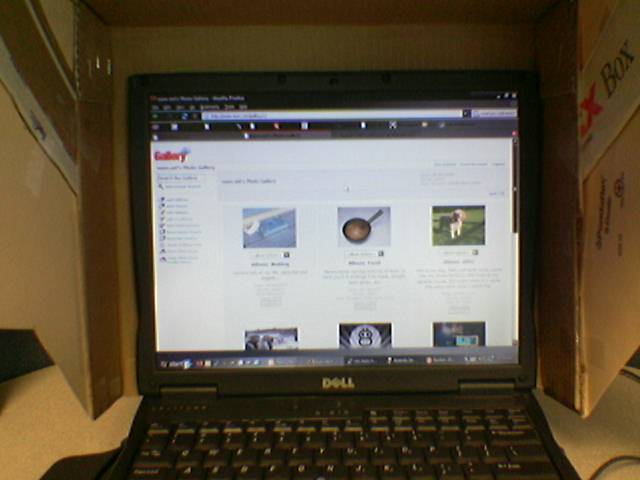
Well, I did it. I went ahead and moved my personal photo gallery to Gallery 2.

It’s quite a bit different, but I’m really liking it… The only issues I’m having are related to uploading photos to my moblog. In the old version of gallery, newly uploaded images were, by default, placed first in the album and set as the album thumbnail. This wouldn’t normally be the expected behavior, but it works out well for a moblog. In G2 images uploaded using the Nokia Image Upload API Module are dropped into the gallery and sorted per the gallery’s rules. Thusly, I had to change the gallery to sort based on ‘origination date’ so that newer photos are first, and I’ll have to go in and manually specify the new highlight photo each time I edit the captions. This really isn’t as big of a deal as it sounds.

I have also left all the photos in place under http://www.nuxx.net/albums for the time being. While not directly browsable, these are still the images that I have linked to in LJ, are indexed via Google Images, and appear all over the rest of the internet. Due to how imaged are sorted on the filesystem level in G2, I can’t make a simple mapping to them any longer. This isn’t a big deal either. I’ll just delete the old image location a bit later.

Speaking of linking directly to images in a manner like I did above, the URL to that image happens to be https://nuxx.net/blog/wp-content/uploads/2026/06/Image_632_.jpg. This could prove to be a problem if that temporary image expires, because the proper link to the original file is actually http://www.nuxx.net/g2data/albums/moblog/Image_632_.jpg. I’m going to have to find a proper way to link to the actual file itself, else I could run into trouble if the resized ones expire. That said, I think that the first URL I mentioned in this paragraph is actually redirected to the proper file by G2 itself, so maybe these links will hang around for a while. I’ll have to look and see.

One last thing, old-style requests to albums such as http://www.nuxx.net/gallery/moblog are automatically rewritten to the new format URLs using mod_rewrite. Go ahead, try it… Click this link and see where it takes you: http://www.nuxx.net/gallery/moblog

Well, now that that’s all done, I think it’s time for me to head home and eat a nice bowl of chili from the pot I made up yesterday. Another late day sitting here, but at least I got stuff done and learned something.

Bye for now. :)

computersmoved from livejournalnuxx.net

Web-based email on rez.nuxx.net…

Just FYI, I’ve made some changes to the web-based email (Squirrelmail) on nuxx.net. In the past, it was possible for a user to go to http://mail.domain.ext or https://mail.domain.ext to access Squirrelmail. If a user was using https, they would receive an error about a mismatched cert.

Well, today I signed up with CAcert.org and got a wildcard cert for *.nuxx.net. I’ve used this on both admin.nuxx.net and mail.nuxx.net and set it up so that all http requests forward to the https server. Because of a non-standard root CA a user will still receive an error, unless they agree to trust CAcert as a new root CA. The needed certificates for doing this can be found here. Please note that all requests to http://mail.domain.ext will now forward you to https://mail.nuxx.net so that the cert will work properly.

Additionally, I’ll be using this cert for imap-ssl and pop3-ssl so if you add this cert in a way which your mail program requires and then check your mail at mail.nuxx.net (this works for any domain I host…) using some encrypted method, all your email will be encrypted without your needing to agree to use an odd cert.

Yay!

computersmoved from livejournalnuxx.net

Gurrr…

Uggh. There is absolutely no way to take FreeBSD’s rpcmapper and bind it to a specific IP, nor even turn off networking and have it work off of sockets only.

This is really dumb.

computersmoved from livejournal

Apple Mighty Mouse Initial Impressions

[Cross posted to and …]


Click for more moblog photos…

I’ve been wanting a new mouse for a while, so when Apple announced the Mighty Mouse this morning, I ran out to the store to grab one. And boy am I glad that I did… It’s really nice.

First off, I called as soon as the Apple store opened, and was told that they have some of the mice, and they are being unpacked while I talked to the person. Based on that, I was assured that there would be some when I arrived later. Well, once I got to the Apple store, it turns out that they had received just enough for in-store display, but none to sell. Fortunately, because I called the employee had set one aside for me. Woo!

After I got back to my desk I plugged the mouse into my PowerBook. It turns out that the drivers for it aren’t included with OS X 10.4.2, so by default it’ll just have the right/left/scroll functionality. After installing the driver, you get this addition to the Mouse section of the Control Panel applet. Settings default to make it act as a slow moving, slow scrolling one button mouse where the side buttons activate All Windows in Exposé.

I changed the settings to be a left/right buttoned mouse and left everything else as is. All the buttons can be set to any of a suite of standard tasks, or they can activate ‘Other’, which allows you to select any Application on your machine. This could be really, really handy…

Now, the feel of the mouse. The mouse maintains the idea where the entire body rocks downward to click. And yes, the mouse still makes a resounding CLICK sound when clicked. There are proximity sensors under each side of the tip of the mouse. If your finger is over the left side when you click, you get a left click. Right side works the same way. If you have a finger over each side and click you just get a left click. As I personally tend to use my left and middle fingers for clicking, this will take some getting used to, but it’s not a big deal.

The scroll ball is rather nice. It’s a slightly firm, smooth rolling trackball about the size of a small pea. It makes no noise when moving, and it’s hard to tell if it’s turning or just sort of rocking to the side. This ball actually works out surprisingly well for scrolling and I took to being comfortable with it almost right away.

Yes, there is a speaker in the mouse which makes an almost ratcheting sound when scrolling, but it’s barely audible — even less so than the mechanical CLICK of the Microsoft mouse that I’m moving from. Additionally, if one clicks down on the ball — which is actually pressing it down which in turn clicks the body of the mouse — a ‘middle click’ is sent. This happens regardless of where one’s other fingers are over the sensor. This works really well as well.

The side buttons for ‘squeezing’ the mouse work out pretty well, too. Ever since I saw the original whole-body-click Apple mouse, I thought those side lumps should do something. Now they do… They don’t move, or really even flex perceptibly, but they do work out well. One also has to make an effort to position their fingers over them and squeeze them, so it’s unlikely that they will be activated accidently.

All in all, this seems like a really great mouse. I’ve taken to being immediately comfortable with it. This should definitely work out well at home.

I haven’t tried it with Windows yet (Windows compatibility is listed on the box) but I can’t imagine it would work much differently…

So, all in all, I have to say that this is a pretty nice product, and a distinct improvement on Apple’s normal one-button mouse while still keeping the original slick look and feel.

acquired thingscomputersmoved from livejournal

..//..

I got a bit bored this afternoon and installed v2 beta4 of the Gallery software that I use. If you’re interested in seeing how it looks after simply importing the photos from my normal gallery, just take a look here: http://www.nuxx.net/gallery2

Since it’s still in beta I’m not going to move to it yet, but that’s where I can see things going in a few months… It’s really, really swanky.

Oh, also, bornslippy.nuxx.net is turned off and in the back seat of my car. Everything is fully moved over to the new box.

If you’d like to see, I’ve got a screenshot of the shutdown of bornslippy.nuxx.net here (on gallery2) and here (on gallery1). For what it’s worth, 478 days, 21 hours, 39 minutes of uptime when shut down. If things go as planned, rez.nuxx.net will not be rebooted for quite some time… That, of course, is dependent on the hardware gods and my not screwing things up.

Now I go buy toilet paper. And dinner. Both are important. Very important.

computersmoved from livejournalnuxx.net

rez.nuxx.net

Hey everyone… In case I host you on my webserver, you should know that I will be taking the server down for ~15 minutes, right around 12:00pm EDT today. This is because I’m pulling out the old server (bornslippy.nuxx.net) and I’m going to move the new one into its physical space. Currently rez.nuxx.net is located on the top shelf of the rack, and I want to locate it where bornslippy.nuxx.net is, directly over an air conditioning vent.

As soon as it reboots things should be back to normal.

computersmoved from livejournalnuxx.net

rez.nuxx.net Update

Okay, an update on rez.nuxx.net.

In short, it’s done. Everything has been moved there. The only services which remains running on bornslippy.nuxx.net is qmail, set up to collect and forward mail over to rez.nuxx.net for all the domains it used to handle. This is just to ensure speedy mail delivery in case there’s some old, cached DNS entries out there.

Best I can tell, everything is working properly and require no password changes or reconfiguration. All databases (read: forums), websites, and email moved over smoothly.

So, for the most part, all you’ll see is some potential issues reaching the site as DNS flops over, but the TTL is rather short, so this shouldn’t really be noticable.

All in all, I’m content with how it turned out. The new machine is a lot faster. This is evident in Squirrelmail, various forums, and the photo galleries.

So uhm… Yeah. Enjoy. I’m going to head home now. I had to be at work at 6am, and while we finished up just before noon, I decided to stay here and finish the server move instead of waiting to do it until I got home.

computersmoved from livejournalnuxx.net

DNS Change for nuxx.net

Hey everyone, I just flopped ns1.nuxx.net from it’s old home at 216.29.181.213 to it’s new home at 204.11.33.41. There should be nothing that you need to change, but if you are running into any problems accessing any of the sites that I host, please let me know. Thanks!

computersmoved from livejournalnuxx.net

bornslippy.nuxx.net -> rez.nuxx.net

Hey everyone… It looks like I’m going to be installing rez.nuxx.net in the colocation facility tomorrow. I’ll have just under a week to move things over from the current server, bornslippy.nuxx.net.

So, if I host stuff for you, you should pay attention to this. In short, if you have a message board, photo gallery, or anything which ties uses the database (MySQL) there is a good chance that there will be some reconfiguring needed in order to get things back in order. This is because I’m changing around the paths to where data is stored.

Additionally, there is likely to be some downtime while websites, databases, email, and other such things are moved.

I will be going through the sites one at a time in an attempt to ensure that everything is running smoothly. If you find that something isn’t working right, please contact me via AIM or telephone so that we can sort it out.

There should be no loss of data — be it email, web, or in a database — and I’m going to try to make things go as smoothly as possible, but there could be some bumps. So, again, if things arne’t working quite right, please let me know and we can sort it out.

Also, I’ll post updates here as things get moved over. As long as your DNS points to ns1.nuxx.net and ns2.nuxx.net everything should transition smoothly.

So, keep an eye out and hopefully things will be running even better by this time next week.

computersmoved from livejournalnuxx.net