PC2100 RAM?
August 31, 2005
Would anyone who reads this happen to have some spare PC2100 RAM? I need a total of about 512MB or so…
I want to upgrade my MAME machine (photo gallery retired).
Thanks!
Would anyone who reads this happen to have some spare PC2100 RAM? I need a total of about 512MB or so…
I want to upgrade my MAME machine (photo gallery retired).
Thanks!
Have any of you who run public websites come across the following kind of message?
Continue reading: Cut for brevity…
Can someone help me find a particular PC? I’m looking for an older machine, so long as the CPU is passively cooled. Yeah, I mean one of those giant heatsink things just hanging out there…
I also want to stick a dead quiet hard disk in there and finally have a silent firewall. Mine’s getting old and noisy.
So, can anyone here give me an opinion on film scanners? I mean, a real film scanner, not a flatbed with an adapter.
Here is the one I want, the Nikon Coolscan V ED. It can be had new for about $515 online, which isn’t too bad.
Here are some images scanned with the Coolscan V ED. They look good to me…
[Cross posted to
Hey everyone… Guess what works with iChat?
jabber://talk.google.com
Log in with your gmail username and password..
Just FYI, the websites on rez.nuxx.net will be inaccessible for a brief period of time tomorrow. I hope for this to be in the morning, and for under a minute in time. In short, I have to replace the version of cronolog I installed earlier today. The current version (from ports) defaults to writing all files as root, which isn’t good. Fortunately this patch from 2002 seems to have it flop to whatever UID/GID one specifies before writing the files.
I want to move to this version… This should be a quick, seamless switch. Add the appropriate flags to the Apache config files, stop httpd, replace the binary, set appropriate permissions on existing files so they can be appended, start httpd, done.
I’m just paranoid, and I wanted to give people a heads-up in case things seem slightly amiss for a few minutes tomorrow.
Oh, and yeah, the whole new way of rotating logs seems to work great. Parsing all logs generated since ~5pm today took under a minute.
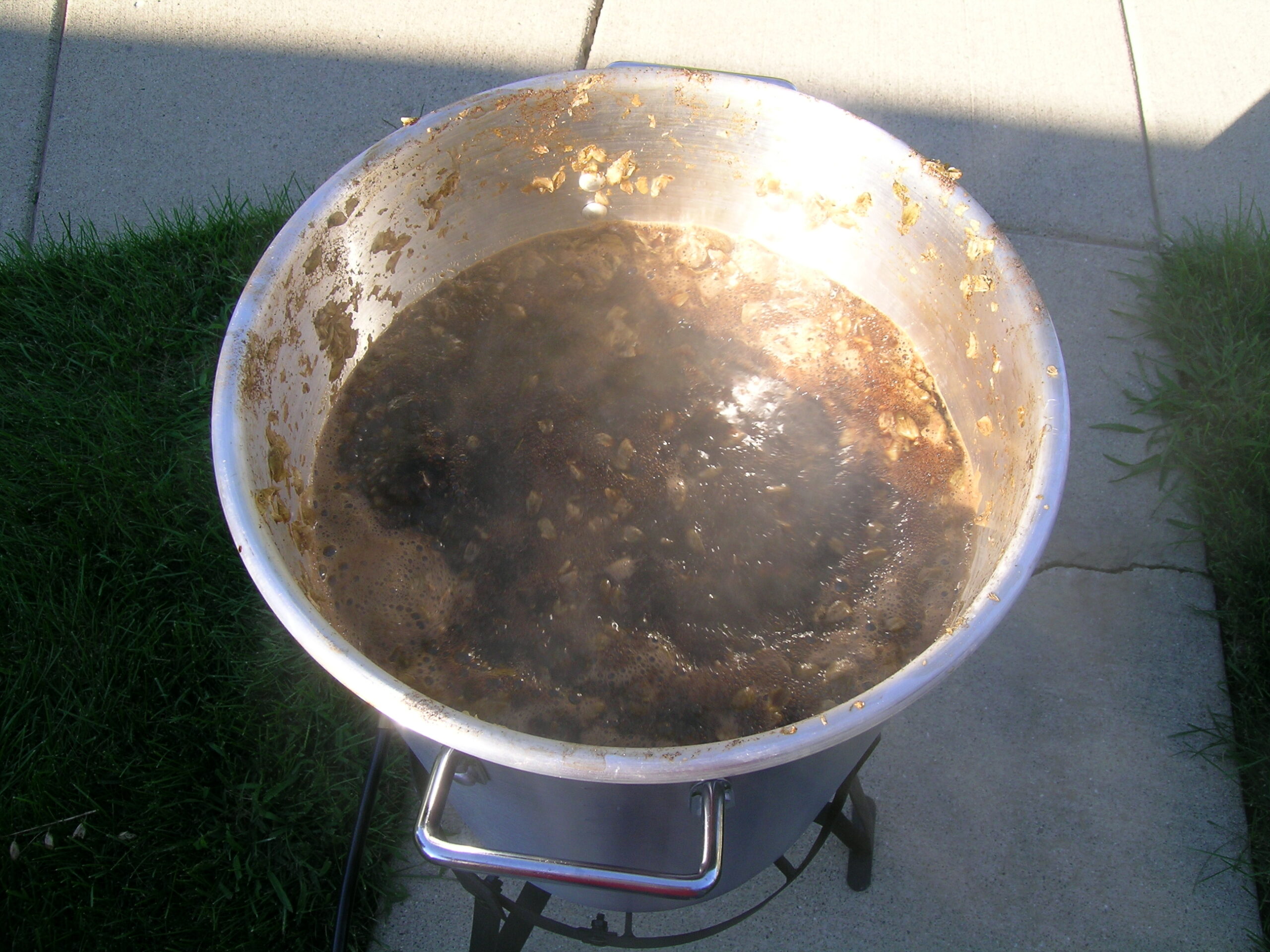
Well, as hoped, I got the wort for the Random Vanilla Stout made yesterday. It’s now sitting down in the basement fermenting away. It seems to be fermenting quite quickly, which I’m attributing to the quart starter I’d made along with the addition of a good quantity of yeast energizer and yeast nutrient (2 tsp and 4 tsp, respectively). It’s not fermenting as foamy / vigorously as last time, but it’s still getting on pretty well.
I missed the target gravity of the beer, ending up at 1.062, which was six points off from the target of 1.068. Hopefully that’s not too bad, though. It should still end up being around 6% ABV if all goes well.
But, yeah… Click that image there up top and you’ll be able to see more peeektures.
—
In case you haven’t tried it before, Google Desktop is freakin’ sweet. I’ve used it before on my work laptop, but I’d run into some problems with it and my antivirus software.
Well, with the v2.0 release this morning, I dove in and fixed those problems. I’d forgotten how much I like it… If you are someone who uses Outlook for your daily mail uses, it makes searching large archives really, really easy.
See, I personally think Outlook/Exchange works really well — better than any other shared email / calendaring system currently available — but it’s search sucks. Hard. And lots. Well, thanks to Google Desktop I can actually find old stuff in my email. Well, as soon as it finishes indexing…. (I’ve got a lot of work email.)
Now, if only Spotlight worked so well.
—
I don’t know why it took me so long, but I finally ‘get’ the Flying Spaghetti Monster (Wikipedia Link). It’s just… yeah. A wonderful counterpoint to bible girl at work. I even acquired this piece of wallpaper which I’m currently using on my work laptop (except with the genitals blurred) and made this much more minimal one. Both are available at 1024 x 768.
(First, this is a test post from Semagic behind the work firewall…)
Okay, so I think I’ve got a good way of processing the logs from websites that I host. I’m going to document how I do it here for myself and anyone else who might happen to care.
First off, I’m using Apache 2.0, cronolog to handle log files (essentially rotation… but not), and Webalizer to parse the files and provide reports.
First, each Apache vhost is logged via a pipe to cronolog so that it makes subdirectories for Year and Month, naming the file with Year-Month-Day-access.log. For example, today’s file as logged below would be /var/data/wwwlogs/default/2005/08/2005-08-22-access.log. This is done by CustomLog and ErrorLog lines for each vhost which are similar to this:
CustomLog “|/usr/local/sbin/cronolog /var/data/wwwlogs/default/%Y/%m/%Y-%m-%d-access.log” combined
ErrorLog “|/usr/local/sbin/cronolog /var/data/wwwlogs/default/%Y/%m/%Y-%m-%d-errors.log”
That alone will make it easier to look through logfiles, should the need arise.
Next, a script is set to run once per night which first runs Webazolver on all the log files in order to build a cache of resolved hostnames and then runs Webalizer itself, using that cache. File processing is done with the -p argument in order to provide incremental parsing. As each log file should only be parsed once, the end result should be that each day’s set of data is added to the collective reports.
Here is the script which I call run_webalizer.sh and will run via cron each morning (around 12:30am local time, I’d imagine):
#!/bin/sh
# First, run webazolver to resolve all IPs
for i in /var/data/wwwlogs/*
do CURLOG=`date -v-1d +”$i/%Y/%m/%Y-%m-%d-access.log”`
/usr/local/bin/webazolver -Q -p -N 10 -D /var/db/webalizer_cache.db $CURLOG
done# Run webalizer with all config files…
for i in /var/data/wwwlogs/*
do VHOST=`echo $i | cut -f5 -d\/`
CURLOG=`date -v-1d +”$i/%Y/%m/%Y-%m-%d-access.log”`
/usr/local/bin/webalizer -Q -p -n $VHOST -o /var/data/www/admin/webalizer/$VHOST -D /var/db/webalizer_cache.db -N 10 -r $VHOST\/ -s \*$VHOST $CURLOG
done
Well, hopefully some people will find this useful. It appears that it’ll work fine for now. I guess I’ll know for sure after a few days…
[Cross posted to
Hey everyone… I hadn’t seen this mentioned yet, so I thought I’d bring it up. In short, I’m writing a new script for backing up everything on both my local computer and my web server. Well, I use rsync for this, and when poking through the rsync man page, I came across the following:
-E –extended-attributes copy extended attributes, resource forks
So, yeah. That’s yet another nice new thing about Tiger… In the past (I wrote this up before but I don’t have the link handy) one had to install RsyncX and use the undocumented –eahfs option and now you can just use -E. Woo!