nuxx.net
Making, baking, and (un-)breaking things in Southeast Michigan.

Category computers

Eagle3D

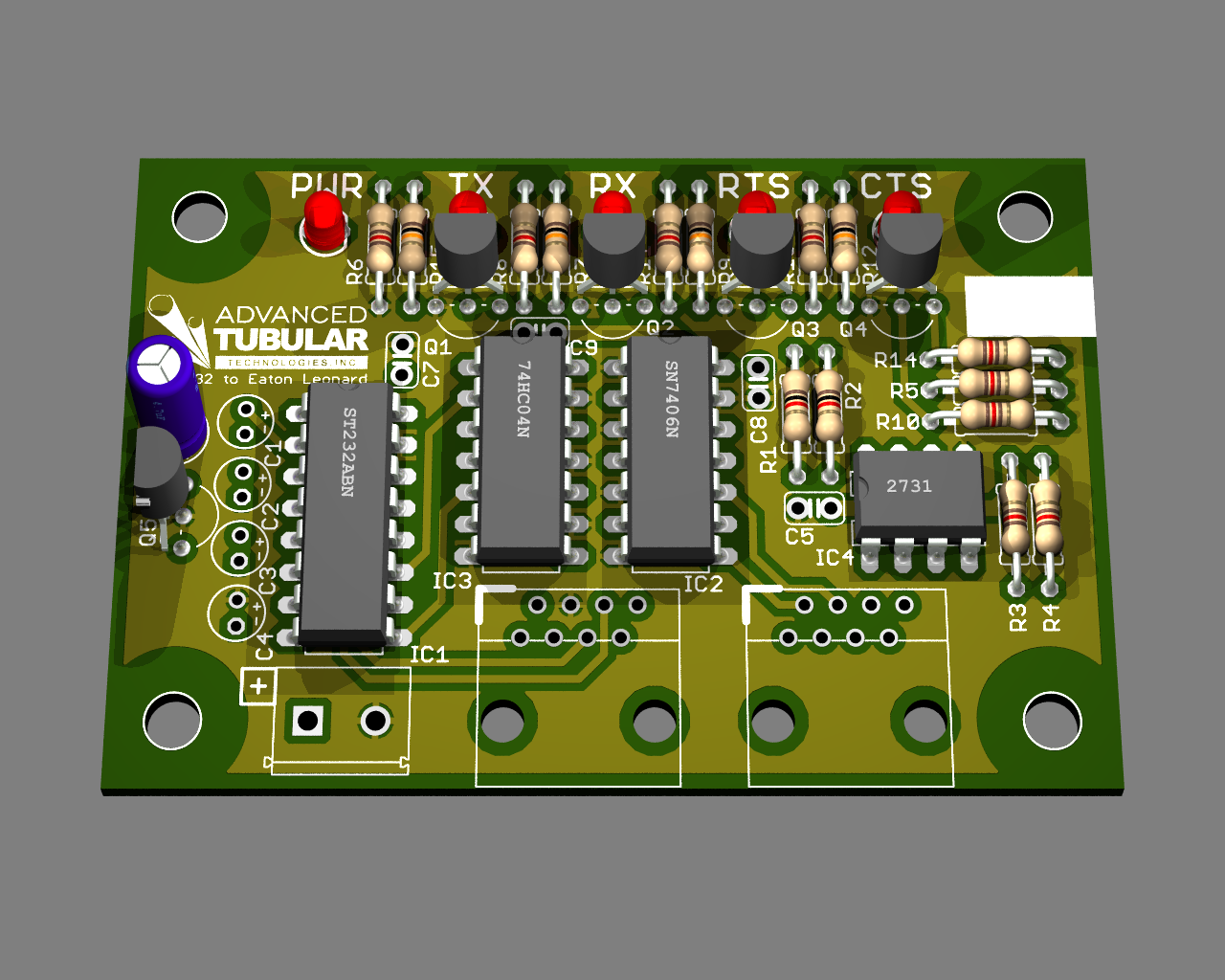
Second-Try Render from Eagle3D

A bit bored at work today I’m poking around with Eagle3D which generates POVray files from CadSoft Eagle .brd files. The ceramic disc caps up there are wrong caps are mostly missing, the TO-92 parts are misaligned, and the screw terminals and RJ45 connectors are missing, but I think it looks pretty nifty.

At this point I’m going to stop messing with it and get some lunch. I don’t need an accurate rendering of the board for anything, I just thought it was nifty to mess with. Now to figure out some lunch… I’m not sure what I’m going to have, but it’ll probably be something low cost.

computerselectronicsmoved from livejournal

CLUSTAL W vs. Mac Pro


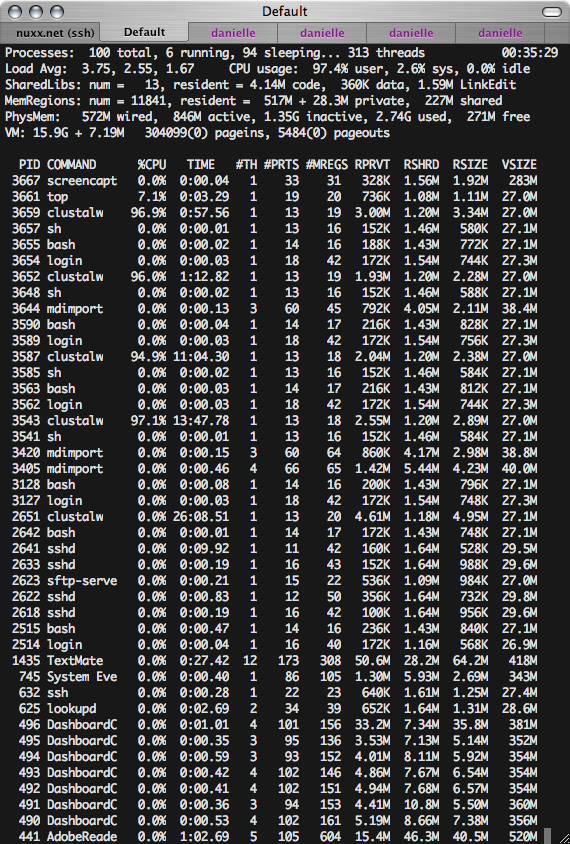
Four CLUSTAL W Jobs

In order to help Danielle out with something I currently have four scripts running, each running six sequential CLUSTAL W jobs doing DNA sequence alignment on 500-some sequences. Each core in my Mac Pro (quad core 2.6 GHz Xeon) is chewing away at data, and each of those individual jobs should take around 40 minutes each.

This is v1.81, compiled as an Intel binary with GCC i686-apple-darwin8-gcc-4.0.1 earlier today. I was going to use the pre-compiled fat binary v1.83 version made available here, but Danielle had originally been running this all on her slow(er) XP laptop with v1.81, and I didn’t want to risk any versioning problems.

Hopefully the data will prove to be useful tomorrow. I hope.

If it does, I might have to run more. That’s okay, at least the Mac Pro is finally getting a workout.

computersmoved from livejournal

Power Mac G5 Shipping Problems

Arraugh. The guy who purchased my Power Mac G5 received it and found it to be not seeing the hard drives. When he opened it up he found that the drive latches were up and the drives were dislodged. Here is the message from him:

Hi Steve, I received the item. There was a bit of a scare though.
I turned the computer on and all I got was a flashing folder with
a question mark. So I started up on the OS X DVD you included
and tried to run Disk Utility. To my surprise, there were no hard
drives in the computer. So I opened up the computer and
noticed that both hard drives must have been dislodged from
the case during transportation. And both of the gates that hold
them in position were in their up position. And the bottom HD
had the interconnects damaged in the process. Fortunately, I
was able to straighten the pins and reconnect the wires and
everything seems to be working fine. Just wanted to let you
know. I am still testing the machine right now. I will keep you
posted if there are any further problems. Thanks Steve.

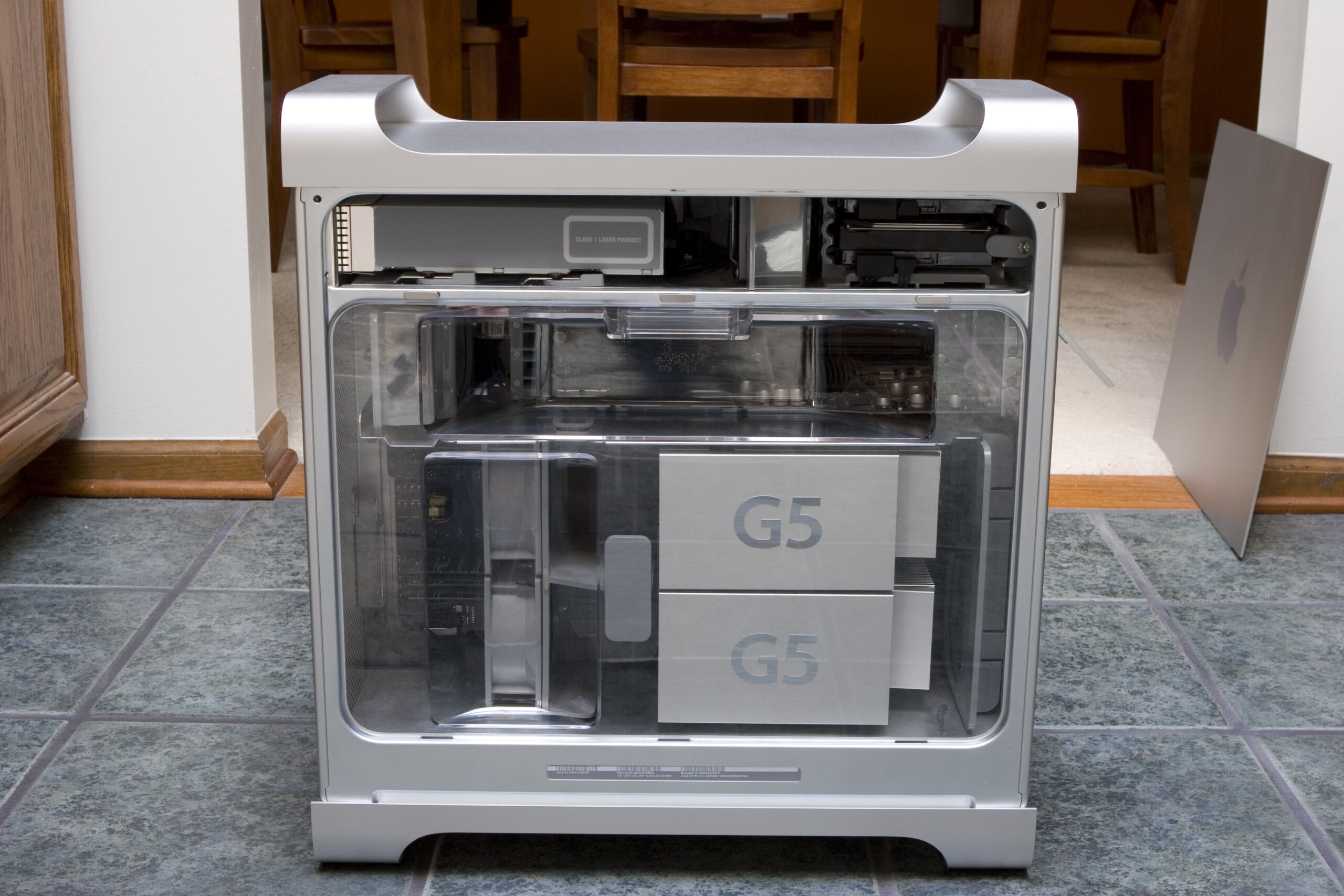
This is kinda frustrating. If you take a look at this photo you can see the latches holding the drives in place. I wonder if it got dropped during shipping in a combination of ways which caused the latches and drives to become dislodged?

Uggh.

UPDATE: I sent the photo of the latches and such off to the person, and he replied with this:

Yeah, it looks like the source of the problem must have been in the
shipping. The foam inside the box looks damaged. And there is a
hole in the box. I will take photos and post it up soon. But so far,
everything seems to work fine.

So, it sounds like UPS sure bounced the package around a bit.

acquired thingscomputersmoved from livejournal

Mac Pro Photos

RAM Board in Mac Pro w/2GB of Crucial RAM

I’m not sure if any of you are interested, but I’ve posted some photos of unboxing and setup of my Mac Pro (photo gallery retired). The box is a bit different shape from that of the G5, but the two machines are practically identical. This is good because it ensured that the aluminum shelf I made for it a few years ago still worked great once the machine was placed in the rack.

Also, this machine is amazingly quiet. It’s just as loud as my work laptop and loads more powerful. :D Anyway, here is the link to the Mac Pro album (photo gallery retired) if you are interested.

acquired thingscomputersmoved from livejournal

Mac Pro!

Woo! I had to go to the back of a very odd location in Pontiac to actually be able to pick up the Mac Pro, but it’s now in the trunk of my car. Since it was signature required and I wouldn’t be home to collect it, I made arrangements to pick it up. Thankfully a rather strong, very friendly person carried it out for me and placed it in the trunk of the car.

Now I want to go home. :D

acquired thingscomputersmoved from livejournal

Power Mac G5

AHT Successfully Run on Power Mac G5

Before I list it on eBay, is anyone interested in my Power Mac G5?

$1500, delivered if you live in the Detroit-ish area.

· Dual PowerPC G5 2.0 GHz
· 3.5GB RAM
· 320GB Hard Disk
· Mighty Mouse, Keyboard, Brand New Apple Mouse
· Retail Boxed Mac OS X 10.4
· Works perfectly, very well cared for.

acquired thingscomputersmoved from livejournal

Nintendo DS Browser

Nintendo DS Browser (Opera for Nintendo DS)

Guess what’s out? Yep, Opera for the Nintendo DS. Inside the package is a huge manual, Memory Expansion Pak [sic], and the software cartridge itself.

It seems to work pretty well thus far, although it doesn’t appear to support Flash, as Meatspin just didn’t display. Nor did YouTube content. Poopy. Google Maps seems to work, just very slowly. I haven’t had a chance to try Gmail yet.

UPDATE: Gmail seems to work fine. And I purchased it at Target for $29.99. I had called a GameStop earlier and the person answering the phone quoted a price of $34.99 and insisted that it must be preordered, and that there is no other way to get it on Wednesday.

acquired thingscomputersgamesmoved from livejournal

Cable Management Is Fun!

Rack, cabled, ready to go.
(Click for full size image…)

Last night, in preparation for the coming (on the 6th, I hope) Mac Pro I decided to re-cable my office. Back in 2003 just before I first acquired my Power Mac G5 (photo gallery retired) (when the Power Mac G4 Cube (photo gallery retired) was my only Mac) I set up my office in what is generally its current configuration, with the large O’Sullivan Diplomat L-shaped desk, black wire rack, torch lamp, vertical bookshelf, etc.

Since then I’ve changed things slightly, but most of what I’ve done is just add on additional cruft (cabling) to the things without pulling out much of the unused stuff. Well, last night I pulled out a large pile of various cables from both behind my desk and behind the rack and cleaned everything up. I also pulled the VCR out of the stack, moved the DV bridge to beneath the computer, eliminated the USB 1.1 and FireWire hubs, etc.

With all this cabling done in the rack I was able to directly plug everything in smoothly, and the Mac Pro should fit in just as well. Beyond the MP, the rack also holds a JetDirect, HP LaserJet 5L, Formac StudioTVR (TV Tuner / DV Bridge), APC SmartUPS 1400, USB 2.0 hub, and two external hard disks. This is connected to the desk via a cable trunk which maintains a 1″ separation or right-angle crossing between data cables and power lines. On the desk there is a USB 2.0 hub, iPod cable, USB 2.0 CF/SD reader, speakers, LCD, keyboard, and mouse. It is all connected without any cables hanging on the floor or even visible beneath the desk, just how I like it. (I’ll post photos of the wholly done office once it’s… done.)

Hopefully tonight I’ll be able to finish moving everything to compact fluorescent lighting too. Right now I’ve got a 30W Sunwave full spectrum bulb in a lamp on the desk, but I need to redo the diffuser for it. A coworker gave me some 14W bulbs I’ll use in the ceiling fan in place of the extra-hot halogens, and I’ll move the torch lamp to some manner of CF spotlight. I’m putting X10 controls back on all lighting (except the ceiling fan), and I’ll probably put an X10 switchplate next to the normal one.

Then it’ll just be a matter of dusting a bit more, straightening up things in the closet, and waiting for the Mac Pro to arrive and I’ll be done with my office. Yay!

around the housecomputersmoved from livejournal