Microchip Samples
April 23, 2007
Huh. I ordered two sample pieces of PIC16F688 from Microchip and the parts were actually send FedEx. Odd. I think last time I ordered a sample it just came via USPS Mail.
Huh. I ordered two sample pieces of PIC16F688 from Microchip and the parts were actually send FedEx. Odd. I think last time I ordered a sample it just came via USPS Mail.
Hmm, the software for the HMLiberator† is (almost) working. It seems to respond as I hoped five out of six times. The next time it just seems to not do what I want. I’m not sure how to debug it, though, as I can’t really trigger an interrupt with the device in hardware debug mode.
This might take some thinking.
That said, it’s time to go home and build the appropriate cable so I can actually sling it in between an iPod and the HML itself for once.
† The HMLiberator is the PIC-based device I’ve been cobbling together to sit between the iPod and the Honda Music Link, translating the Mode 4 remote commands into Mode 2 commands. This will allow the user to keep using the controls on the face of the iPod, while the HML thinks it has one locked down and under its control.
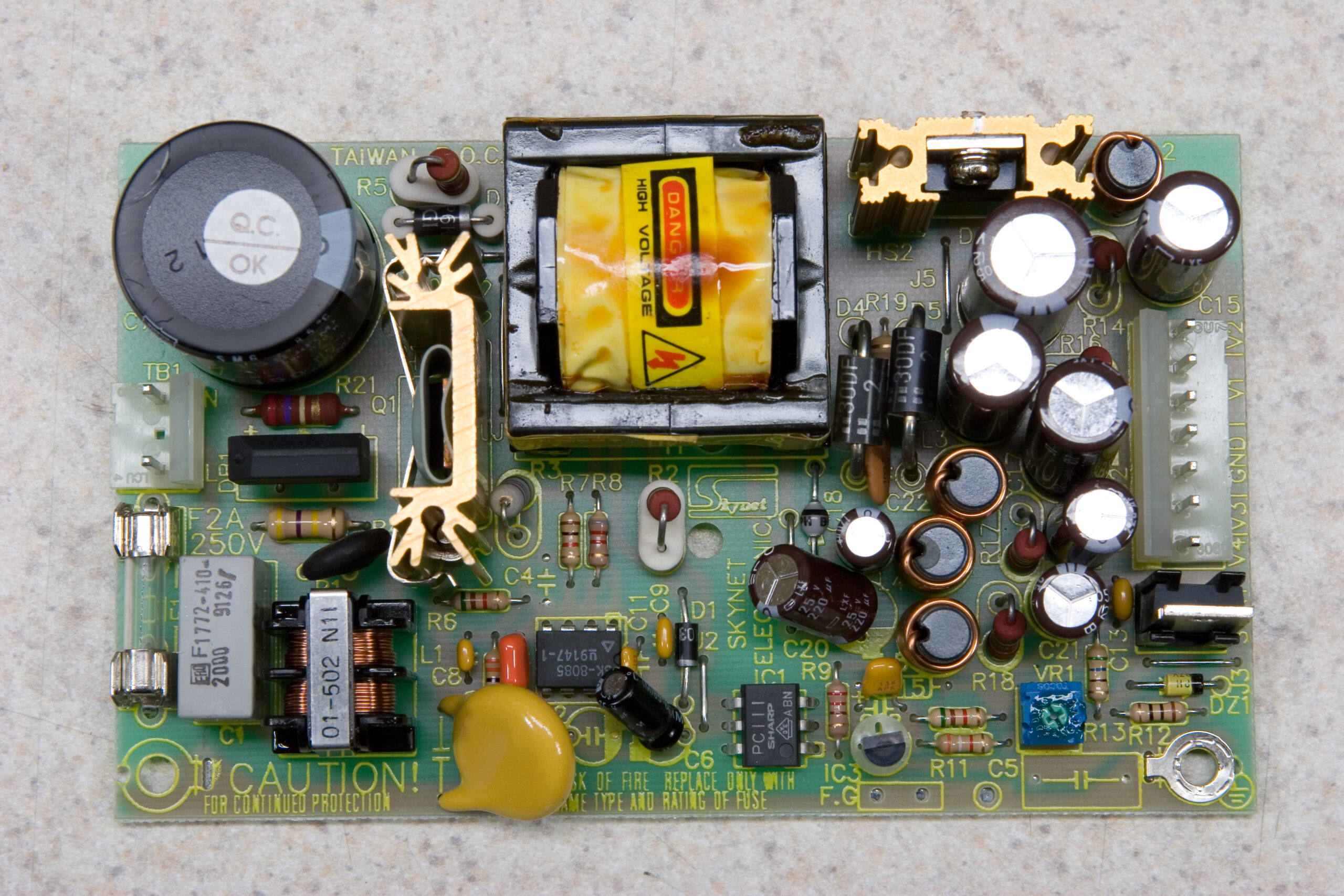 Skynet SNP-9F40
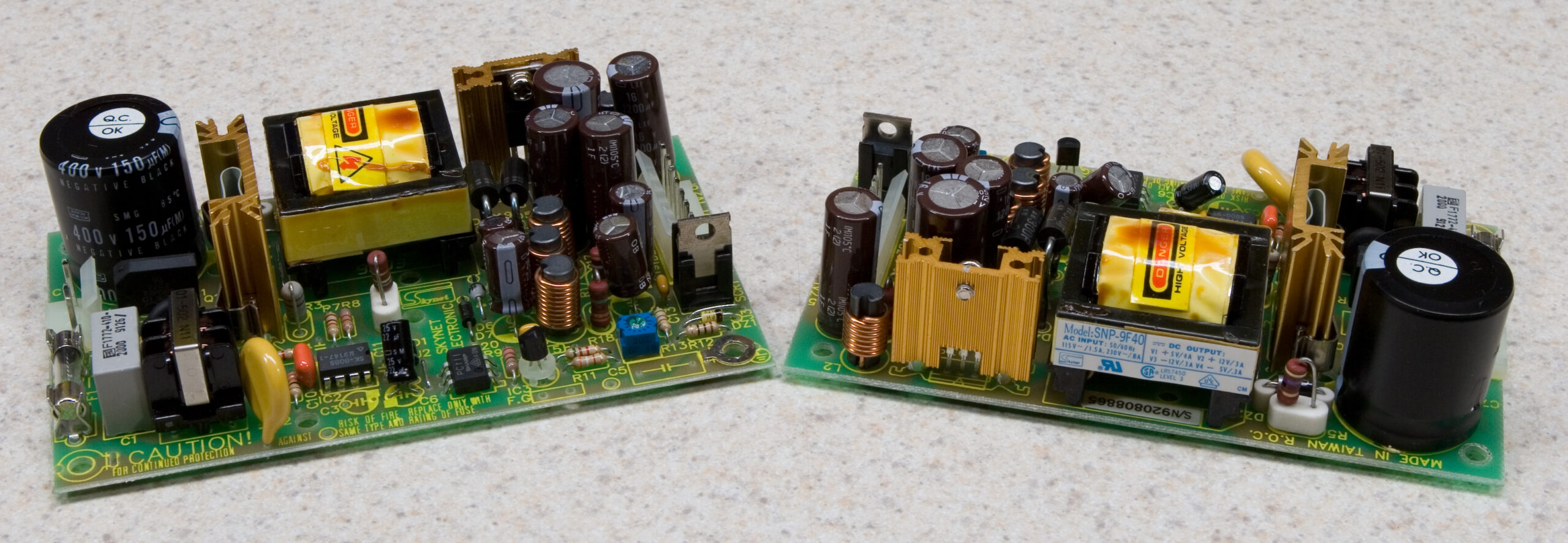
Oh, tonight I also threw out an old (unused) SCSI disk enclosure I had in the basement. I figured that the power supply in it might be useful, so I opened it up. To my surprise I found two of the power supplies pictured above. (Side by side photos of the two here.)
That there is a Skynet SNP-9F40 (PDF), and it’ll take (according to that PDF) 90~264VAC as input, and spit out +5VDC (4A), +12VDC(3A), -5VDC(0.3A), and -12VDC(0.3A). I’m thinking this could be quite handy for both some of the music stuffs I’ve been working on (maybe even the 9090), or just as a benchtop supply. (I’ll probably mount one of them in an enclosure with terminals and a switch on it or something.)
There was also a filtered IEC-type mains input on there which I grabbed, some PC-type Molex power connector harnesses designed for connecting the power supplies to drives, brass stand-offs, and plastic clip-type spacers, all of which which may come in handy. All in all, a good salvage.
When this…
sendCommand(mode2, 0)
sendCommand(playButton, 0)
sendCommand(relButton, 0)
Which supposedly sends these commands…
const mode2 as byte[5] = (0x03,0x00,0x01,0x02,0xFA) 'Simple iPod Remote
const playButton as byte[5] = (0x03,0x02,0x00,0x01,0xFA) 'Play Button
const relButton as byte[5] = (0x03,0x02,0x00,0x00,0xFB) 'Release Button
Gives me this in the serial console…
Received: 0xFF 0x55 0x03 0x00 0x01 0x02 0xFA 0xFF 0x55 0x03 0x02 0x00 0x01 0xFA
Received: 0xFF 0x55 0x03 0x02 0x00 0x00 0xFB
…I know it’s time to go home.
And yes, as suggested earlier I just went ahead pre-calculated the checksums. I also just bundled the packet lengths in there too, and I read that first bit to determine how many bits have to be sent so that packets of arbitrary length may be sent simply by defining them as a constant.
It’s sending back to the PC properly, but not to the iPod. I think that’s because of some weirdness with the pins I chose to use. It worked fine on the PIC16F88, but for some reason that thing cooked this morning. (It now reports itself as some 12F part, likely indicating that some of the bits which indicate the part type have failed.)
Now to get the part running from the internal oscillator instead of a crystal and responding to commands from the serial port. (Both of these should be fairly easy.)
After that I can start building the list of responses I want sent to the Honda Music Link (initial by-hand decoding of a sample conversation between my iPod and the HML can be seen here). Then once that’s all set it’s time to plug it into the car and hope things work as designed. If that works it’s time to design the PCB and see about producing a dozen or so.
Thanks very much
I’m having some problems with a subroutine in the small program I’ve been working on mikroBasic for the Honda Music Link stuffs I’ve been doing.
Could any of you help me?
To start, here’s a copy of the program in a text file: hml_mikrobasic_help.txt
Here’s the project itself, zipped up: hml_mikrobasic_help.zip
The IDE / compiler itself, mikroBasic, is available here.
(I’m just using the demo version, and the limit is only on code size, so feel free to install it. I don’t come anywhere near the code limit, and when one does it’s rather obvious, as the compiler just refuses to compile it.
The problem I’m having is with sendCommand(), and specifically the variable iPodCommand, which is the first one passed to it. What I expect to happen is that whatever is passed as the first argument to sendCommand() will be set and available within the procedure. Instead, I seem to be getting something else.
As the program is currently listed, I would expect the output sendCommand(powerOn, 0) to be 0xFF 0x55 0x04 0x00 0x00 0x00 0x04 0xF8. However, the output I receive is 0xFF 0x55 0x02 0xFE 0xB9 0x47.
The expected packet is broken down as follows:
0xFF – Header 1
0x55 – Header 2
0x04 – Data Length
0x00 – Data 1
0x00 – Data 2
0x00 – Data 3
0x04 – Data 4
0x08 – Checksum (0x100 – Data Length – All Data Packets)
The received packet breaks down this way:
0xFF – Expected Header 1
0x55 – Expected Header 2
0x02 – Length appropriate if the constant referenced by iPodCommand were two bites in length.
0xFE – Data 1 (Not sure where this comes from.)
0xB9 – Data 2 (This one neither…)
0x47 – Checksum, calculated properly off of unexpected Data bytes.
When I run things through the hardware debugger I’m not seeing the variable iPodCommand as an array, and I’m not sure why or how (it just shows a value of 0xDF). That, though, and it’s not working as expected, is leading me to believe that I’m doing something wrong in setting up sendCommand().
So, could any of you please help me? I just don’t know what I’m doing wrong.
Thanks!
It appears that Microchip will be making the PICkit Serial Analyzer available after May 8th, at a list cost of US$49.99 (with demo board). It’ll read and write I2C, SMBus, SPI, and USART.
I may have to acquire one of these instead of a much larger scale logic analyzer.
UPDATE: Gur, I’m dumb. I just read the docs and realized that it’s not a analyzer, more a USB tool which will communicate as I2C, SMBus, SPI, and USART. I can’t use it for sniffing / capture.
Whenever I reset the PIC on my EasyPIC4 (photo gallery retired) my iPod toggles between pause and play.
I now possess the world’s largest iPod remote.
Would any of you happen to have any eight-conductor stranded cable, preferably shielded?
I need to make some cables for part of the Honda Music Link stuff I’m working on, and I’m having difficulty finding this sort of cable in quantities less than 500′ or 1000′ rolls. I only need maybe… 20′ or so, at most. Even 10′ would be usable for my prototype stuffs.
Thanks!
If things go as I hope, the following will take an iPod with it’s serial RX line connected to RB0 and skip it forward one track when the tactile switch RA0 on my dev board is pressed:
program ipod_next_track_test
dim buttonstate as byte
Soft_Uart_Init(PORTB, 1, 0, 9600, 0)
main:
while true
if Button(PORTA, 0, 1, 1) then
buttonstate = 255
end if
if buttonstate and Button(PORTA, 0, 1, 0) then
Soft_Uart_Write(0xFF 0x55 0x03 0x02 0x00 0x08 0xF3)
buttonstate = 0
end if
wend
I just have to make an appropriate cable and I can test it. (The one I had made broke.)
Now, if that works I can get to work on making the EUSART on the chip respond to the Honda Music Link with enough intelligence to make it think that an iPod is present.
Then, if that works I can get to work on making some of the commands received from the HML act as the aforementioned button press, and I’ll have negated the function crappyness of the HML.
After that point I can make up a cheesy little PCB for the circuit and a PIC16F688 (the smallest PIC I could find with an EUSART) to sit permanently in the car. It shouldn’t need much more than the PIC, a crystal (because I’m not sure the mikroElektonika stuff can set the frequency on the internal oscillator), either a LM78L05 or small switching regulator, headers for the DIN connector cables, and a couple of caps. If I’m bored enough I might even make it my first SMT board.
 |
NES Internal Screw Removal
After acquiring some replacement NES 72-pin edge connectors to fix NES’ for both replika and I, I decided to take step-by-step photos of the replacement and write up a tutorial on it. So, I give you my NES 72-Pin Edge Connector Replacement Tutorial.
This is actually really easy to do, fixes the blinking-gray-screen problem which plagues almost every front-load NES (you know, the problem which were supposedly resolved by blowing on the connector in the cartridges), and can be done with just a screwdriver and replacement connector. There is no soldering or electrical repair skill needed for this.
Also, please Digg this story.