GPS + Bike Stuff
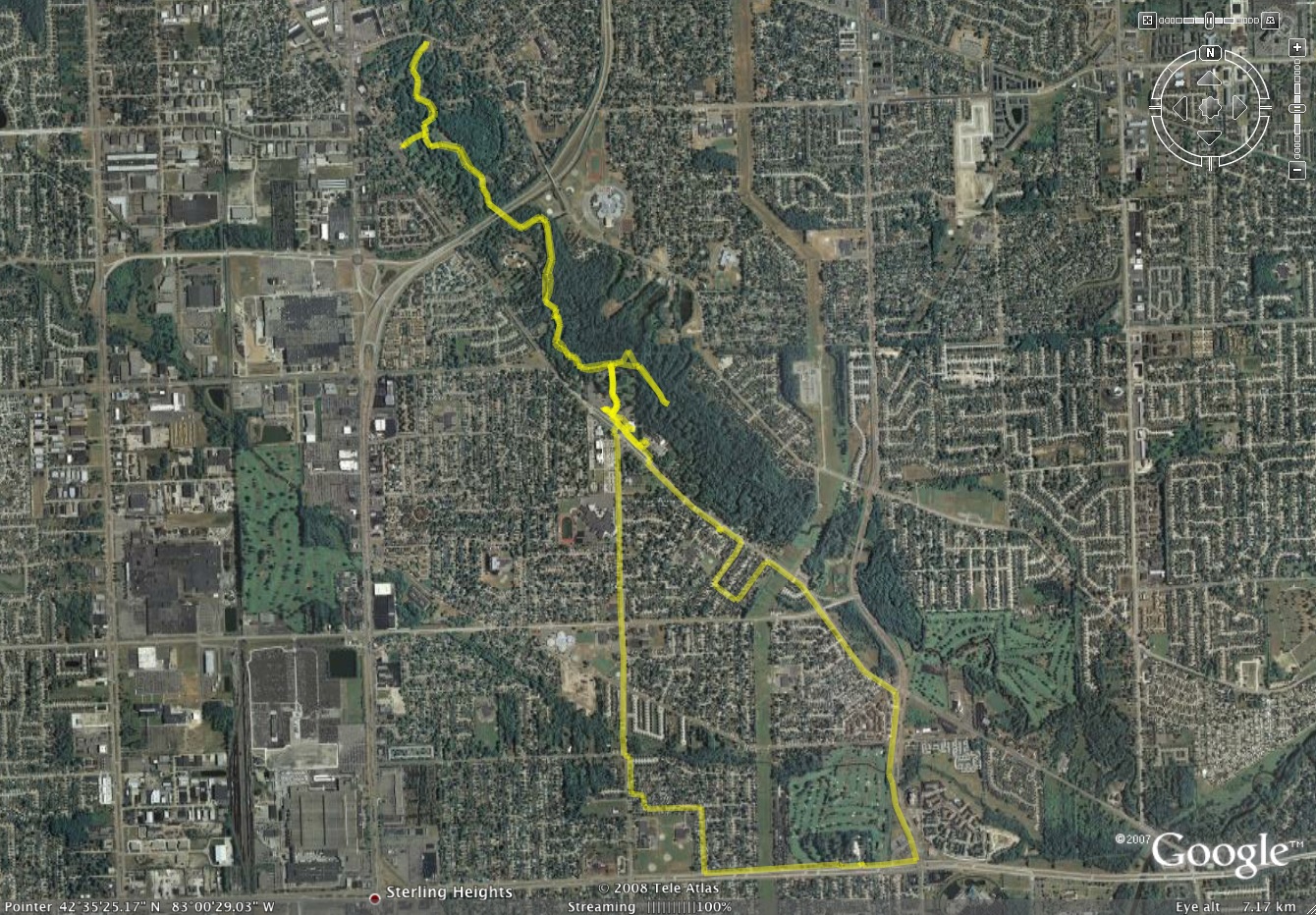 Google Earth Plot of my Bike Ride
(Click for full res image…)
That right there is a plot of the bike ride I went on yesterday. Yes, it won’t make much sense for those of you who don’t know the northern Sterling Heights / Utica / Clinton Township area, but it’s a ~12 mile round trip.
If you’re wondering how this is made, I simply had my old Garmin eTrex Legend GPS mounted on the handlebar of my bike, logging the route as I rode. Then today I connected it to my Mac via a serial cable and USB adapter, fired up the Mac OS X version of GPSBabel+, set the input to the USB serial port, type Garmin GPS, selected to transfer only Tracks, and set the output to ‘Google Earth (Keyhole) Markup Language’, or KML file. Then I just opened the file in Google Earth, edited it a bit, deleted the points and left only the track, and saved it off as a new KMZ. Here is a screenshot of GPSBabel+ set up the way I use it for transferring data from my GPS to a KML file.
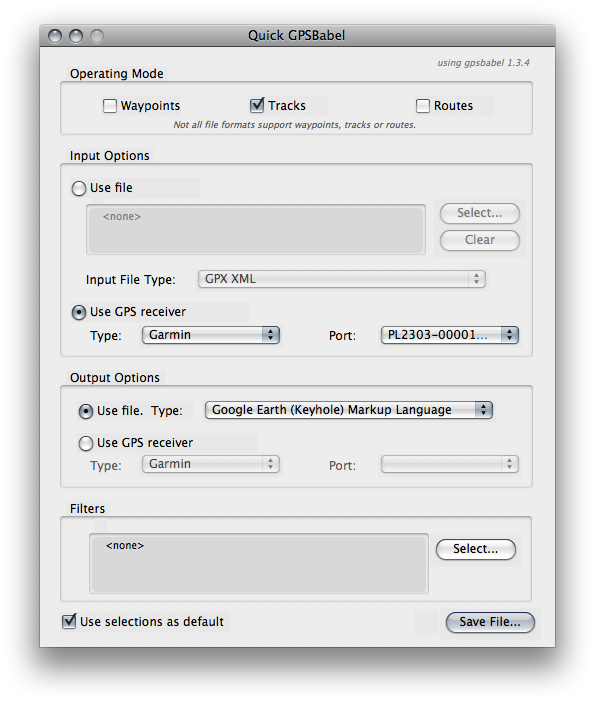
Note that when using the GPSBabel+, if I select Waypoints, Tracks, and Routes I only get Waypoints. If I select just Tracks, I get the data used for this plot. If I select just Routes, GPSbabel (or the crappy USB adapter, or something) hangs, with a process I can’t kill, even with -9. (This is why I suspect it’s the crappy USB adapter or its driver.). Also note that GPSBabel+ is a OS X GUI for the gpsbabel command line utility.
If you’d like to poke with the data for the map, and open it in Google Earth (or whatever) yourself, grab 15-Mar-08_dodge_park.kmz.
This link opens the file in Google Maps for you, with street names and such.
Next, try this.
Damn you. Now I will.