x0xb0x Panel v1.1 & Illustrator Problems
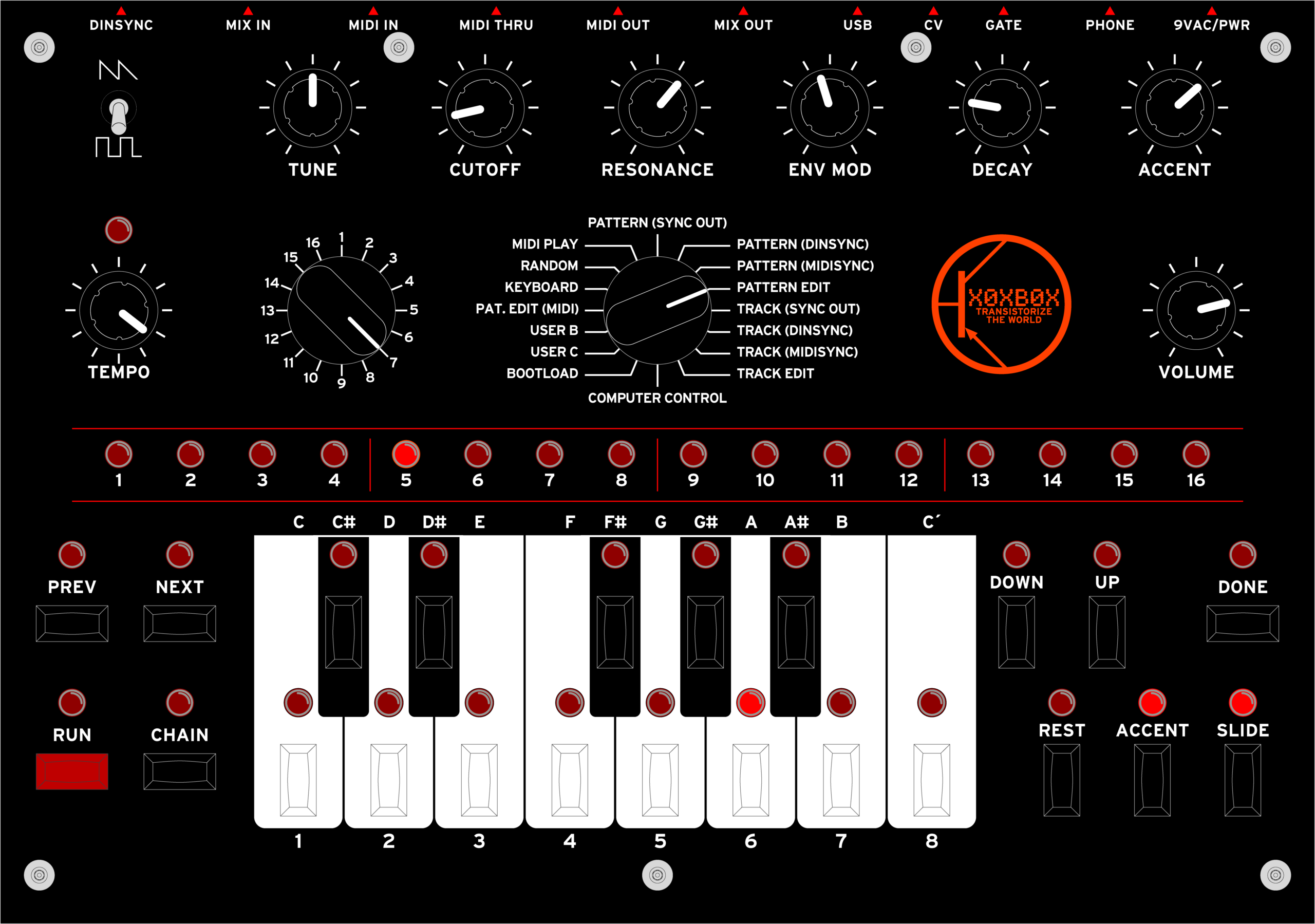
Yep, there’s v1.1. I cleaned up the keys a little, removed the center detent marks, and changed the logo.
GUR. I just realized that I’ve got some screwed up Illustrator problem…
Could someone help me with this? I’ve got screenshots explaining what I’m seeing, and why I think I shouldn’t be seeing it:
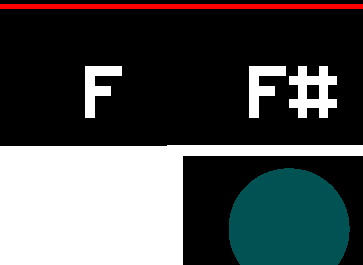
First, as you can see here, the white box I use to mask the key spacing line above the black keys appears to extend up a bit higher than it should.
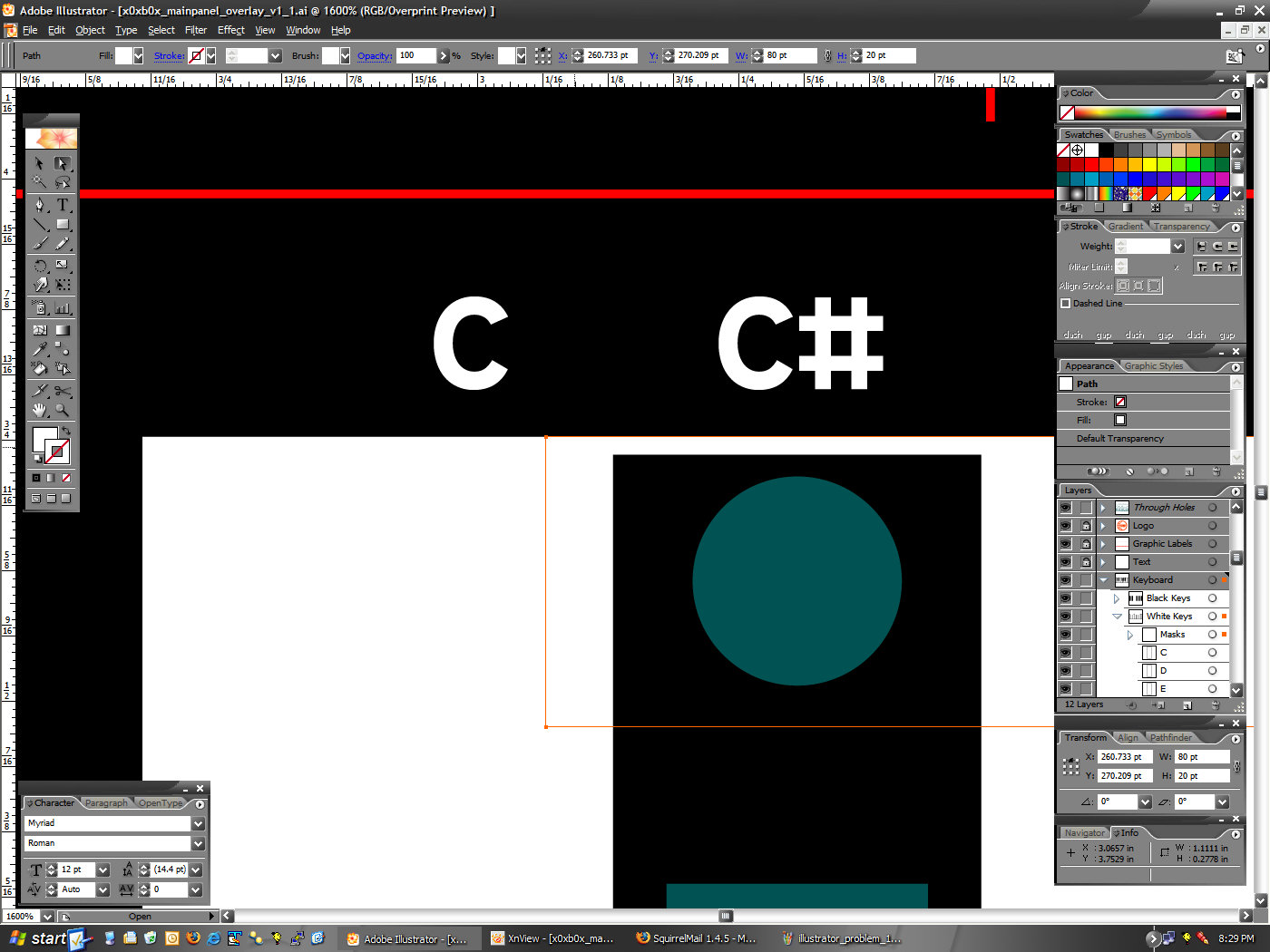
However, if you look at these two screenshots (1 · 2) you can see the following:
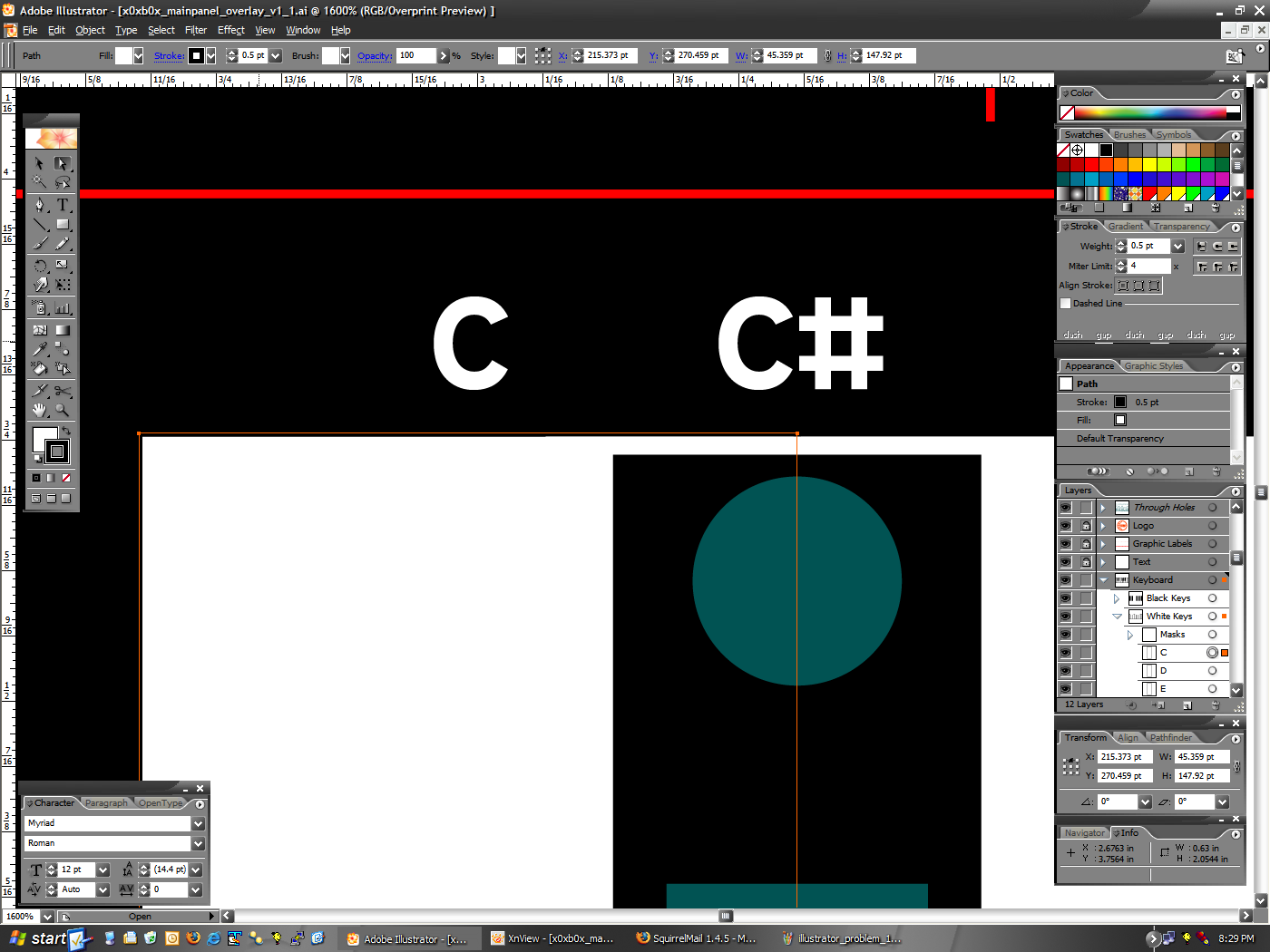
– The white key (selected in image 1) has a .5pt border, set so that it is centered on the outside edge. It’s top edge is at Y:270.459pt.
– The white box I’m using to mask the lines (selected in image 2) has no border, and it’s top edge is set to Y:270.209pt.
As you could see, the white box has it’s top edge set .25pt lower than the white key, which should be the width of the bottom half of the border line. Yet it appears as it does here, with a bump sticking up.
So, can anyone tell me what I’m doing wrong? The math is right, and it should work, but it just doesn’t seem to be happening. Thank you very much. :)
I like that logo much better than the other. Looks cleaner, less jumbled for some reason.
Thanks. :) I’m happy that it’s all original art, too.
math = logic, which adobe used sparingly in illustrator. heh.
two things come to mind: one is that even though the positions say the same thing, they’re not actually. adobe programs are like that sometimes and i encounter it often. best bet is to use the align tools.
second, it might actually be aligned, but the view magnification might be displaying it as off even though it isn’t. this happens a lot, too. like, if i have two objects perfectly aligned at 100% and zoom out, the display will sometimes make one object higher than the other. just to double check myself, i’ll use the align tools, or zoom in as close as possible to the two objects and make sure.
uh, hope that helped?
mmm, lemme expand on something: when i zoom out on the two objects, they *appear* to not be aligned, illustrator hasn’t moved the objects at all.
Sorry, I should have also linked to this: http://www.nuxx.net/files/x0xb0x_mainpanel_overlay_v1.1.zip
Inside of there is the panel file itself.
I think the problem is more the first part of what you’re saying. Tomorrow I’ll instead try using the Align tools. I seem to have problems using them (selecting a key object is kinda baffling to me, and Adobe’s help isn’t useful for this), but I’ll try and make it work. :)