It’s really a small thing in the grand scheme, and not unfamiliar at all to open-source developers, but I can’t help but get excited when one of my pull requests (PRs — basically a suggested change to someone else’s project) gets accepted and merged in with the main codebase.
This stuff makes me feel nice. I know it’s just the (now very old) open-source software story, but this scratching-an-itch and making problems in software I use go away while making a super tiny part of the world a bit better place just feels nice.
Due to still-unresolved feelings of how-much-of-this-work-is-really-mine when using AI tools, I’m trying to make it as obvious as possible when I use them, and give away as much of the output as possible. I also like what I get out of the tools, but I don’t trust the tools themselves.
As Apple is beginning to allude to (or… perhaps outright states) with their Updates to Full Disk Access in macOS article, AI tools with unbounded access on end user devices are becoming a problem. And no, in-model guardrails (eg: prompts not to touch certain files) are not sufficient; the model can’t really constrain the model. So, other layers below — like in the OS — are needed to restrict access and maintain control and boundaries.
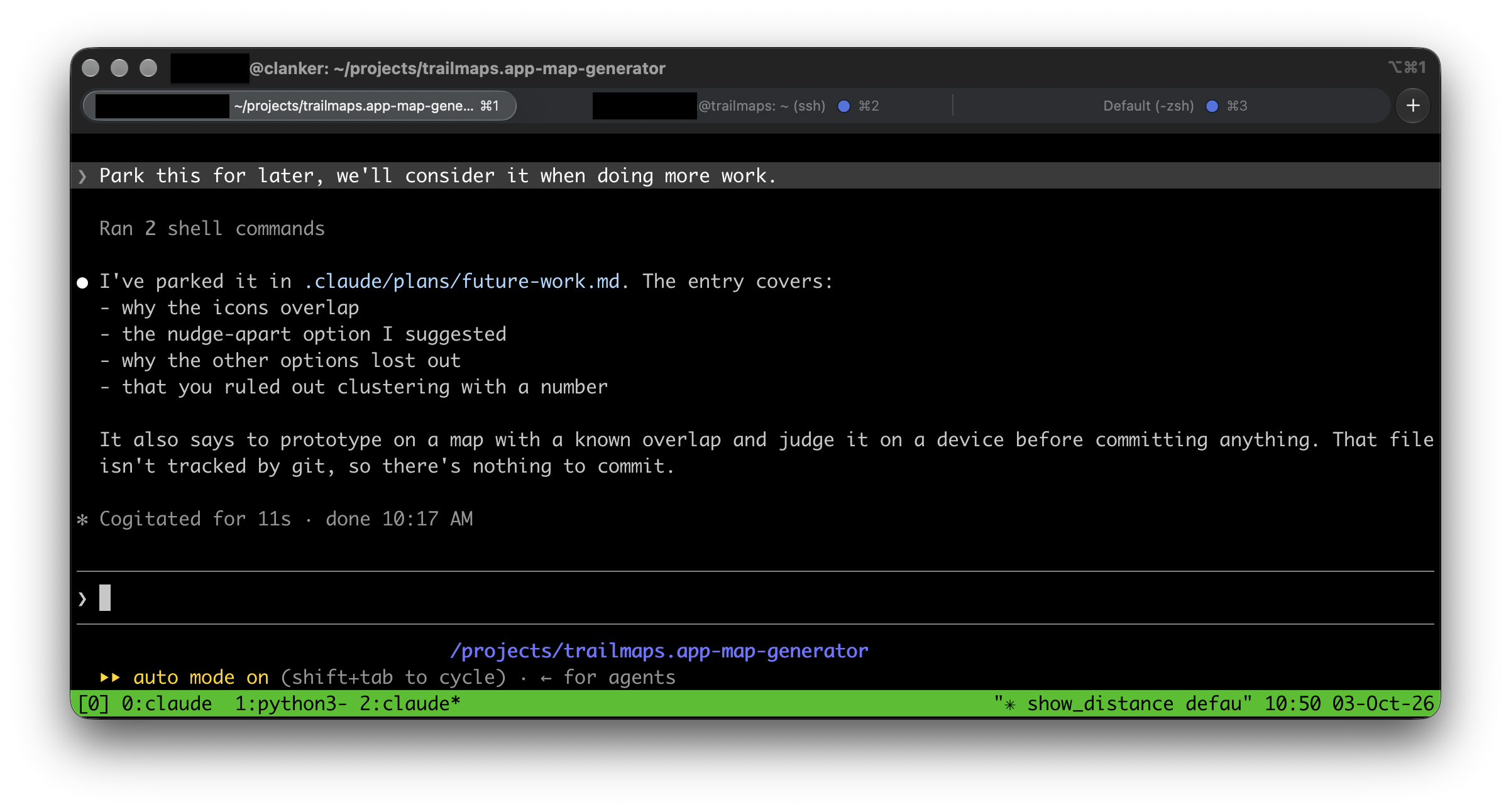
I’ve taken a little bit different approach to this: a separate computer. I took an old computer, dropped a simple Ubuntu install on it, disabled the GUI, and I ssh into it to run Claude Code (or other AI tools) under tmux. While it does have an ssh key for accessing one specific server (as part of the trailmaps.app work I’m using it for), it can’t get anywhere else; access to it is essentially a one-way door.
This is all very intentional, because then it doesn’t have direct/implied access to anything else. Sure, it could “hack” it’s way into other things, but for now this feels like a sufficient guardrail. I can (and do) turn it off when I’m not using it as well. It gets backed up periodically (via borg to my NAS) so I should even be able to wipe it and restore things, should I lose confidence in the installed OS.
Lots and lots of the web development tools I’ve been using can run headless on it, automatically, but every once in a while it’s nice to give it access to something else via an MCP server. This is easy, and can also be controlled, by giving the agent a path to the MCP via a very controlled SSH tunnel.
For example, for the Safari MCP server I have a script that I run on my Mac which uses socat to run safaridriver locally then plumbs it through a specific port via an SSH tunnel to clanker. The result is that Claude Code can then access the MCP via a local TCP port, which in turn can drive a real copy of Safari on a remote machine.
Nice and isolated, while still giving access to useful tools but only as I set up the tunnel. I just have to plumb them through one at a time.
For now, at least, this works well for me.
#!/bin/sh
# safari-mcp-tunnel — serve Safari's MCP server to a remote Claude Code.
#
# Usage:
#   safari-mcp-tunnel            start the listener and open the SSH tunnel
#   safari-mcp-tunnel --serve    (internal) run safaridriver --mcp on stdio
#
# On the remote host, register the client end once with:
#   claude mcp add safari -s user -- socat STDIO TCP:127.0.0.1:7391

set -eu

PORT=7391
REMOTE=username@remoteserver.local
SAFARIDRIVER=/usr/bin/safaridriver

# --- child mode: this is what socat execs for each connection ---------------
if [ "${1:-}" = "--serve" ]; then
    exec "$SAFARIDRIVER" --mcp
fi

# --- parent mode ------------------------------------------------------------
# socat needs an absolute path to re-invoke this script, since $0 may be a
# bare name when we were found on PATH.
SELF=$(cd "$(dirname "$0")" && pwd)/$(basename "$0")

[ -x "$SAFARIDRIVER" ] || { echo "no safaridriver at $SAFARIDRIVER" >&2; exit 1; }
command -v socat >/dev/null || { echo "socat not installed" >&2; exit 1; }

# ,pipes is load-bearing: the default socketpair has an 8K buffer on macOS and
# silently truncates large tool responses like get_page_content.
socat TCP-LISTEN:$PORT,bind=127.0.0.1,reuseaddr,fork "EXEC:$SELF --serve,pipes" &
SOCAT=$!
trap 'kill $SOCAT 2>/dev/null || true' EXIT INT TERM

# Wait for the listener before handing the port to ssh.
while ! nc -z 127.0.0.1 $PORT 2>/dev/null; do
    kill -0 $SOCAT 2>/dev/null || { echo "socat failed to start" >&2; exit 1; }
    sleep 0.2
done

# ExitOnForwardFailure catches a stale binding on the remote end, which would
# otherwise leave the MCP server looking connected but dead.
ssh -o ExitOnForwardFailure=yes -R $PORT:127.0.0.1:$PORT "$REMOTE"
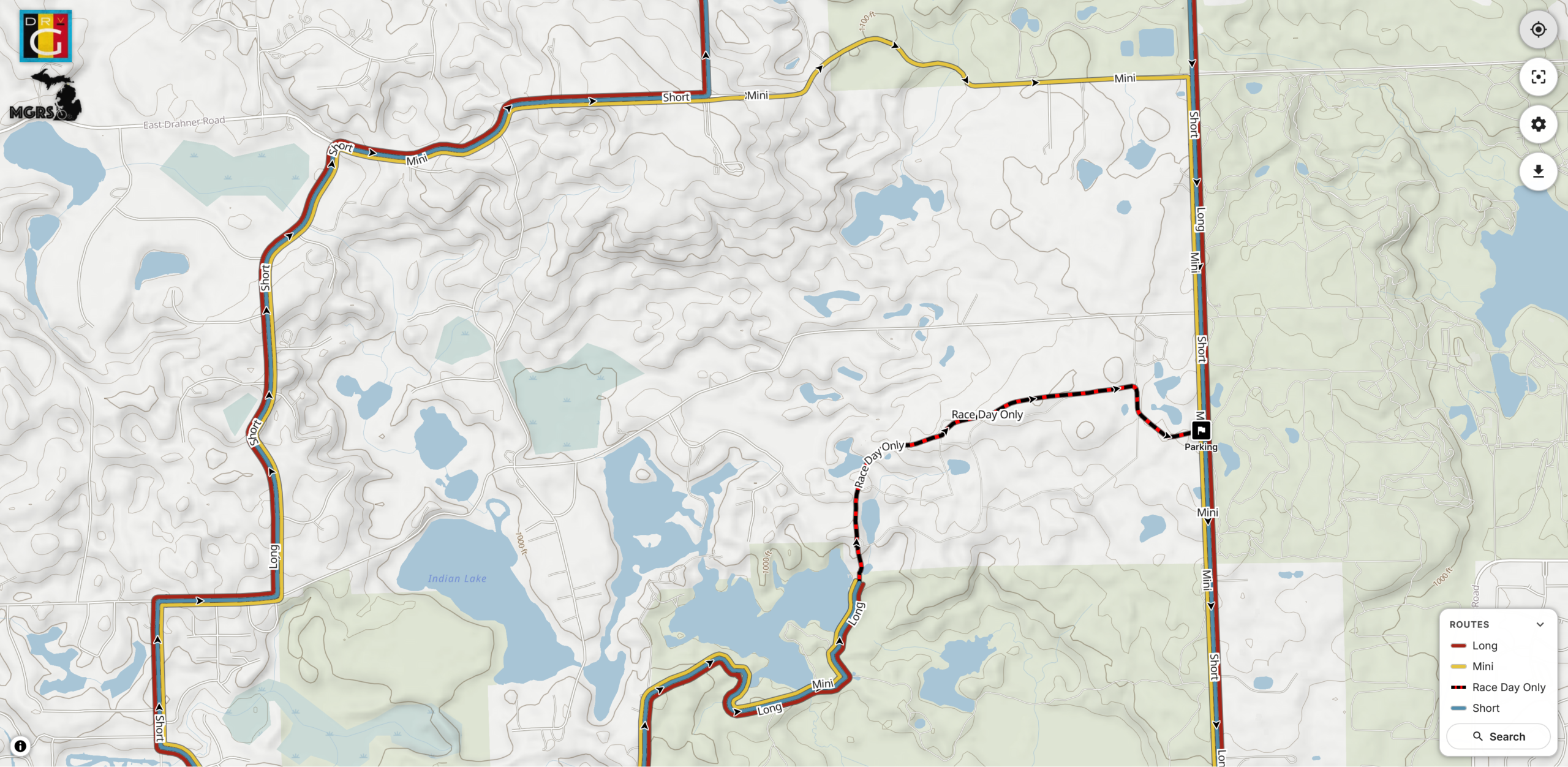
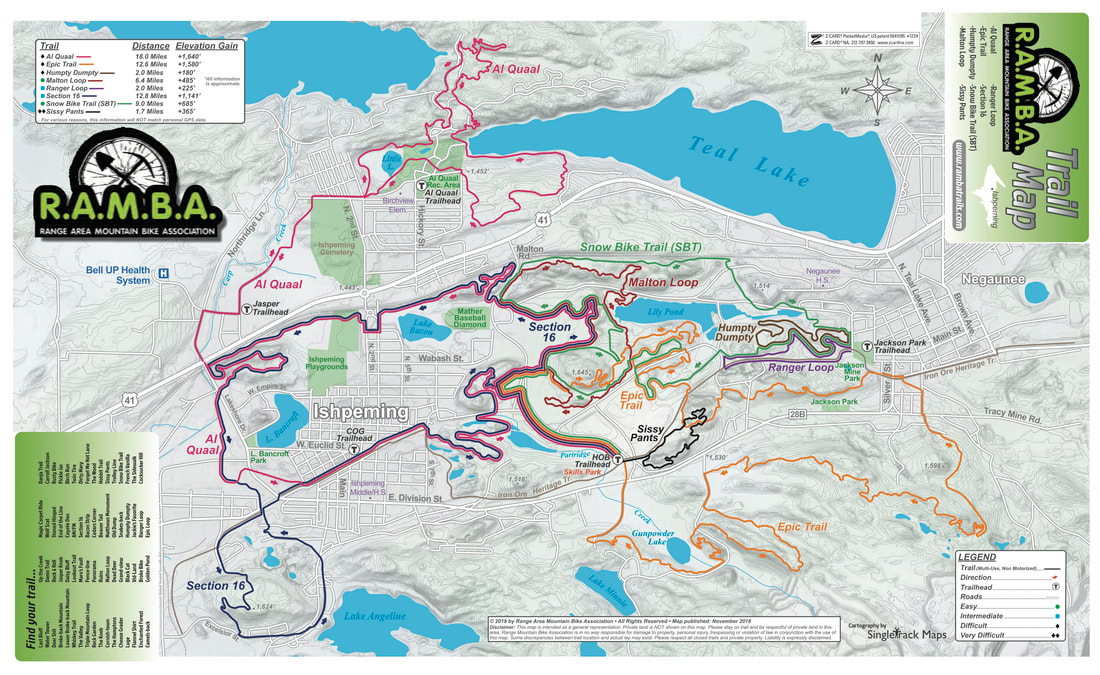
The old (outdated) print RAMBA map was the inspiration for the parallel lines/lanes (public transit-style) maps on trailmaps.app. They functioned, but I wasn’t super happy with how they looked. It worked by using the built-in line-offset and bolting on a bunch of fixes at map generation time. This looked… mostly okay… but fell apart at complex intersections and had lots of back-and-forth transitions.
I realized that a better way to do this would be via a plugin for MapLibre GL JS which calculates and draws these routes as zoom changes. It turns out there are papers from 2018-2021 about software called LOOM (Line-Ordering Optimized Maps: 1, 2, 3, 4) and a reference implementation which did basically what I wanted, but standalone, and with the intention of transit maps themselves.
So, a few weeks ago I fired up the clanker† and set it to work implementing this, via a plugin, without using any existing code, which c0nsumer/trailmaps.app-map-generator would be able to use for drawing the lines on my maps. After a bunch of back and forth, some really interesting learning about having multiple agents (on different packages) coordinate their work and testing (a plugin + its consumer), and a late-night session to tie things up (interestingly, after riding a bunch of RAMBA trails that afternoon), it’s now live at v1.0.0: c0nsumer/maplibre-gl-lanes (and via npm).
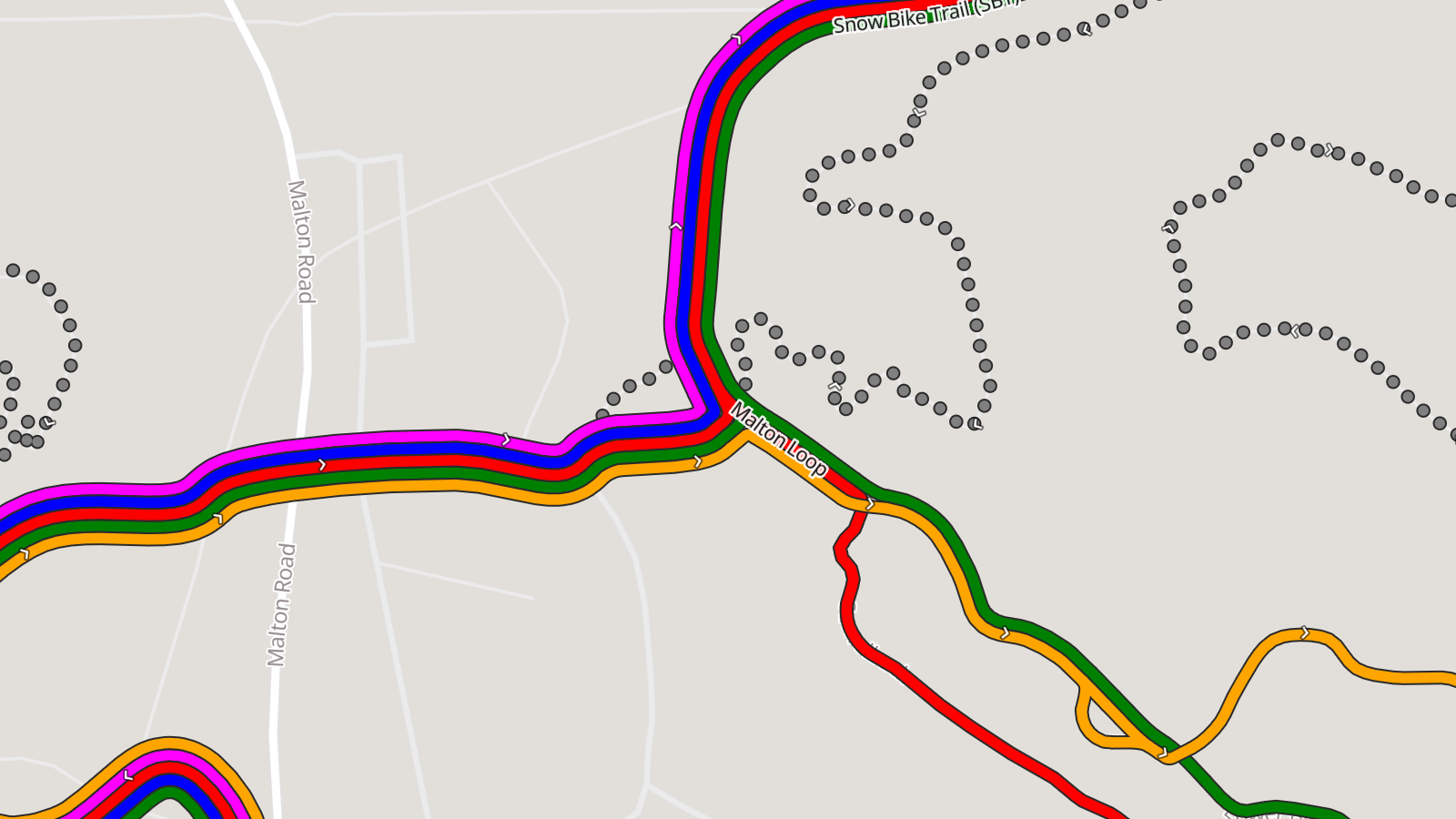
It looks particularly good on maps of routes like those for Massive Fallout and De Ronde van Grampian where there’s just 3-4 routes of varying lengths with some overlap. I can’t share those maps publicly yet, but this image shows a bit of it.
There’s also been some further tweaking to the map generator, such as not drawing the thin white lines under the trail routes, better coloring (heavily inspired by NPS Park Tiles), showing swamps and railroads, which have helped make things even better, but the bulk of the improvement is from this plugin.
More to come on map improvements, including possibly adding a color-by-difficulty option for trail systems that only color/designate their trails this way (eg: Copper Harbor, NTN), but that’s all going to take some planning and thinking.
† A laptop that I use for running Claude, accessed via SSH. I should probably write something up about this later…
So, after a week I had to revise this post substantially. Originally it was talking about how the bogons list contains private addresses and how in OPNSense this caused problems with using a private network ranged router (like the aforementioned GL-MT3000) as a WAN link caused problems. But then on a quiet Saturday morning a week later I went to reproduce the problem, gather data, and fix it, and… I can’t. So I’m just going to chalk that situation up to me being tired/stressed due to the lengthy power failure or maybe something getting weird/munged/misaligned rule-wise and a tidy-up sorting it out.
I don’t like it, but that happens sometimes. (Get something wrong, go to reproduce, doesn’t work…) What annoys me is went back and forth so many times when it happened that thought I had it right.
But, at least it’s working now, with nothing to fix.
Anyway, here’s the revised post without the now-known-false claims:
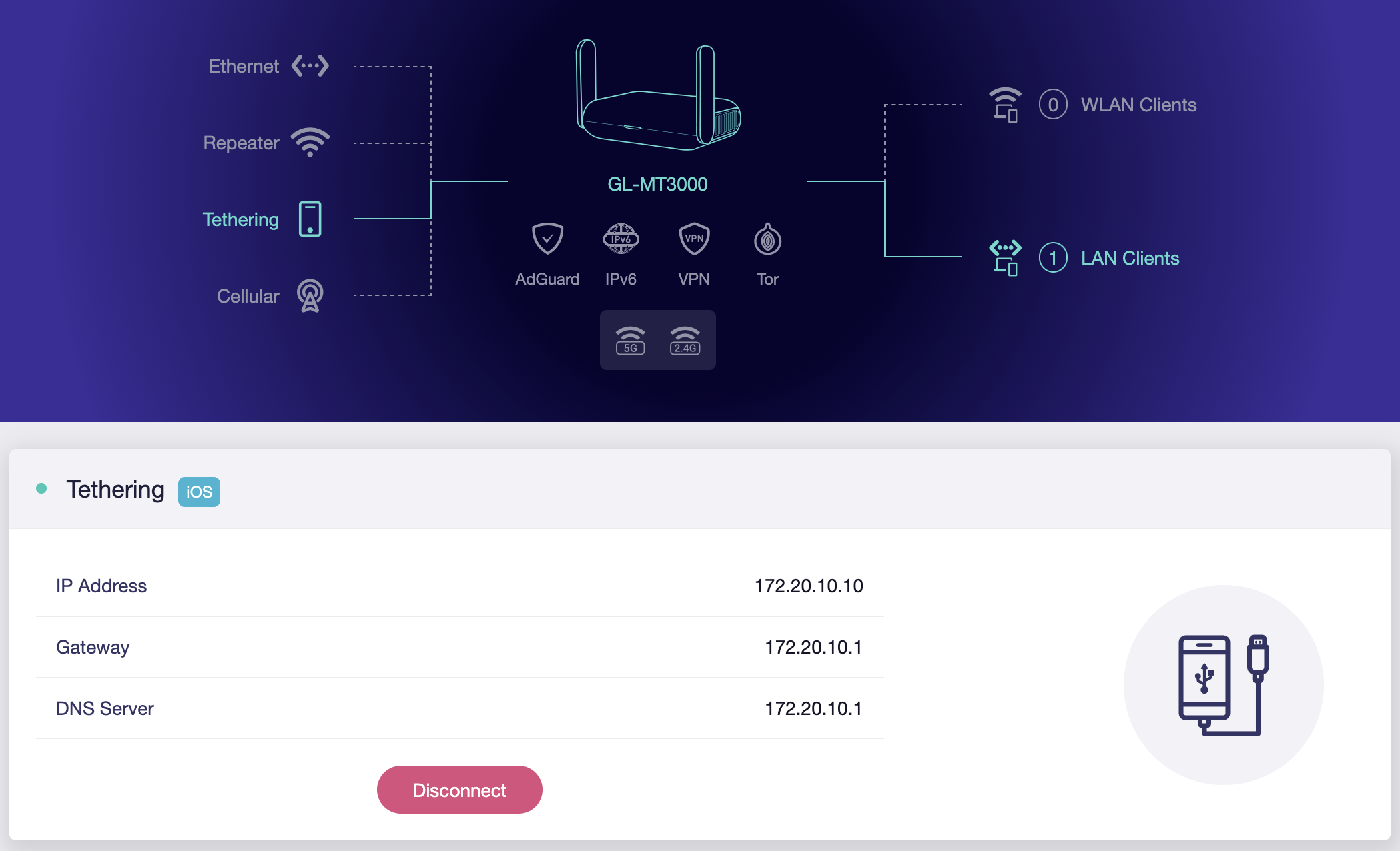
After a severe round of early September storms here in Southeast Michigan we’re in the midst of a multi-day power-and-internet outage. While mobile hot spots were kinda working, it was also a pain not having the normal network up, especially as I troubleshot why some Home Assistant devices didn’t come back online. So I set out to up our normal network with a tethered mobile phone as its public internet link instead of the cable modem.
This was super-easy to do, in general, using the aforementioned GL-MT3000 reset to defaults†, connected to an iPhone, in basic router mode, and plugged into the WAN port of my OPNsense router (replacing the cable modem). I did this instead of connecting the iPhone directly because OPNsense doesn’t have all the drivers needed loaded by default — changes I didn’t want to make for a temporary solution — and the router is down in the basement where cell phone signal isn’t quite as good.
While I considered setting up multi-WAN with failover mode, this is a really rare occurrence, and I won’t be keeping the phone connected after Wide Open West comes back online, so replacing the cable modem was much cleaner and simpler.
† Thanks to the lovely brownout, my GL-MT3000 would no longer boot. I had to use the Debrick via Uboot process to get it working again. Fortunately it wasn’t actually-dead. And now I’ll have to put back the IPv6 tunnel stuff… But at least that’s documented.
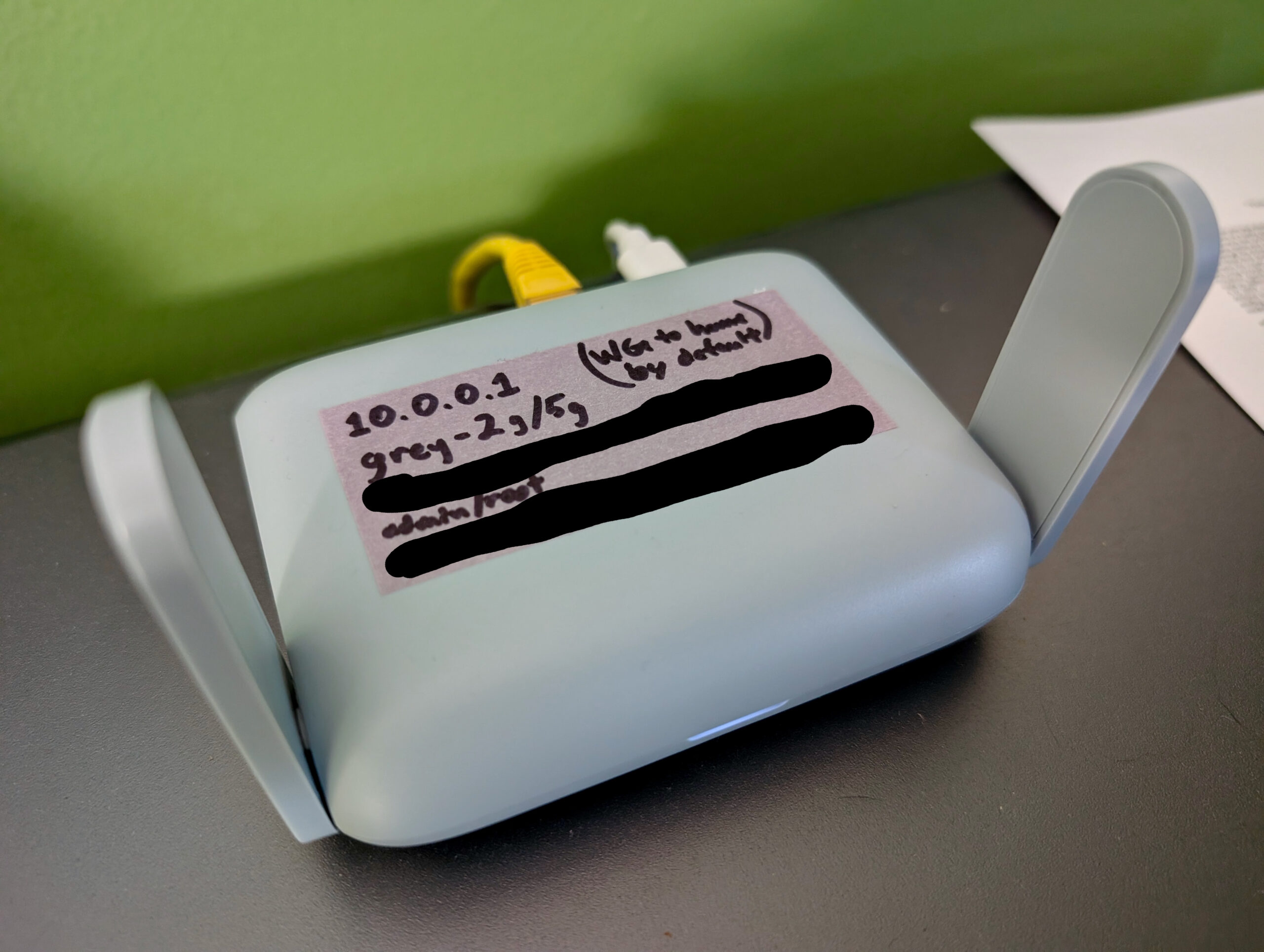
GL.iNet Beryl AX (GL-MT3000) as a dual-stack network access point.
I’ve been doing some day job stuff where I need to test a device from a full dual stack (IPv4 and IPv6) residential network connection, but our house has Wide Open West service which is unfortunately only IPv4. While there are a bunch of ways to tunnel the IPv6 half of a connection out to the internet (eg: tunnelbroker.net and my OPNsense router) I’ve previously had issues with path asymmetry (IPv4 going one route, IPv6 going another) making things… quirky… so I didn’t want to do that. I wanted a real dual stack connection but didn’t want to bring another ISP into the house.
I have a GL.iNet Beryl AX (GL-MT3000) “travel router” that I keep around as a just-in-case piece of hardware. They are super useful for if something happens to the main network, I want a VPN gateway for all devices when traveling, or experimentation and testing.
Well, here we are, testing time, and it’s an (almost) perfect platform for building a custom network with full dual stack support that tunnels out via another host with appropriate connectivity; essentially a VPN.
Along the way I ran into a little wrinkle where, after getting the tunnel and everything up, IPv6 didn’t work. It turns out that the firmware on there (not sure if it’s vendor specific, or standard for OpenWRT) enables NAT (IP masquerading) for IPv6 with no control to turn it off. Troubleshooting this took a bit, and a script was developed to ensure the setting stuck across reboots.
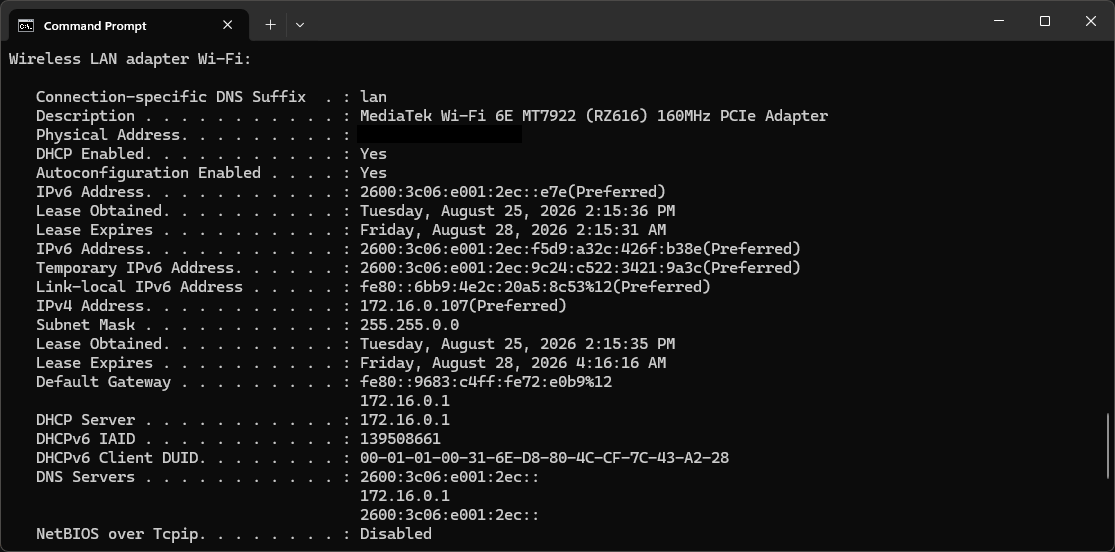
ipconfig /all output showing full dual stack connectivity.
After that, it all just worked. I connect to the device’s wireless network and have a full dual stack network, which allowed me to test what was needed. I’ve been working from this connection for a month and it’s fast enough to be indistinguishable from my home connection, yet provides the extra IPv6 stuff I needed to solve a problem. Beyond IPv6, the only real difference between it and my home connection is that it appears to be in Chicago, and I have to pay $5/mo for the VM and am limited to 1000GB of network traffic. That’s both cheap enough to not care about and plenty of traffic.
These are basically my notes for doing this again in case I have to set such a thing up in the future. The only real important parts are stepping around the IPv6 Masquerade stuff and the script to persist this setting, but I added the other pieces so it’d be more useful in a year or three when I next need to do this but have completely forgotten about it.
And yes, AI tools were used to troubleshoot the why-didn’t-IPv6-work part of this. (Which was very welcome, because I had the dual stack tunnel working from a Windows box with the official Wireguard client. Figuring out why it wasn’t working on the GL-MT3000 was a bit of a pain.)
After learning that Chroma is how Caddy renders Markdown into HTML, I started thinking it’d be neat to use Chroma to do viewing with styling/syntax highlighting of any supported files that I share/archive at nuxx.net/files.
As I began investigating this, thinking that I’d have to do some sort of server-side rendering fed back to the webserver, it turned out there is a great hack that made it a lot simpler: Use the built-in Markdown support to render a code block (only) with the contents of each file.
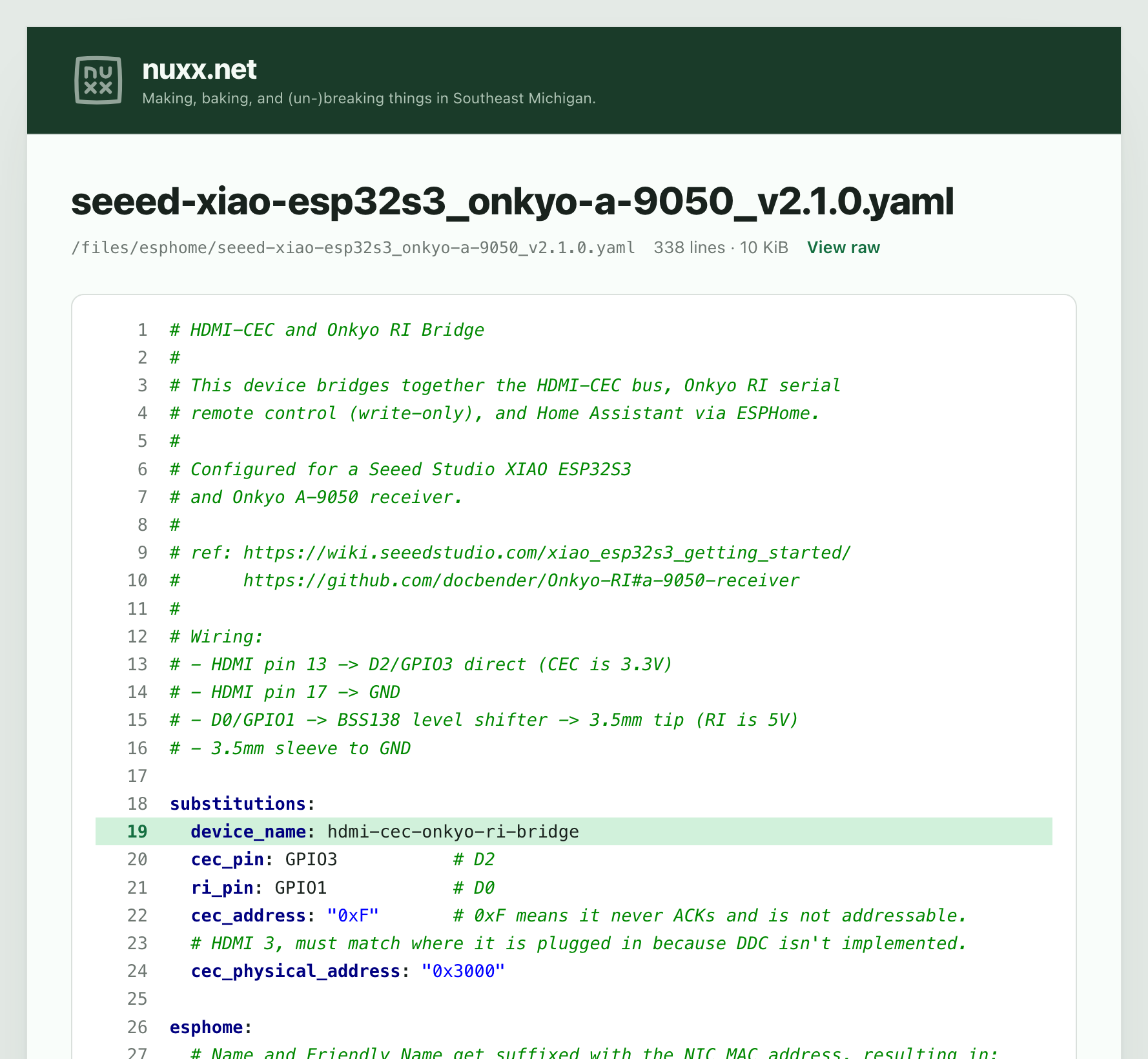
I’m impressed with how this worked out. With some Caddyfile changes to call this, an updated custom file browser, and the HTML template (yes, all AI-assisted development — it came up with this hack) supported files in my archive get a nice VIEW button next to them which opens them in the viewer, or I can link directly to them with a ?viewer argument. Adding an hl= argument will (eg: hl=19 or hl=10-15 or some comma-separated combination thereof) will highlight individual lines. The screenshot above is from this URL: https://nuxx.net/files/esphome/seeed-xiao-esp32s3_onkyo-a-9050_v2.1.0.yaml?viewer&hl=19
This viewer is capped to 1MB files (larger just send the raw file as clicking/direct linking do) and hl is limited to 100 characters, but this should suffice.
Oh yeah, so the how? Well, it’s all balled up with a whole bunch of CSS and site-specific stuff that I really don’t feel like stripping out to use as an example. And I don’t want an AI-generated how-to… so I guess all you get is the knowledge that this can be done and an example of it in practice. Hopefully that’s enough to feed to your agent and see how it can be implemented for you?
A bit of an aside, but as someone who remains quite skeptical of claims of what “AI” can do, I recognize and appreciate the power of LLMs for software development and troubleshooting. Being comfortable with such tools has made it much easier to get stuff done in my personal computer-hobby and day-job work time. Basically, I find that if I understand the inputs, the desired output (the goal), can describe the problem or task to be done, and can check things along the way, with a bit of guidance LLMs are great at filling in the time-sucking middle. This post from geohot really resonates with me and I suggest reading it the other posts/articles it links to: I love LLMs, I hate hype.
Chip, laying on Kristen’s lap, in the living room.
A couple years after putting together the HDMI-CEC to Onkyo RI Bridge I decided to give it a bit of an update and subtle name change. There were a couple problems that I wanted to fix:
Occasionally, usually in the middle of the night, the Home Assistant automation keying off of the Apple TV waking up would turn on the lights in the living room. The Apple TV seemed to wake a little bit for a firmware check, and a false positive in my HDMI-CEC watcher would trigger on this, turning on the lights and receiver.
Onkyo receivers also send data out the RI port, but I hadn’t tested receiving data from a device.
The name was also changed from “HDMI-CEC to Onkyo RI” to “HDMI-CEC and Onkyo RI” to better reflect that this bridges these two separate things into Home Assistant (HA). Originally I had the device itself turning the receiver on (via RI) after hearing a certain CEC command (no HA needed), but for flexibility I moved this logic into HA. The name change reflects that it doesn’t do the bridging itself and is really two separate functions that just happen to run on the same ESPHome device.
To handle this I broke it down into a few pieces:
Fix/update/resubmit the Onkyo RI support in ESPHome.
Refine what HDMI-CEC commands are considered to be the Apple TV waking up.
Rewrite/improve the ESPHome YAML.
Update Home Assistant (HA) to use these new features.
Again, leaning hard on an AI coding assistant† I started with building an HDMI-CEC sniffer in ESPHome, collecting a few days of traffic on the CEC bus, and built a good understanding of what the communication actually looks like.
The HDMI-CEC sniffer is here: sniffer.yaml (Note: Completely AI generated test code.)
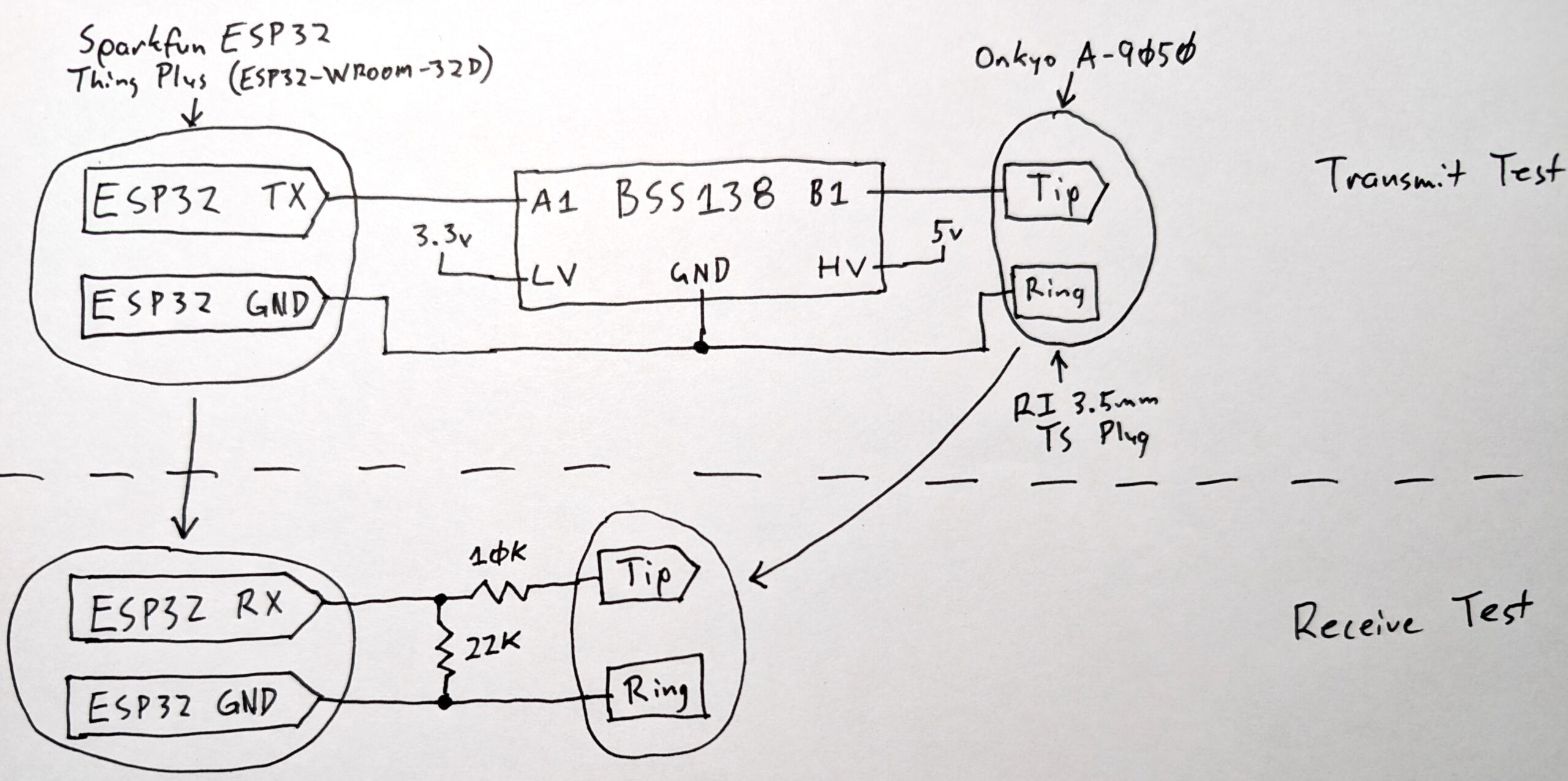
Next I worked with the agent to modernize my previous ESPHome Onkyo RI code for the current version of the platform, tested it in send and receive configurations, and submitted a new PR (#18585). This PR is much more robust than the last one, even including a hand-drawn schematic showing my hardware test setup. I intentionally did this using AI as a programming partner, leaning on it for code logic and consistency and testing, but doing the architecting and validation and and git/GitHub stuff by hand.
Test Transmit and Receive hardware for Onkyo RI integration in ESPHome.
Along the way I took a detour to inspect all commands that came out of the RI port when pressing the buttons on the RC-830S remote that came with the A-9050 receiver. Unfortunately, what I realized is that RI is more complicated than just a remote control command. I thought the RI port might re-transmit what the remote sends, but I was very wrong.
As (in hindsight is obvious), RI is an inter-device protocol for managing a home theater system. The remote is meant to talk to individual device. Supported (in function and expectation) by the RI mode switches in the back, parts of the remote might only trigger RI signals when certain inputs are selected, inputs might vary (or not cause) RI output, or surprisingly some buttons don’t cause anything to be sent. Or others work the same all the time.
Having set out to only update my current hardware to work better, I opted to not add any read-RI-into-HA stuff for now. There’d be a lot of complexity to unwind before it’d be usable, and I don’t have good use for it, so I dropped the idea. But at least the software support is there and tested.
(You can download the Onkyo RI transmit and receive tests for ESPHome here: ri-transmit-test.yaml / ri-receive-test.yaml. Disclaimer: These are both completely AI generated development test harnesses.)
With these two pieces — new understanding of HDMI-CEC and a freshened-up Onkyo RI component — I was then able to build a new config for the Seeed Studio XIAO ESP32S3-based hardware I already have in place. And along the way a previous bug I’d encountered with Over-The-Air (OTA) updates to ESPHome failing on this module got fixed, which is a nice side effect. Now it’ll be much easier to try out changes.
I’m pretty happy with this. The result is an expanded/modernized device that nicely communicates with modern (HDMI-CEC) and old (Onkyo RI serial port) home entertainment stuff, logically coupled together with ESPHome and Home Assistant. There’s modern code for RI in HA, and while the PR is still waiting to be merged, I’m hopeful. Going off the test results and AI feedback on the code quality I’m much more hopeful this time.
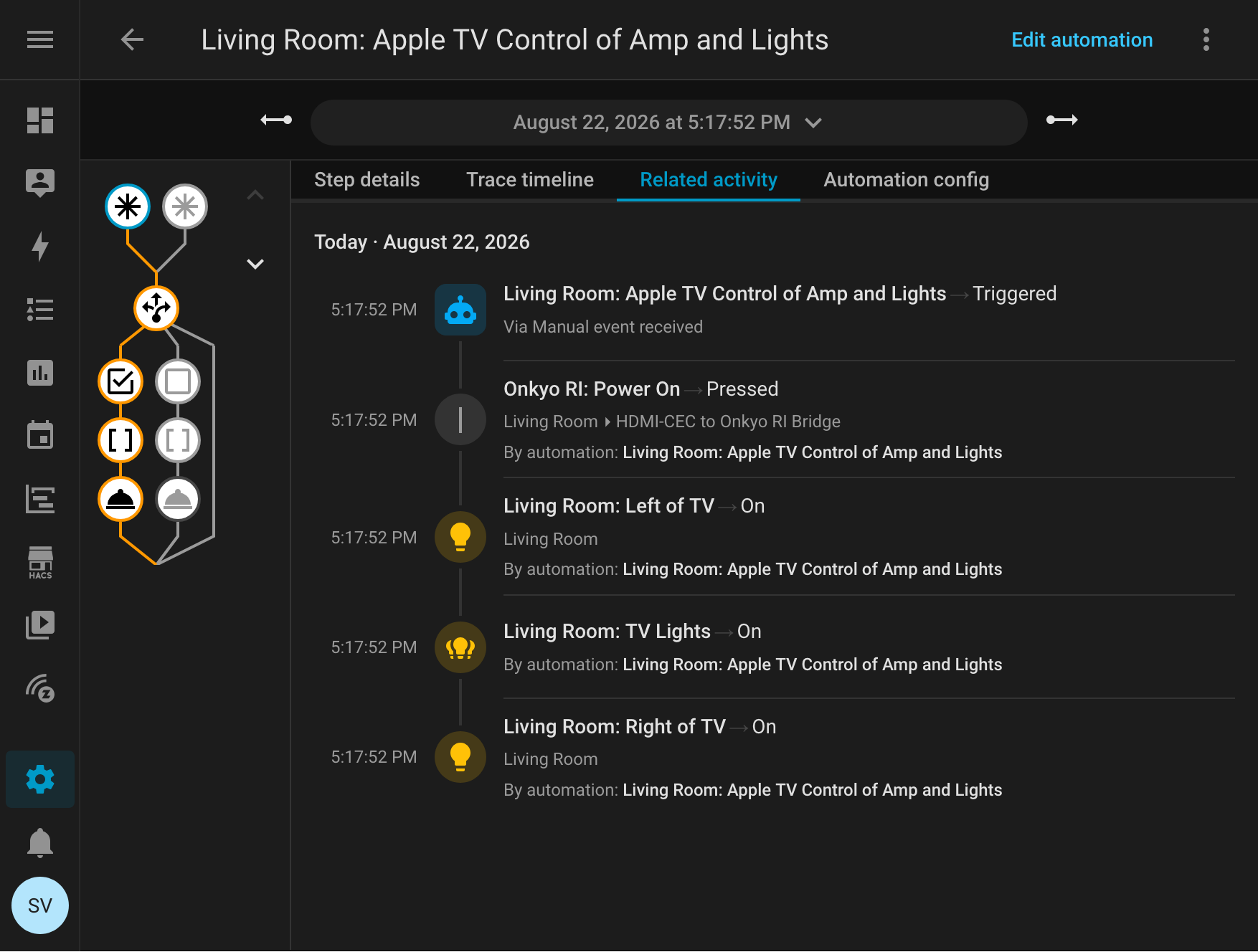
Home Assistant turning on the Onkyo RI receiver and living room light grouping after receiving an HDMI-CEC event.
Currently the typical usage flow is:
Push button on Apple TV to wake it.
Apple TV wakes Vizio TV.
ESPHome sees this happen via HDMI-CEC and informs Home Assistant.
Home Assistant turns on the receiver via Onkyo RI and some lights.
Then later, when the Apple TV goes to sleep (automatic or manual), ESPHome sees this, notifies HA, and an inverse flow happens.
In the future I might begin looking at waking or sleeping the system remotely by sending HDMI-CEC commands. This eluded me before, but with some automated analysis of traffic on the CEC bus, I might be able to make it happen. Maybe it’d be nice to have the system wake up remotely, perhaps as part of a lets-watch-TV automation? Even if I don’t do this in the end, it would at least be nice to know how…
I might also look at ingesting commands sent out by RI, but this goes beyond the receive-only test and will both require new hardware on the ESP32 side (to handle send and receive on the same pair of wires) and digging into the RI complexity, so… probably less likely.
Using This in Home Assistant
With the HDMI-CEC triggers for the logic being in Home Assistant, and as part of handling the random wakes (receiver/lights turning on), I needed tighter triggers in Home Assistant. Here’s what’s now used used, specific CEC frames:
Specifically, this looks for CEC frames that are from source 4 (the Apple TV, a playback device).
The system_on event is the Active Source opcode (82), from physical address 5.0.0.0 (50:00) or the Apple TV’s HDMI port. Or, otherwise stated, a playback device set itself as the active source of content, and is connected to port 5.
The system_off event is the Report Power Status opcode (90), with Standby power status (01): the same playback device went into standby.
This works for my setup, but be aware that it might not work for you.
With things plugged in differently, or possibly with different devices, different addresses are likely needed. For example, if I added another playback device and added it the source could change. If plugged into a different port, the physical address (payload) of the Apple TV would change from 5.0.0.0.
To use this yourself you’ll want to inspect the HDMI-CEC frames (look at turning logger level: to DEBUG) and using esphome logs) to see what’s on your bus before writing the automation. LLMs (AI) are really good at helping with this kind of protocol analysis.
† Claude Opus 5. Even though it’s the results that matter, part of me still feels compelled to mention every time I use AI tools to develop something. Yet I don’t mention using search engines, IDEs, compilers, etc… And yes, this entire blog post, comments in the main ESPHome YAML, and the PR was written by hand, just by me.
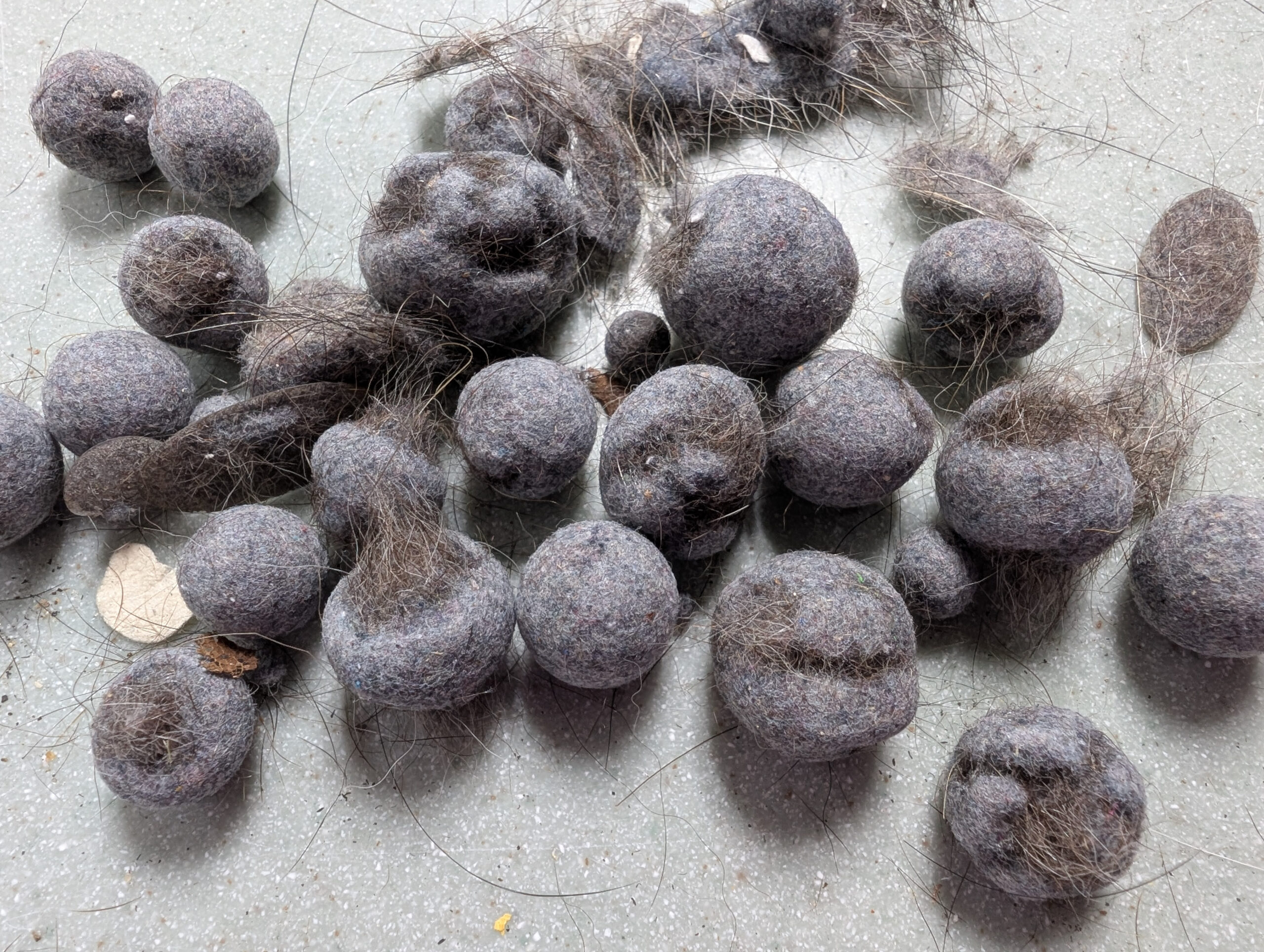
Balls of lint and (dog?) hair that developed inside the plastic paddles in our dryer.
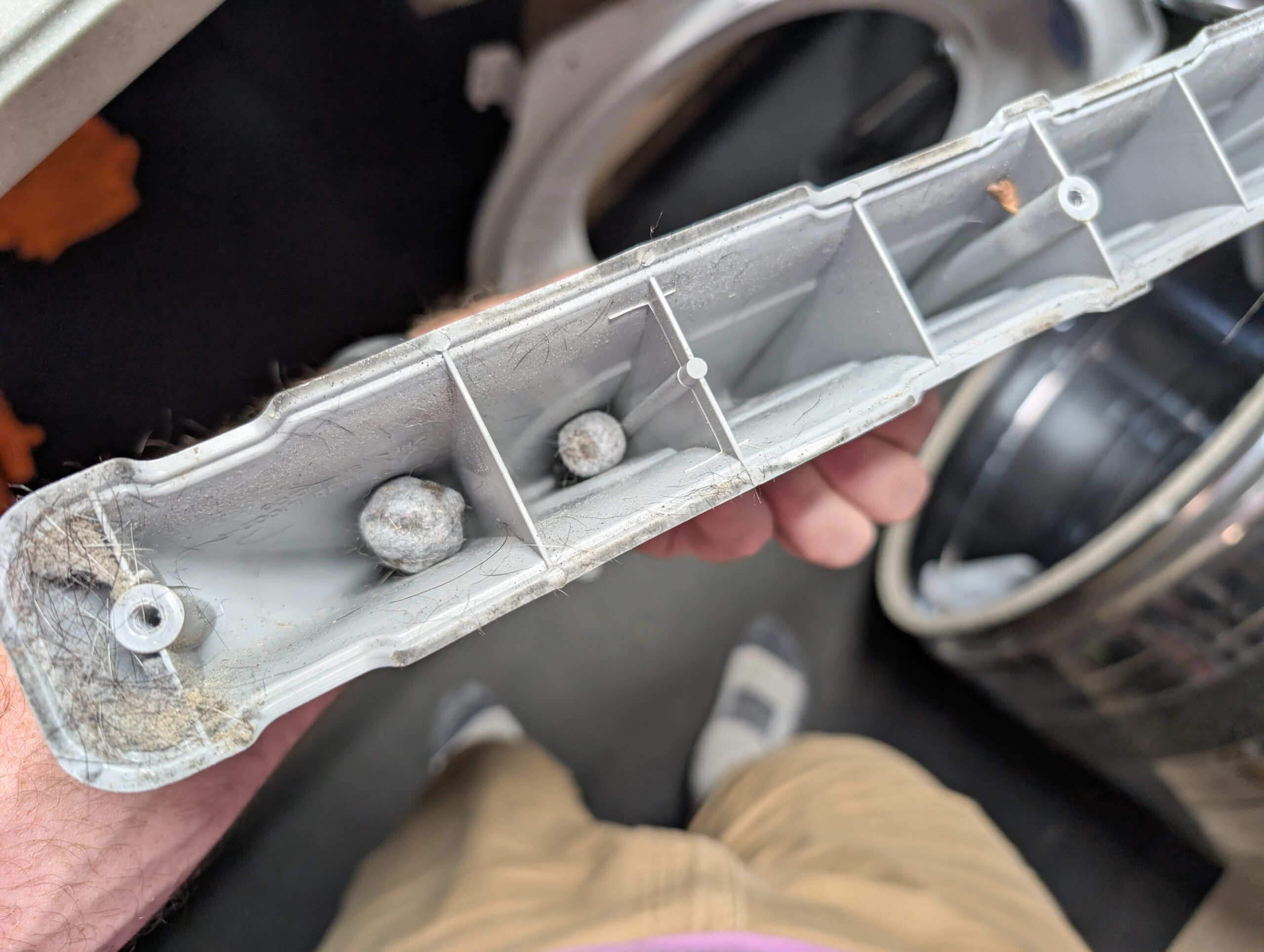
A few days ago our dryer began making some new rattling noises when running, so I took it apart to clean and repair† it. In the process I removed the plastic paddles from the inside of the drum, as I’d previously bobby pins stuck behind them, so I figured I’d clean them out as well.
Pellets where they formed inside the dryer drum paddles.
Inside of most compartments of the paddles were these gumball-sized formed pellets of lint and hair; a sort-of felted pom-poms. I find them fascinating — and a little bit gross — as they slowly built up over time from what’s otherwise just dust. (I imagine there’s some fabric softener and skin oil in there as well, functioning a binder to help hold it all together.)
I can’t help but be reminded of “Stan’s Boogers” or “Stanimals” that build up inside of some tubeless bicycle tires as the solids in the sealant come out of suspension, stick together, and tumble around. But instead of being latex lumps they are people and clothing residue that’s been building up since the dryer was bought, before we owned the house, back in… 2015 or so (if I remember the date stamp correctly).
† The dryer needed a new set of rollers, as the ones I installed in early 2023 had already begun binding, causing the drum to skip and vibrate while turning. I also replaced the belt for good measure, since that wasn’t done before. Thankfully a whole roller + belt + idler arm/pulley kit can be purchased via Amazon for ~$34, shipped overnight. The repair is overall easy, it just takes a couple hours disassemble the dryer, vacuum it all out, and put it back together.
I previously had replaced only the rollers, greasing the axles with a provided white lithium grease. This time the kit came with new axles as well, so I replaced the entire assemblies, lubricating the roller bushings and axles with Dri Slide Bike Aid, a super-nice molybdenum disulfide (“moly”) dry lubricant (after the carrier evaporates). This both made the wheels spin super-smooth and should resist collecting dust/lint/hair and hopefully make the new set of rollers last longer.
I like troubleshooting things. It’s basically what I do at my day job, and I’m kinda good at it. Sometimes I’m asked for illustrations of how I troubleshoot stuff, so I’m sharing this example of figuring out a noise on my Pivot Trail 429‘s cassette that cropped up yesterday when riding at Poto with some friends.
I visualize this sort of troubleshooting as being shaped like a funnel. At first everything’s really broad and big and open, but with each step I (hope to) narrow things further and further until the potential is super narrow and pointing at the actual problem.
When riding last night the noise started out sounding like a shifting problem. I didn’t feel it in the pedals (so it wasn’t ghost shifting), but it was an irritating click noise that seemed to only happen in my most frequently used gear. So, I kept riding, gathering a bit of data, so I could solve it later. Here’s the whole process broken down by question and finding.
Q: What gear does this happen in? A: Only the fourth from the largest cog. Clues: Something might be wrong with this cog. Since it doesn’t affect other gears, it’s probably not cable tension (this affects shifting across all cogs). It could be a bent derailleur hanger, but this is a plastic UDH, and the problem didn’t happen when I last rode the bike in June, so it’s probably not that.
The next day I put the bike in the work stand in the basement and got to looking at the problem.
Q: Where is the noise coming from? A: Cassette/chain. Clue: This means it’s probably not a jockey wheel / derailleur issue.
Q: Does the problem cog have an even or odd number of teeth? A: Even. Note: With an even-toothed cog, teeth always align with inner/outer plates on each revolution. With odd-toothed cogs, they alternate. Therefore on an even-toothed cog you may need to shift around the cassette and back before the issue will reproduce.
Q: Pedaling gently — forward and backward — and looking at the chain, does it jump or skip? A: No. Clue: This means it’s probably not a chain / stuck link problem. (Note that this chain is waxed, and it is a mountain bike, so after damp rides stuck links and corrosion can set in quickly.)
Q: When slowly pedaling backwards, does the noise happen? A: No. Clue: Must be pedaled forward to repro. This points further to a tooth issue.
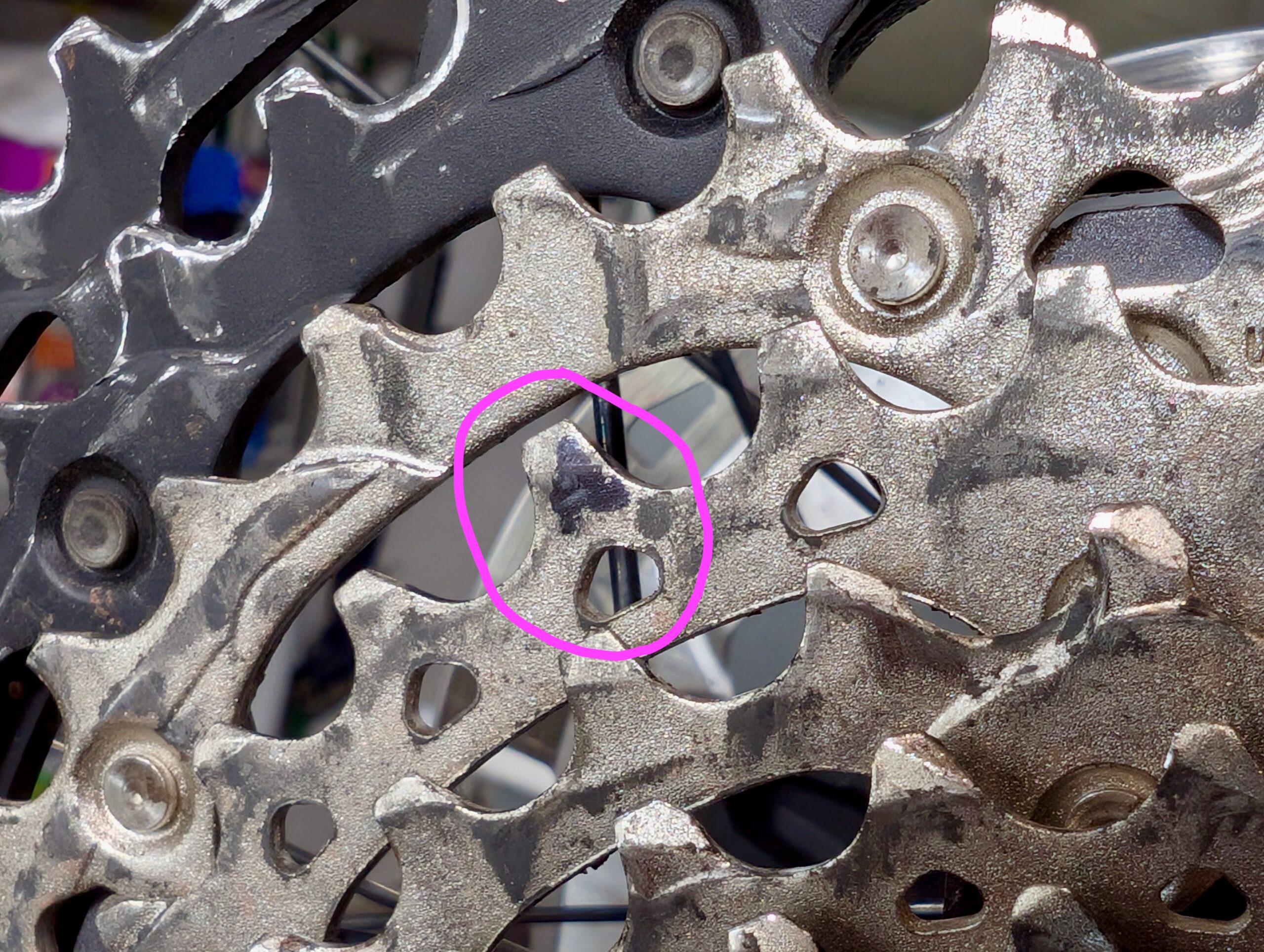
Q: Slowly pedal forward, watching the chain links as they mesh with the cassette. Did this happen at a particular tooth? A: Yes. Mark it with a sharpie. Clue: Great! Now we know exactly which tooth. This could be the problem…
Q: Does it happen only when that tooth is meshing with an inner or outer plate? A: Yes, inner. Clue: This tells me the tooth might be catching on the narrower plate.
Q: Shift a few rings down the cassette to get the chain out of the way, then inspect and feel tooth for barbs/damage. A: None found. Clue: Could be a bent/misaligned tooth. If barb/burr/damage was found, that could cause the catching/noise.
Q: Using a straight-edge and your eyes, see if the overall cog is bent at this point. A: Doesn’t seem to be. But tip of tooth does look a little bit out of line with the others. Clue: Tooth could have become slightly bent… This can happen with mis-shifts, debris, etc.
Action: Use a flat blade screwdriver braced against the inner part of the smaller cog to gently nudge the tip of this tooth inboard. (Not even enough to be visible.)
Q: Shifting back to this cog, then shifting around a bunch, can the issue be reproduced anymore? A: Nope! Seems like this sorted it out.
And… that’s it. Of course the issue shouldn’t be considered completely solved until after a test ride, but a simple change eliminating a noise is promising.
Triad Hydrophilic Wound Dressing, Vashe Wound Solution OTC, and bandages.
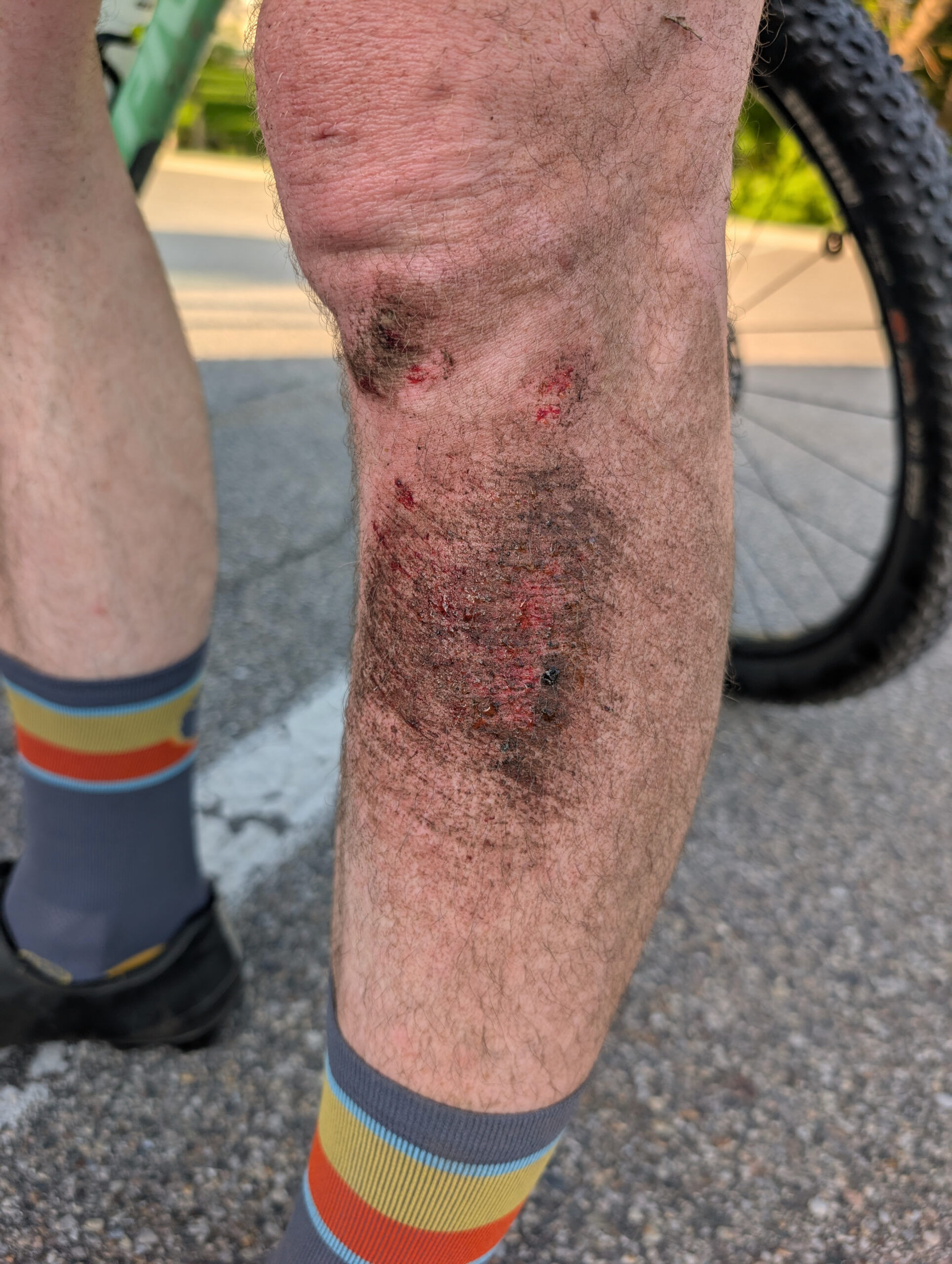
As much as I try to avoid them, I’m unfortunately familiar with the bumps and scrapes that come with mountain biking; typically minor injuries from brushing a tree of or falling over in the dirt. A few weeks back when riding at River Bends on a far-too-worn-out tire and working on faster, flat cornering, I ended up sliding out, falling over, and scraping the front / outer-side of my left shin / calf on some hard-packed sand.
This wouldn’t have been notable at all, except it was a bit deeper than normal and thus had difficulty figuring out how to treat it. I subsequently got a (likely staph) infection that made it much more painful, and took a lot longer to heal, than a normal abrasion / road rash. Thus this post, wherein I document what went wrong, what went (very) right in healing it up, and what I intend to do next time.
What Went Right
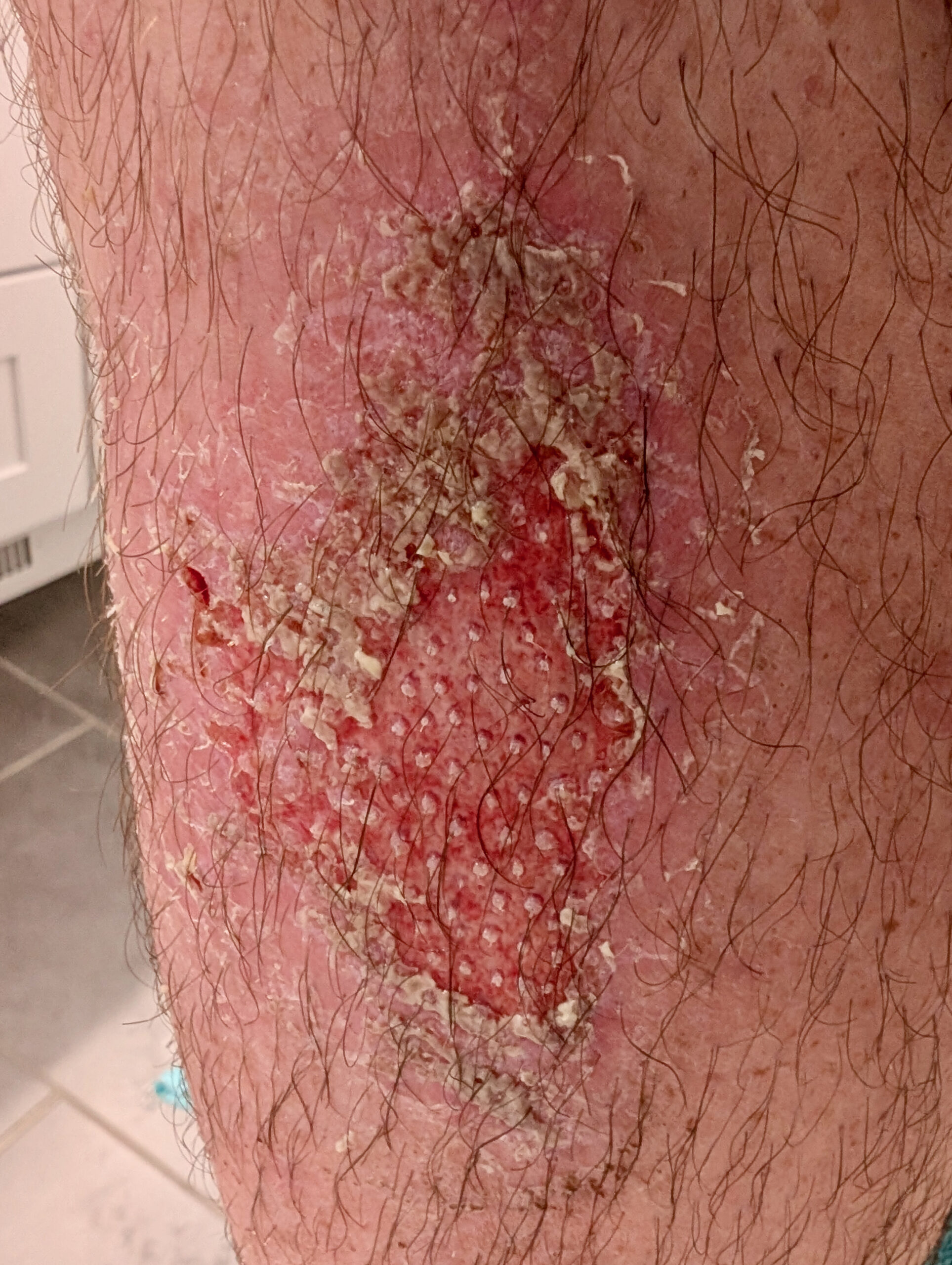
My shin, nicely healing and on the mend.
After a week of getting worse, and a few days of constant stinging pain that even interfered with sleep, I went to urgent care because I was concerned it was getting infected. The nurse practitioner agreed that it seemed infected and prescribed cephalexin (oral) and mupirocin (topical) antibiotics. Beginning to take these cleared up the infection and allowed healing to begin.
A riding friend who noticed the bandage, and whose spouse works in wound care in an ER, had dealt with a much-worse leg injury in the past, took an interest, and the two of them recommended a course of action that worked wonderfully:
Regularly clean the wound with Vashe Wound Solution OTC and a gauze pad, letting it soak for while.
Cover it with mupirocin and a non-stick pad taped in place. Replace this regularly until weeping stops.
This worked amazingly well and in about a week of Triad + breathable bandages everything was healed well enough that I no longer needed to bandage it. Three weeks after I scraped my leg — two of which were un- to counter-productive — it’s still a little pink and tender, but otherwise just looks like skin. And I’m very relieved.
What Went Wrong
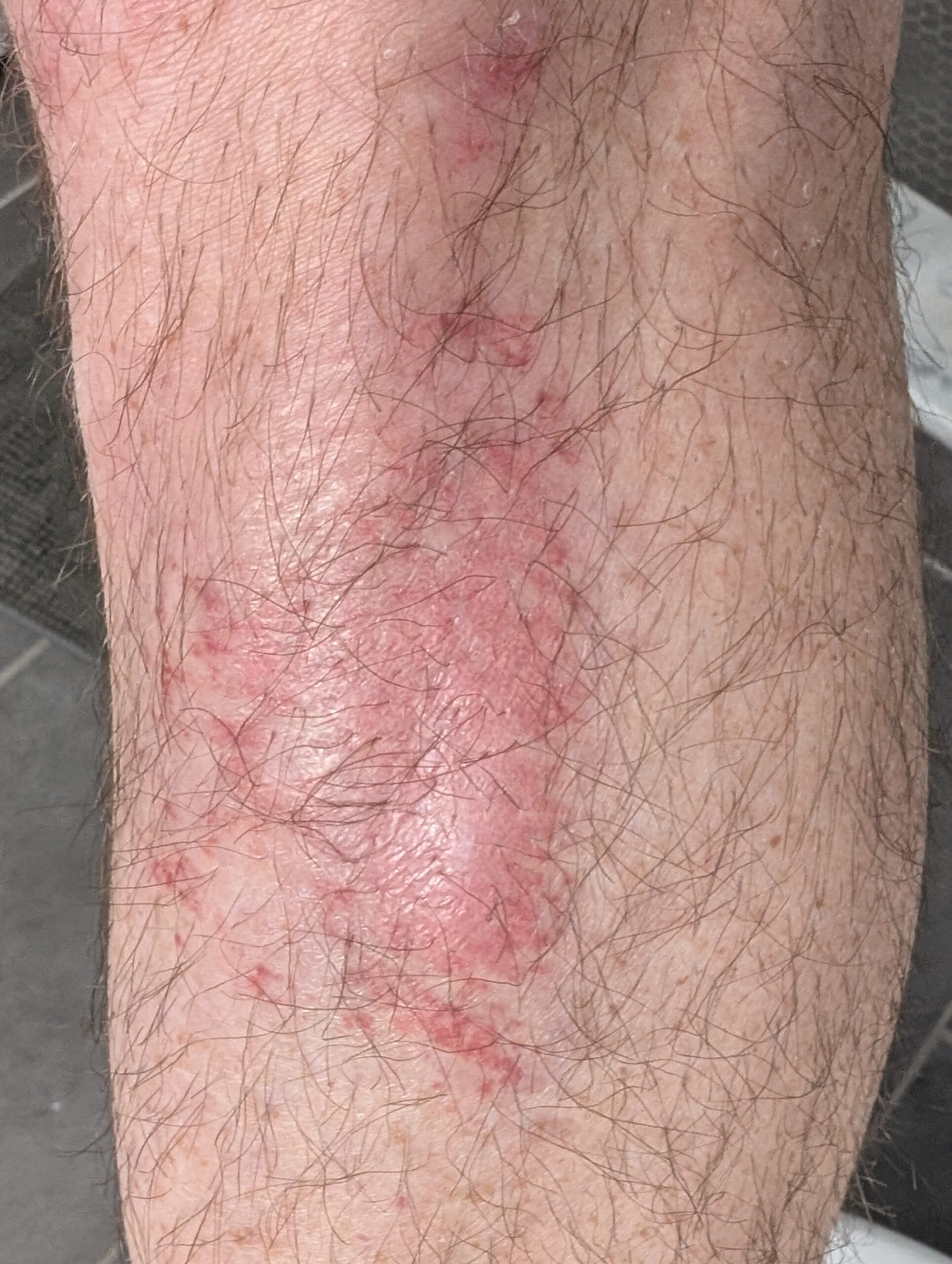
Infected left shin.
Before things went right, they went very wrong, to the point where for a three-day period it hurt constantly, akin to the washing-a-scrape-in-the-shower feeling. Ibuprofen kinda helped, but I still had difficulty sleeping and as my leg muscles would flex while standing the skin would burn and ache. While I didn’t have a fever, the infection looked scary, felt warm, and I didn’t want it to get worse.
So what shouldn’t I have done?
Incomplete Cleaning: The first night I thought I washed the wound well enough, but the next evening I found there was still dirt mixed in with the forming scab. I’m not sure if this would have been enough, but it wouldn’t have made things worse. This is where Vashe would have come in handy.
NEOSPORIN + Lidocaine: I’m not sure why this happened, but I figured NEOSPORIN + Lidocaine would help with the stinging. Instead it did the opposite; this made it burn worse and it took a few hours for the burning to go away.
Hydrocolloidal Dressing: The typical cycling recommendation for abrasions seems to be Tegaderm. Hydrocollodial dressings came recommended by some friends as working for them, so I tried applying a thicker hydrocollodial dressing + NEOSPORIN for a couple days beginning three days after the injury. I don’t believe this caused the infection, but I also don’t think it helped; this time was when the infection really set in. It clearly works for some people, but I’ll avoid it next time.
Next Time
Scraped leg after falling over in the CK Canal Loop at River Bends.
Given all this, what will I do next time?
Wash thoroughly with soap+water, then flood/wash/soak with Vashe and re-wash similarly between dressing changes.
Initially coat with a topical anti-microbial silver wound gel and cover with a non-stick pad held in place with tape.
After bleeding/significant weeping stops, switch to Triad and breathable foam bandages.