Time Machine
March 28, 2008
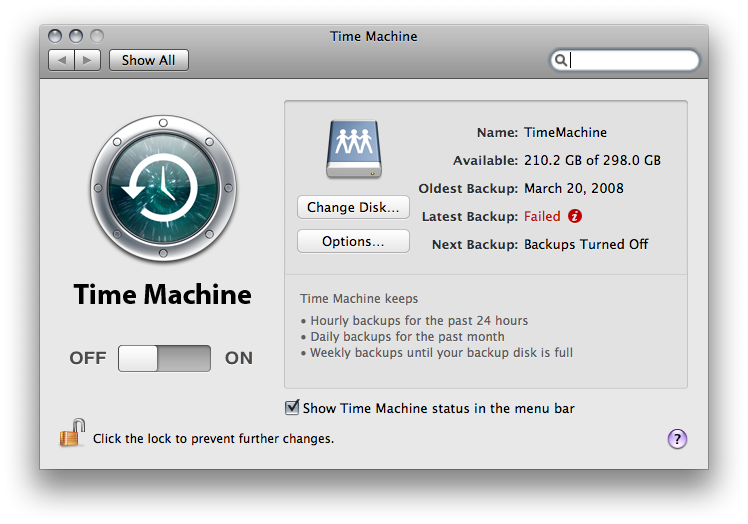
I’ve managed to break Time Machine.
How?
This morning I briefly woke my machine, ejected a flash drive, then put it back to sleep. When I came home it attempted to start a backup then declared itself broken. I think Time Machine was in the middle of mounting its sparsebundle, or something like that.
This thread suggests that DiskWarrior can be used to fix the problem. Unfortunately I don’t have a copy of it.
I guess I’ll just axe the file and let it recopy everything.
Broken time machine? Does that mean a paradox is going to rip the universe in half?
I think it might actually be the external disk I’m using on the AirPort for Time Machine. Sometime last night there was a panic:
panic(cpu0 caller 0x0031678A): "btree_swap_node: about to write corrupt node!\n"@/SourceCache/xnu/xnu1228.4.31/bsd/hfs/hfs_btree.io.c:197
It was mds that was running at the time… I’ll probably put a stop to time machine then rule out the local disks. I should probably be sure that Spotlight isn’t trying to index the Time Machine volume either.
Ugh….
mds. I love Spotlight when it works, but every once and a while it freaks out on me and chews up all my CPU cycles or does something stupid like this.Feel like filing a bug report? It’s what I would do.
I submitted the error report where I got the panic from, but I actually did away with all the other info. I don’t know if I really have enough to submit a proper report. :\
For what it’s worth, I deleted the .sparsebundle on the network volume, but it still wouldn’t back up, giving an error that the directory couldn’t be creaetd. I then took the AirPort volume, plugged it into the local box, and checked it with diskutil. It found problems with the disk which it was able to fix.
I pointed Time Machine back at the now-local volume and had it redo the backup and that worked great. I’ve since plugged it back into the AirPort and everything is working great.
Would you think that’s enough info? I’m just not sure… It does seem to have been caused by a corrupt volume, but I wonder how someone with a corrupt Airport / Time Capsule volume is realistically supposed to fix it?
Oh, and for what it’s worth, I went ahead and disabled Spotlight on that network volume. I don’t really use it anyway.
if there’s any kind of log from diskutil, then maybe…
Unless you know what the found and fixed problem was, it would be hard to know what the root cause was.