Sony KD-34XBR970
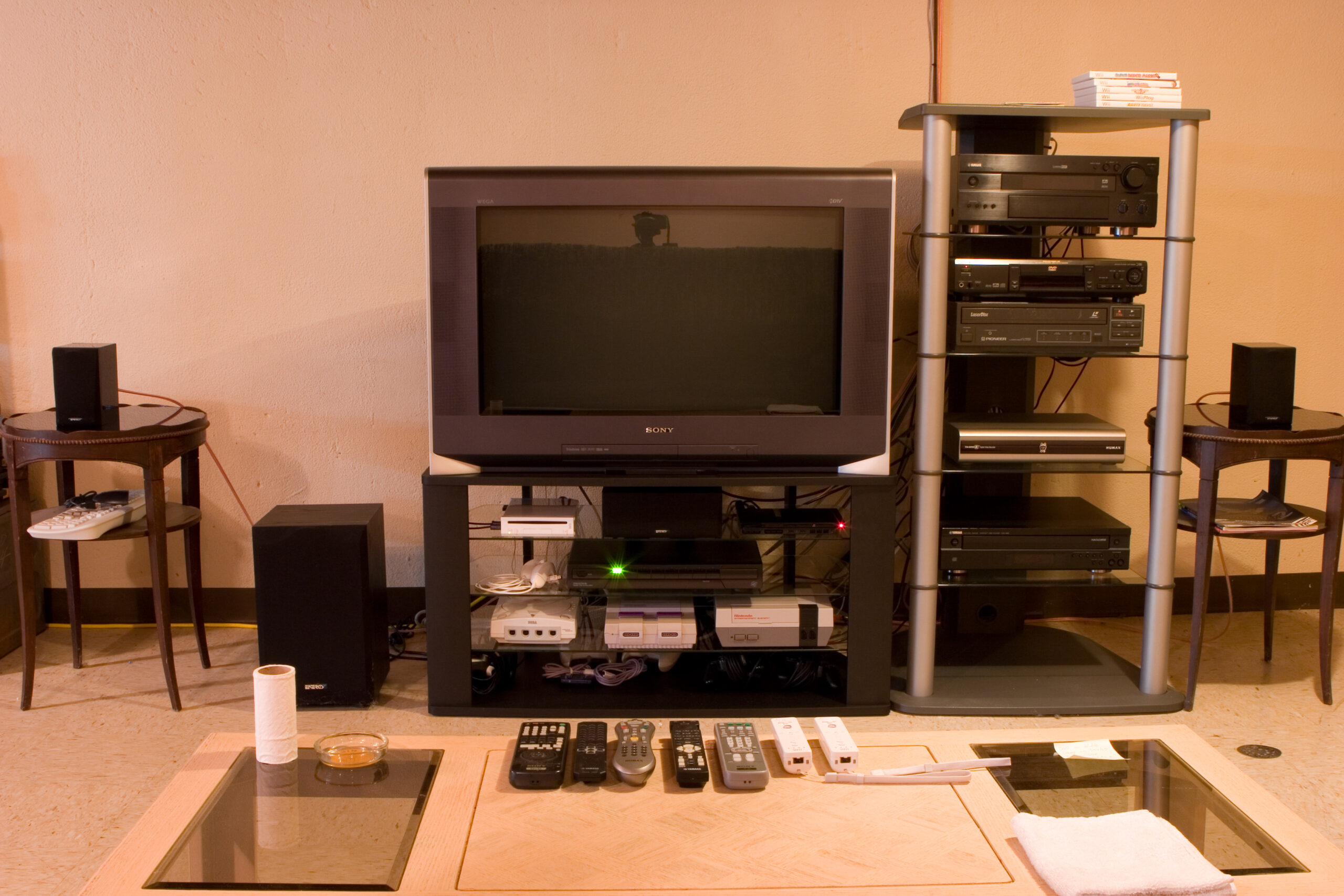 Sony KD-34XBR970 in my basement.
(Click for more…)
Earlier this month I purchased and then cancelled the order on a reasonably prices (but still $1k) LCD television, which I was going to purchase so that I could give my grandparents my TV.
Well, fast forward to Friday when Danielle and I were visiting with my grandparents (and my parents, and sister, and brother-in-law, and two doggies) at my parents house, and my grandparents were asking what I’d recommend for them to get as a replacement for their television as theirs is dying. I promised them that I would call on either Saturday or Sunday and let them know what I thought would be a good choice, how to purchase it, etc.
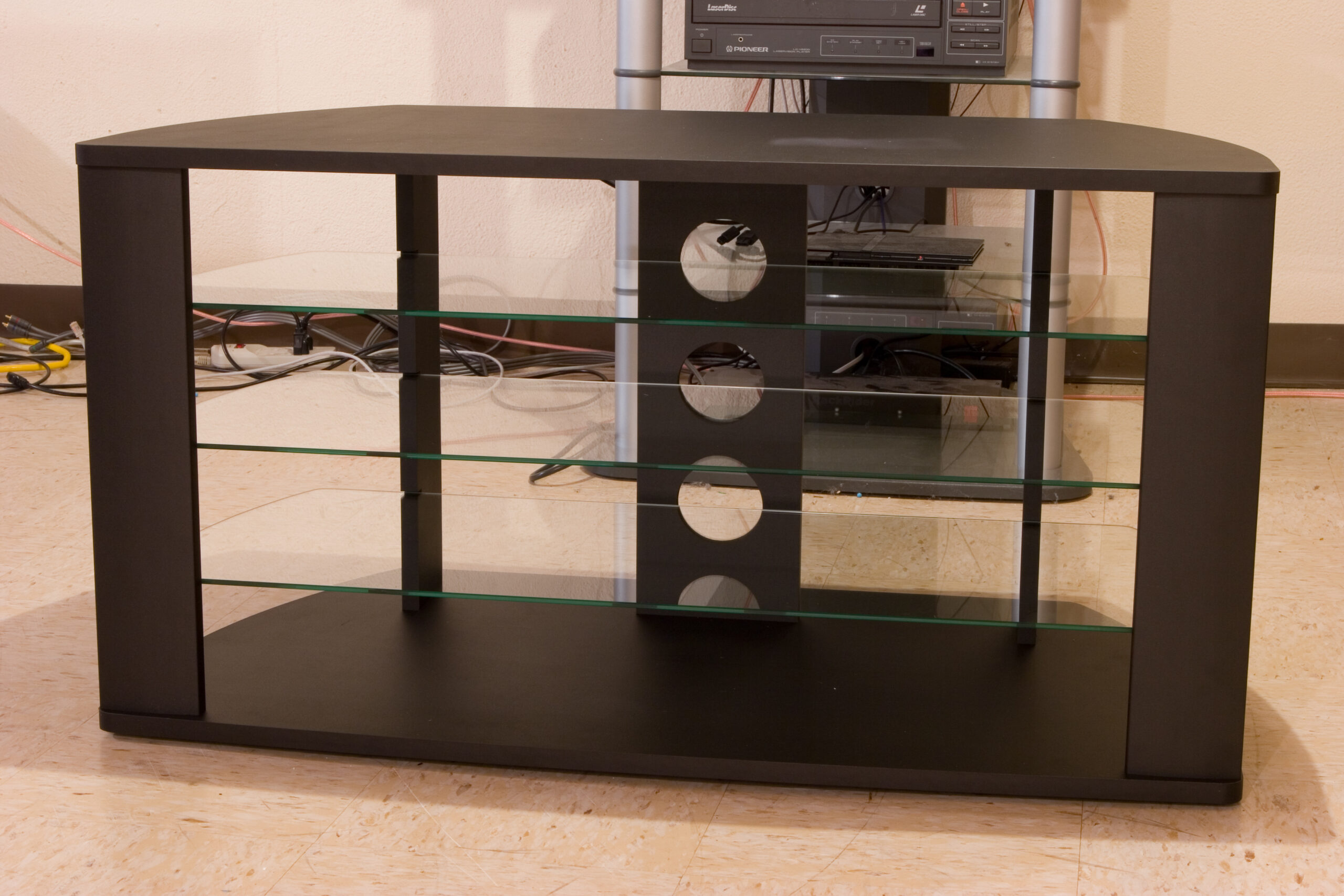
When Danielle and I headed into Circuit City I happened across the Sony KD-34XBR970, a rather nice 34″ CRT HDTV, which Circuit City had at the very discounted price of US$599. After some thinking and figuring things out, I ended up paying for the TV at the Great Lakes Crossing store and having pickup set up for the store near Lakeside. We also went over to Best Buy, where I was able to purchase a rather nice, and perfectly sized stand for it for US$149. Sure, that’s a lot more than I like to spend on a stand, but I actually like how it looks (especially in conjunction with the other stuffs) and it fits the TV very nicely.
I’m also really happy with the image on it. DVDs, even with my eight or nine year old Sony S-550D player, look really great. Hooking it directly to a Comcast cable line picks up a bunch digital channels, including Discovery HD, some HD PBS stuff, HD ‘normal’ TV, and a whole bunch of music stations. The Wii looks great, and I’ll check out some of the other things tomorrow.
Strangely, standard definition TV looks a bit… well… it’s obvious that it’s SDTV. Sort of like watching TV programming expanded to full size on a television monitor. Full 1080i HDTV (yes, this does it) is pretty damn incredible. It’s just really, really nice.
So, I have to say that I’m quite happy with this. I don’t feel iffy about it like I did with the potential LCD purchase, and sitting in my basement it really does look great. The biggest flaws I can find with it are the lack of a CableCARD slot and it’s size, but as I’m no longer planning on moving nor wanting cable beyond the basics, neither really matters to me.
It also still needs to be calibrated, and I need to figure out why there is a faint vertical line running along the left edge of a SD non-zoomed image, but that shouldn’t be a problem. For now I’ll rest. There was already lots of lifting done, with getting the new TV, getting it into the basement, moving the old one out, and all those sorts of things.
(And yes, I know the color on these photos is completely crap. That’s what happens when it’s under GE Reveal off-temperature incandescent bulbs and a bit of correction is added. It’d be really hard to get this all right… Although I should try one day…)
I really dig your AV rack, I’m looking for something similar to that myself. Mainly because my Yamaha receiver is too tall to fit on one of the shelves on the TV stand under my TV.
Hi-Def is very cool to have. I find myself watching things in hi-def that I wouldn’t normally watch in Standard.
That stand was $60 or so on clearance when The Great Indoors store in Shelby Township was going out of business. :)
I really dig your AV rack, I’m looking for something similar to that myself. Mainly because my Yamaha receiver is too tall to fit on one of the shelves on the TV stand under my TV.
Hi-Def is very cool to have. I find myself watching things in hi-def that I wouldn’t normally watch in Standard.
Really good choice, that’s the exact TV I was going to get before I decided I needed a bigger one for the size of my living room. There’s some forward compatibility issues with it like cablecard and HDMI, but it’s picture quality is far superior to anything rear projection.
Naw, it’s got HDMI 1.2, and if I remember right the only difference between that and 1.3 is some color stuff for 1080p. CableCARD is… eh… I don’t watch much broadcast TV.
Have you looked into upsampling DVD players? I’ve got an old Sony from 1999 that won’t even do progressive scan, so I’m thinking one of the multi-region, non-Macrovision HDMI output ones will be good. I can buy an already-modified Pioneer for about $90 online.
Now, if I could only remember the name of the place to get cheap HDMI cables… Firesomething… Hotsomething…
Oh sweet, they’ve updated it since I was looking at it. Having HDMI is critical to new TVs, since the converters are so damn expensive.
Yeah, I actually own one, the Panasonic S97S, it’s a fantastic player but the upsampling chip isn’t as good as the one in my Samsung TV, so I actually send in 480P over HDMI and upsample in the TV.
There’s cheap HDMI cables on Amazon, like $15. Since it’s digital over copper the only thing you need to worry about is signal strength over the length of cable. Don’t go over 3M and you should be OK with the inexpensive ones.
Ah, I may be wrong about the HDMI version, but it’s definitely got an HDMI port.
Check out this player. It gets great reviews from what I’ve been seeing. I just need a new player that (at least) does progressive scan and has optical output. I actually think that since the TV is a XBR it’s scaler might be real good and I should just go for a cheaper progressive scan player. Then I can just drop-in replace the S550D with it and use all the same cables as well. (Maybe I’ll run by Costco at lunch and get whatever cheap one they have.)
FireFold is the place I was thinking of. Since HDMI is digital, it’s like network cables. The signal either gets there or it doesn’t. So, I’m just fine with cheap cables… :)
Hmm, I also need a new home theater setup disc, I think. Well, maybe…
Nah, you’re right about the versioning not mattering much, it’s backwards-compatible.
The Oppo’s the shit, I almost got it but I wanted a brand with better US customer service presence.
Ahh, good to know.
The Digital Video Essentials disc is the standard, but you can get similar results by just using a laptop with DVI and Photoshop. I actually found a forum that a bunch of people had posted their settings for the same model TV I have after using the DVE disc, I just chose the set I liked best. You’re lucky, CRT is much less variable than DLP, the settings have to be calibrated for the current bulb output, which slowly wanes.
The DVE disc with the piece of film is the one I’ve got.
I picked up a Toshiba SD-K770 at Costco for $39.99. I haven’t opened it yet, so I’m going to check into making it multi-region and such. Having no optical output I’ll also have to make a coaxial cable tonight, but that shouldn’t be too difficult either.
Same thing applies, if it’s a digital signal all you have to worry about is resistance of the wire.
I’ve got some nice, spare RCA connectors and copper braid core / copper braid shield coax. And this will only need to be about 2-3′ long.
It’ll be made very similarly to the stuffs listed here.
You are literally the only person I would ever trust to build an HDMI or DVI cable by hand.
Heh. Thanks. I wouldn’t want to build DVI by hand, though. MiniDIN 8 and iPod dock connectors are tough enough. HDMI is probably doable, though.