Digital ICE
November 25, 2006
Digital ICE on the Nikon Coolscan V ED works rather well.
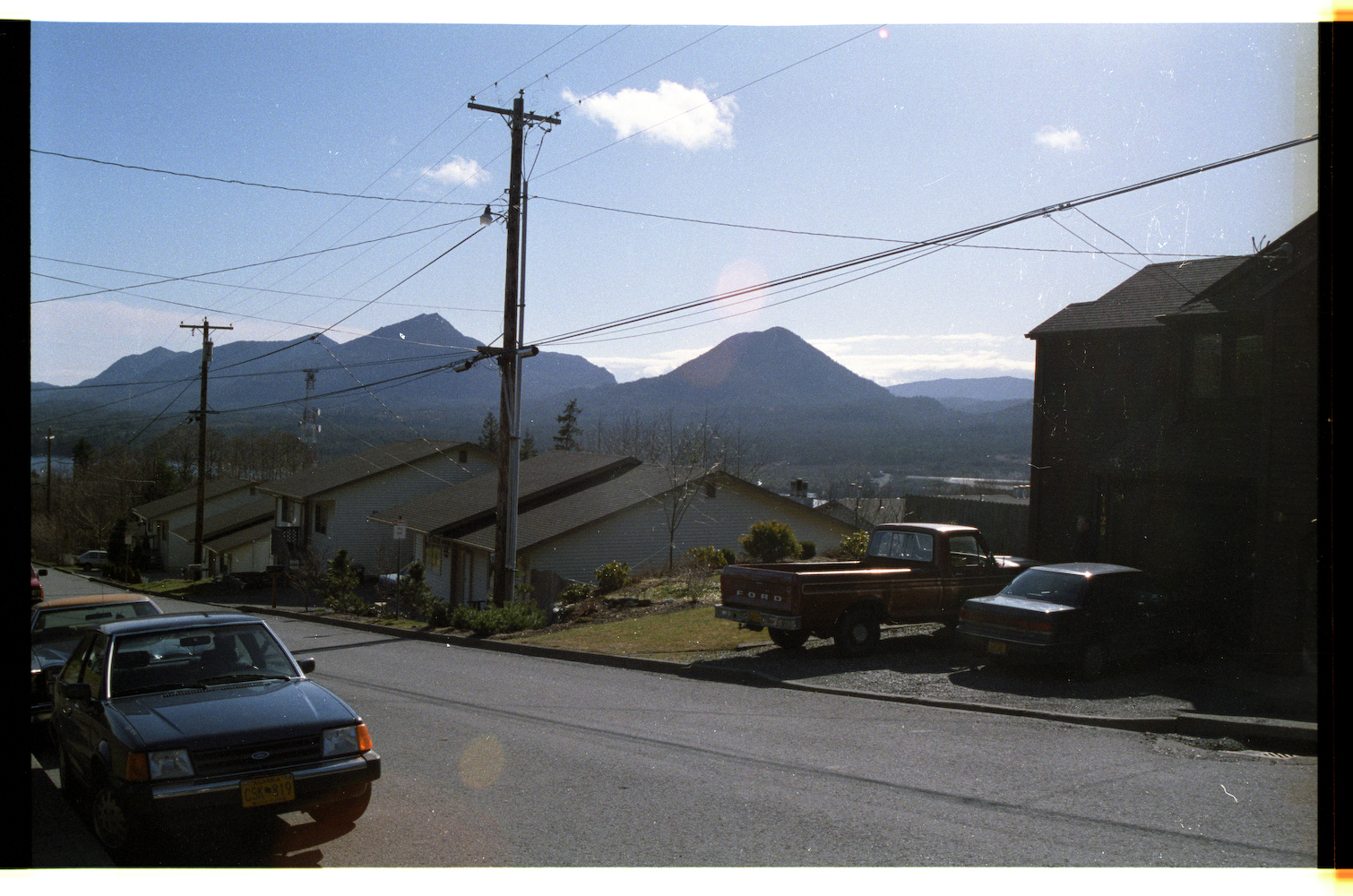
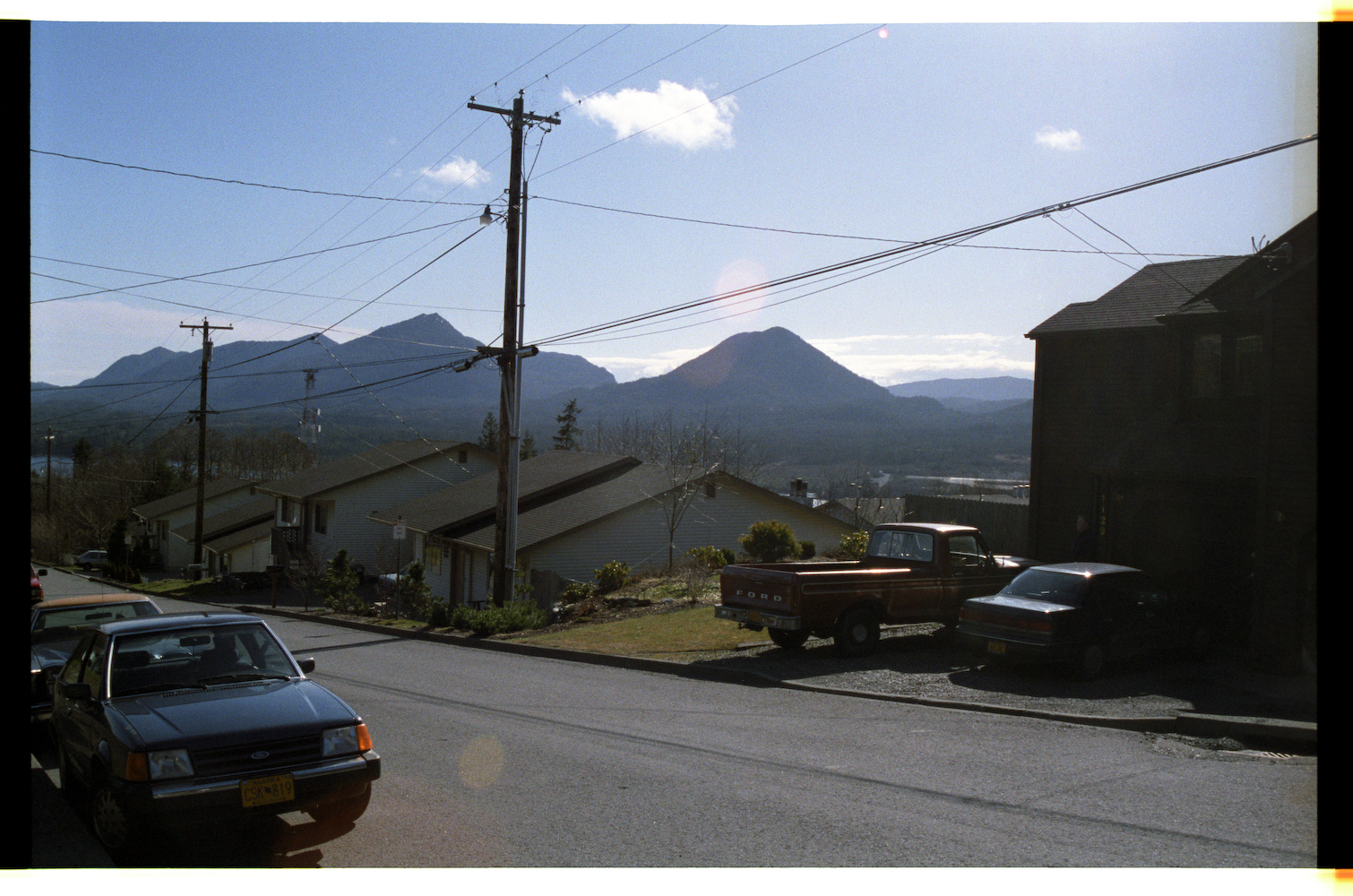
For example, here is a single frame scanned both without and with Digital ICE, set to remove dust and scratches. The negative wasn’t removed from the scanner between scans, the option was simply turned on and the frame re-scanned:
· Without ICE. Note the dust on the mountain, and small scratches on the house at the right side of the frame.
· With ICE. Aforementioned dust and scratches (and other bits) are just simply gone.
nice, very nice
impressive that it got the difference between glint from the original photograph and dust.
although, i understand what it’s doing, so it makes sense. it’s about the same idea conceptually as doing a flat-field in digital astronomy…
you take a picture using a set shutter time (“integration time”) with the lens cap on. This gives you the gain on each pixel (since there are minute variations from cell to cell), as well as any basic flaws with the optics. Then, for all images taken, you subtract this flat field, which removes any difference caused by the device itself, resulting in just the data you’re observing. Likewise, you also have a mask that removes “bad pixels” on the CCD array.
sorta the same thing. take a picture of the slide, then take a picture again, but light it with IR so only the flaws (scratches and dust) appear. subtract one from the other, or use it as a bad pixel array, and fill in the data with nearby data, and you end up with awesome images.
Of course, using ICE causes the scan to take around 4x the time of a ‘normal’ scan, but it’s worth it.
Interestingly, on the 110 slides it failed, which I figure is because 1) Kodachrome slides have varying depth to them, as the emulsion can actually be seen to form stepped layers based on exposure, and 2) most of the frame was pure black, throwing things off. On these slides there would be a bit of motion blur-like effect on all edges.
Wow, i was curious if such technology existed.