Chroma Syntax Highlighting via Caddy
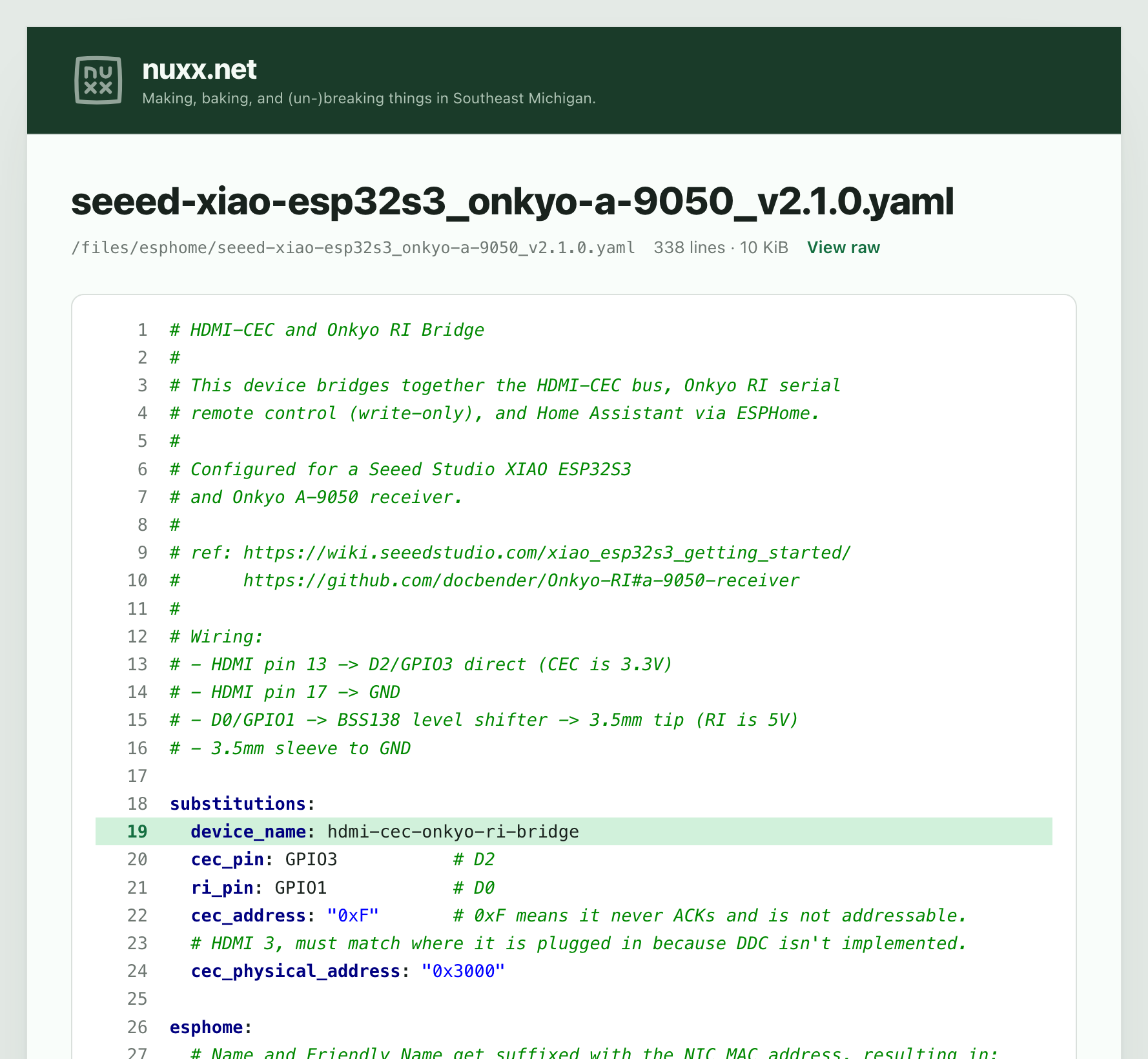
After learning that Chroma is how Caddy renders Markdown into HTML, I started thinking it’d be neat to use Chroma to do viewing with styling/syntax highlighting of any supported files that I share/archive at nuxx.net/files.
As I began investigating this, thinking that I’d have to do some sort of server-side rendering fed back to the webserver, it turned out there is a great hack that made it a lot simpler: Use the built-in Markdown support to render a code block (only) with the contents of each file.
I’m impressed with how this worked out. With some Caddyfile changes to call this, an updated custom file browser, and the HTML template (yes, all AI-assisted development — it came up with this hack) supported files in my archive get a nice VIEW button next to them which opens them in the viewer, or I can link directly to them with a ?viewer argument. Adding an hl= argument will (eg: hl=19 or hl=10-15 or some comma-separated combination thereof) will highlight individual lines. The screenshot above is from this URL: https://nuxx.net/files/esphome/seeed-xiao-esp32s3_onkyo-a-9050_v2.1.0.yaml?viewer&hl=19
This viewer is capped to 1MB files (larger just send the raw file as clicking/direct linking do) and hl is limited to 100 characters, but this should suffice.
Oh yeah, so the how? Well, it’s all balled up with a whole bunch of CSS and site-specific stuff that I really don’t feel like stripping out to use as an example. And I don’t want an AI-generated how-to… so I guess all you get is the knowledge that this can be done and an example of it in practice. Hopefully that’s enough to feed to your agent and see how it can be implemented for you?
A bit of an aside, but as someone who remains quite skeptical of claims of what “AI” can do, I recognize and appreciate the power of LLMs for software development and troubleshooting. Being comfortable with such tools has made it much easier to get stuff done in my personal computer-hobby and day-job work time. Basically, I find that if I understand the inputs, the desired output (the goal), can describe the problem or task to be done, and can check things along the way, with a bit of guidance LLMs are great at filling in the time-sucking middle. This post from geohot really resonates with me and I suggest reading it the other posts/articles it links to: I love LLMs, I hate hype.