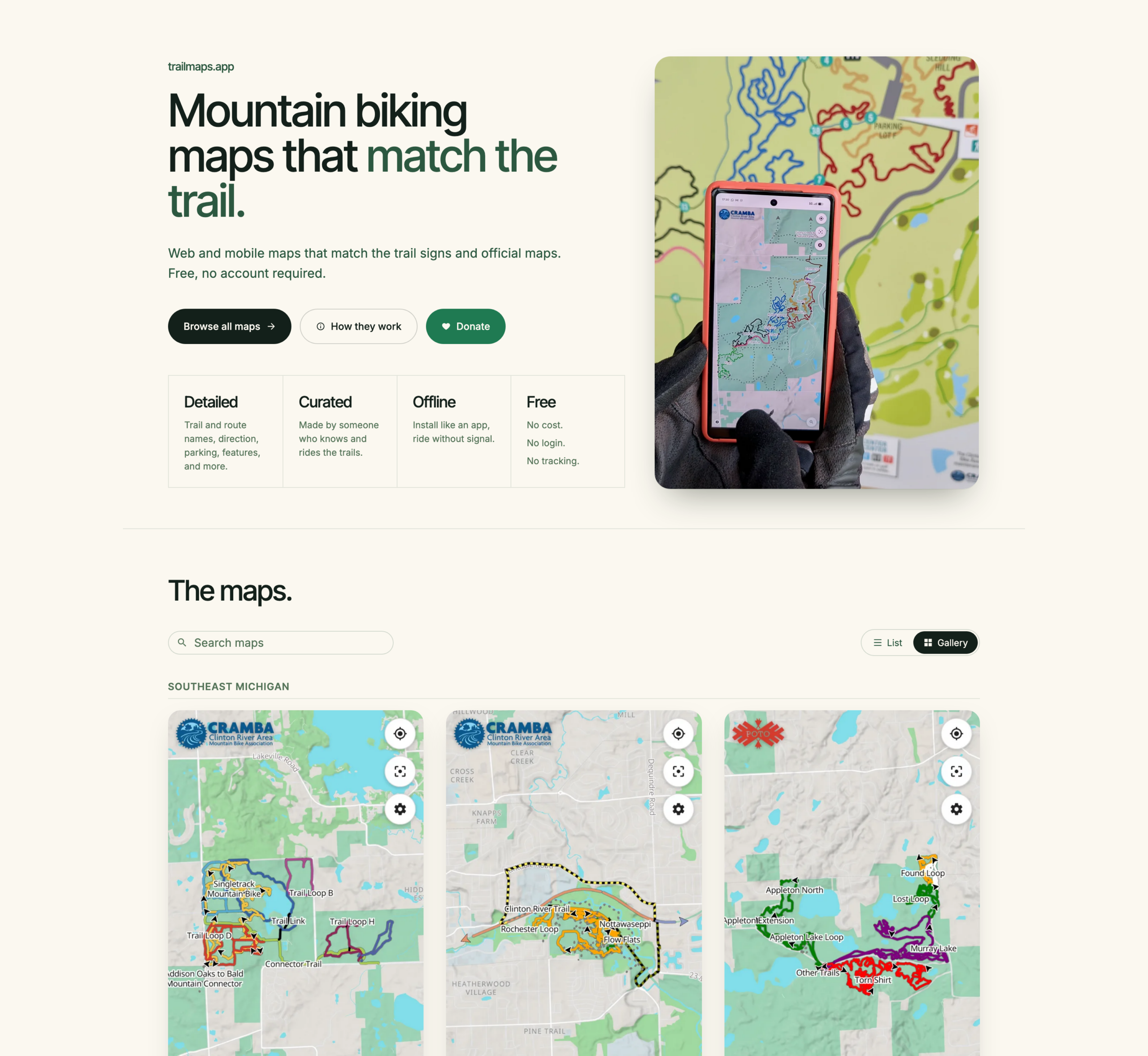
I’ve been using it for a while now, so I guess it’s a good time to announce the revamp / relaunch / whatever of trailmaps.app. This is a personal project website which started one frosty January morning as I sat in an Ishpeming rental waiting for temps to rise before heading out on a fatbike ride and is now a hub for hosting maps I’ve generated of various trail systems.
The site started out as a hand-written HTML landing page, hand-made Leaflet maps, and directory indexes of my trail map PDFs where I learned a bunch about showing OpenStreetMap (OSM) data via the web, generating tiles, etc (for example, see Making an Online RAMBA Trails Map from 2021). Now it’s now hosting feature-rich web-based maps that help people find their way around mountain bike trails.
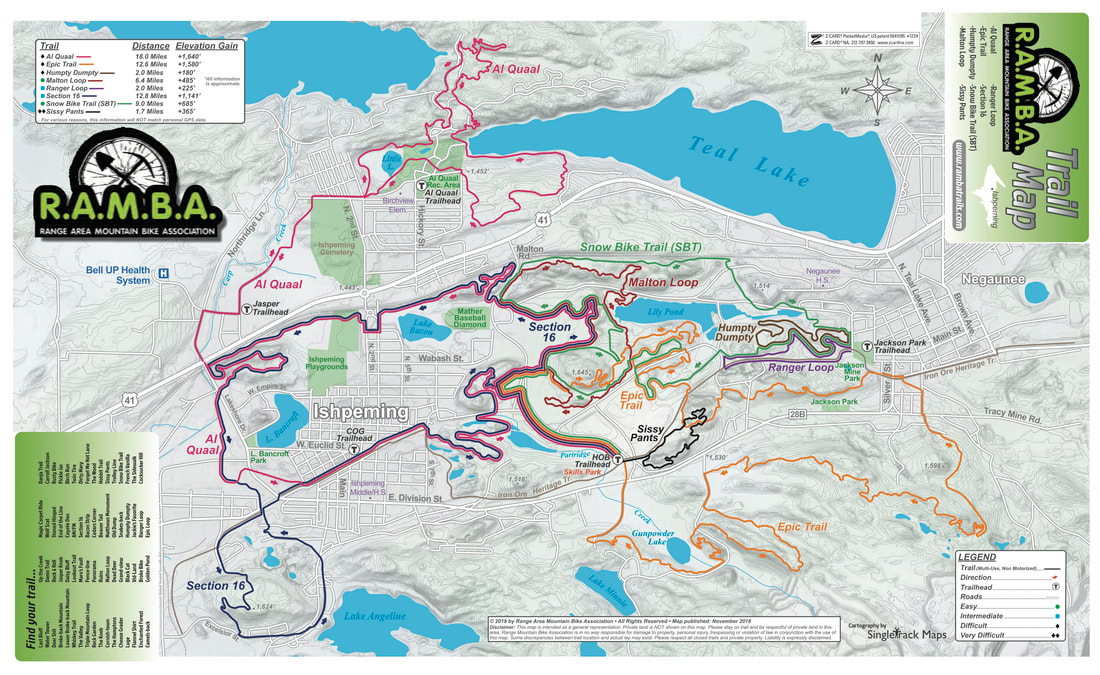
The root of the idea was cooked up on a long drive; I wanted something akin to the subway-map-style’d official RAMBA print map (parallel lines over a single trail to illustrate the trail’s membership in multiple routes), but web based. And maybe usable on a phone. And after the early learning then quite a bit of work this spring… Here it is.
Instead of just doing a single map (one-map-at-a-time coding / tile generation / etc) as I had in the past, I now have a full-on map generator that takes data from OSM and other online/open/free sources, combines it all, and generates static content that’s easy to host and cachable so it works if a device loses cell service. It’s basically as close to an app as one can get while still staying web-based.
By being hand-curated (that is, not just auto-generated off of all OSM data) these maps also fill a long-standing gap with other online maps (eg: Trailforks, MTB Project, Strava, RideWithGPS) in that they don’t style (color) the routes the way official park maps and signage do, making what a rider sees on their phone challenging to align with what they see on a signpost next to a trail.
For example, compare these maps of the Shelden Trails at Stony Creek Metropark to the PDF of the official park map which is at the trailhead, and whose color-matched signs are along all loops.
- Trailforks: Only difficulty colored.
- MTB Project: Only difficulty colored.
- Strava: Only dashed lines or a heatmap, unless someone’s created a route.
- RideWithGPS: Just dashed green lines, unless someone’s created a route.
Then look at the trailmaps.app map of the Shelden Trails at Stony Creek Metropark, for example, the Beach trail.
There’s a bunch more features that this brought about, which I won’t dive into as much depth, but which I’m still quite proud / happy with. The end results are what I want in maps, and it’s nicely reusable:
- Reusable map generation engine; I write a YAML description of the map (title, OSM references, info that can’t be found in OSM) and it makes the map. If the engine or data gets updated, re-run the map and/or website generation tools.
- PWA (Progressive Web Apps), so they are installable app-ish, but without the app store overhead.
- OSM data is not fetched live — it’s a snapshot taken map-generation time — meaning errant edits don’t break the map.
- Zero user/usage tracking, including having all assets loaded from trailmaps.app. (I’m trying to support less and less online tracking while still providing a good tool.)
- Ability to generate maps custom from non-OSM data, such as race or group ride routes.
- Thorough, proper (read: non-shady) SEO such as OpenGraph previews and metadata, making link embedding, sharing, and site discovery by search engines work well.
- Hostable for cheap since the only server requirements are TLS and RANGE requests. A $5/mo Nanode from Akamai (formerly Linode) easily does it all.
- Stand-alone maps (each map is a self-contained site) makes it possible for them to be hosted elsewhere, such as if one was made for a trail club/org, etc.
And yes, I heavily used AI-assisted development for this. It was quite educational as since I knew the inputs and outputs, use the maps myself, and was able to do quite a bit of QA, the result is great. At my day job in IT there is (as typical) a huge emphasis in using AI tooling to assist us with our work. This served as a nights-and-weekends project that was quite educational and will benefit me in day-job stuff while achieving a personal goal of making something I wanted and useful for others. It also illustrated the interesting balance between what AI-generation is good at (code, bug finding) and what it’s not (wording, stylistic choices that aren’t simple clones, avoiding feature bloat).
I’m subsequently making the map generator itself available under the MIT license so others can use it. I do have an extensive toolchain for generating the website (takes a definition file and generates the maps, creates preview images, updates the index, rsync’s it to the server) but that part is staying closed / non-released because it’s very my-setup-specific.