Press "Enter" to skip to content

Month: February 2026

Problems Caused By “transition: 0”

Around the time I set up Hue bulbs for the sunrise simulation I began to have a very odd problem with a couple Home Assistant controlled lights. Turns out that problem was caused by turning them off with transition: 0.

In our HA instance I have two helpers, each called Interior Lights, with one being a group of switches and the other a group of lights; both containing only things we’d consider interior lights. I then have an automation that turns both groups off, and trigger it from something like All Interior Lights Off which I’ll commonly trigger before going to bed, when leaving the house, etc.

Because a group entity can only hold the same type of entity, and we have lights that are both lights entities (i.e. bulbs) and switches entities (i.e. smart switches controlling dumb bulbs) we need one group for each type.

The specific problem was that two lights in the group group — one being an IKEA TRADFRI 800 lumen bulb and the other BTF-LIGHTING Zigbee single-color LED controller — started acting oddly. At first it was hard to tell what was going on, the IKEA bulb would seem to be on when not expected and the LED strip would be off when it should be on, but eventually I found repeatable cases:

  • When triggering All Interior Lights Off automation, if the IKEA bulb was already off, it’d turn on at minimum brightness.
  • After using All Interior Lights Off, the BTF-LIGHTING LEDs, on next on command, would flicker on and then almost immediately turn off.

It turns out the problem was having transition: 0 on the light group’s off automation. Back when doing tweaking for the Hue bulbs I changed this because otherwise these bulbs would dim out over 1-2 seconds instead of just turning off, and I didn’t like this. Unfortunately, this change exposed some bugs.

So I removed the transition from the automation and poof; no more weird problems.

Comments closed

Strava High-Res Heatmap in JOSM w/ Free Account

Legacy Park in JOSM w/ Strava Heatmap

So, it turns out you can get high-resolution Strava heatmap data (as mentioned here previously) in JOSM with a free-tier Strava account.

Since it’s been… a bunch of years… since my last post, here’s how I now do it.

First, be sure that JOSM is open and the remote control is listening.

Then, use Firefox and install the JOSM Strava Heatmap extension (zekefarwell / josm-strava-heatmap), but do it by:

  • Downloading the latest version from here (mirror).
  • Unzip it somewhere that you’ll want to keep around.
  • Go to about:debugging
  • Click This Firefox
  • Click Load Temporary Add-on…
  • Pick one of the files from the ZIP and let it load.

After it loads, go to Strava’s Global Heatmap, logging in if you need to. Then click the nine-box grid icon (same as the extension’s icon) that appears in the upper-right of the map.

Click Open in JOSM and the global heatmap will appear in JOSM.

To customize things a bit more — which helps quite a bit with visibility in JOSM — one can edit the map by picking a different activity and changing the gColor query in the address bar before opening in JOSM.

gColor options include hot, blue, purple, gray, andbluered. The activity can be changed via sport= and include the main Walk and Ride, and the lesser-used MoutainBikeRide, GravelRide, Snowshoe, etc.

But note that the extension doesn’t support all of these, so you may need to play with the URI in the new tab that opens to get things to display quite as you want. (I guess that’d be easy enough to change…)

Comments closed

Shimano Y0GX01500 (Adhesive Ring) Replacement

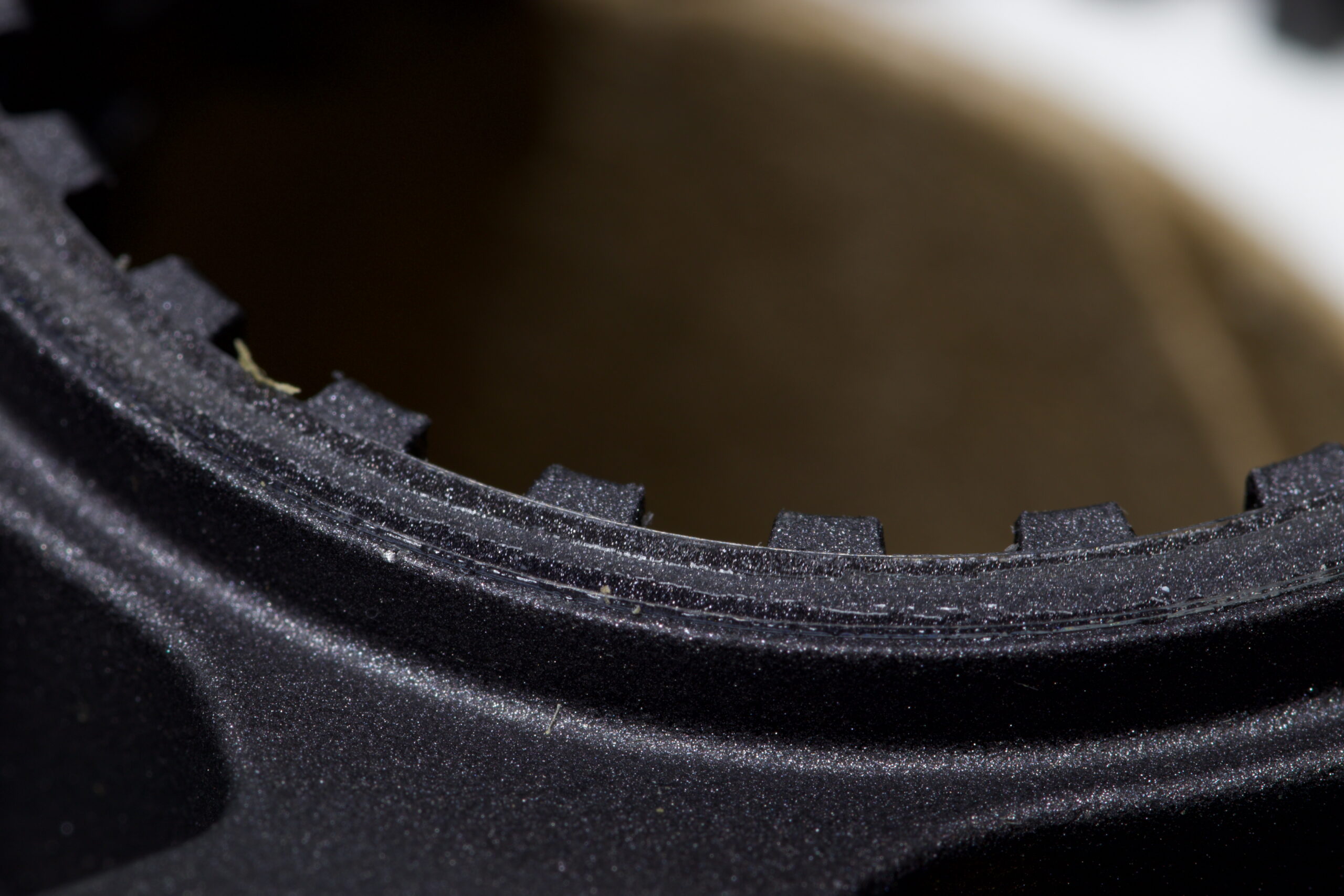
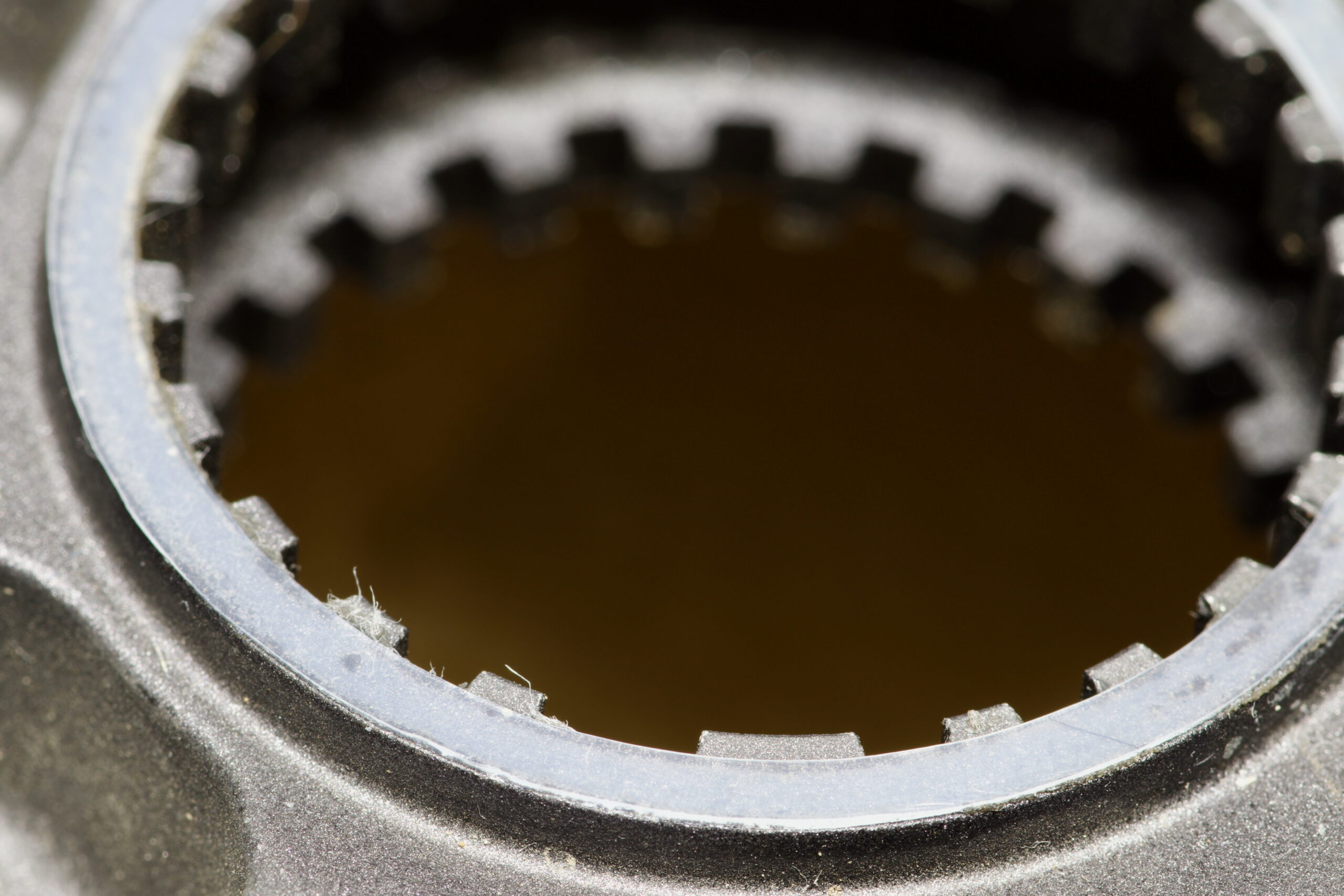
UHMW PE replacement ring applied to a CS-M8100-12 cassette.
Stock Y0GX01500 on a CS-M8100-12 cassette.

Many Shimano cassettes, such as the CS-M8100 (XT, 12 speed) have a thin adhesive ring (part number Y0GX01500) on the back side, where it sits against the Microspline freehub body.

Unfortunately, these can easily be lost as they tend to stay on the freehub body when removing the cassette. Which is exactly what happened when I sent the NOBL wheels from my Mach 4 SL‘s in for a warranty rim replacement. Some folks advocate for removing them, believing them to cause cassette wobble, but the main purpose seems to be eliminating noise and fretting between the cassette and freehub bodies.

Since I don’t like bike noises, I wanted another. They can be bought online for something like $9/ea before shipping, but that seems like a lot… So a better solution? Make one!

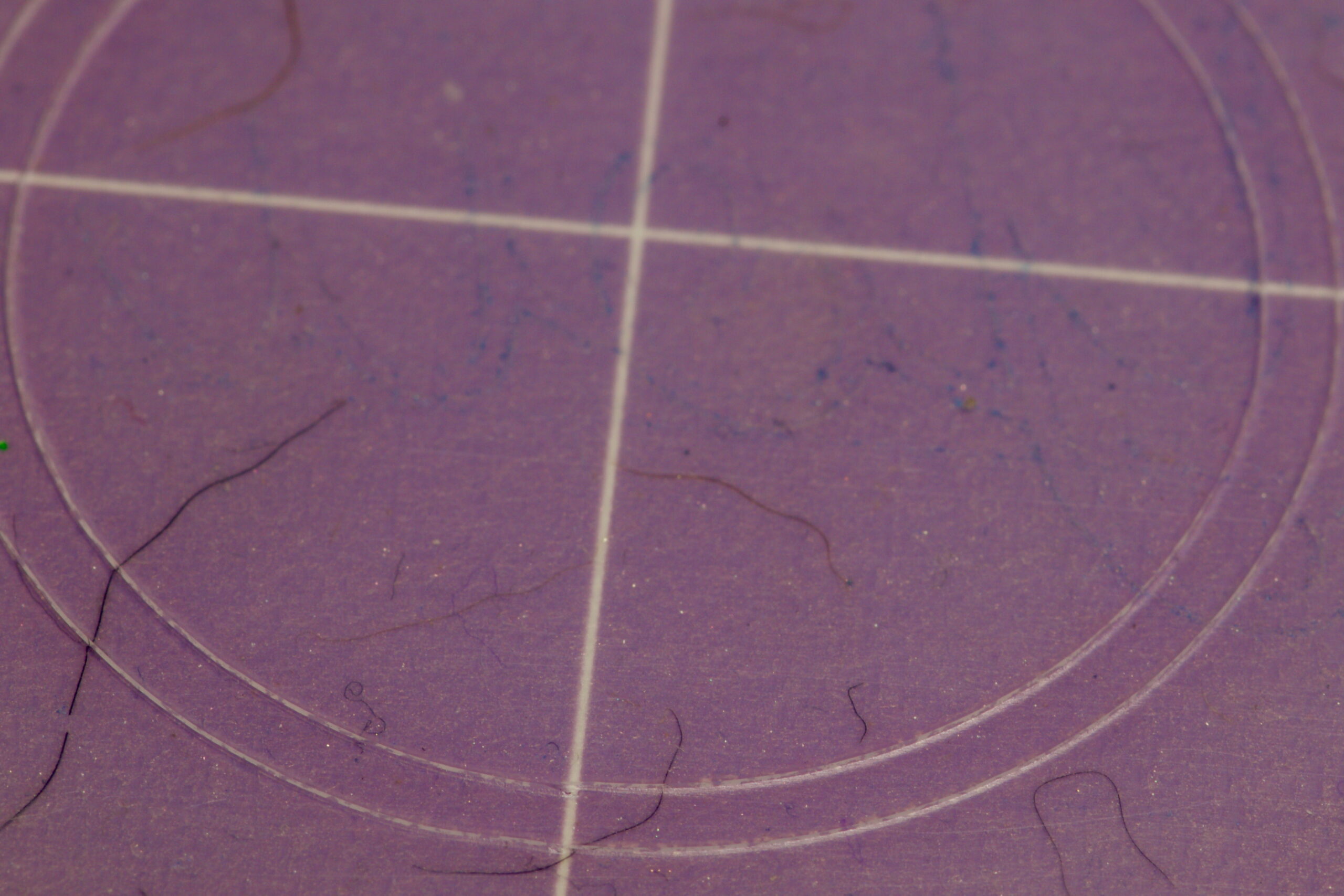
37mm x 33mm ring cut from UHMW PE on a Cricut.

Measuring a new ring on a spare cassette showed it to be 37mm OD x 33m ID, roughly 0.2mm thick. I have some 0.0115″ / ~0.29mm (Ultra High Molecular Weight Polyethylene (UHMW PE) tape from McMaster-Carr (part 76445A764) that I use for rub on bike frames, so that seems perfect. Kristen cut a ring out with her Cricut (with a Deep Point Blade, set to “thin cardboard”), I stuck it to the cassette, and that was that. Much better than spending $9 and waiting for it to arrive.

I had originally tried to print one with PETG filament, but when the first of two broke coming off the build plate I figured it probably wasn’t the right material and would come apart under load, leading to a loose cassette, noise, etc. UHMW PE tape is very malleable and often used to stop noise between rubbing parts, so it seemed like the better choice.

Comments closed