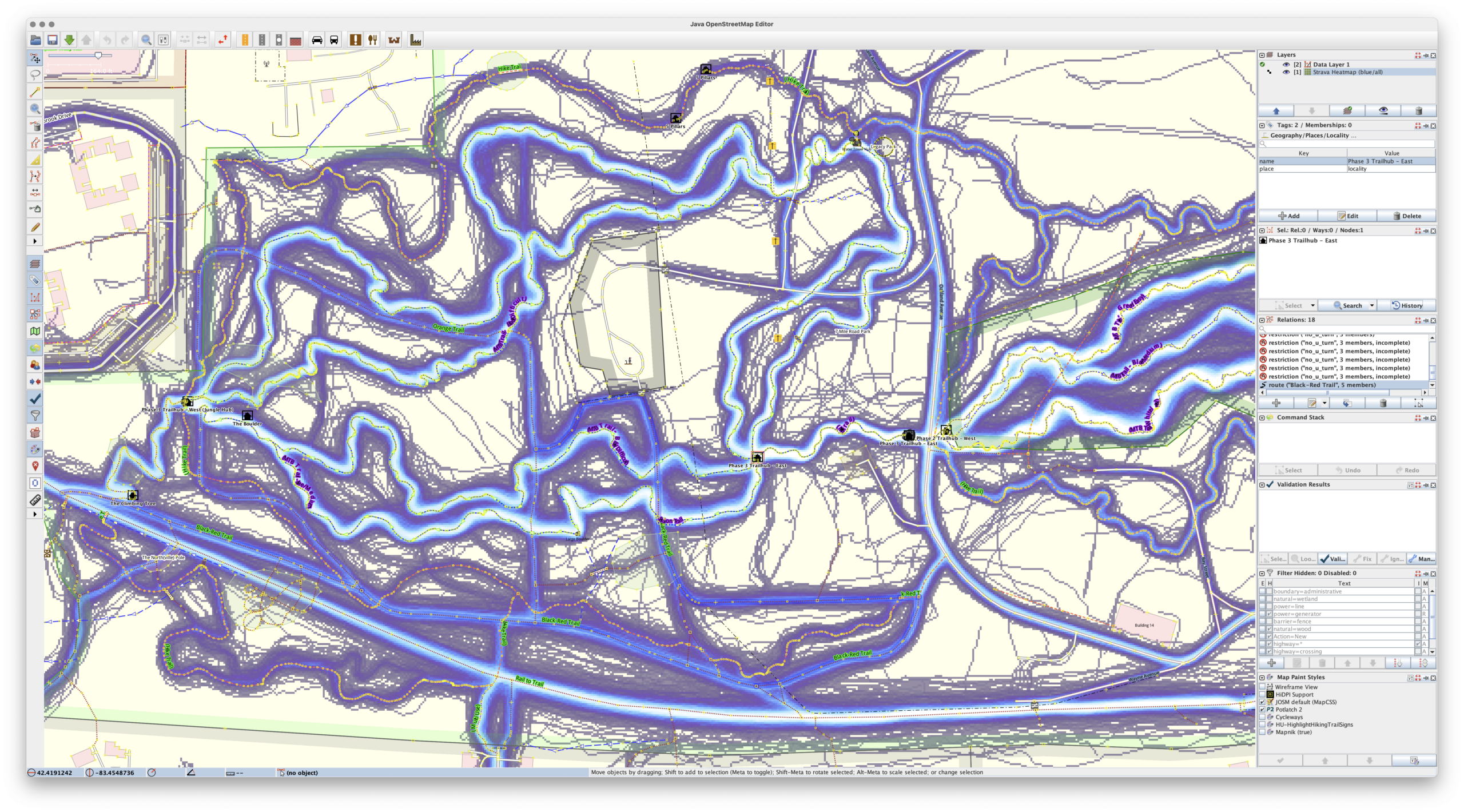
So, it turns out you can get high-resolution Strava heatmap data (as mentioned here previously) in JOSM with a free-tier Strava account.
Since it’s been… a bunch of years… since my last post, here’s how I now do it.
First, be sure that JOSM is open and the remote control is listening.
Then, use Firefox and install the JOSM Strava Heatmap extension (zekefarwell / josm-strava-heatmap), but do it by:
- Downloading the latest version from here (mirror).
- Unzip it somewhere that you’ll want to keep around.
- Go to about:debugging
- Click This Firefox
- Click Load Temporary Add-on…
- Pick one of the files from the ZIP and let it load.
After it loads, go to Strava’s Global Heatmap, logging in if you need to. Then click the nine-box grid icon (same as the extension’s icon) that appears in the upper-right of the map.
Click Open in JOSM and the global heatmap will appear in JOSM.
To customize things a bit more — which helps quite a bit with visibility in JOSM — one can edit the map by picking a different activity and changing the gColor query in the address bar before opening in JOSM.
gColor options include hot, blue, purple, gray, andbluered. The activity can be changed via sport= and include the main Walk and Ride, and the lesser-used MoutainBikeRide, GravelRide, Snowshoe, etc.
But note that the extension doesn’t support all of these, so you may need to play with the URI in the new tab that opens to get things to display quite as you want. (I guess that’d be easy enough to change…)